

Shibboleth v5 is more stringent when parsing SP metadata, if the application’s metadata file fails to parse after upgrade it will be set to inactive:

Edit the application and change it to “active”, this will generate an error message from websecadmin. From the Tools menu, search for an error message from websecadmin:
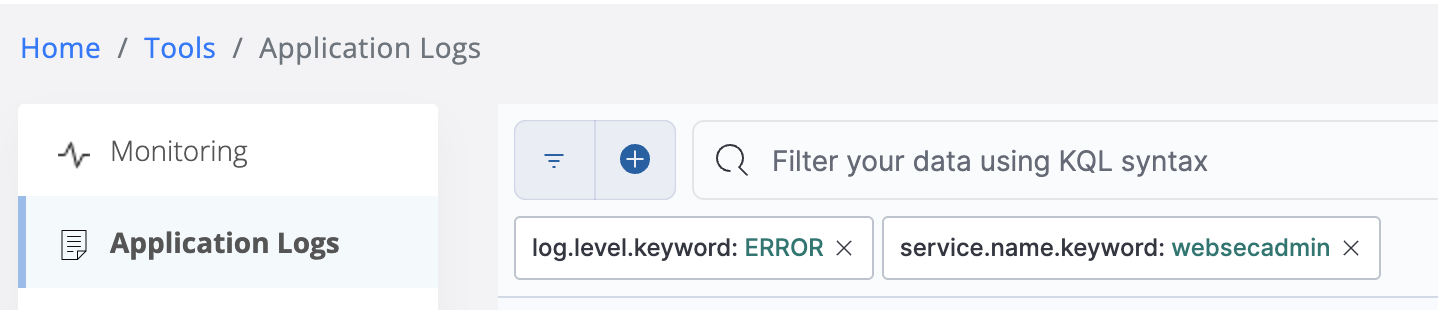
The message field will contain “Got non-business layer exception”:

Expand the message and look at the stack trace:
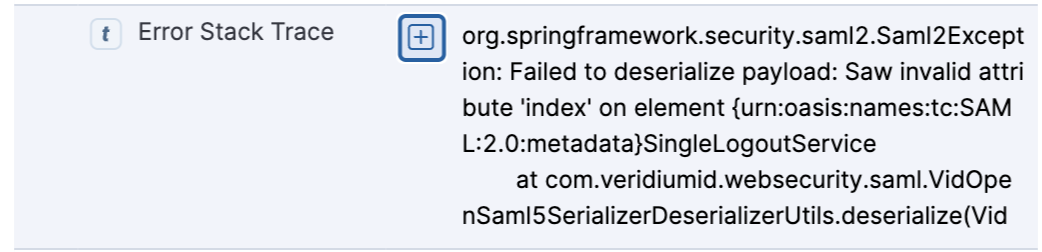
In this case the ‘index’ attribute is no longer considered valid for the SingleLogoutService element.
When we edit the metadata file we see that this is a “Binding” element, where both bindings in the metadata contiain the offending ‘index’ attribute:

Delete the index=”0” from both bindings:

Import the edited SP metadata in to the SAML application configuration and save. This should clear the error and allow the application to be switched back to “active”.