VeridiumID 3.8.4 introduces comprehensive automation for managing the internal PKI. This update adds a new feature that allows Veridium administrators moving away from manual certificate management.
Automatic Certificate Renewal Configuration Guide
Administrators can manage renewal schedules and parameters in Veridium Manager
-
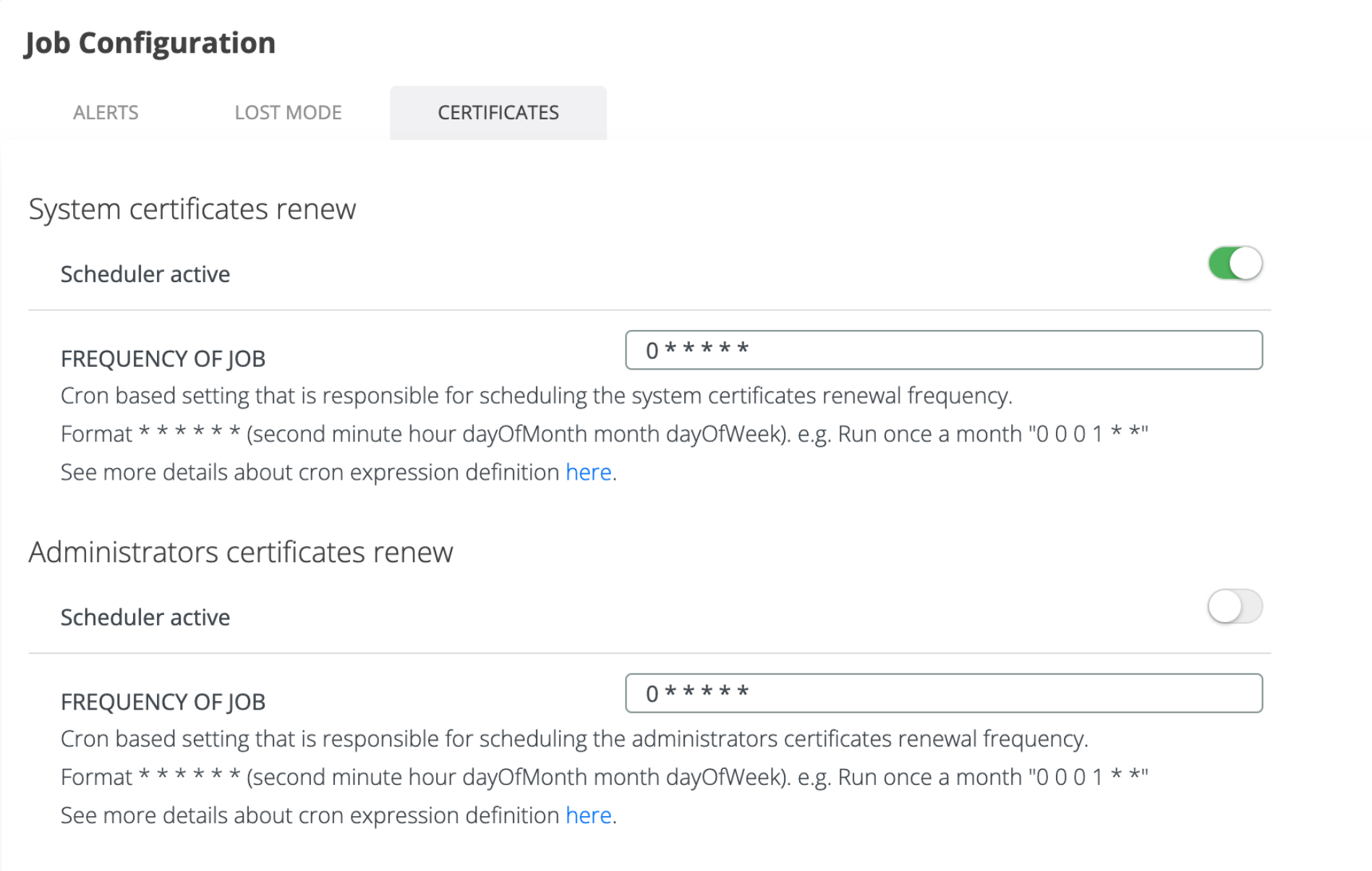
Frequency of Job: The schedulers can be activated through the Admin / Settings / Job Configuration dashboard under the Certificates tab. The frequency is set via standard Cron expressions to define how often the system checks for expiring certificates (e.g., once a month).
-
Types of jobs:
-
System certificates - scheduler responsible for checking and generating the System Certificates (Friend): Self Service Portal, DMZ, Active Directory Integration, Radius Server, Shibboleth, OPA and the Default Certificates (Default)
-
Administrators certificates - schedules the automatic renewal of the Veridium Manager administrators' certificates.
-
-
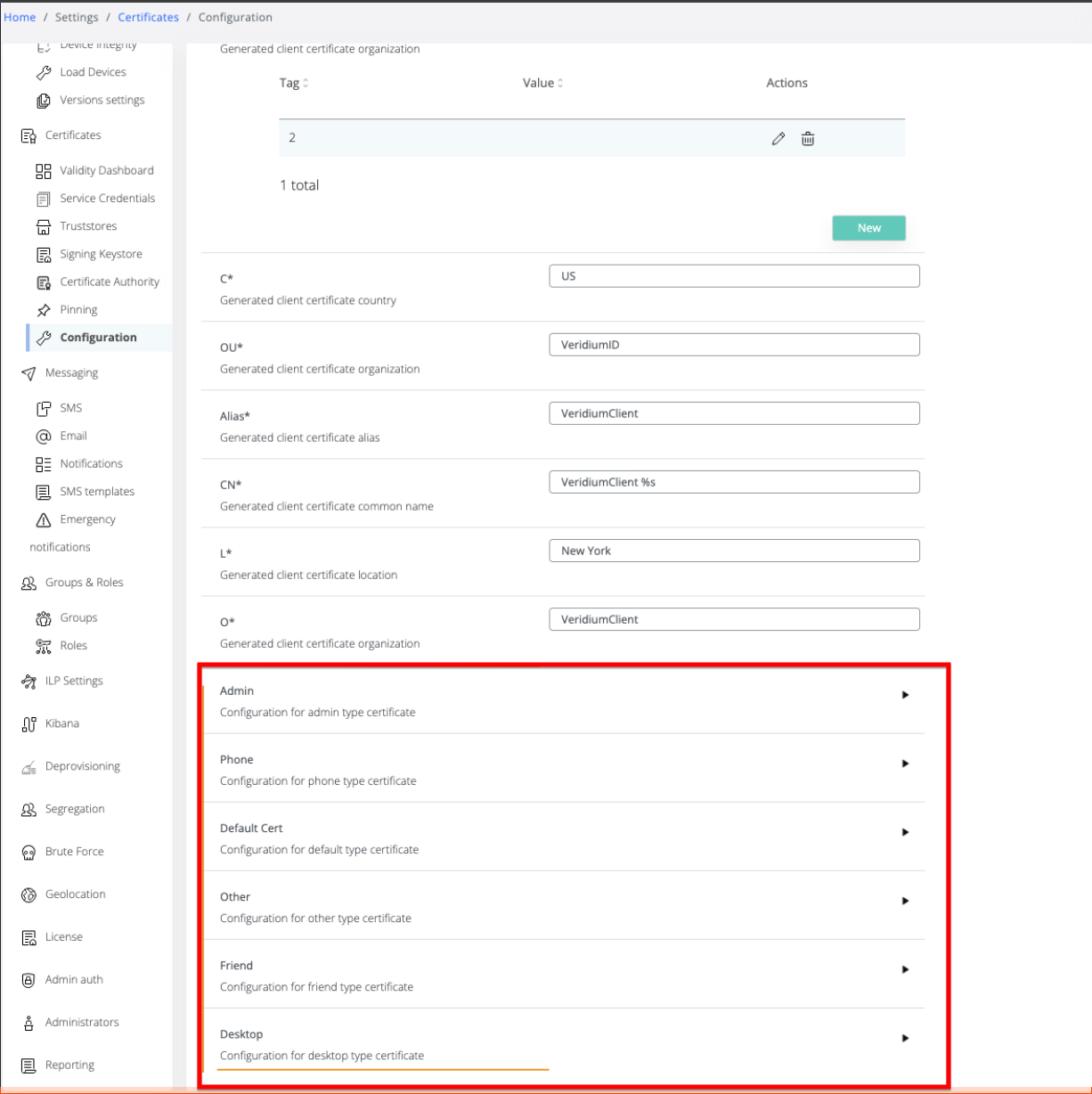
Renewal Parameters: Each certificate category can be set to have specific validity and renewal periods. These parameters can be set by administrators in Admin / Settings / Certificates / Configuration page as follows:
-
Validity Days: Total lifespan of the certificate.
-
Renew Before Exp Days: How many days prior to expiration the renewal trigger should fire.
-
Overwrite Existing Certificate: If disabled, the system maintains the old certificate alongside the new one for a seamless transition. The old certificates will be able to authenticate until expiration.
-
Renew Timeframe Mins: Applies to Phone certificates only - represents the time frame within the certificate may be renewed after the renewal notification is received.
-
Certificate types
-
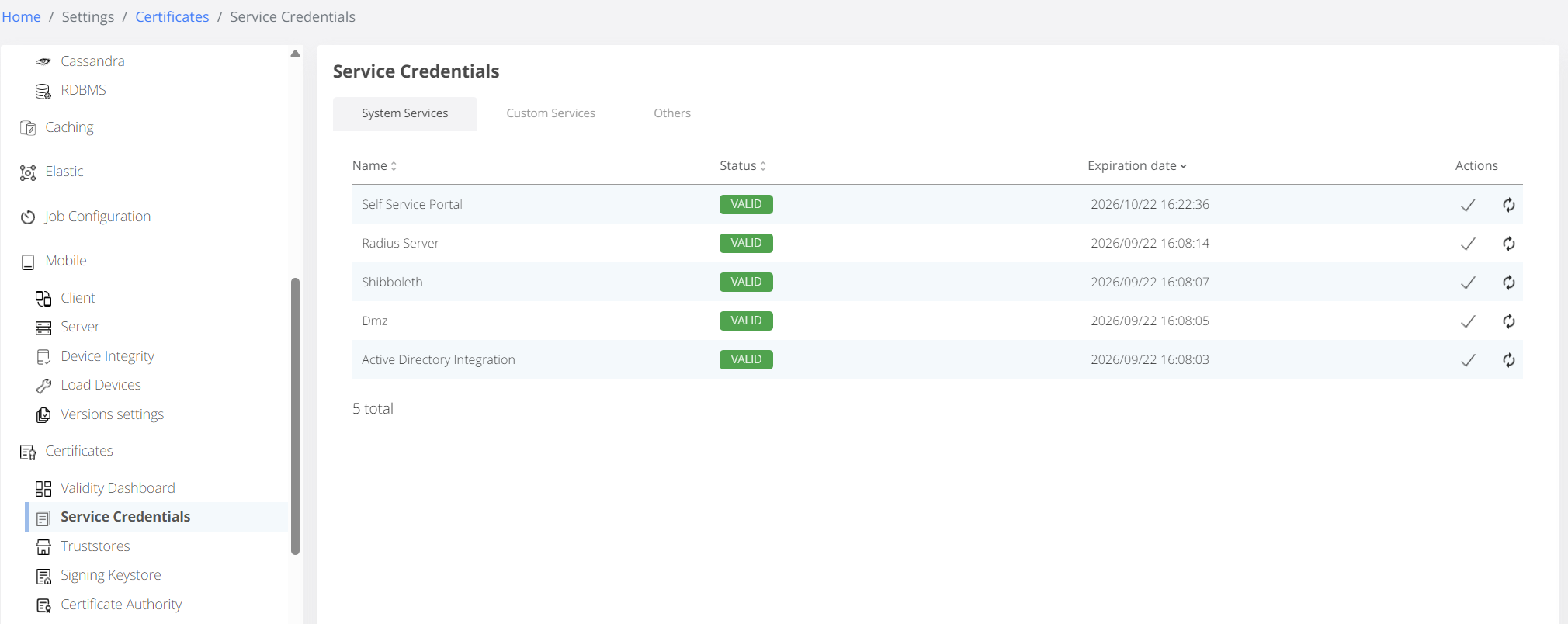
System Certificates: Renewal triggered automatically when the scheduler is activated. This includes certificates for the Self Service Portal, Radius Server, Dmz, Shibboleth, and Active Directory integration.
-
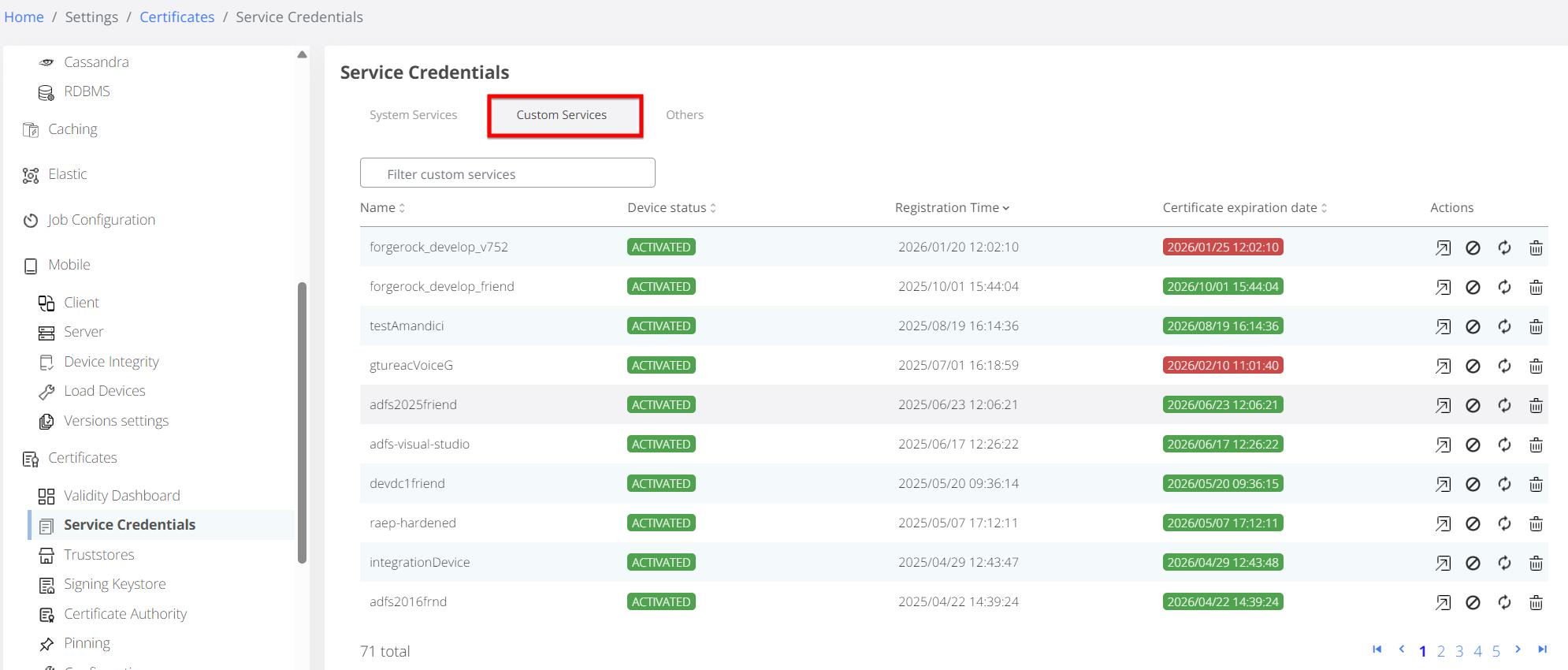
Custom Certificates: Intended for external services calling the WebSec API and are listed under the Admin / Certificates / Service Credentials / Custom tab. While not automatically rotated by cron jobs, they can be renewed via the following methods:
-
manually from Veridium Manager
-
POST API call to the endpoint:
/websec/rest/enterprise/friend/RenewCustomFriendCertificate.
Request:Headers: Content-Type: application/vnd.veridiumid.renewcustomfriendcert-v1+json Request body: { "csr": "..." [optional] }
-
Response
{
    "clientCertificate": "MIACAQMwgAYJKoZIhvcNAQcBoIAkgASCA......", #(Truncated for brevity)
    "password": "38610011-e07d-4c13-8252-225ega58c820",
    "exportFilePath": "Develop_friend_cert.p12",
    "certificateUUID": "133xx24f-7221-4f6b-8c6a-9bde2a8c4bxc",
    "error": {
        "errorDescription": "",
        "errorCode": 0
    }
}
Based on the request, the API returns the following:
-
if the request is made without CSR, the API will return a base64 encoded PKCS format that contains the certificate (with full chain) and private key, same as the result of manual renewal in Veridium Admin
-
if the request is made using a CSR generated by the friend server, the API will return the renewed certificate in PEM format. This feature allows generating the private key using a secure credential provider (e.g. HSM) directly on friend server integration or just by simply protecting the private key from being extracted and captured during the renewal process.
-
Mobile & Desktop Certificates: Handled directly by the client applications based on the renewal parameters configured in Veridium Manager.
-
Default certificate — the default certificates shown under the Others tab. Renewal triggered automatically when the scheduler is activated.
-
OPA certificates — the OPA certificate available under the Others tab. Renewal triggered automatically when the scheduler is activated and the certificate is automatically propagated to the infrastructure level via the setupagent tool.
-
Admin Manager system certificates — Renewal triggered automatically when the scheduler is activated. Certificates associated with the Admin Manager service. These function similarly to system custom certificates and are intended for external services calling the WebSecAdmin APIs. A zero-downtime mechanism was implemented, allowing the previous certificate to remain valid for a defined period of time after renewal.
-
Administrator certificates - Renewal triggered automatically when the scheduler is activated. Certificates for Veridium Manager users that upon renewal will receive the new certificates via email.
Monitoring
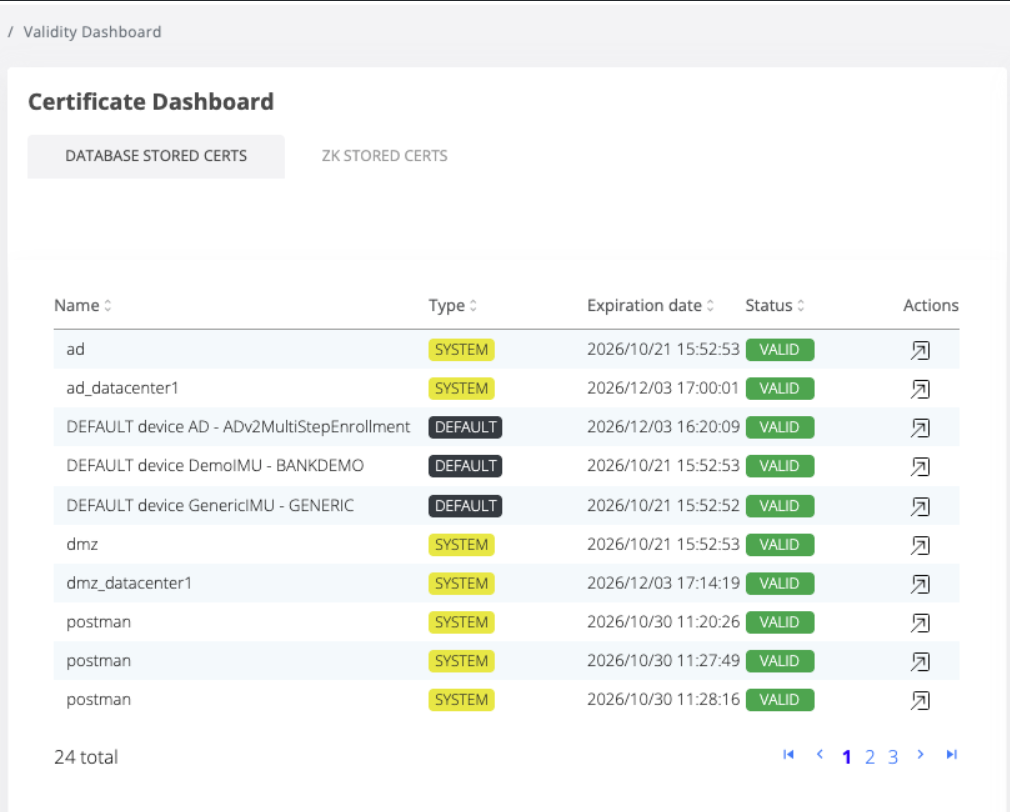
A new Certificate Dashboard has been introduced, featuring split views for Database-Stored and Zookeeper-Stored certificates, providing real-time visibility into the status and expiration dates of all service credentials.