Summary
Currently, we can define and delete service providers. However, it would be beneficial to add a toggle button that allows us to enable or disable a specific service provider—making it inactive without deleting it.
To achieve this, we are introducing a new ZooKeeper property for each SAML and OIDC internal configuration. This property will specify whether a service provider is enabled or not. The new property will be visible for each service provider: in the service providers JSON for SAML, and in the OIDC clients JSON for OIDC.
Functionality
The enable/disable toggle will be available when creating or editing a service provider (SAML or OIDC) , example:
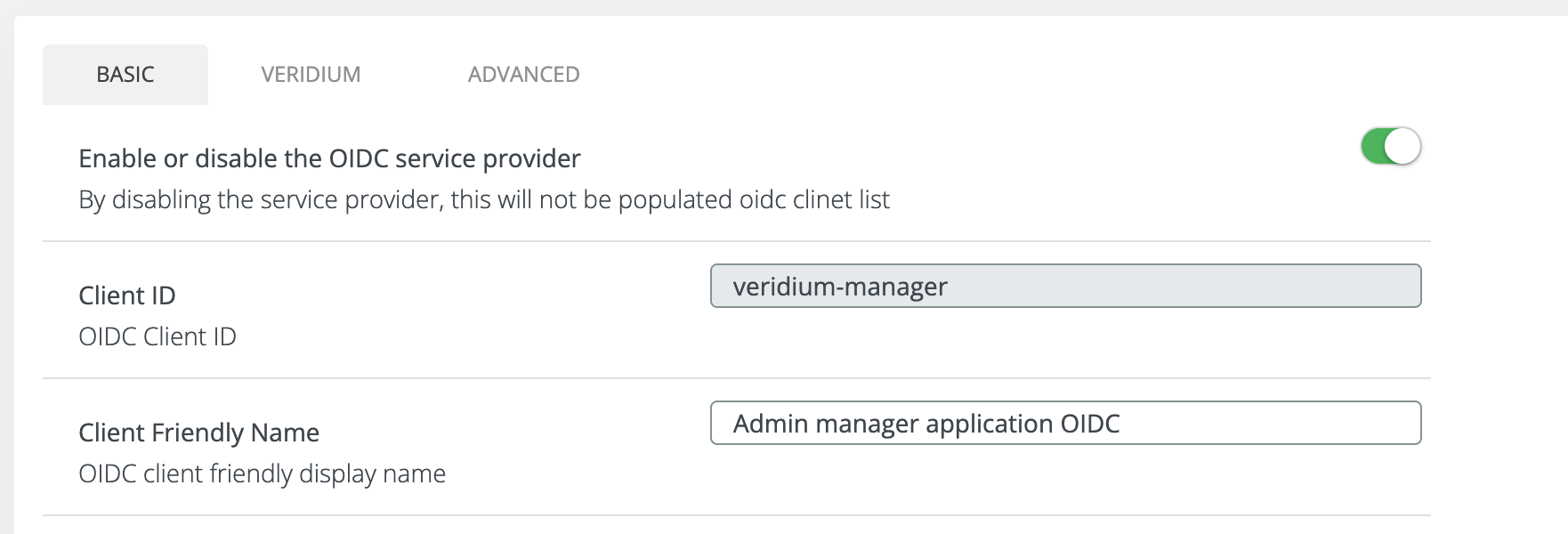
By default when we creating or use the configure as idp button, this toggle should be on true.
-
When the toggle is disabled:
-
For SAML applications, the service provider will not appear in the relaying-party.xml file.
-
For OIDC applications, the service provider will not appear in the oidc/oidc-clients.json file.
-
This enhancement allows administrators to easily manage the activation status of service providers without needing to delete and recreate them.
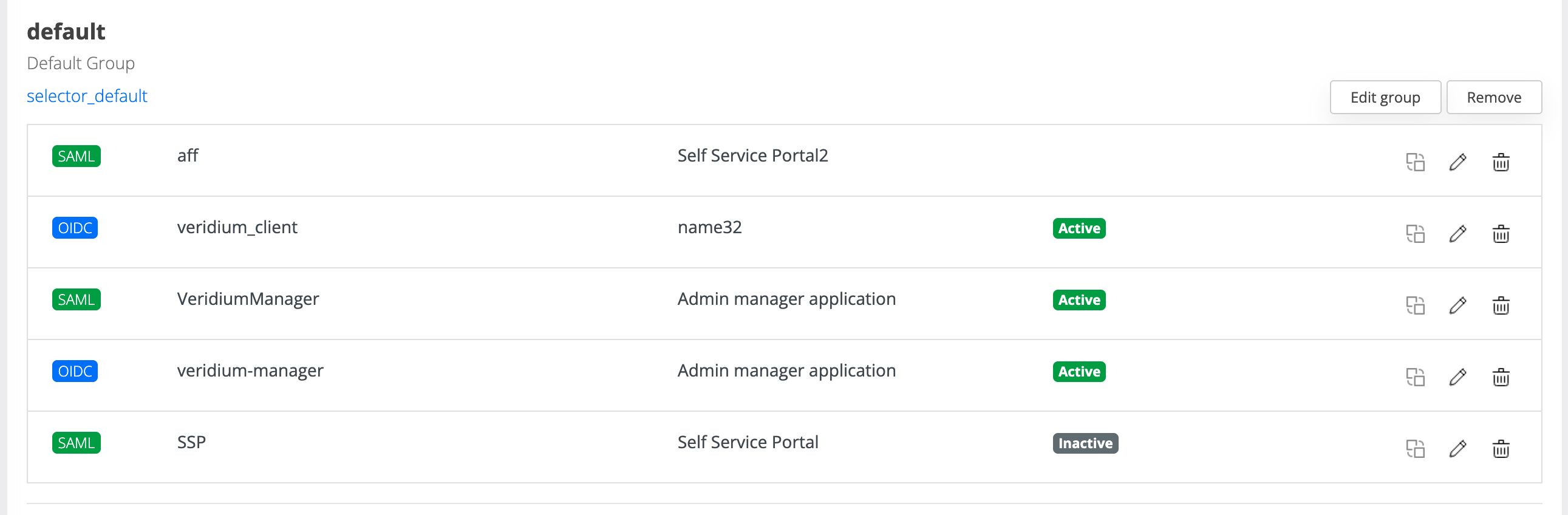
Moreover we have introduce in the SP list a badge to easy indicate what SP is active or inactive:
If the SP is inactive, this screen should be displayed to the end-user: