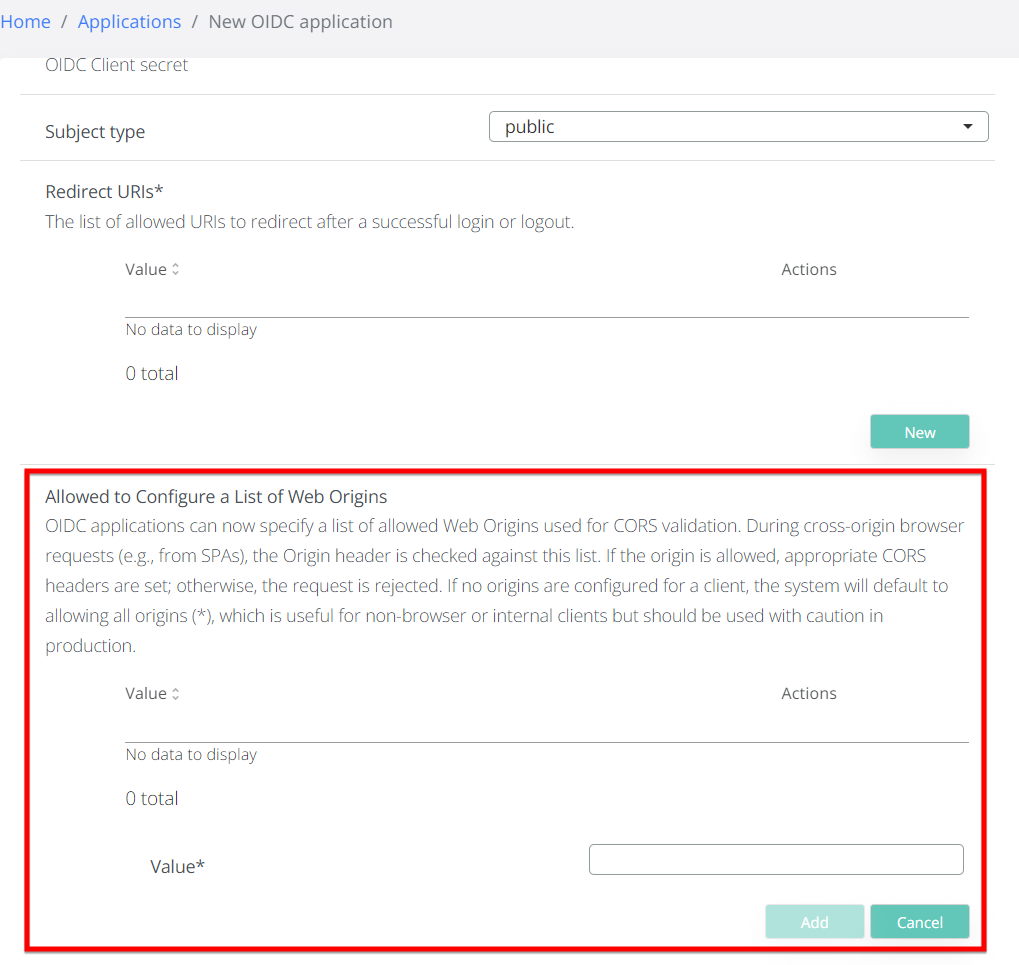
To improve the security posture of your OIDC integrations, version 3.8.4 introduces a dedicated configuration field for Web Origins. This field allows the VeridiumID server to validate the Origin header sent by browsers during cross-origin requests.
Setting is available in Admin / Application / Add OIDC application flow.
Key Configuration Rules:
-
Restricted Access: When one or more URLs are specified, the system will only grant access if the request origin matches an entry in the list.
-
Permissive Access: Leaving the field empty defaults to a wildcard (
*), allowing all origins. This is intended for testing or internal services only. -
Validation Logic: If a request is made from an unauthorized origin (e.g.,
www.untrusted-site.com), the CORS validation will fail, and the request will be rejected by the VeridiumID server.
Configuration Example:
-
Requirement: Allow access only for a specific Veridium Manager instance.
-
Configuration: Enter
https://[env].veridium-dev.com:[port]into the Web Origins field. -
Result: Access is granted for requests originating from that specific domain. All other requests, such as those from
www.google.com, are automatically denied.