

VeridiumID has expanded its LDAP integration capabilities to support services requiring certificate authentication. This is essential for integrations with providers like Google LDAP, where a client certificate is mandatory for establishing a secure connection.
Configuration Overview
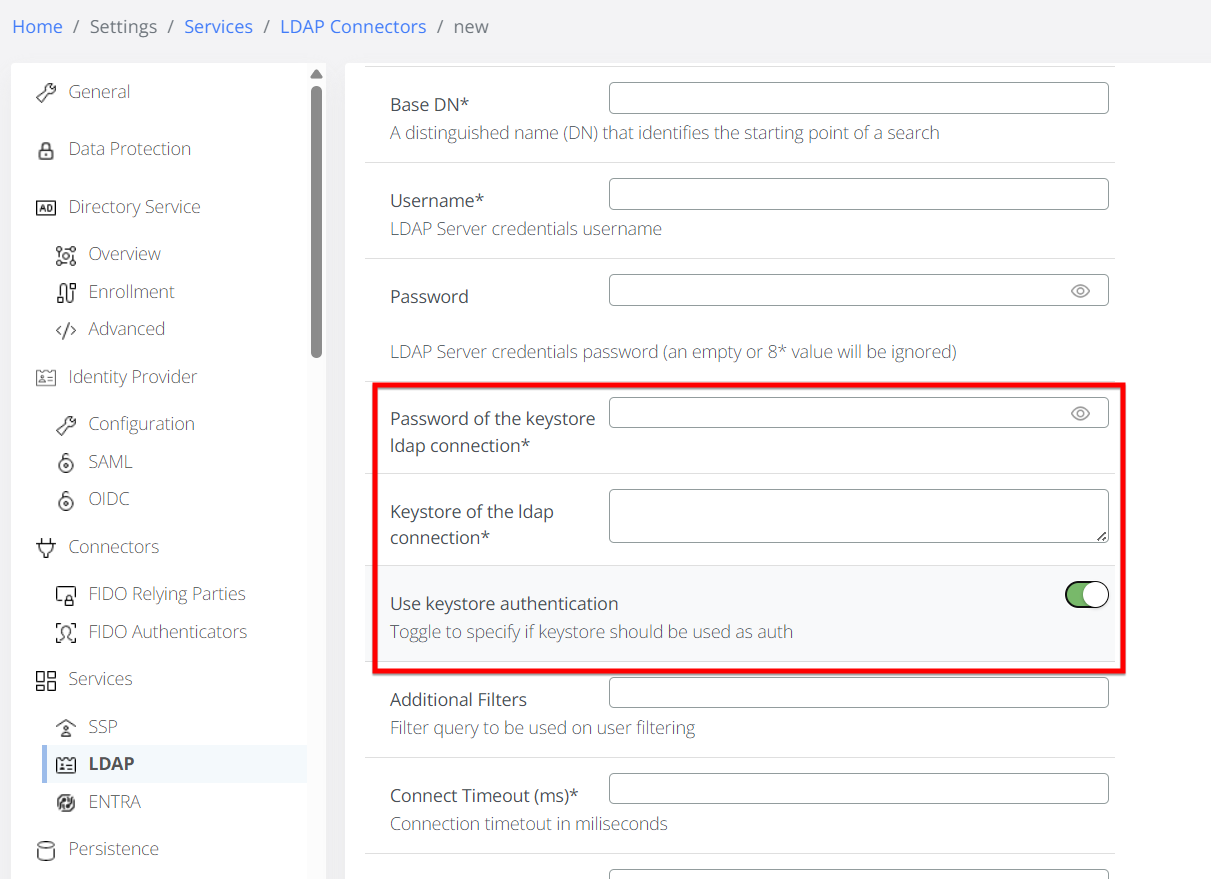
To utilize this feature, the system's LDAP configuration must be updated (via ldap.json managed through Zookeeper, or in UI via Admin / Settings / Services / LDAP).
-
Activation: Set the feature toggle to
trueto display the advanced security fields. -
Mandatory Fields:
-
Keystore Password: The password required to access the certificate keystore.
-
Keystore (Base64): The Base64-encoded string of the keystore file containing the client certificate.
-
Example Integration: Google LDAP
To connect to Google LDAP, use the following sample parameters in the Basic Details section:
-
URL:
ldaps://ldap.google.com:636 -
Username: (e.g.,
SampleUser) -
Base DN:
ou=users,dc=veridiumid,dc=com -
Authentication: Provide the password and the Base64-encoded keystore.
Once configured, use the Test Connection button to verify the certificate handshake and credential validation.