

After the upgrade of Veridium Server to version 3.8.4, if the Self Service Portal or Veridium Admin platforms are configured to use external IdP through SAML, they might not be accessible due to a new configuration that was introduced for SAML. In this case the redirect to the external IdP is not performed.
When the access is permitted to the Veridium Admin, set NameID format to NONE and SAML request binding to Redirect::
For Veridium Manager navigate to Settings / Admin auth / SAML AUTH tab.
For Self Service Portal navigate to Settings / Services / SSP / SAML CONFIGURATION tab.
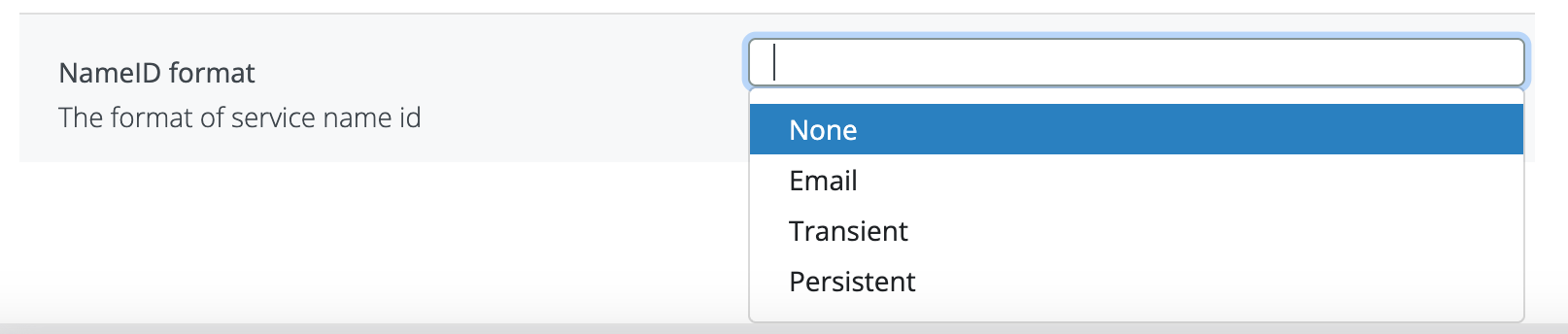

Another problem might be that SSP/Admin automatically used POST as default method when trying to connect to external IDP.
In order to change this, the following needs to be done:
-
modify defaultMethod to Redirect (instead of POST).
-
modify the external IDP metadata to contain only the Redirect method for both login and logout by removing the POST methods.
If admin can not be accessed, it can be applied the following workaround to modify admin.json file.
## download the current zookeeper configuration
migration -d zk_bkp

## create a backup for the admin.json file
cp ./zk_bkp/admin.json admin.json_backup

## extract and decode the IDP metadata content in a separate file
jq -r '.samlAuthConfiguration.metadataFile' ./zk_bkp/admin.json | base64 -d > metadata.xml

## edit metadata.xml
Remove the HTTP-POST lines for SingleSignOnService and SingleLogoutService
sed -i '/SingleSignOnService.*HTTP-POST/d' metadata.xml
sed -i '/SingleLogoutService.*HTTP-POST/d' metadata.xml

## upload the modified metadata in the admin.json file and set binding=Redirect instead of POST and to nameIdFormat=NONE instead of EMAIL
tmp=$(mktemp)
jq --arg metadata "$(base64 < metadata.xml | tr -d '\n')" '.samlAuthConfiguration.metadataFile = $metadata | .samlAuthConfiguration.binding = "Redirect" | .samlAuthConfiguration.nameIdFormat = "NONE"' ./zk_bkp/admin.json > "$tmp" && mv "$tmp" ./zk_bkp/admin.json

## upload the zookeeper configuration
migration -u zk_bkp

## restart the websecadmin service
systemctl restart ver_websecadmin