

Context
The Admin application includes a section with predefined reports. However, this is insufficient for daily use. To assist our customers, we created a section where, with Kibana's help, we can generate custom reports.
How it works
The new section is under Audit, grouping all report sections under reports.
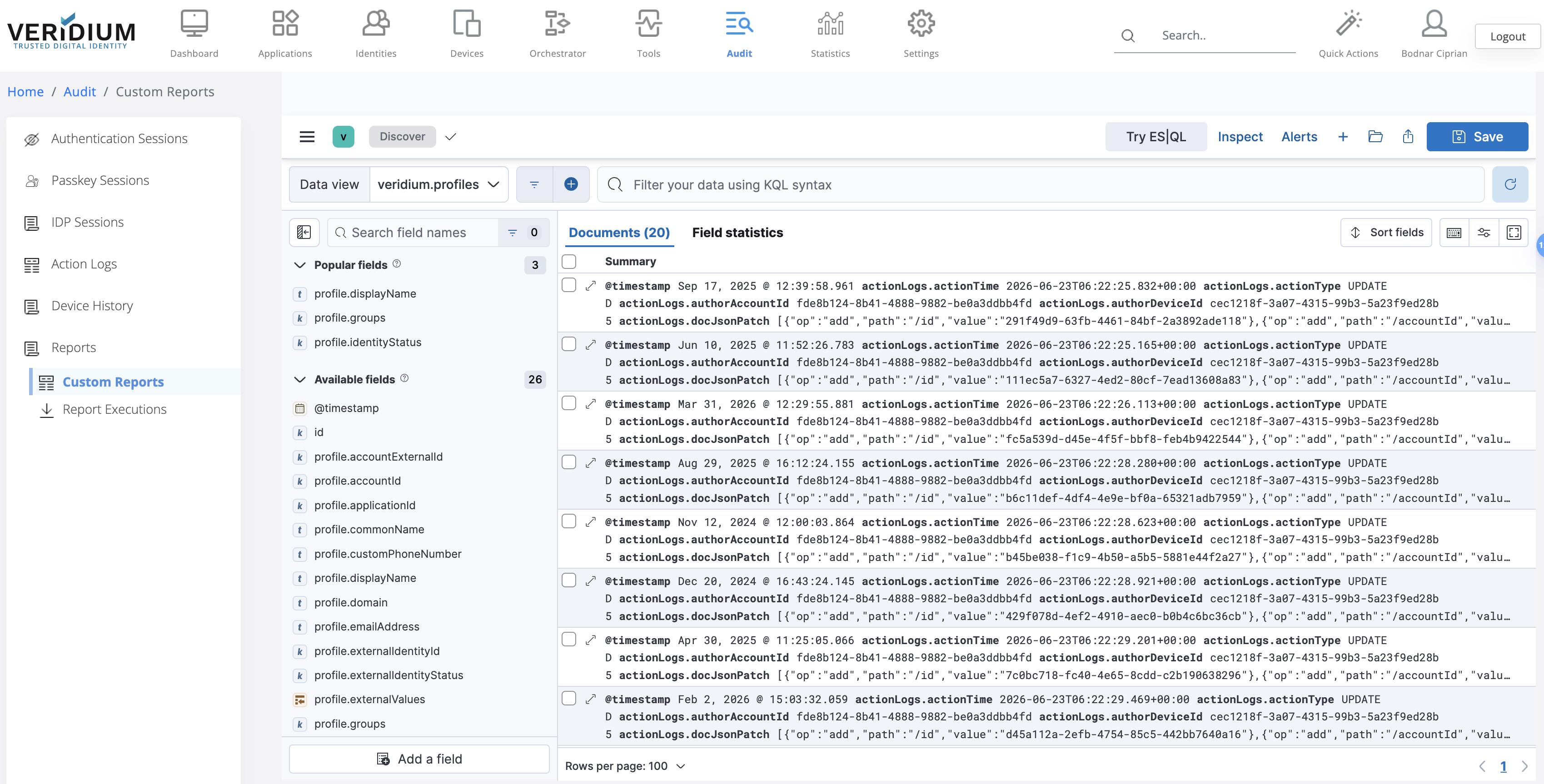
Custom Reports
In the Custom Reports section, we can filter, select, and build how we want to view our data.
Or we can open a existing search like this:
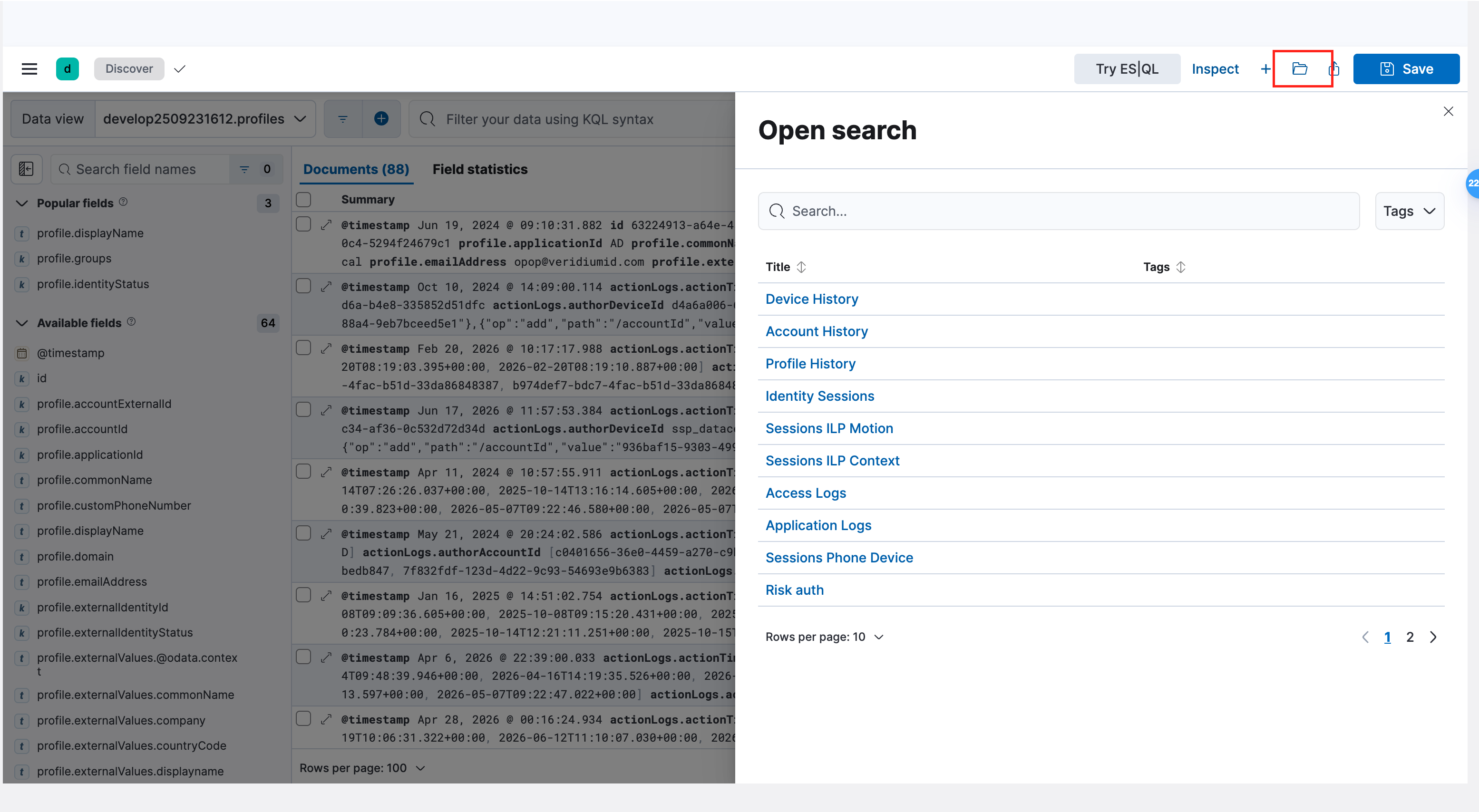
Saving and Sharing Reports:
After applying all necessary filters, save the report from the top right corner. Then press the share button as shown below:

After pressing the share button, select export and generate the CSV.
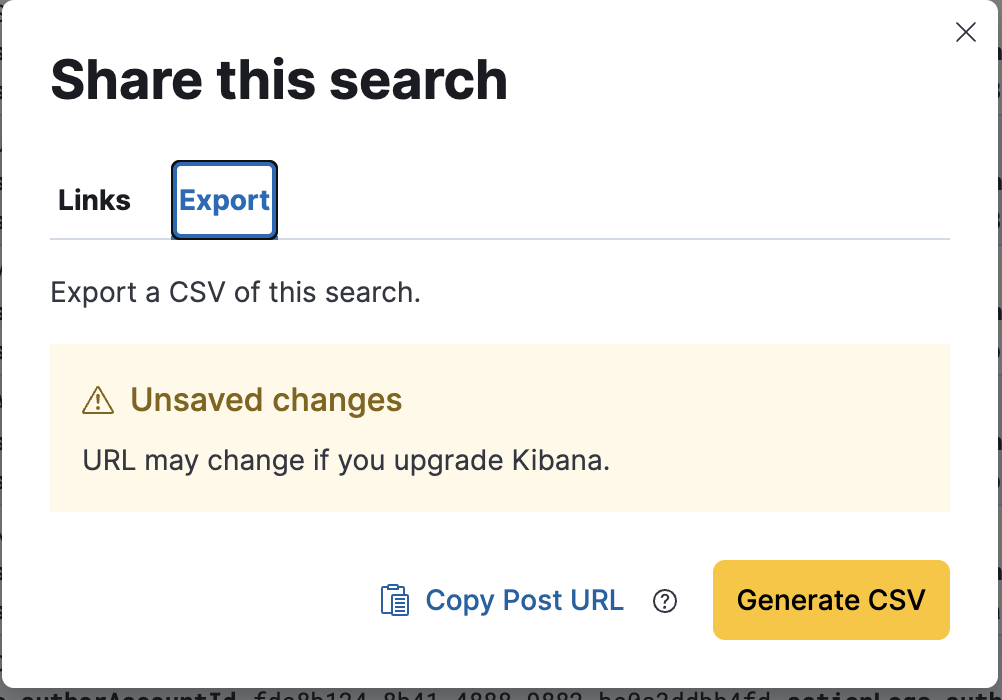
This action sends the CSV to a queue for processing. To view the queue, go to the next page: Report Execution.
Report Execution:
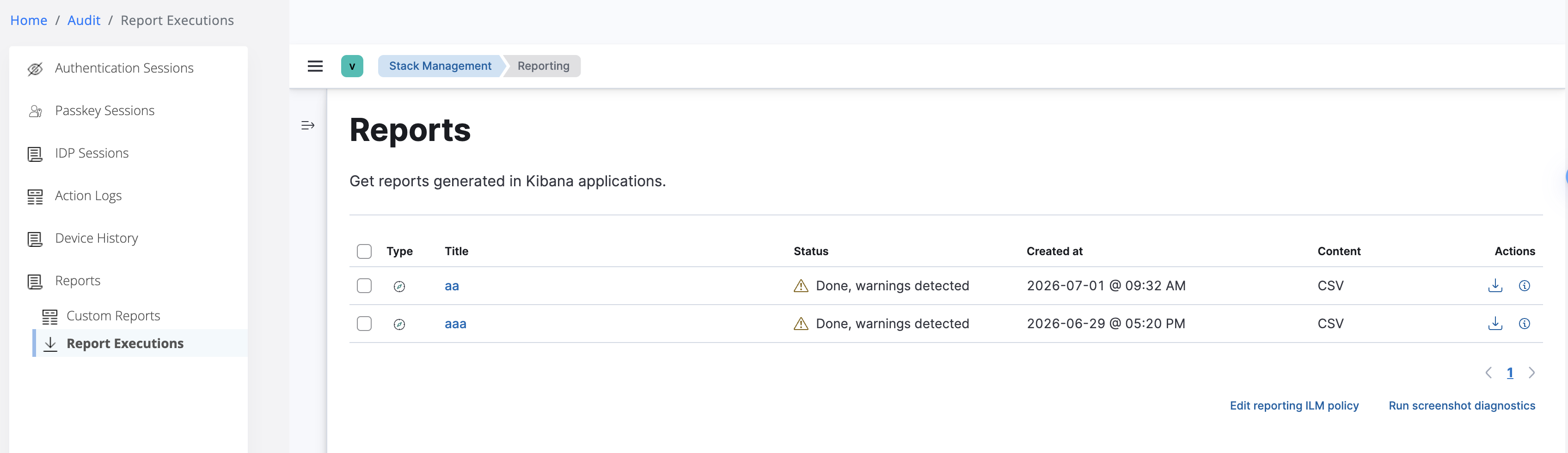
On this page, the Action section lets us generate the CSV locally.
All the saved objects from custom reports will be DELETED on upgrade procedure!
Permission guardrail implemented:
These pages are now protected by a granular permission called CUSTOMREPORTS.