

VeridiumID 3.9.1 improves how administrators control which mobile device manufacturers are permitted to enroll in VeridiumID.
The Phone Manufacturer Settings configuration now provides an explicit choice between an allowlist and a blocklist, making the intended enrollment policy easier to configure and understand.
Manufacturer matching is also now case-insensitive, preventing differences in capitalization from affecting the configured policy.
Configure Phone Manufacturer Restrictions
Navigate to: Veridium Manager → Settings → General → Phone Manufacturer Settings
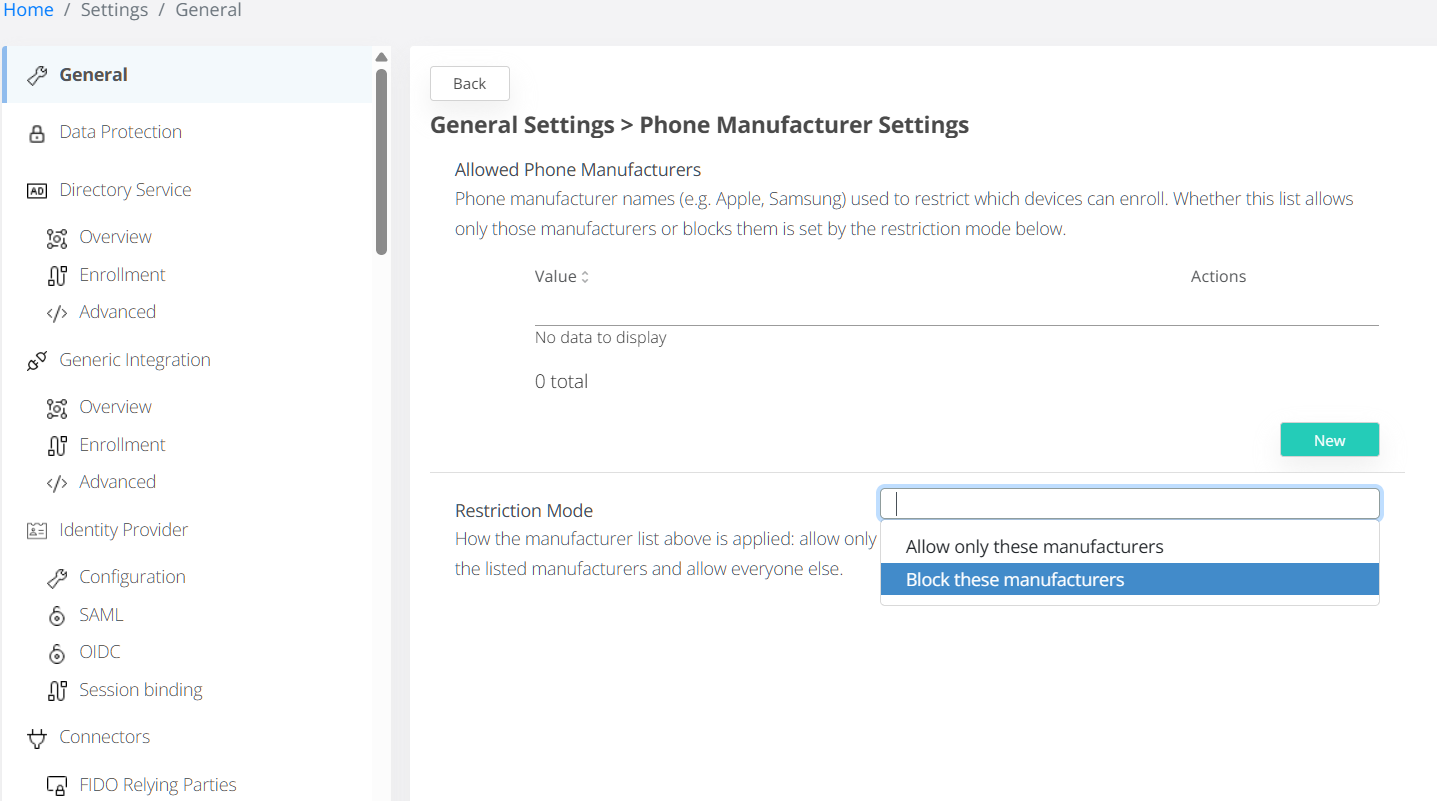
The configuration provides two restriction modes:
|
Mode |
Behavior |
|---|---|
|
Allow only these manufacturers |
Only devices from manufacturers included in the list are allowed to enroll.
|
|
Block these manufacturers |
Devices from manufacturers included in the list are prevented from enrolling. All other manufacturers are allowed. |
Case-Insensitive Manufacturer Matching
Manufacturer names are matched without considering capitalization.
For example, the following values are treated as equivalent: Apple, apple, APPLE. This avoids enrollment behavior being affected by differences between the manufacturer value reported by the mobile device and the capitalization used in Veridium Manager.
Empty Manufacturer List
If the manufacturer list is empty, no manufacturer restriction is applied, regardless of the selected mode.
All device manufacturers are therefore permitted to enroll.
This behavior prevents an empty Allow only these manufacturers configuration from unintentionally blocking enrollment for all mobile devices.
Upgrading to VeridiumID 3.9.1
Existing Phone Manufacturer configuration is preserved during the upgrade.
If your environment already uses the Allowed Phone Manufacturers setting, we recommend reviewing the configured list and restriction mode after upgrading to ensure that they represent the intended enrollment policy.