

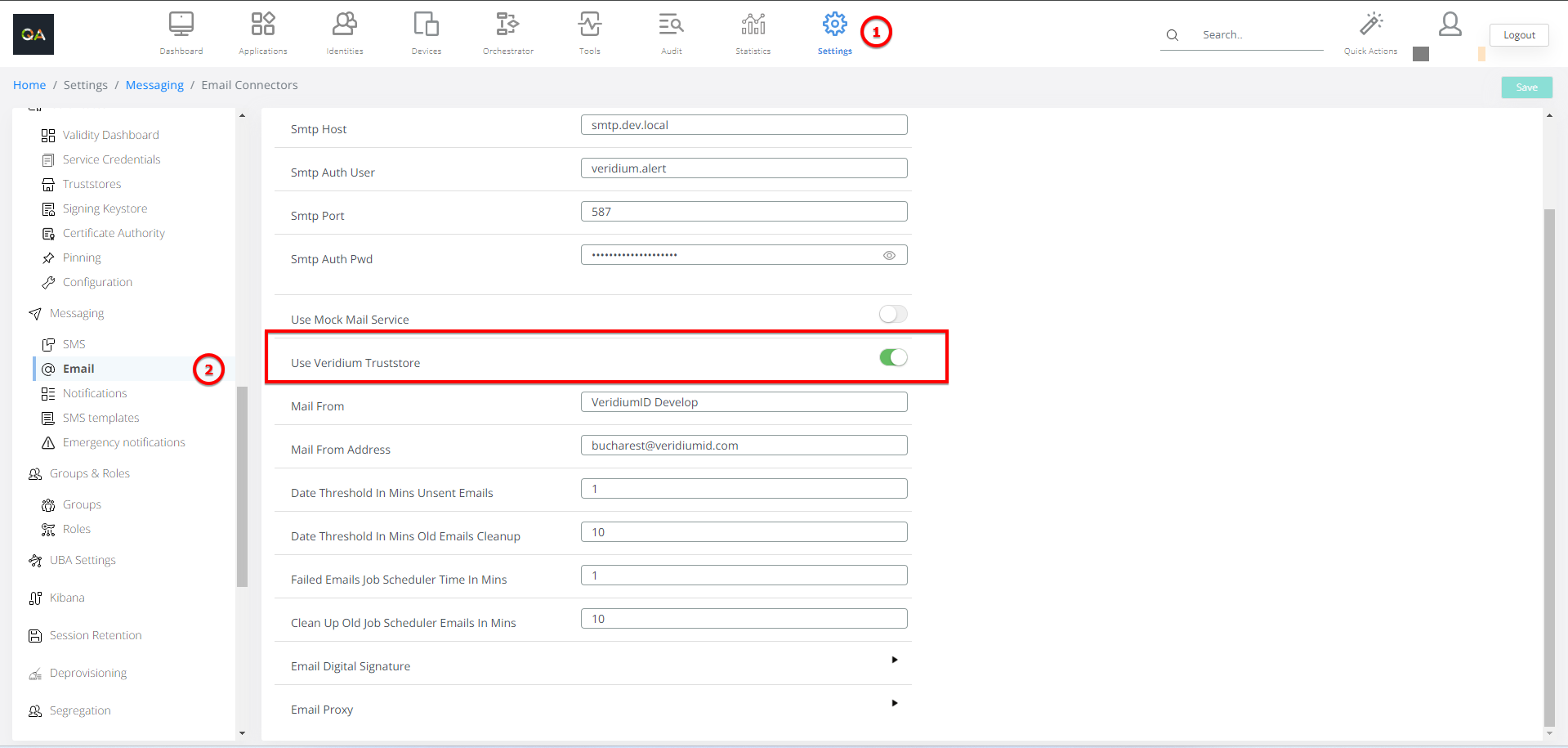
Usage of Veridium Truststore is possible for SMTP email communication. This is useful for production scenarios where the on-prem certificate is not signed by a public CA. The new option is available in Veridium Manager / Settings / Messaging / Email - “Use Veridium Truststore” toggle.
|
Name |
Default Value |
Advanced Description |
|---|---|---|
|
Smtp SSL Enabled |
Turned on |
SSL communication encryption enabled/disabled. |
|
Smtp Host |
SMTP host name |
|
|
Smtp Auth User |
username |
username for SMTP authentication |
|
Smtp Port |
587 |
port to reach SMTP server |
|
Smtp Auth Pwd |
<password> |
password for SMTP authentication |
|
Use Mock Mail Service |
Turned off |
Mock service means simulate sending messages without sending anything. |
|
Use Veridium Truststore |
Turned off |
|
|
Mail From |
VeridiumID |
Display name for sending message |
|
Mail From Address |
Sender email address |
|
|
Date Threshold In Mins Unsent Emails |
1 |
|
|
Date Threshold In Mins Old Emails Cleanup |
10 |
|
|
Failed Emails Job Scheduler Time In Mins |
1 |
|
|
Clean Up Old Job Scheduler Emails In Mins |
|
|
|
Email Digital Signature |
Enable Digital Signature |
|
|
Digital Signature Certificate |
|
|
|
Digital Signature Password |
|
|
|
Email Proxy |
Proxy Host |
|
|
Proxy Port |
|
|
|
Proxy User |
|
|
|
Proxy Password |
|
|
|
Proxy Enabled |
|