

Overview
To register new phone, scan the QR code. If you want to download this QR click Download.
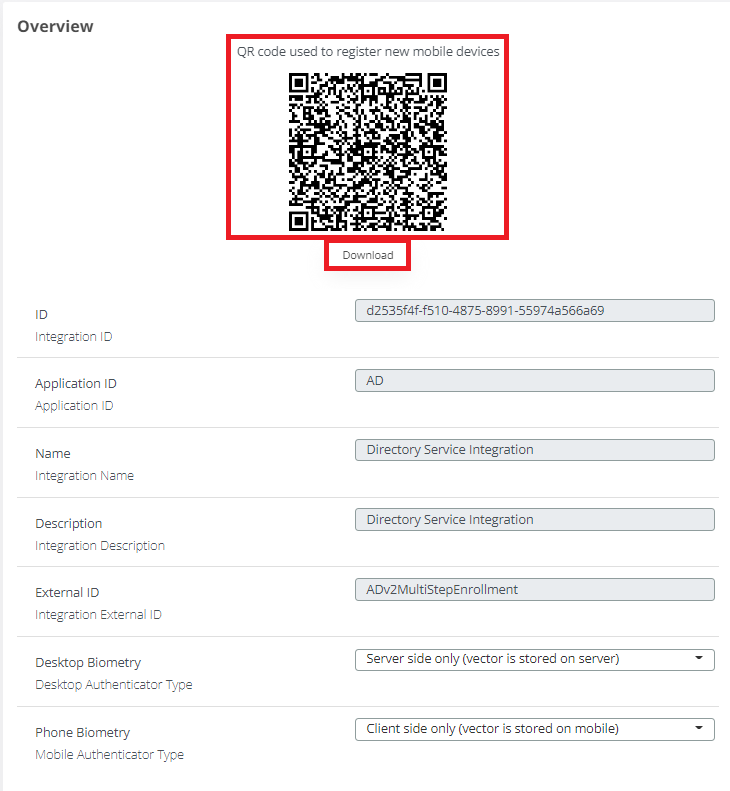
Other settings are explained in the following table:
|
Name |
Basic Description |
Default Value |
|---|---|---|
|
ID |
Integration ID |
d2535f4f-f510-4875-8991-55974a566a69a |
|
Application ID |
Application ID |
AD |
|
Name |
Integration Name |
Directory Service Integration |
|
Description |
Integration Description |
Directory Service Integration |
|
External ID |
Integration External ID |
ADv2MultiStepEnrollment |
|
Desktop Biometry |
Desktop Authenticator Type |
Server side only (vector is stored on server) |
|
Phone Biometry |
Mobile Authenticator Type |
Client side only (vector is stored on mobile) |