

Symptoms
iOS:
-20230613-162330.png?cb=23ed32e38bf21a69cdc27352e95ceae8)
Android:
-20230613-162337.png?cb=155c0a566e54e6f5987906eab79ca85f)
Root Cause
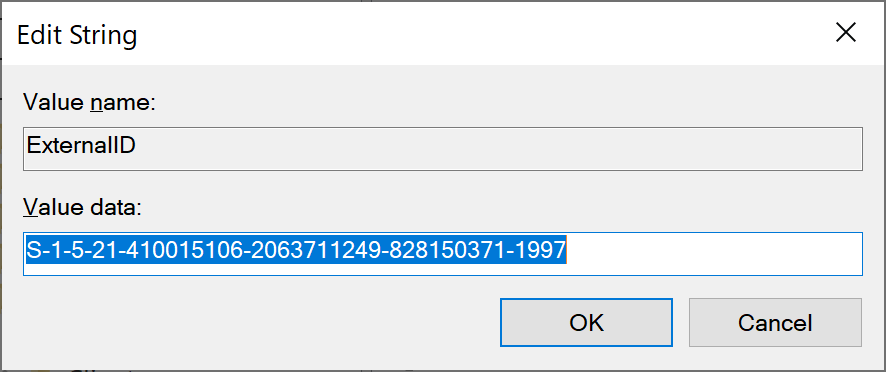
Check if the ExternalID key in Registry Editor is present.
Resolution
-
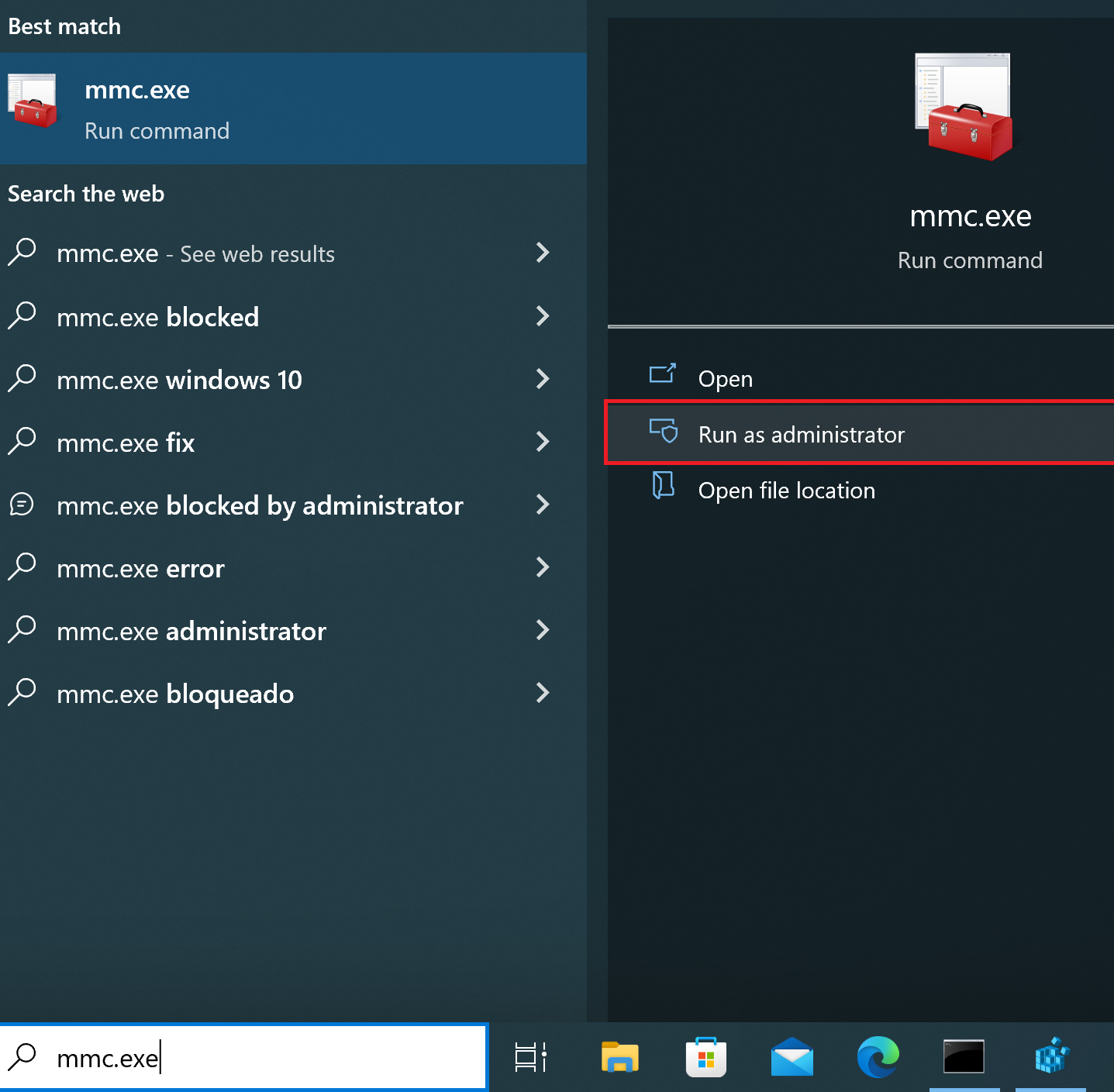
Start MMC.exe as administator
-
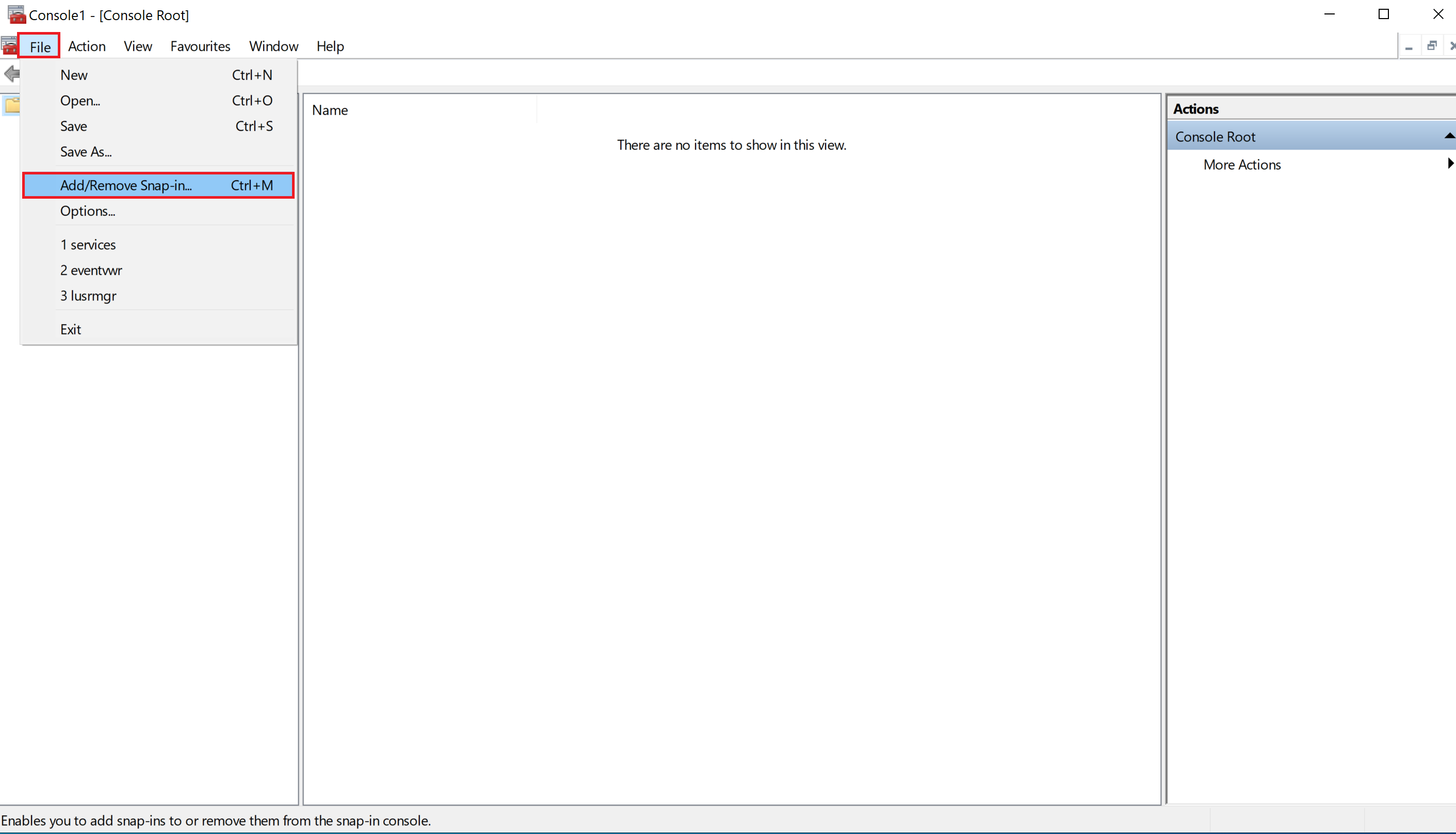
Click on “File“ and then “Add/Remove Snap-in..“
-
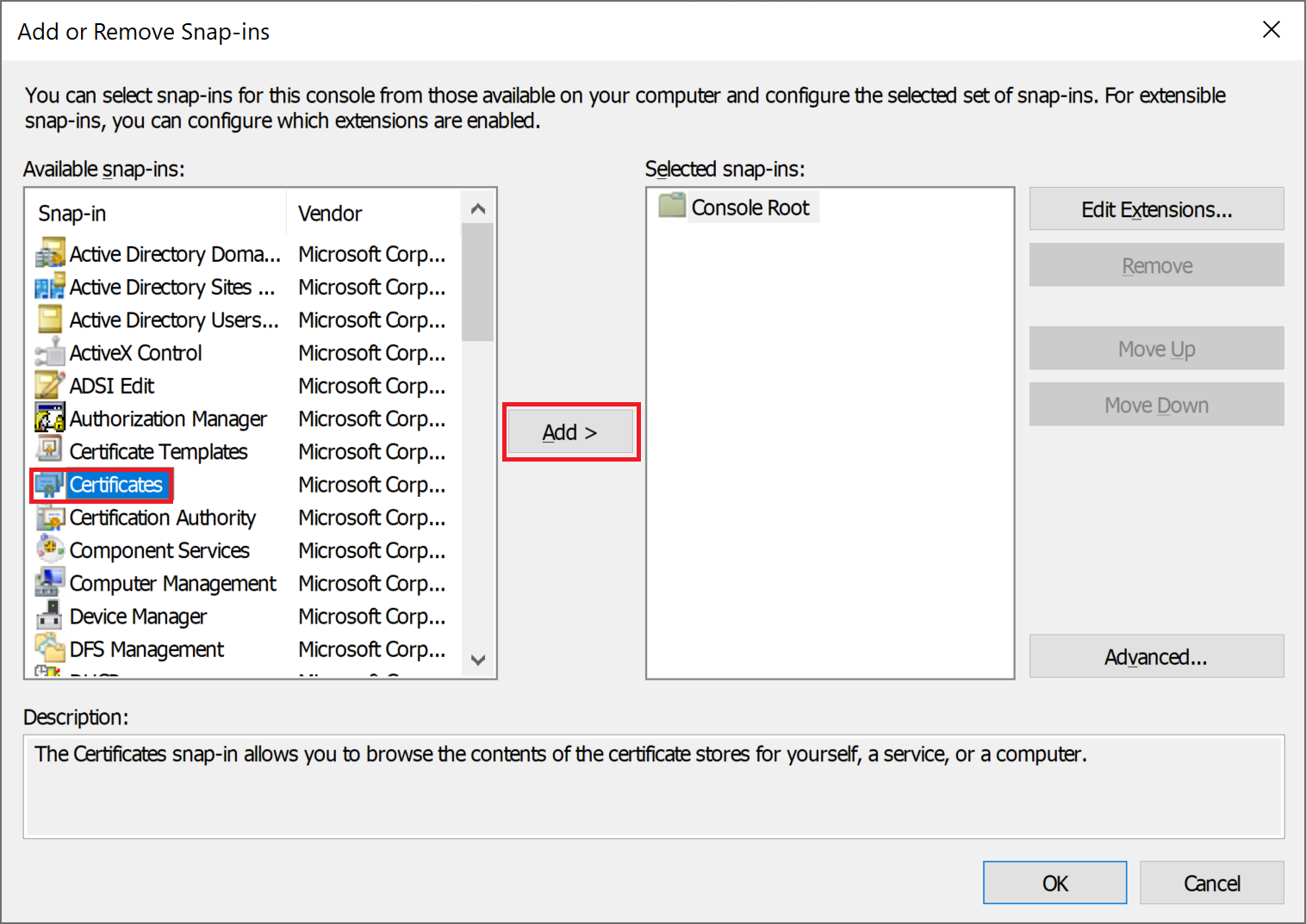
In the section Available snap-ins choose Certificates and click “Add”
-
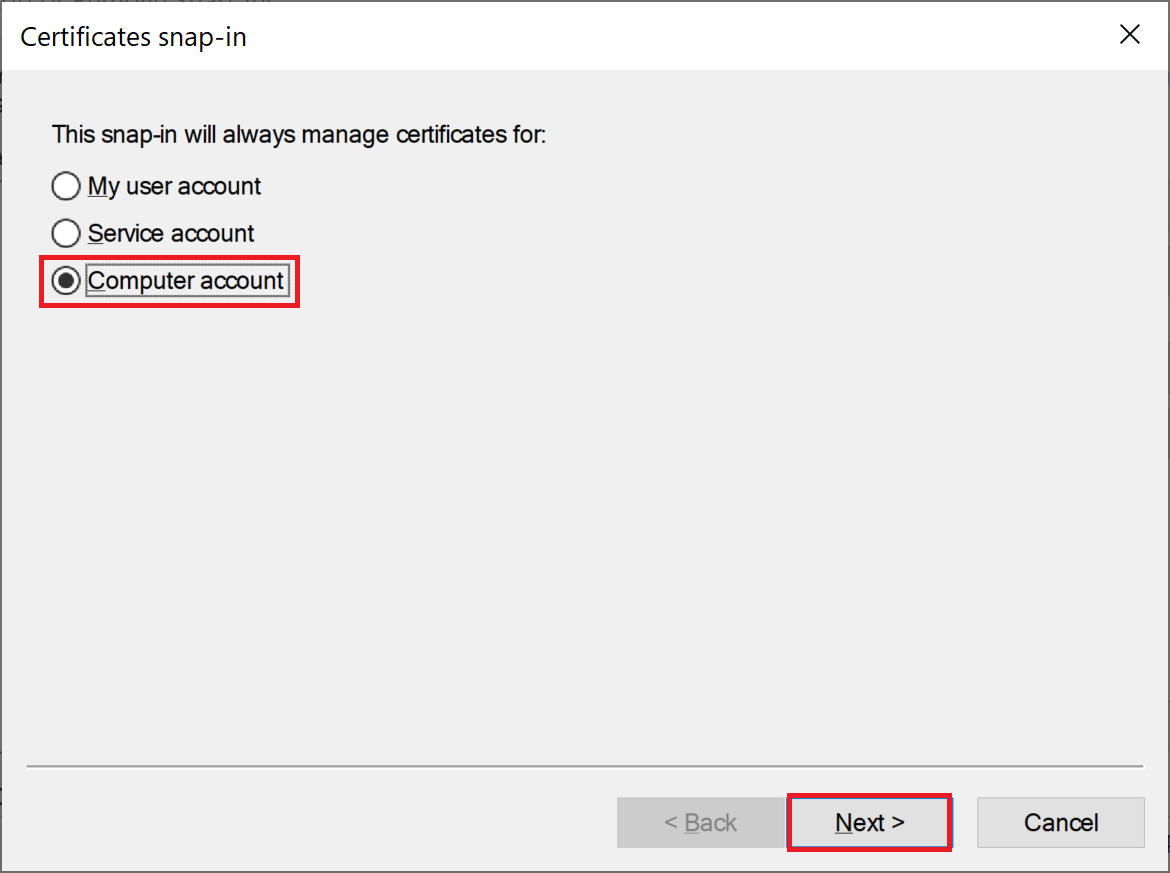
Select Computer account and click “Next“
-
Click “Finish“
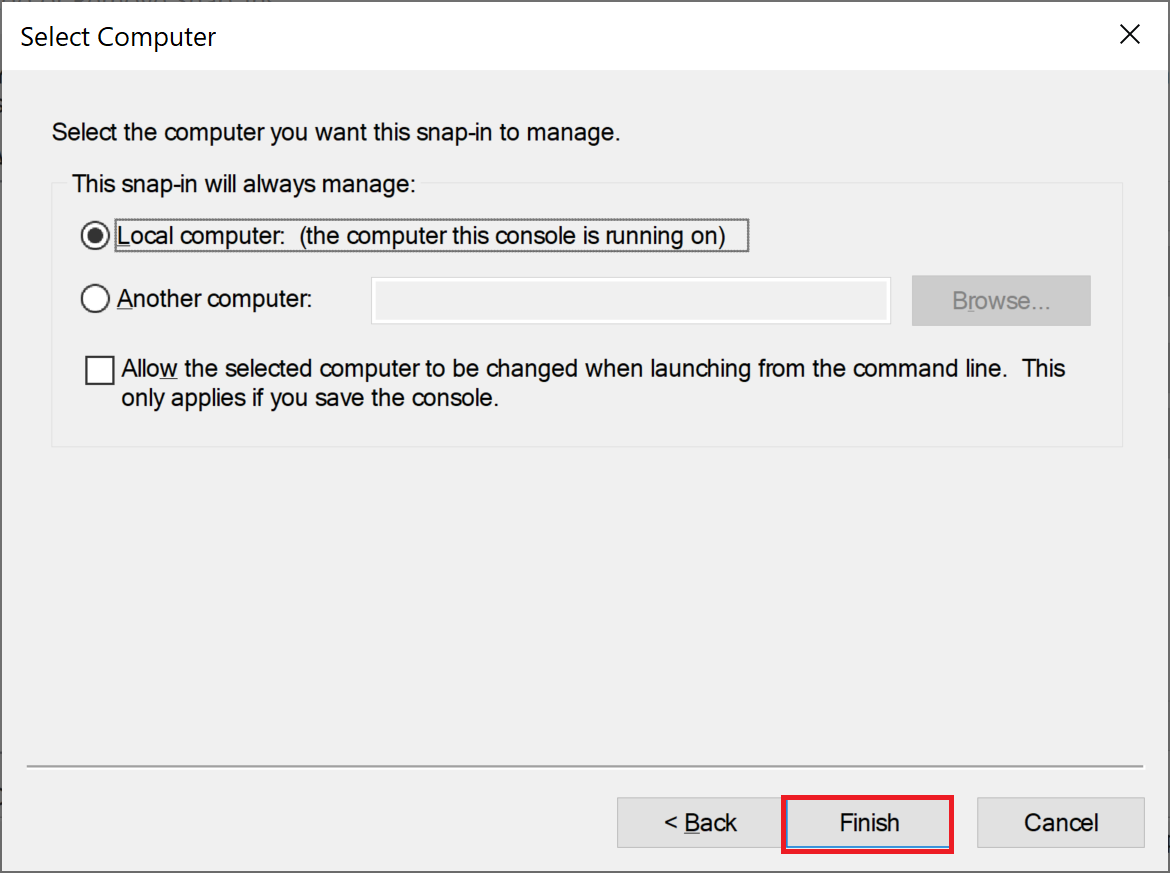
-
Click “OK“
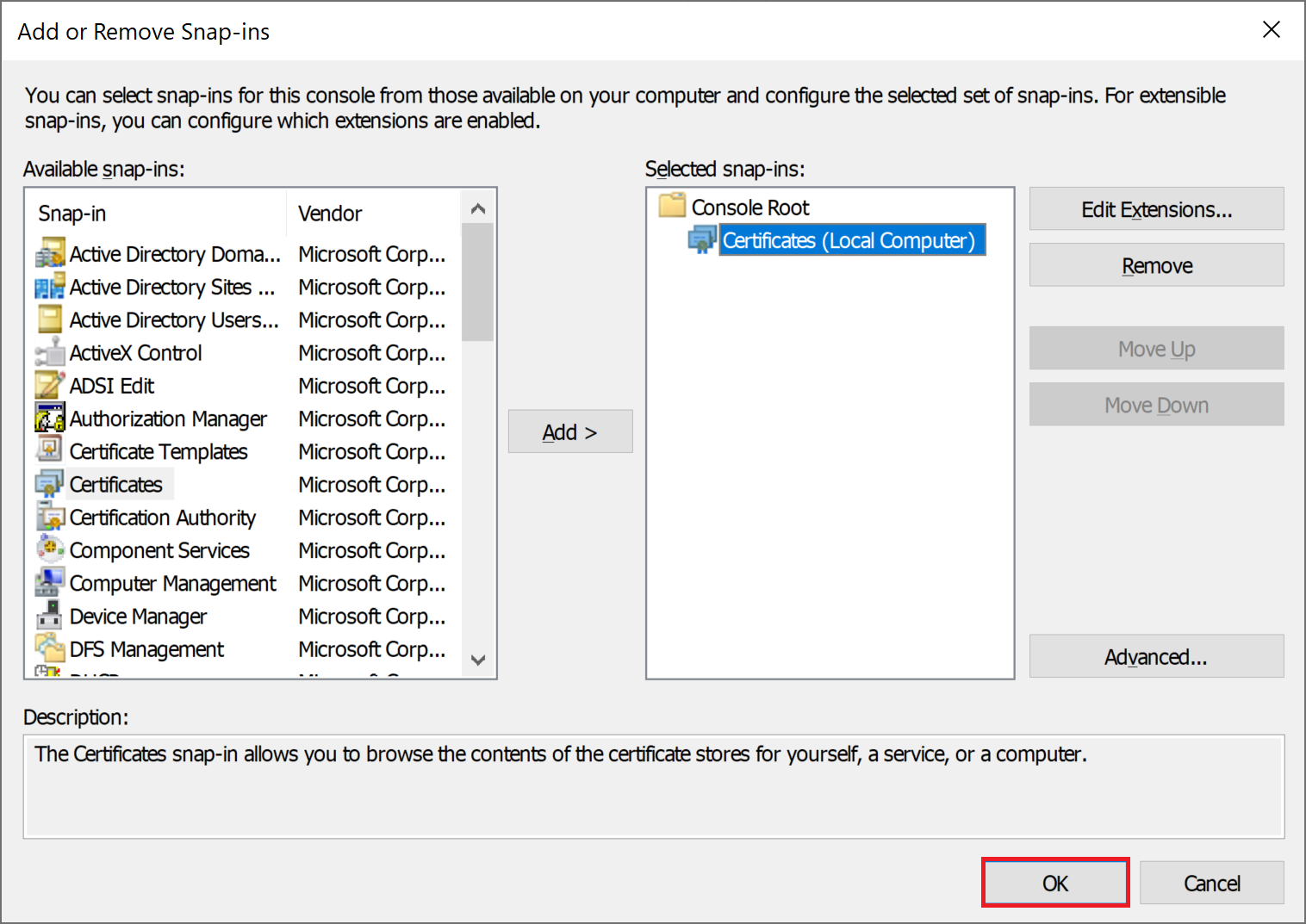
-
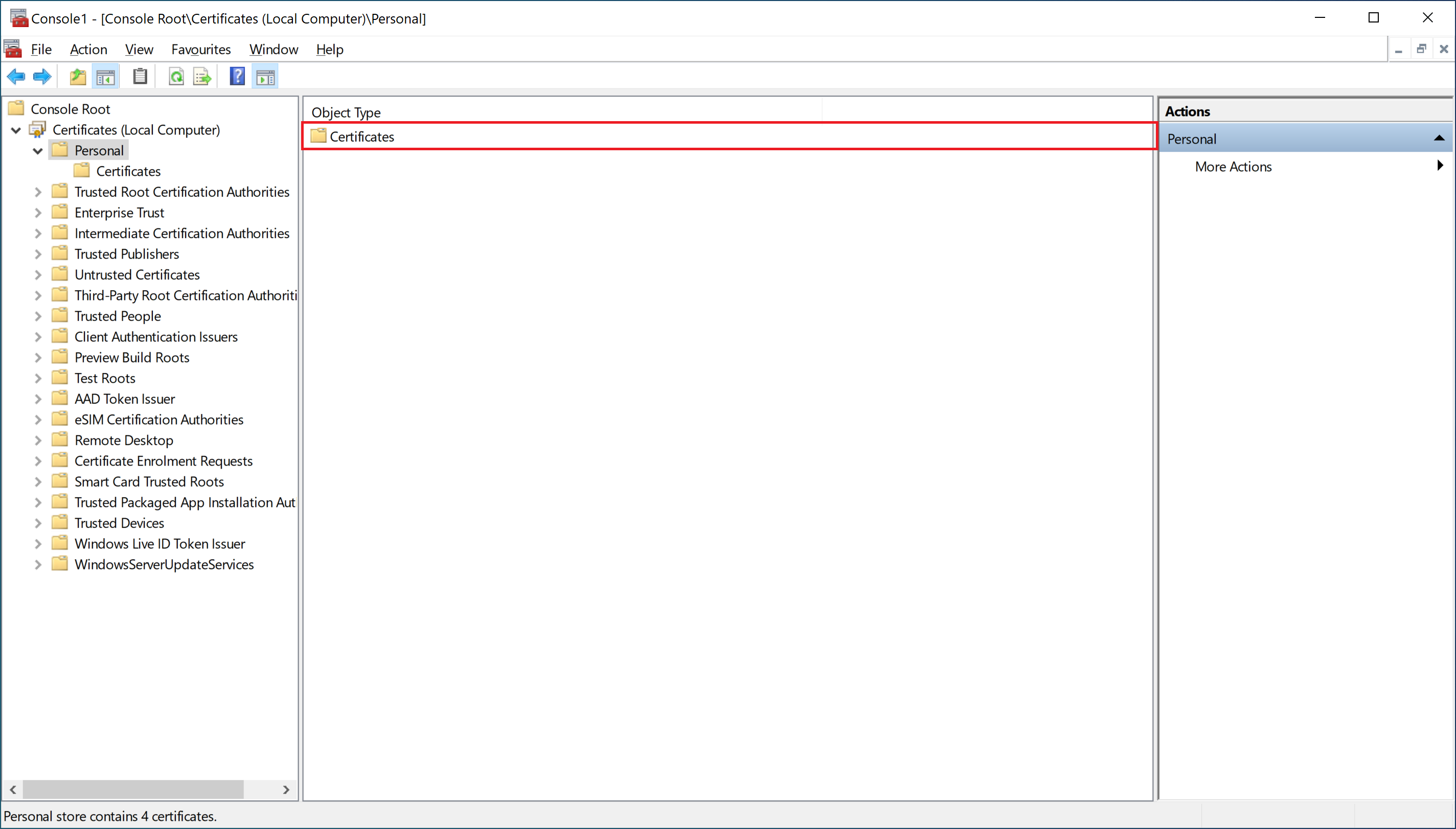
Double-click on Certificates.
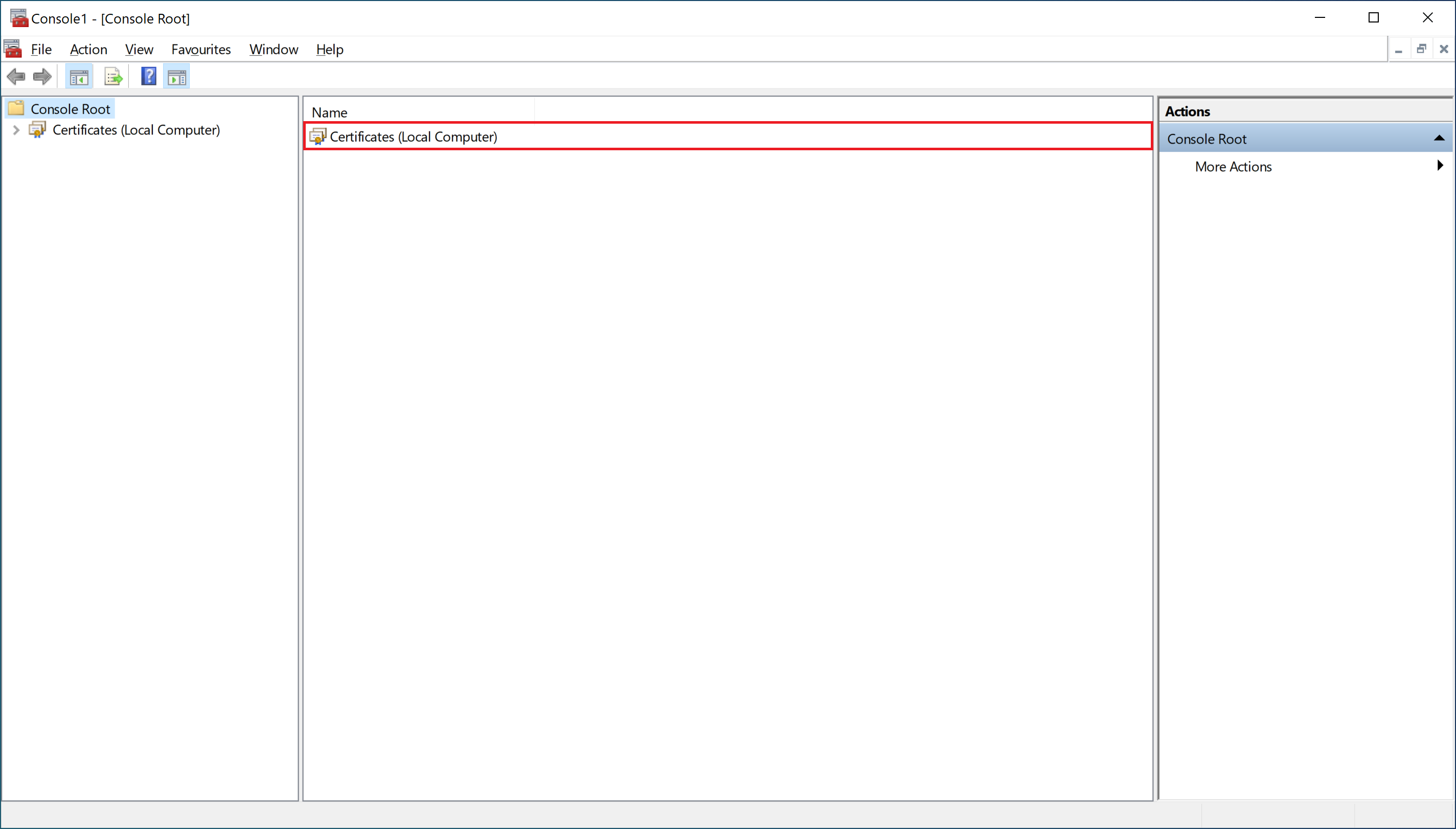
-
Double-click on Personal.
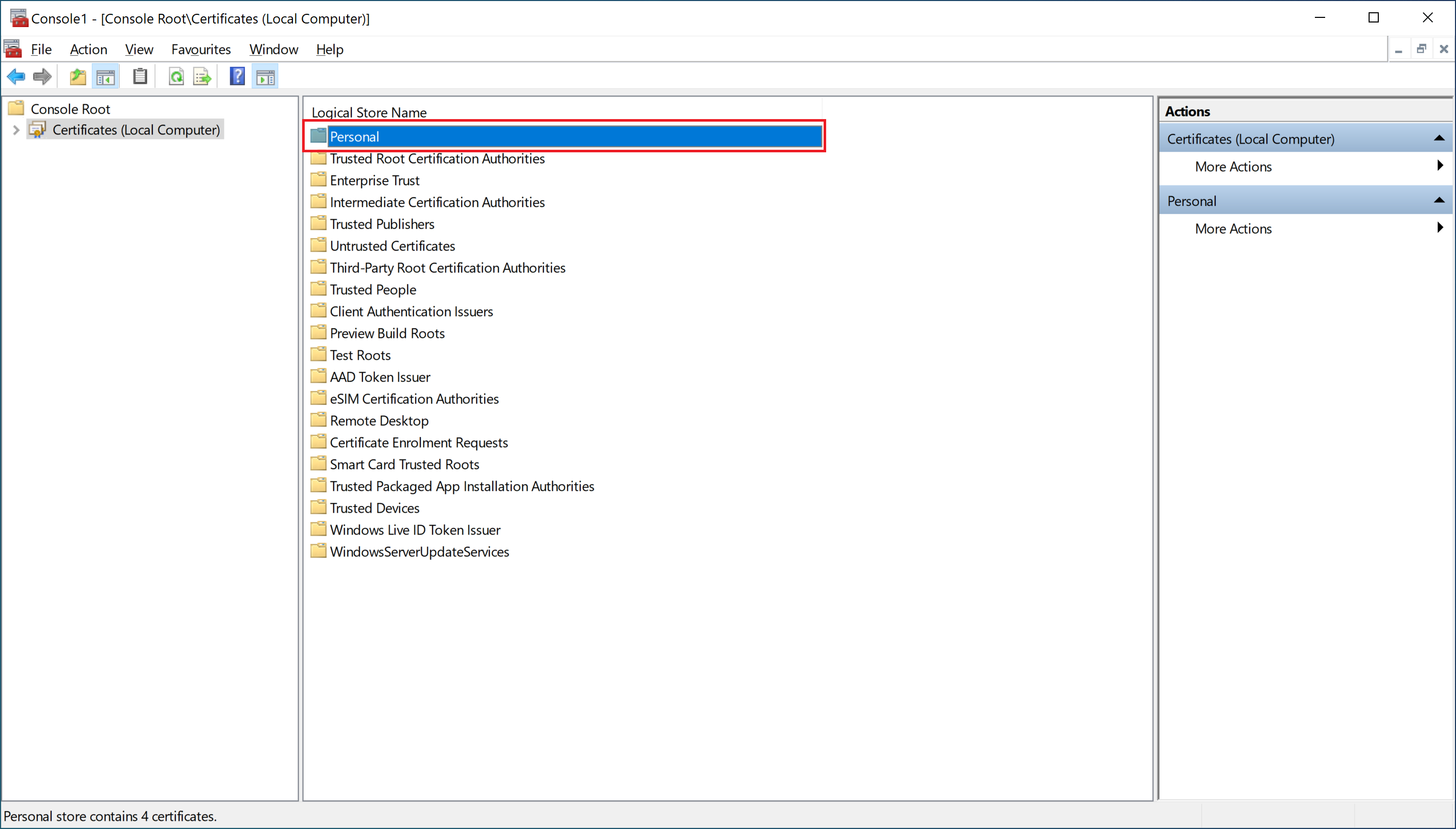
-
Double-click on Certificates.
-
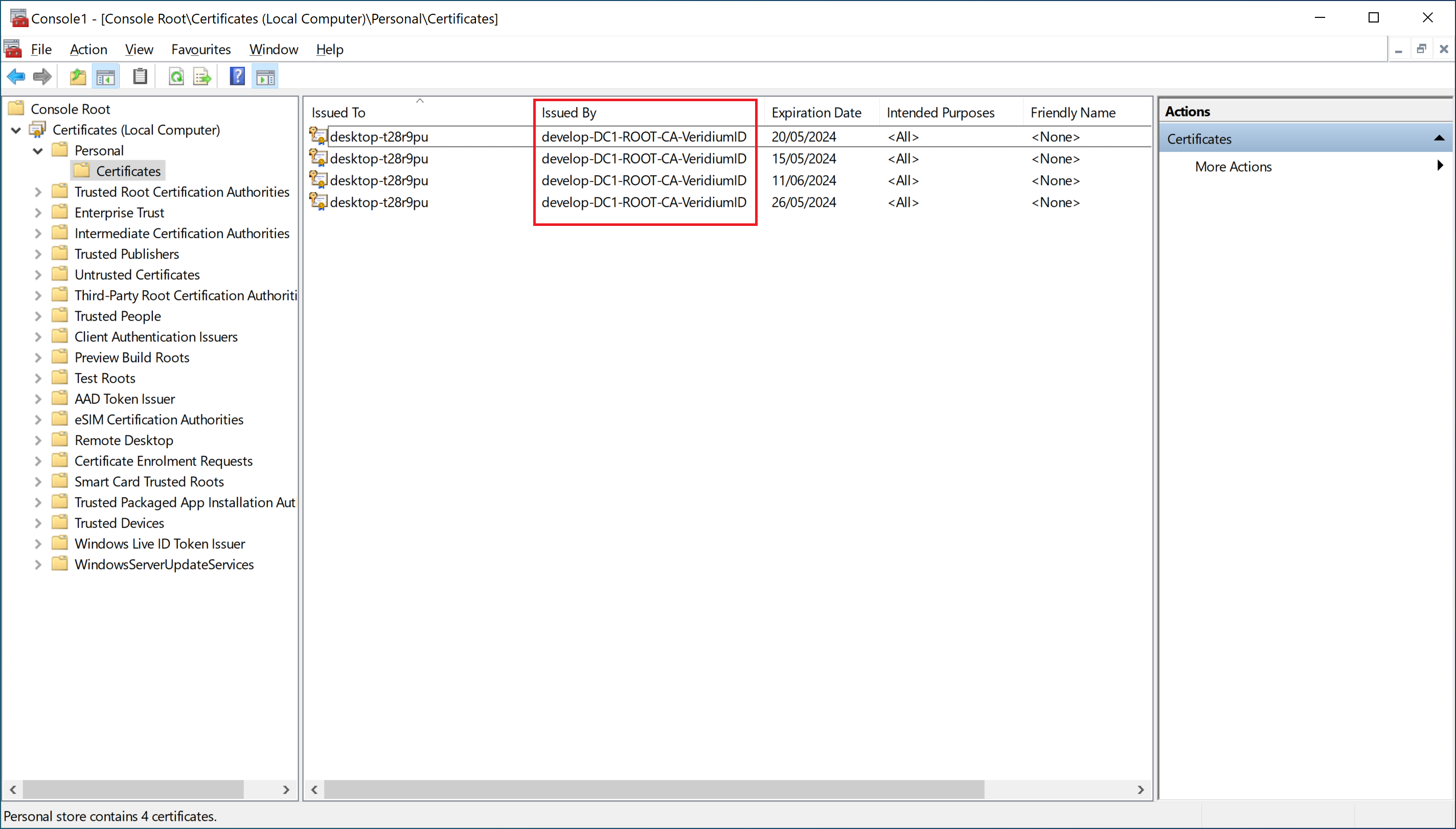
Delete all certificates issued by VeridiumID CA.
-
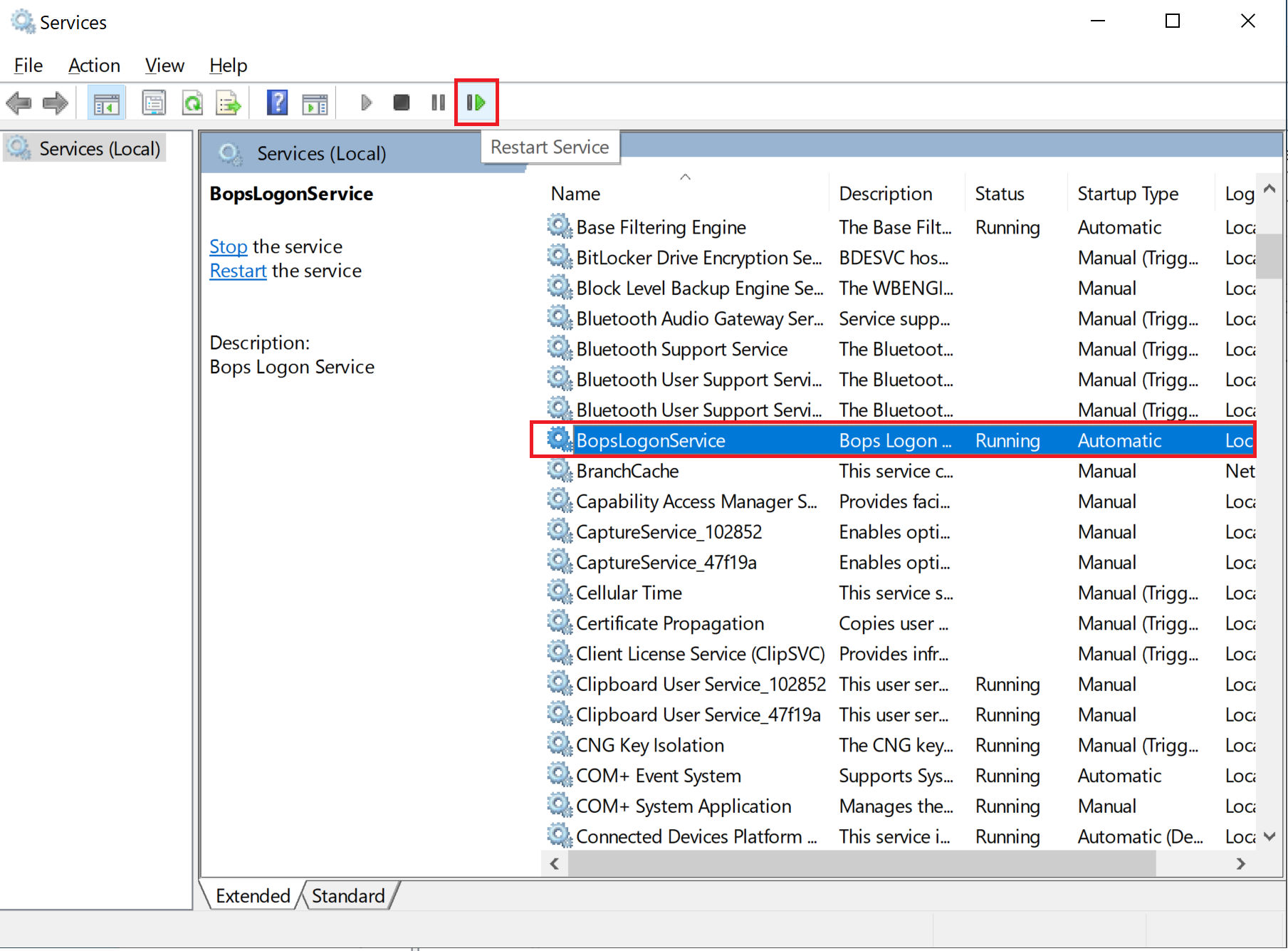
Start Services.
-
Restart BopsLogonService.
Resolution Verification
-
Start Registry Editor.
-
Navigate to:
Computer\HKEY_LOCAL_MACHINE\SOFTWARE\VeridiumID\VeridiumAD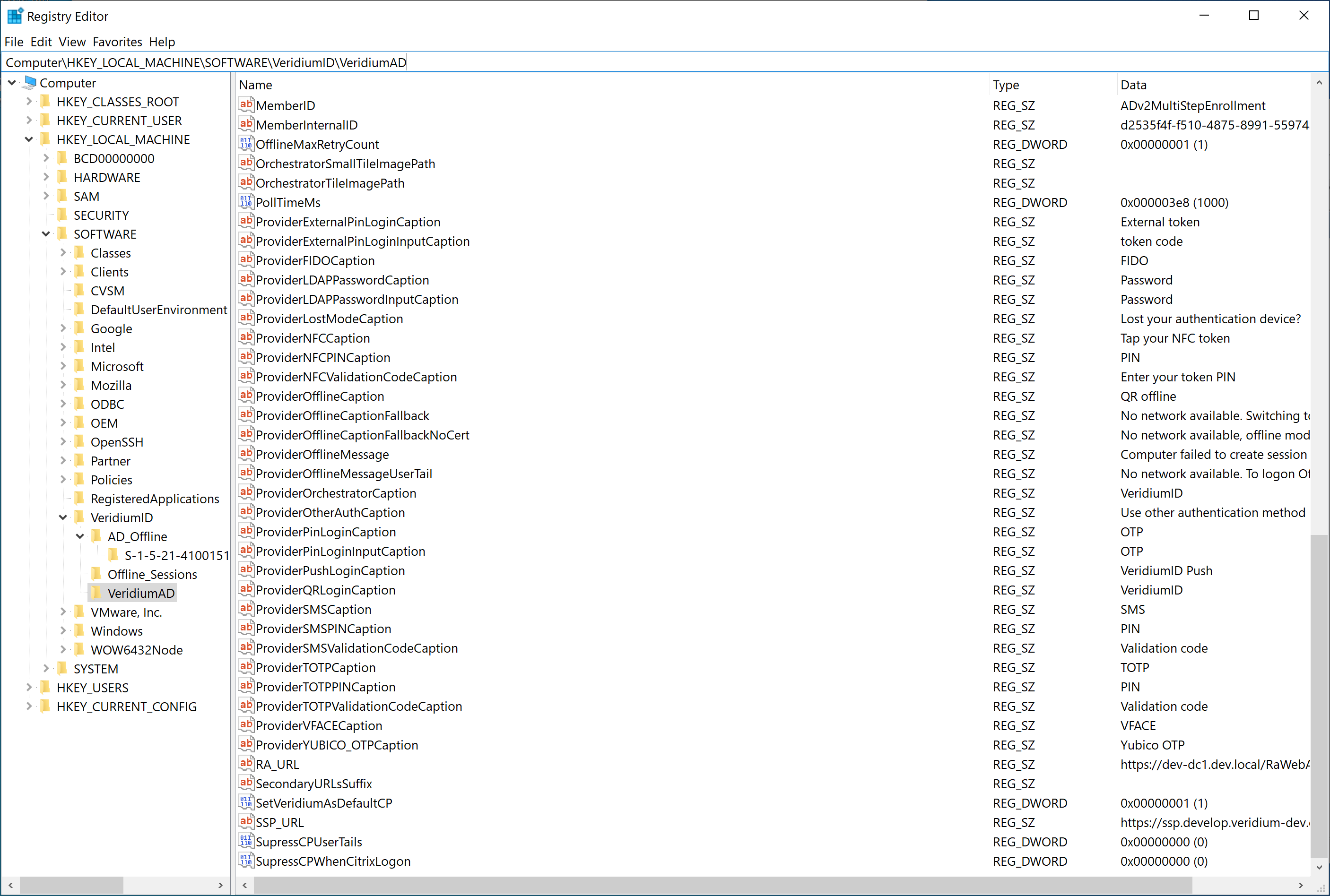
-
Find a key called “ExternalID“ and there needs to be some value.
-
To ultimate test please try QR offline again.