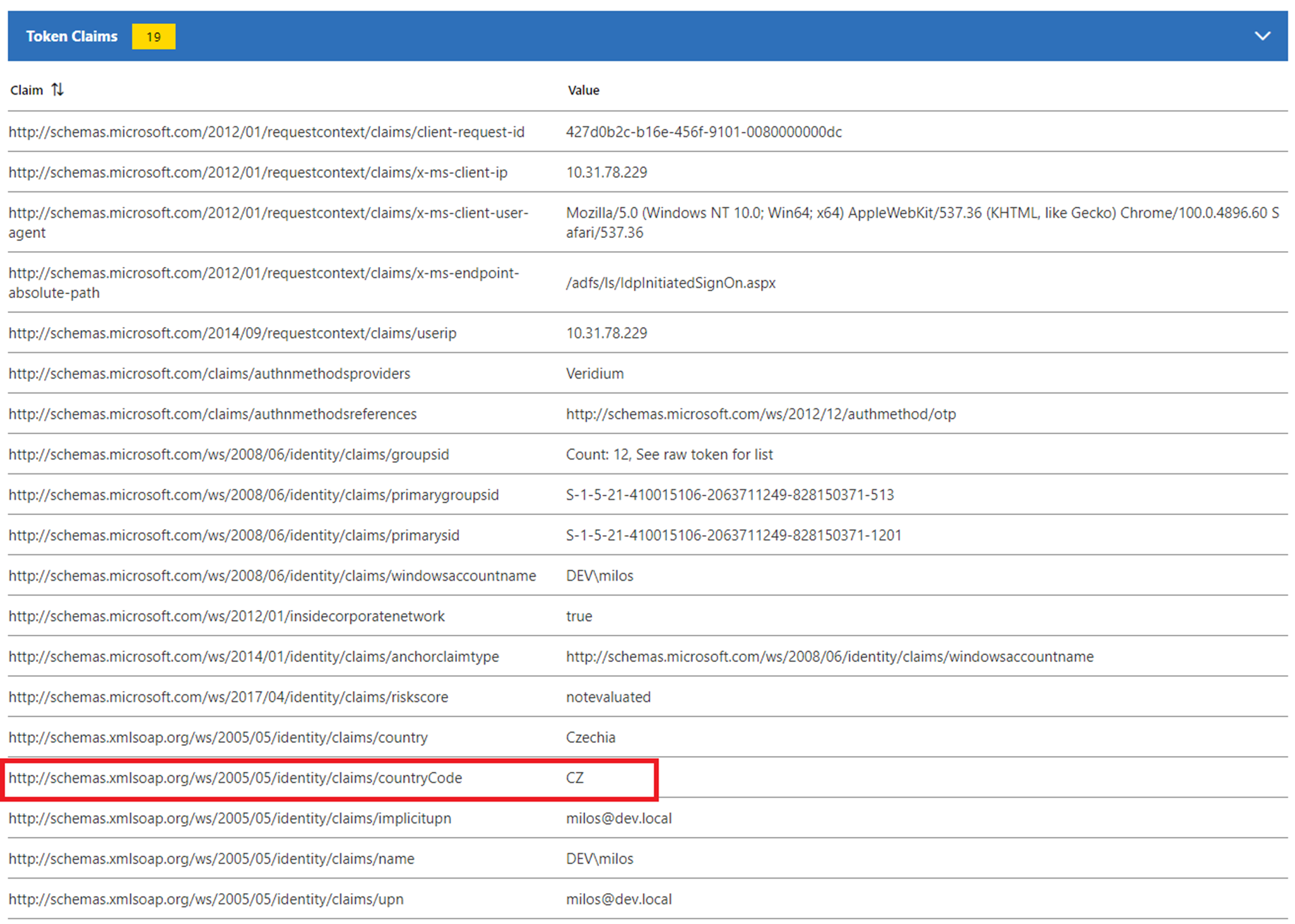
Veridium ADFS plugin allwes to add custom claims to resulting tokens. Configuration file is saved on:
C:\Program Files\VeridiumID\VeridiumAdfs\lib\VeridiumIdP.dll.config
There is a section about custom claims. Lets have for example two custom claims:
CustomClaimsCount is defining number of custom claims.
CustomClaimX_Name where X is counter from 1 to numner of claims. It is defined by URL pointing to claim definition. For example: <http://schemas.xmlsoap.org/ws/2005/05/identity/claims/country>
CustomClaimX_Value is referring to definition of attribute value. Possible values are:
location.city
location.streetNumber
location.ip
location.regionName
location.postalCode
location.coordinates
location.accuracy
location.errorCode
location.source
location.regionCode
location.countryCode
location.street
location.district
location.countryName
uba_motion.answer
uba_motion.answerConfidence
uba_motion.score
uba_motion.resolveType
uba_motion.errorMessage
uba_motion.errorCausedBy
uba_context.answer
uba_context.answerConfidence
uba_context.score
uba_context.resolveType
uba_context.errorMessage
uba_context.errorCausedBy
Example of configuration:
<add key="CustomClaimsCount" value="2"/>
<add key="CustomClaim1_Name" value="<http://schemas.xmlsoap.org/ws/2005/05/identity/claims/country>"/>
<add key="CustomClaim1_Value" value="location.countryName"/>
<add key="CustomClaim2_Name" value="<http://schemas.xmlsoap.org/ws/2005/05/identity/claims/countryCode>"/>
<add key="CustomClaim2_Value" value="location.countryCode"/>
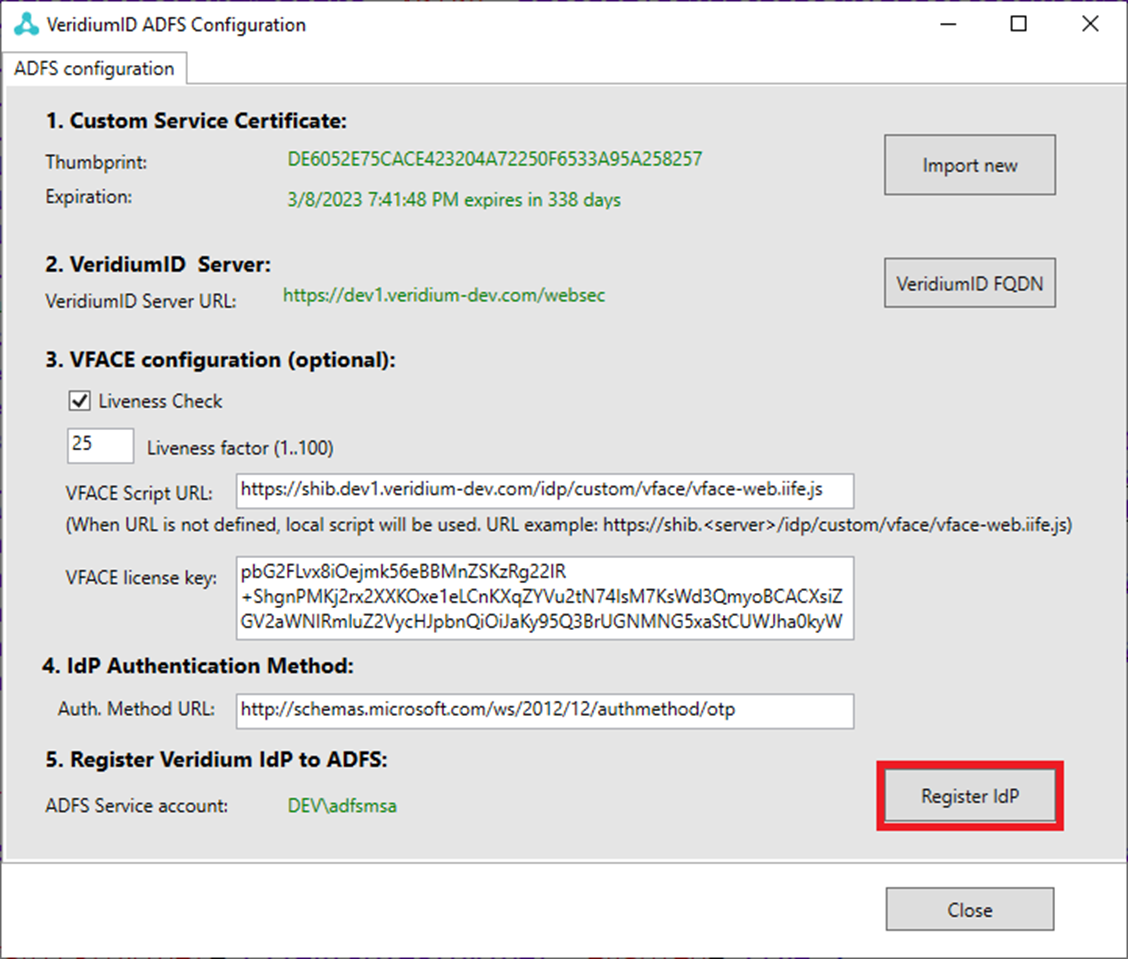
when configuration is finished, configuration needs to be deployed to ADVS by pressing RegisterIdP:
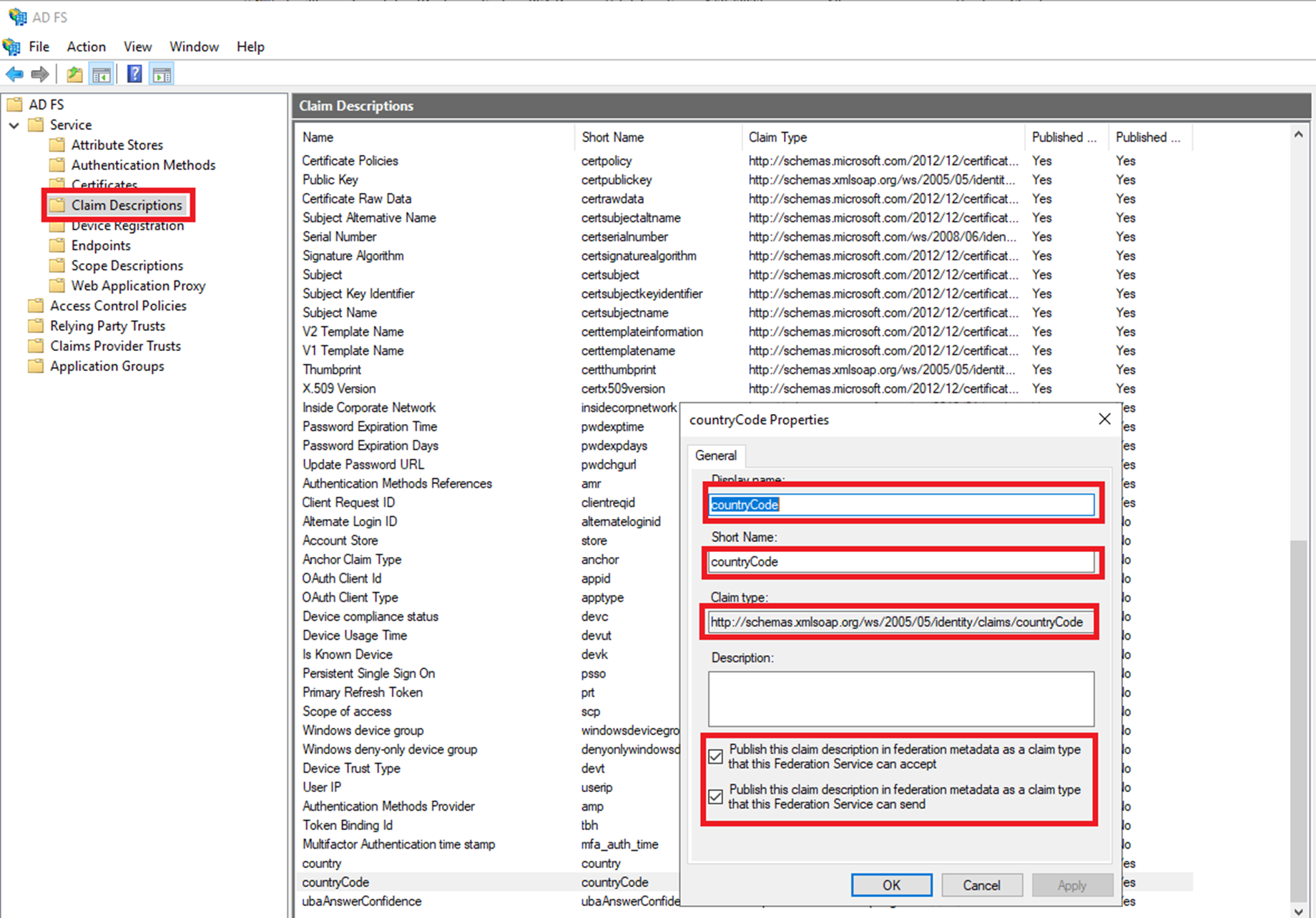
New custom attributes needs to be registered on ADFS:
Start AD FS ->Service->Claim descriptions and register new Claim type
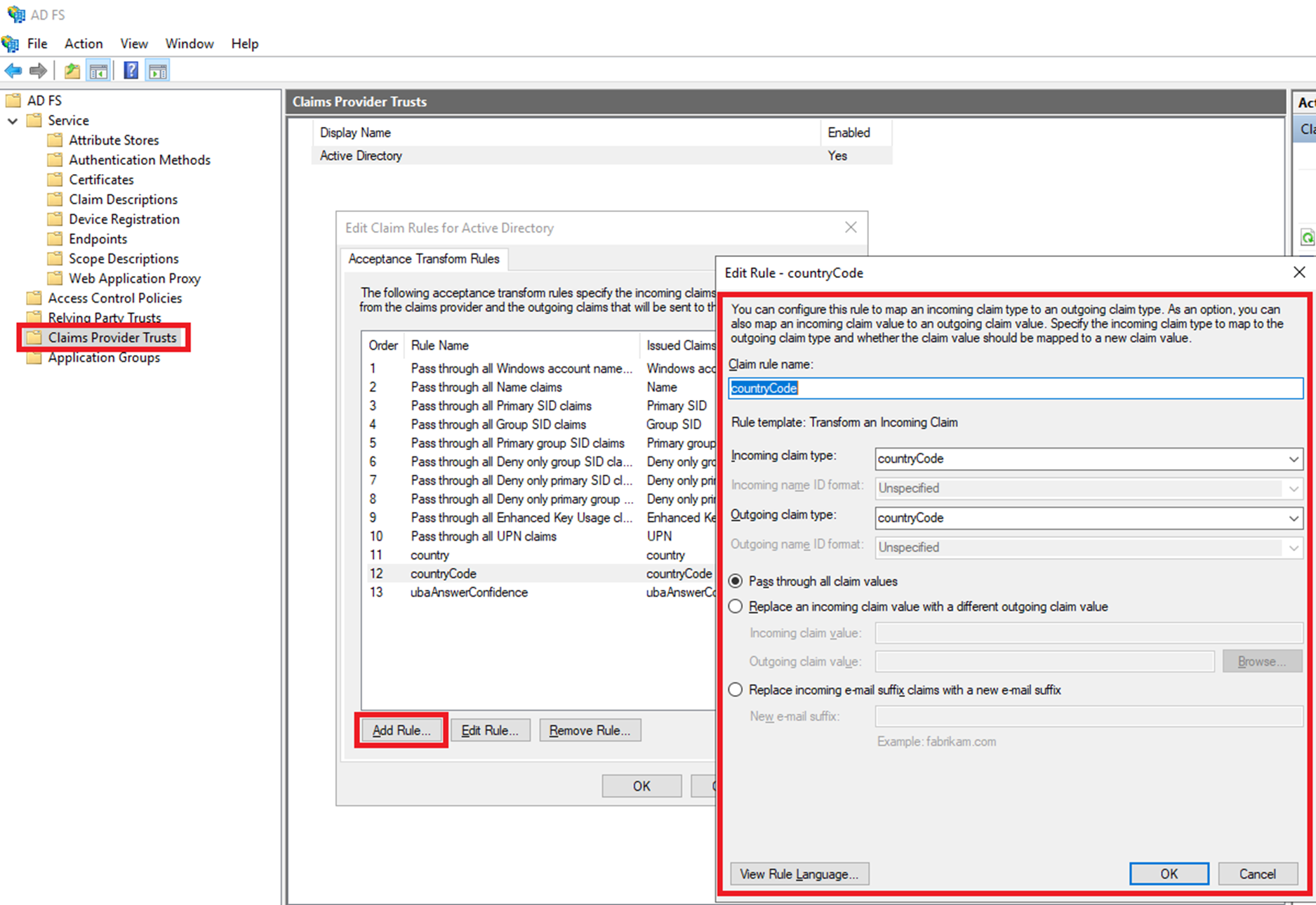
Add also corresponsing rule:
Resulting claim: