

After creating a journey selector, an administrator can assign it to an application group. If there are no application groups defined, create one following these steps:
-
In Veridium Manager, click Applications.
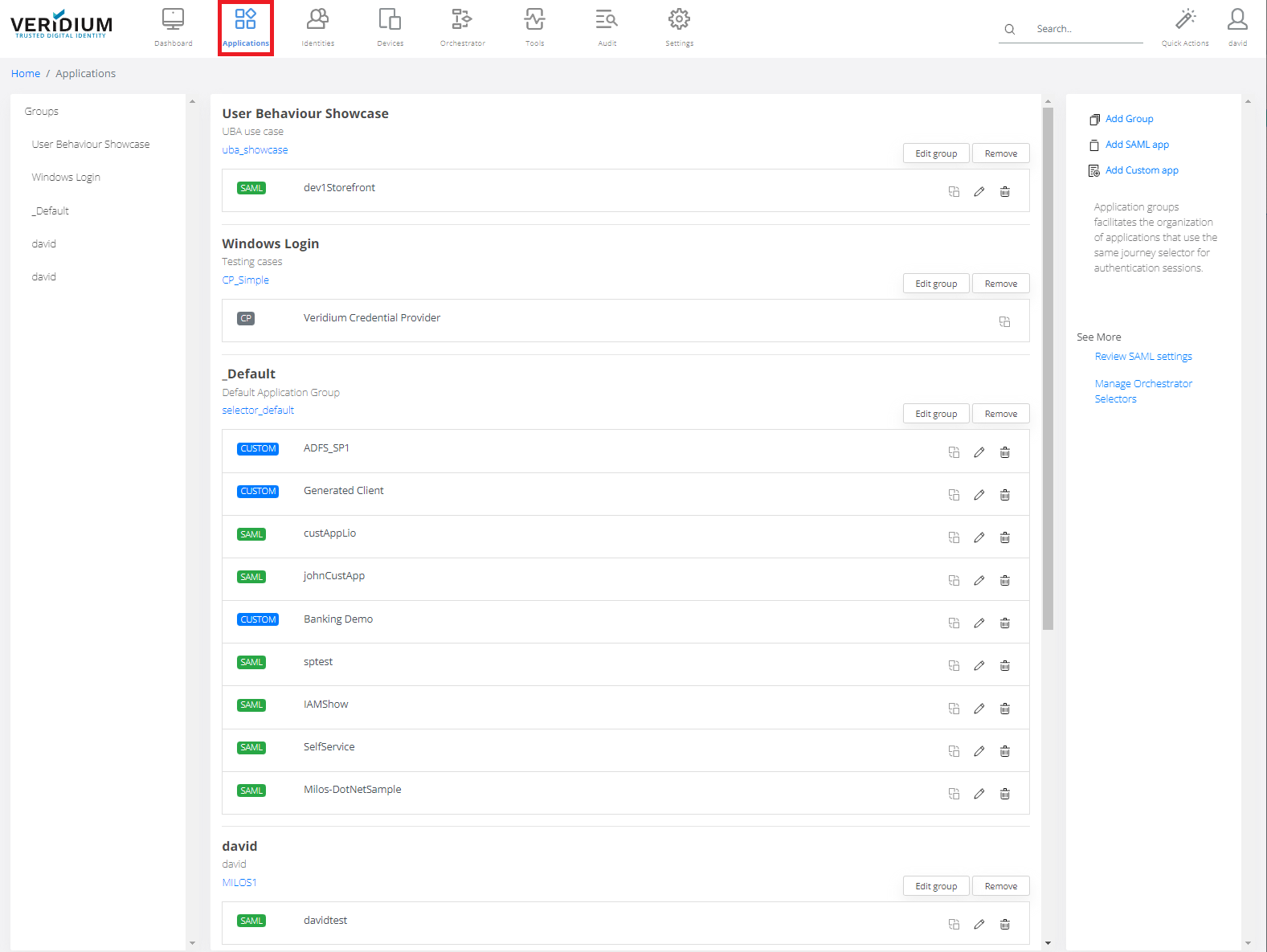
-
Select Group where you would like to assign the selector (or create new application group if necessary) and press Edit Group button.
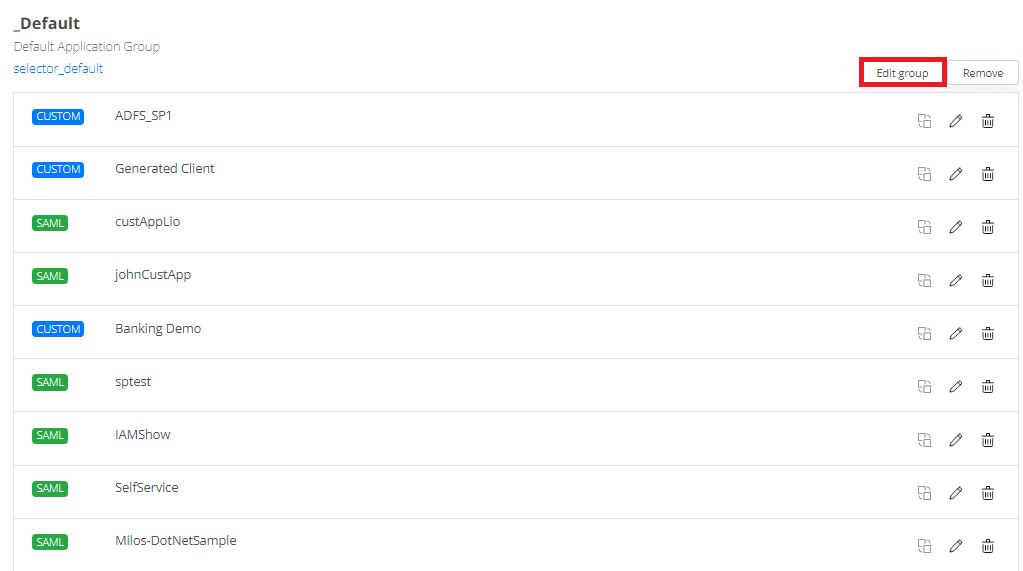
-
Choose an existing Journey Selector that will be assigned to this new group.
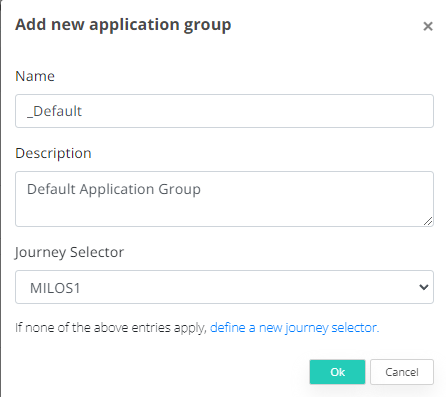
-
Click OK to save the new Application Group.
This will link existing applications to a selector that will further determine which journey to run based on the contextual information present when user initiate an authentication session.