

Send data collected in chapters https://veridiumid.atlassian.net/l/cp/pfVex0q1 and https://veridiumid.atlassian.net/l/cp/azzhUUG5 to Veridium support team for analysis.
Certification Authority is not trusted in user domain
You need to export CA Root certificate (name it root.cer) and Issuing CA certificate (name it CA.cer).
Note, in some cases it might be same certificate (than simply export it twice using two different names).
On RA server, Install CA management tools: (Domain admin permissions are required for steps 14-16 )
-
Start Server manager
-
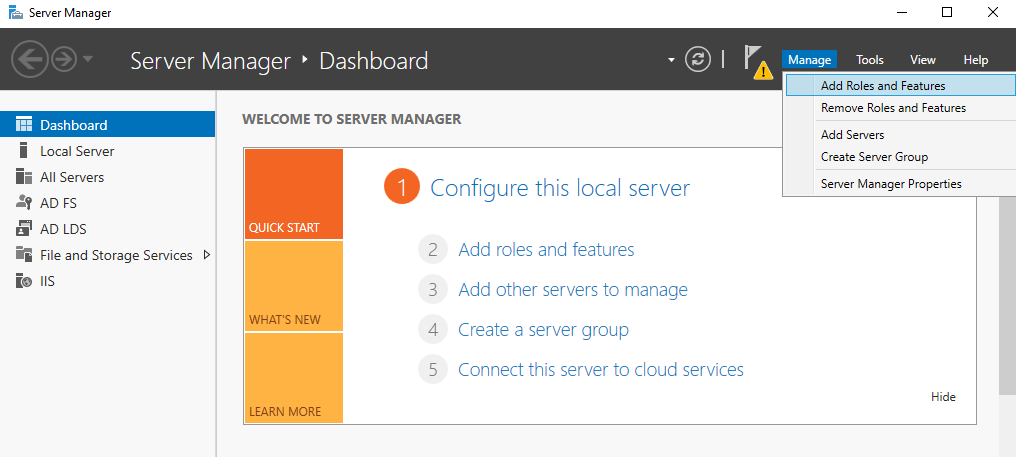
Client Manage->Add Roles and Features
-
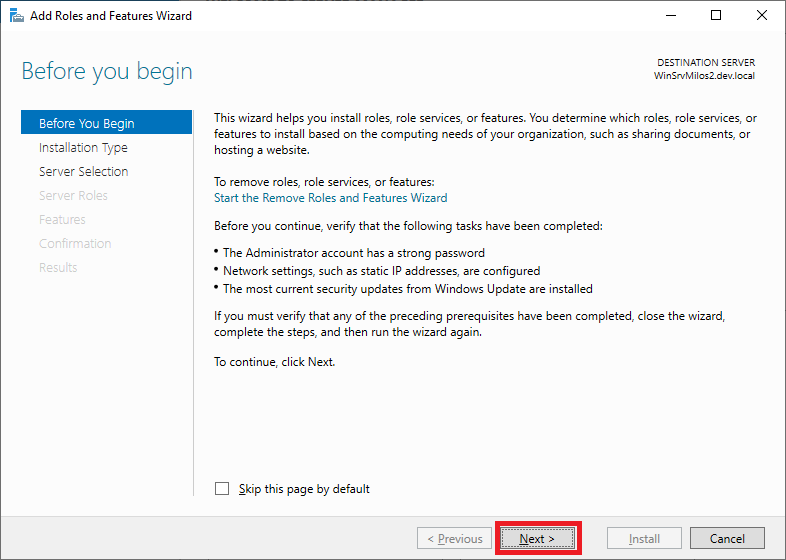
Click Next on Welcome screen:
-
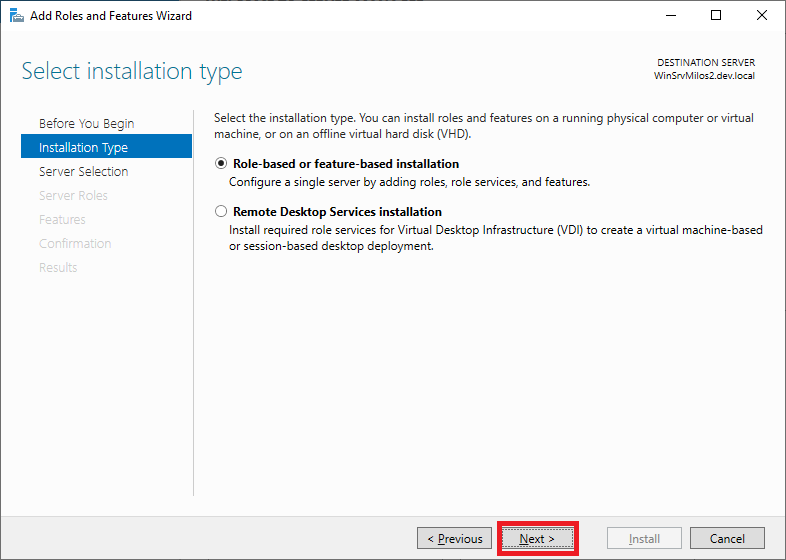
Client Next on Select installation type:
-
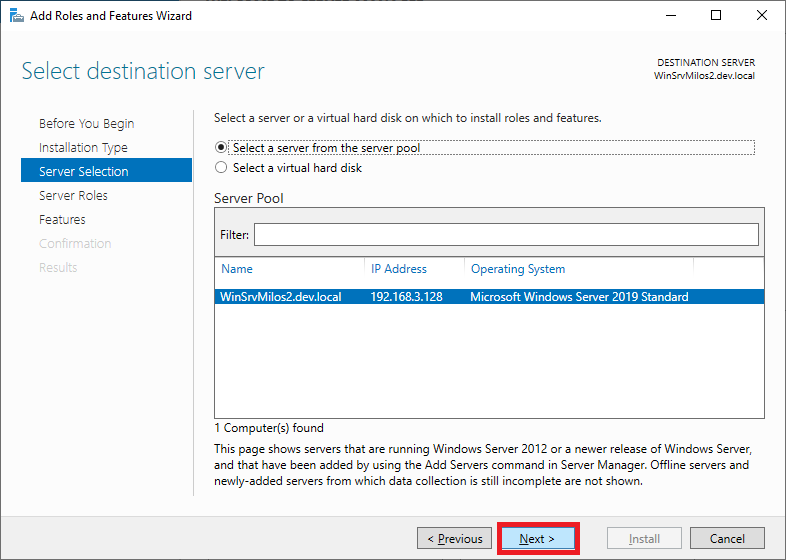
Client Next on Server selection:
-
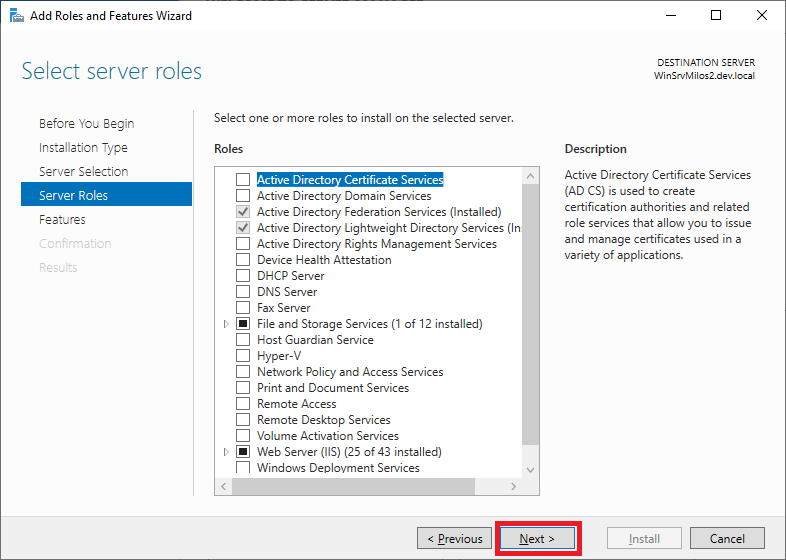
Client Next on Select Server roles (don’t add/remove anything)
-
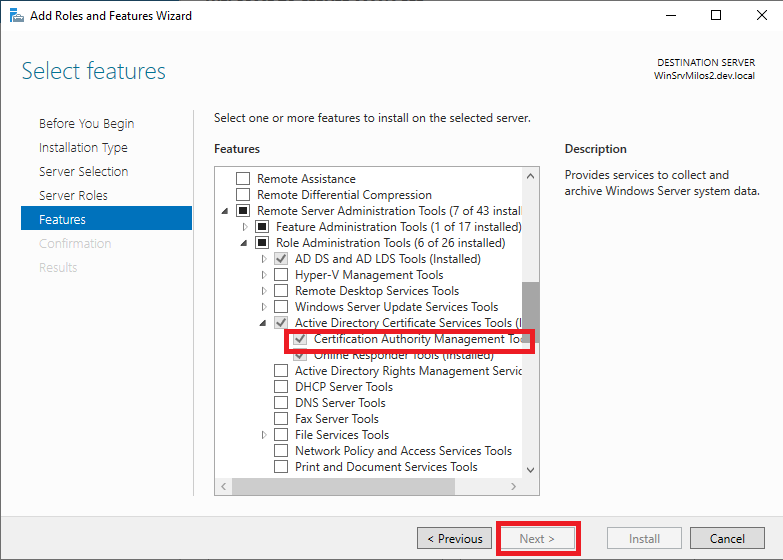
Select Certification Authority Management Tools and click Next button
-
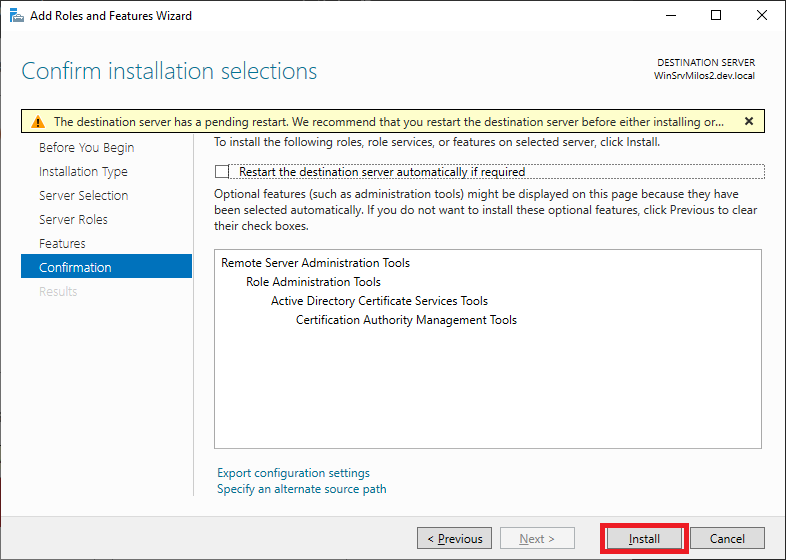
Click “Install” button
-
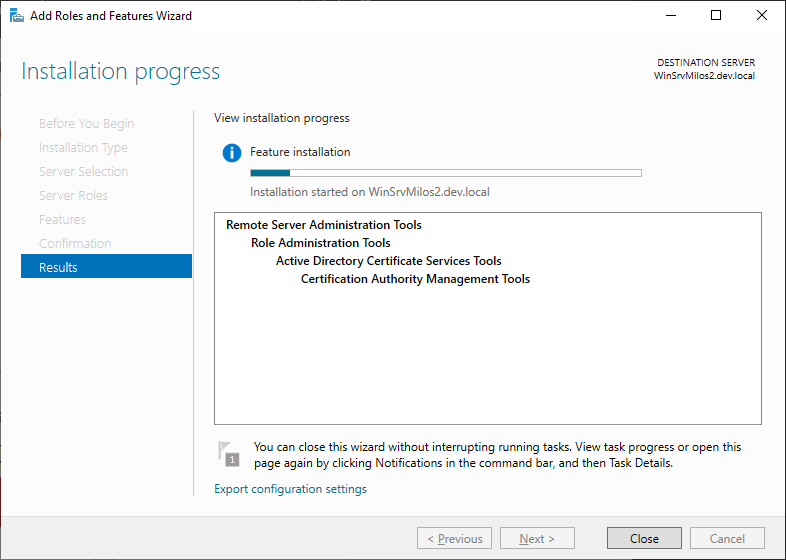
Wait till component is installed and then close window:
-
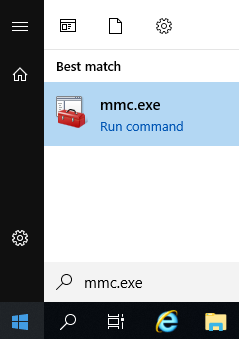
Hit Start menu and execute mmc.exe
-
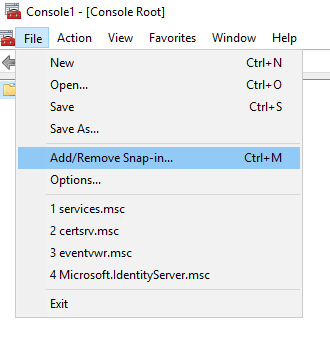
Go to File menu, option Add/Remove Snap-in…
-
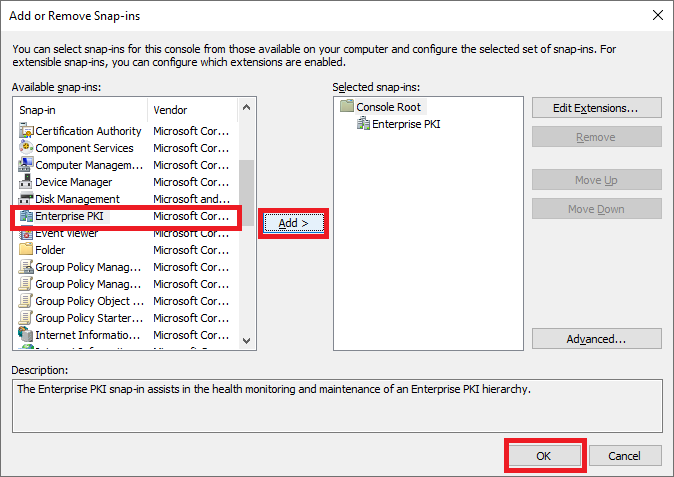
Select „Enterprise PKI“ on left panel and click „Add“ button. Than click „“ button.
-
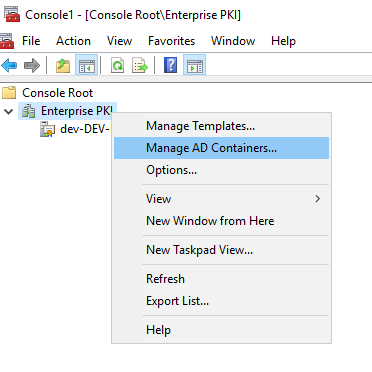
Make a right-click on Enterprise PKI and click “Manage AD containers”
-
Go to “NTAuthCertificates” tab. Add CA.cer certificate there (by clicking “Add” button).
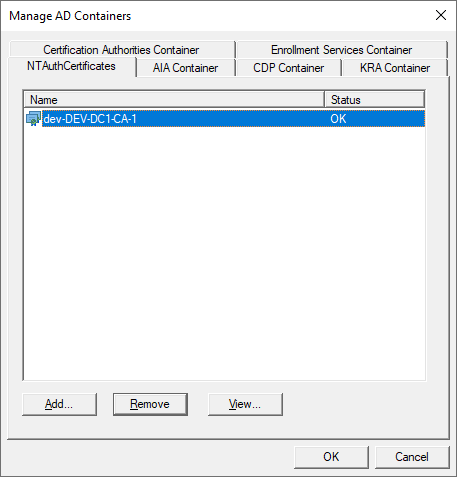
-
On your client machine, and on Domain Controller, please execute following command:
certutil -enterprise -addstore CA.cer NTAuthCA
Expected response:
-
Add CA certificate trust: The best is to introduce GPO to distribute CA root certificate as trusted everywhere. Steps are described on: https://docs.microsoft.com/en-us/windows-server/identity/ad-fs/deployment/distribute-certificates-to-client-computers-by-using-group-policy