

To delete (block) existing friend certificate, first you need to find it.
-
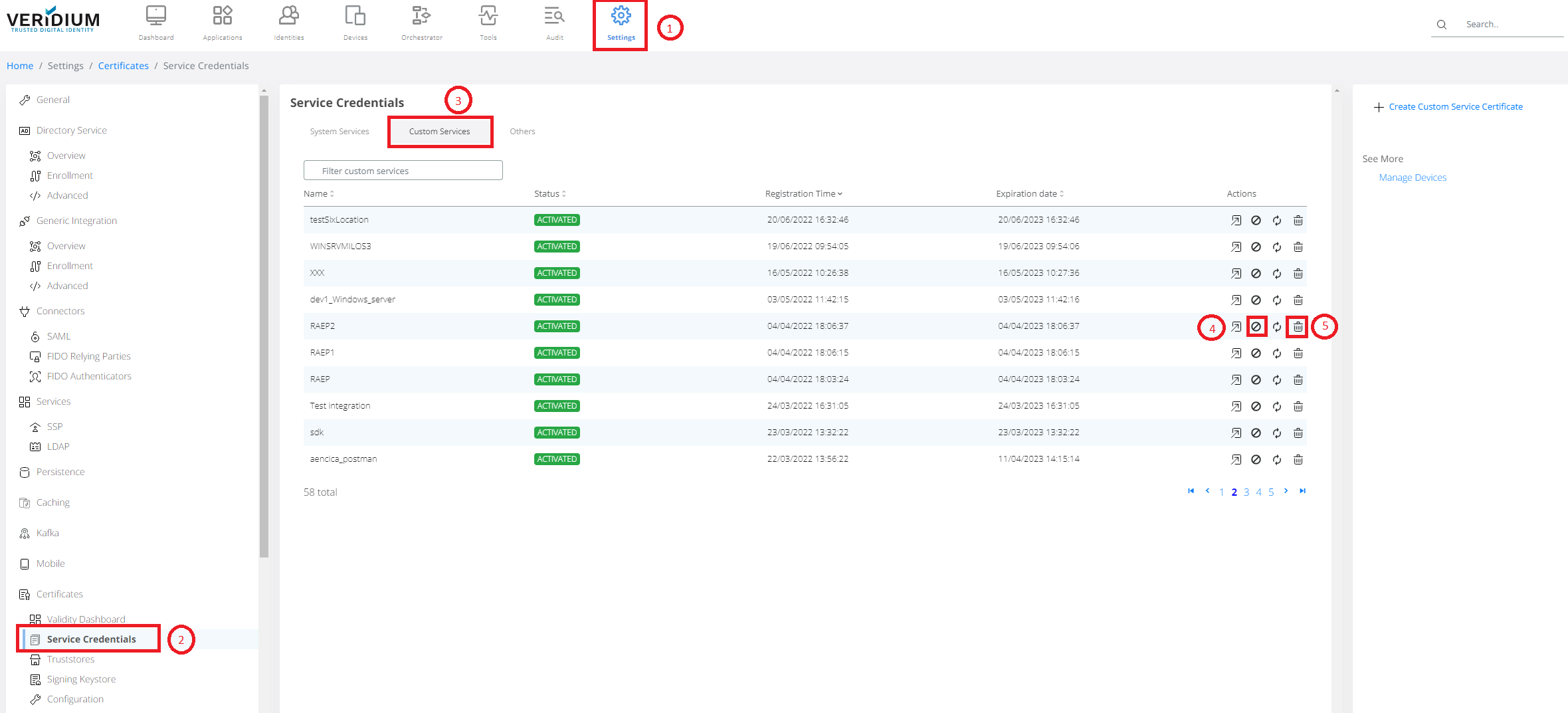
Navigate to Settings (1) -> Certificates -> Service Credentials (2). Than click on Custom Services tab (3). Find the Friend certificate you like to block or delete.
-
For device/certificate blocking click on block icon (4).
-
For device/certificate delete click on delete icon (5).

-
The main difference between block operation and delete operation is that block is revertible. You can unblock blocked certificate later on.
-
Deleted certificate can't be used any more.
The message box confirming certificate blocking/deletion will pop-up. Press OK button.
In case of blocked certificate, status "BLOCKED_BY_ADMIN" is shown. To unblock certificate again, use highlighted icon on right side.
