

There are two technical methods how Veridium CP is authenticating to Domain Controllers
-
Using certificates - default method (Veridium RA is involved). In case of
-
Using password - Authentication flow needs to contain LDAP_PASSWORD as authentication step. This step needs to have “useAsCredentials“ set to “true“.
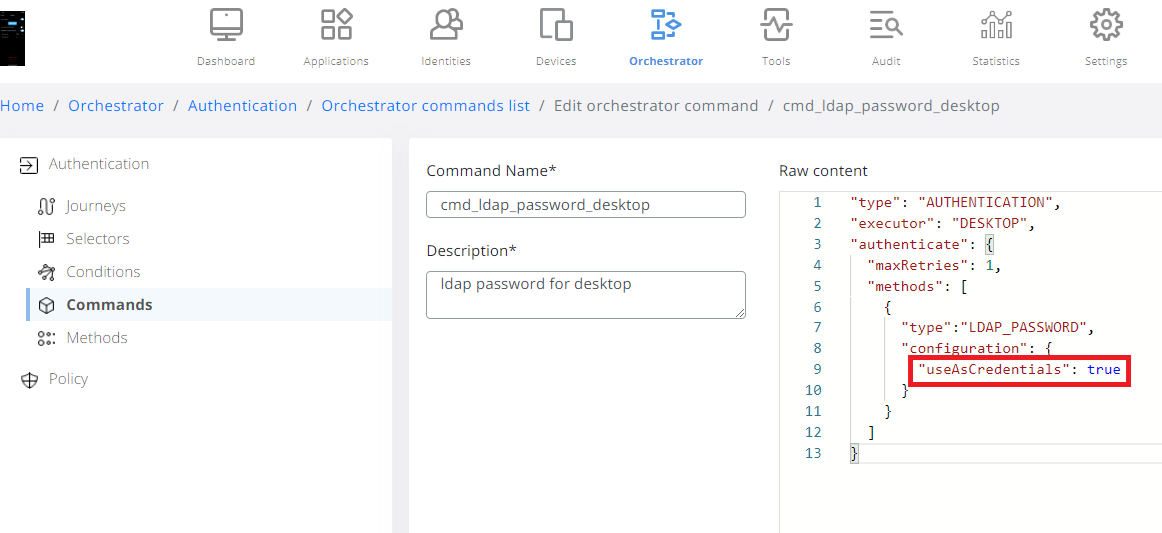
When this setting is set, in offline mode “UsePassword“ is set to 1. Based on this flag offline authentication mode it requiring password as secondary step:
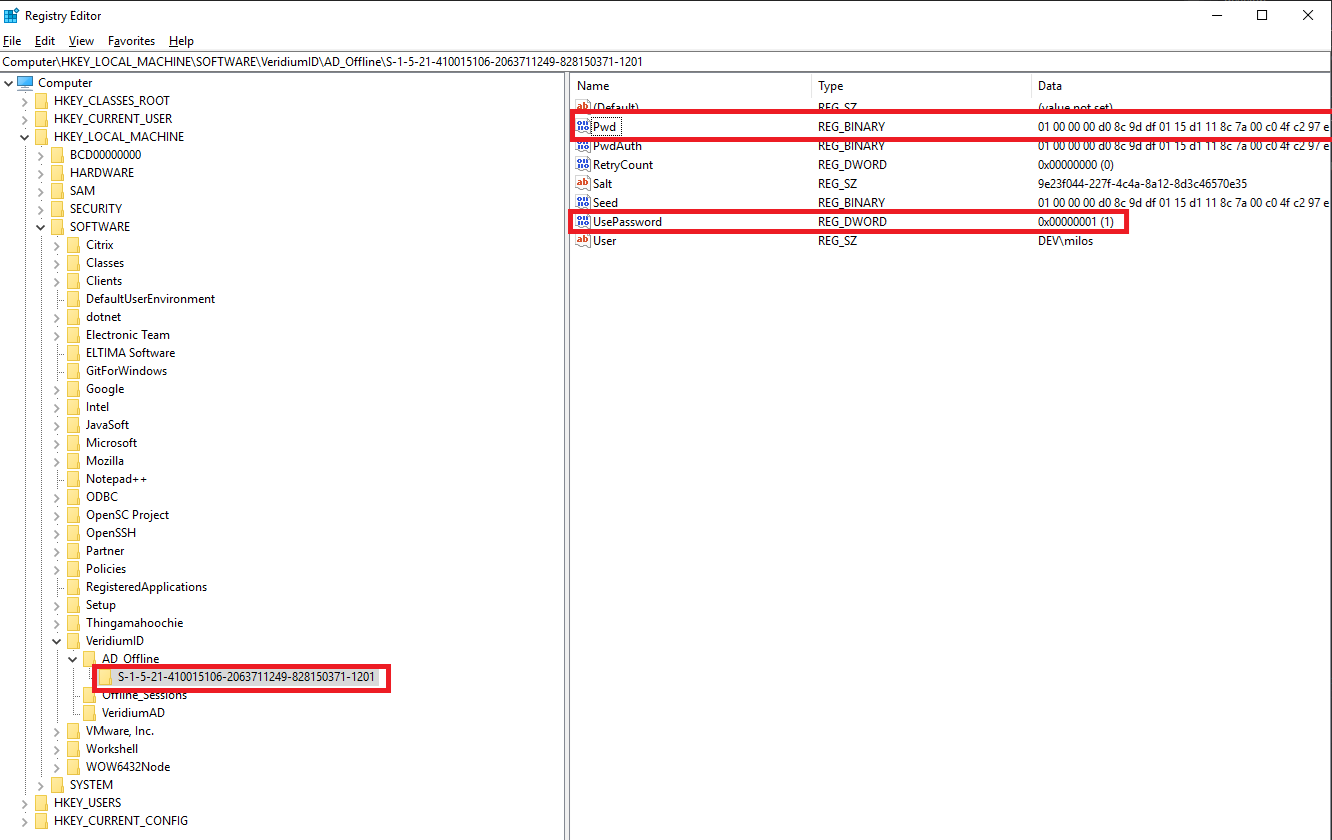
If last online authentication was done using password, than offline authentication consists form two steps: (QR offline + password).