Overview
This document explains the concept of how the SSO Tokens (SAML or OIDC) are protected by Veridium and the correlation between Windows login and browser user session.
Recap Windows logon
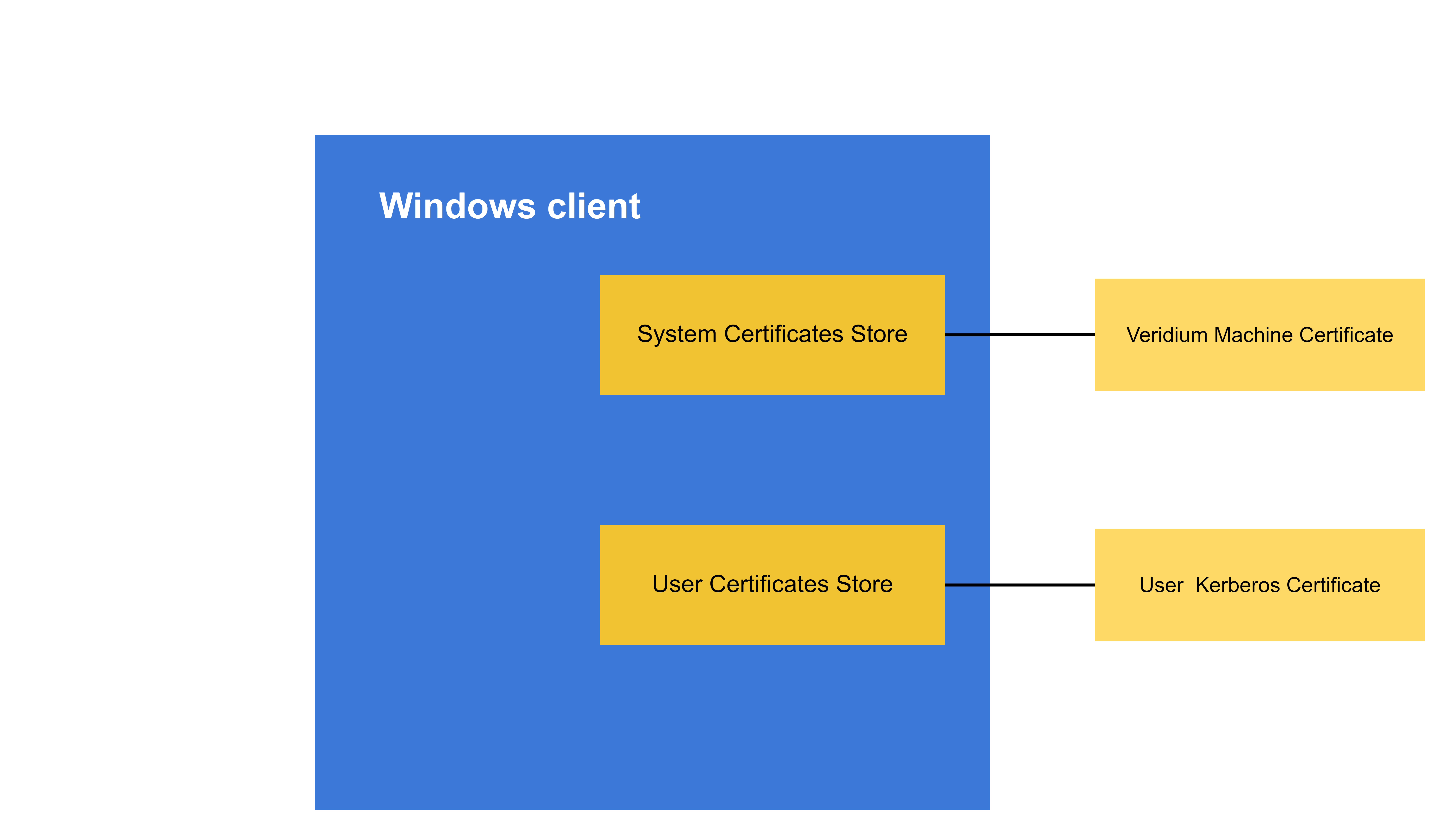
On Windows machines, we have the following Veridium components:
-
BopsLogonService – system services which enrolls the Windows machine in Veridium , and obtains a machine certificate which will be presented to Veridium service during the authentication flows.
-
After a Veridium authentication, an user certificate is issued by the Registration Authority, installed in the user store and the Windows Kerberos logon is performed.
-
Information about the Windows machine is reported back to VeridiumID server.
Recap on Veridium IdP
In version 3.6 we add support for certificate login as authentication method. That means that the user can present a certificate when authenticating in browser.
How we protect SSO experience
SSO Authentication
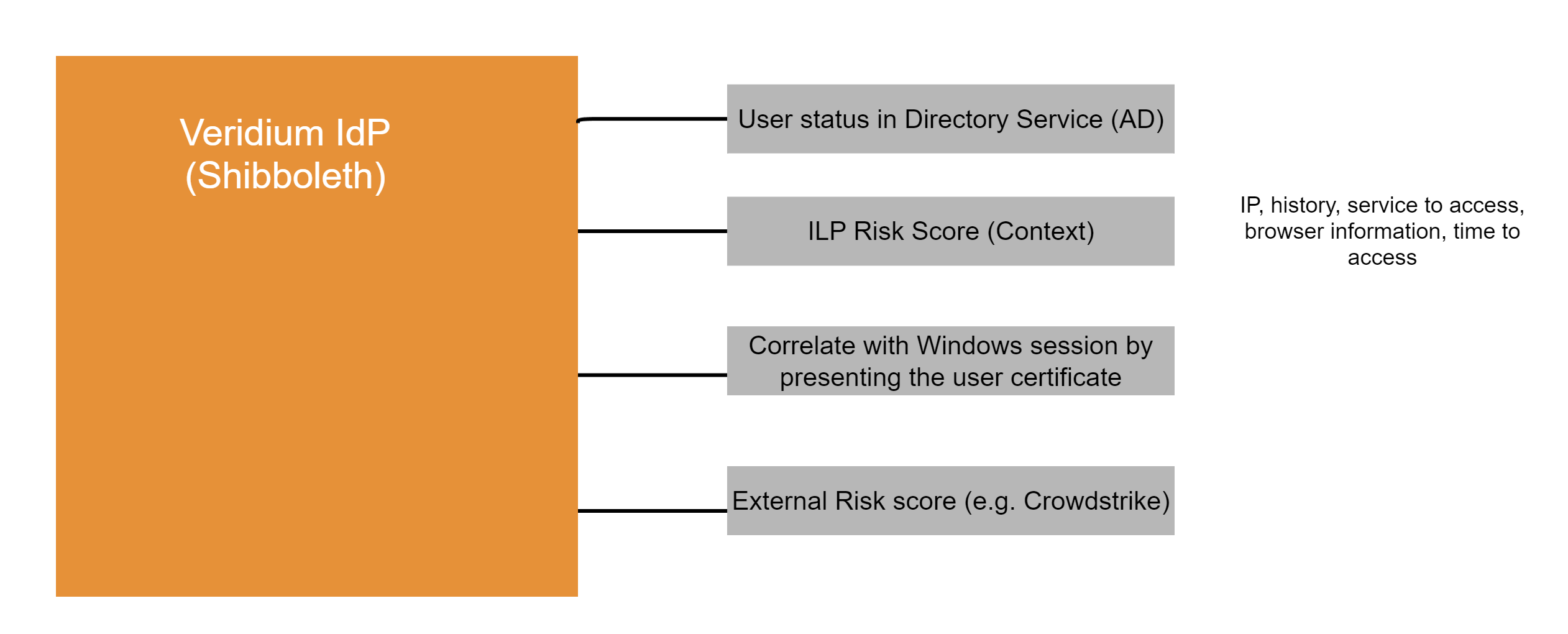
When user first authenticates in a browser, we can leverage the user certificate already used and correlate it with the information gathered during Windows logon. (e.g. same IP address, browser version, location, etc.). Therefore, the session binding is done by correlating Windows logon information and initial authentication in browser against Veridium IdP.
Single Sign On Experience in-browser
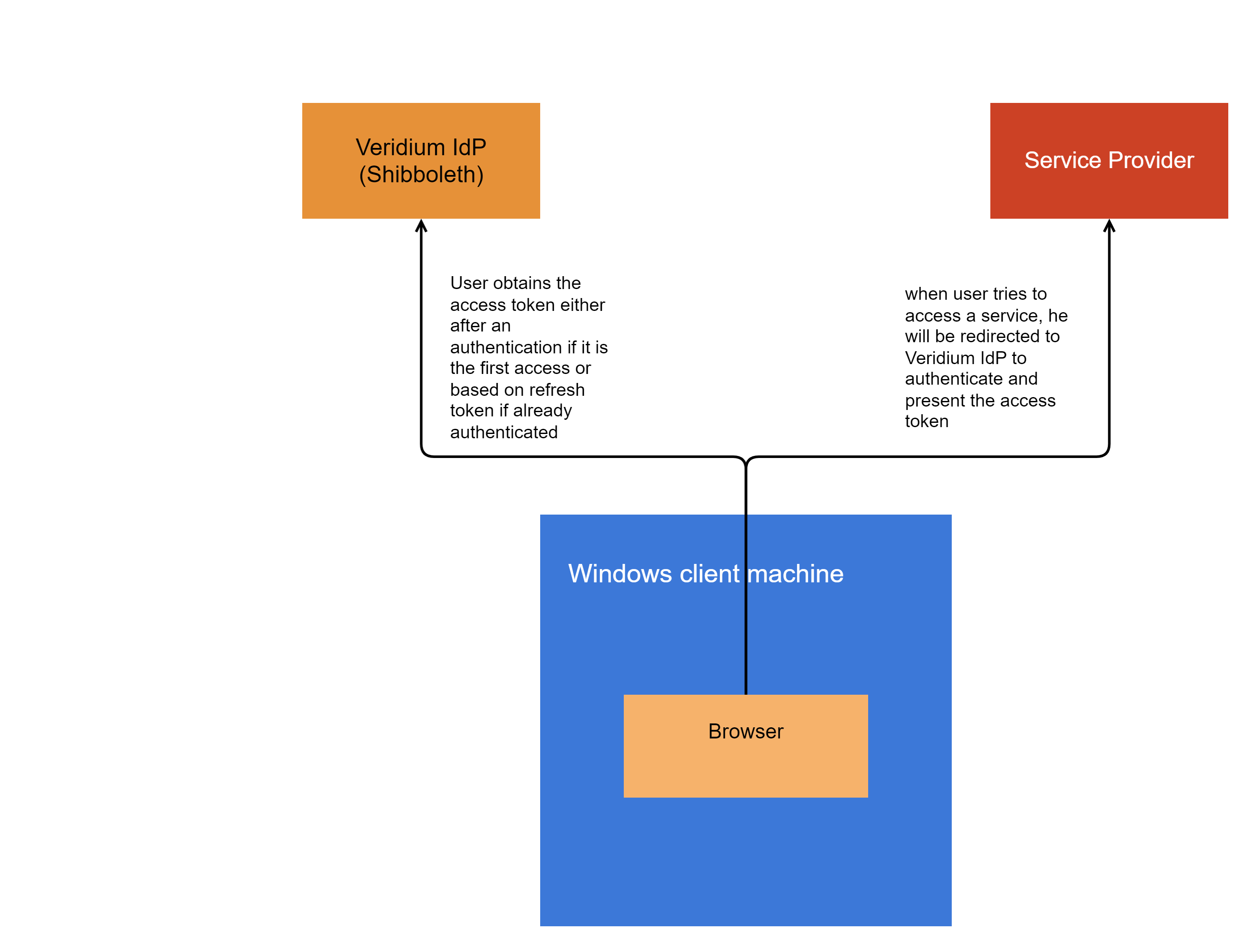
Once the user is authenticated and obtains the Primary Refresh Token (PRT), then the access to services is based on access tokens obtained from IdP based on PRT. That requires a roundtrip to Veridium IdP service and presenting the PRT.
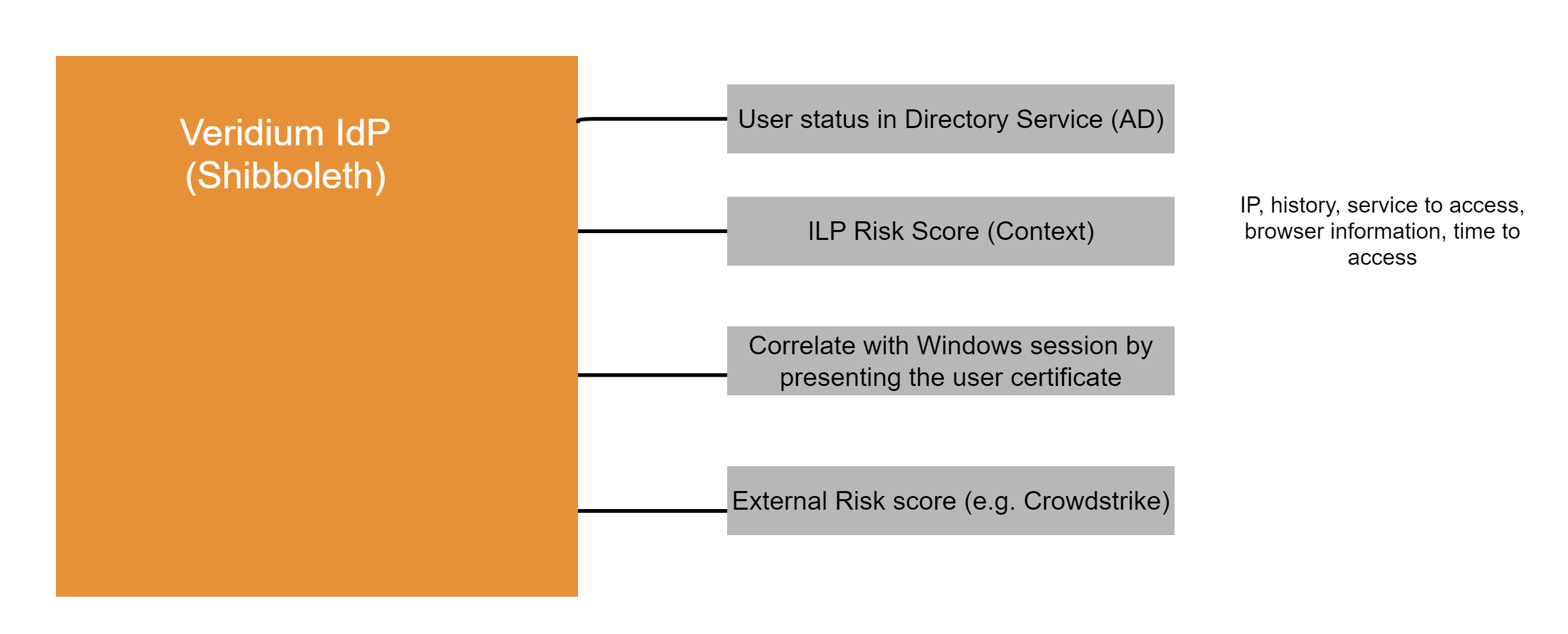
That means that Veridium IdP can re-evaluate the context like: user certificate, browser information, what service user tries to access, IP address, and a risk score can be calculated by Veridim ILP or External Risk tool.
SSO Session Validation and Risk-Based Protection
VeridiumID protects SSO sessions throughout their lifecycle, not only during the initial authentication. When an existing Identity Provider session is reused, or an OIDC access or refresh token is requested, VeridiumID can reassess the session using the latest identity status and available request context.
Continuous session validation
Before an existing SSO session is reused, VeridiumID verifies that the associated identity remains active and evaluates contextual information from the current request.
Validation covers SAML and OIDC SSO sessions, together with OIDC access-token and refresh-token requests. If the identity has been blocked or the session is no longer considered valid, the existing session can be invalidated, preventing its reuse to access additional applications.
Session-protection rules are managed centrally to provide consistent validation across the supported SAML and OIDC flows.
ILP risk-based session management
VeridiumID can submit the context collected during SSO or OIDC token requests to Intelligent Login Protection (ILP) for risk evaluation.
The resulting risk score is associated with the IdP session. Depending on the configured protection policy, suspicious activity can require the user to authenticate again or cause the entire IdP session to be revoked. This allows VeridiumID to respond to changes in identity status, user behavior, or request context after the initial authentication.
Configure the session response
In Veridium Manager, open the Identity Provider settings and select Session binding.
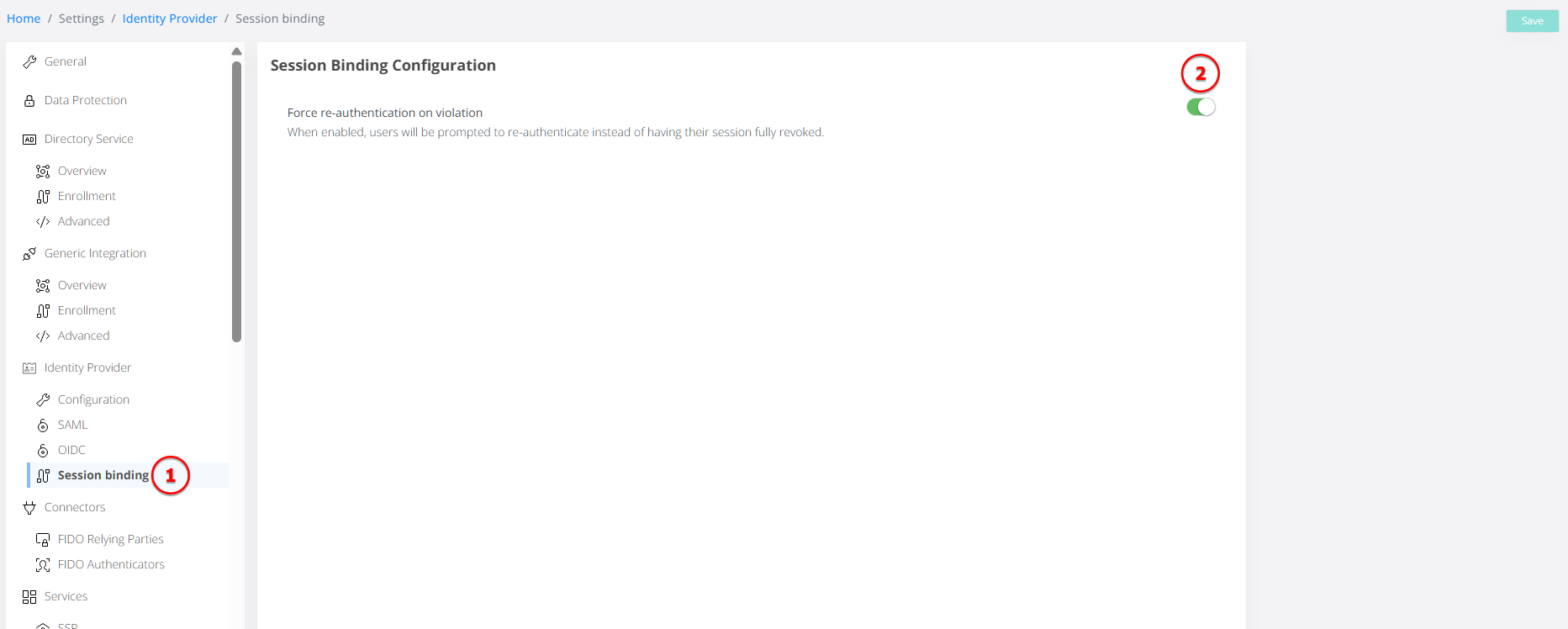
Use the toggle controlling the response to elevated risk to choose the required behavior:
|
Action |
Behavior |
|---|---|
|
Force re-authentication |
Requires the user to authenticate again. |
|
Revoke the session |
Revokes the entire IdP session. |
The configuration is also represented in session-binding.json.
Audit and session visibility
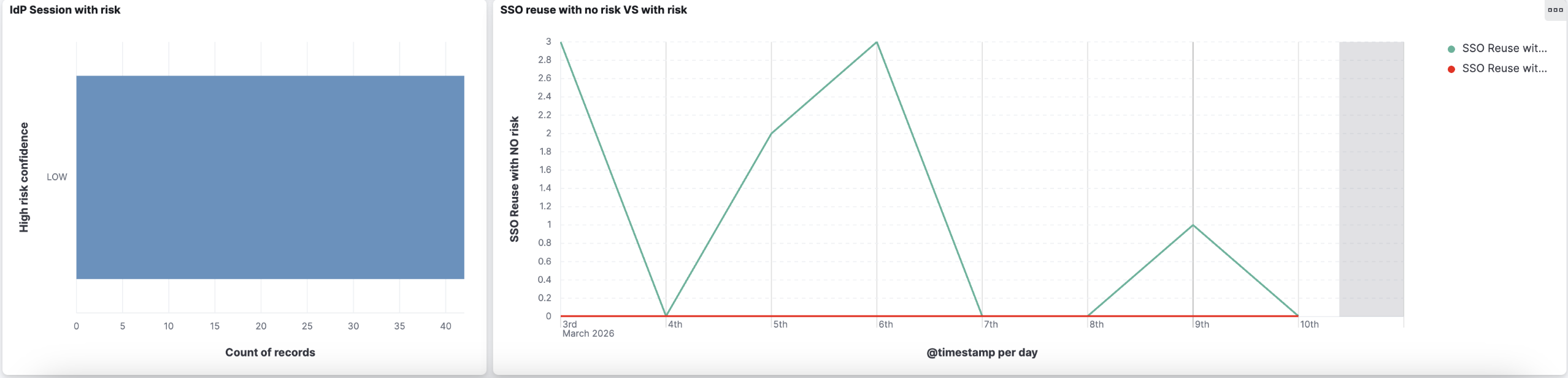
The IdP audit screen displays the ILP risk score and its confidence level, which are retained with the session record for reviewing active and historical sessions.
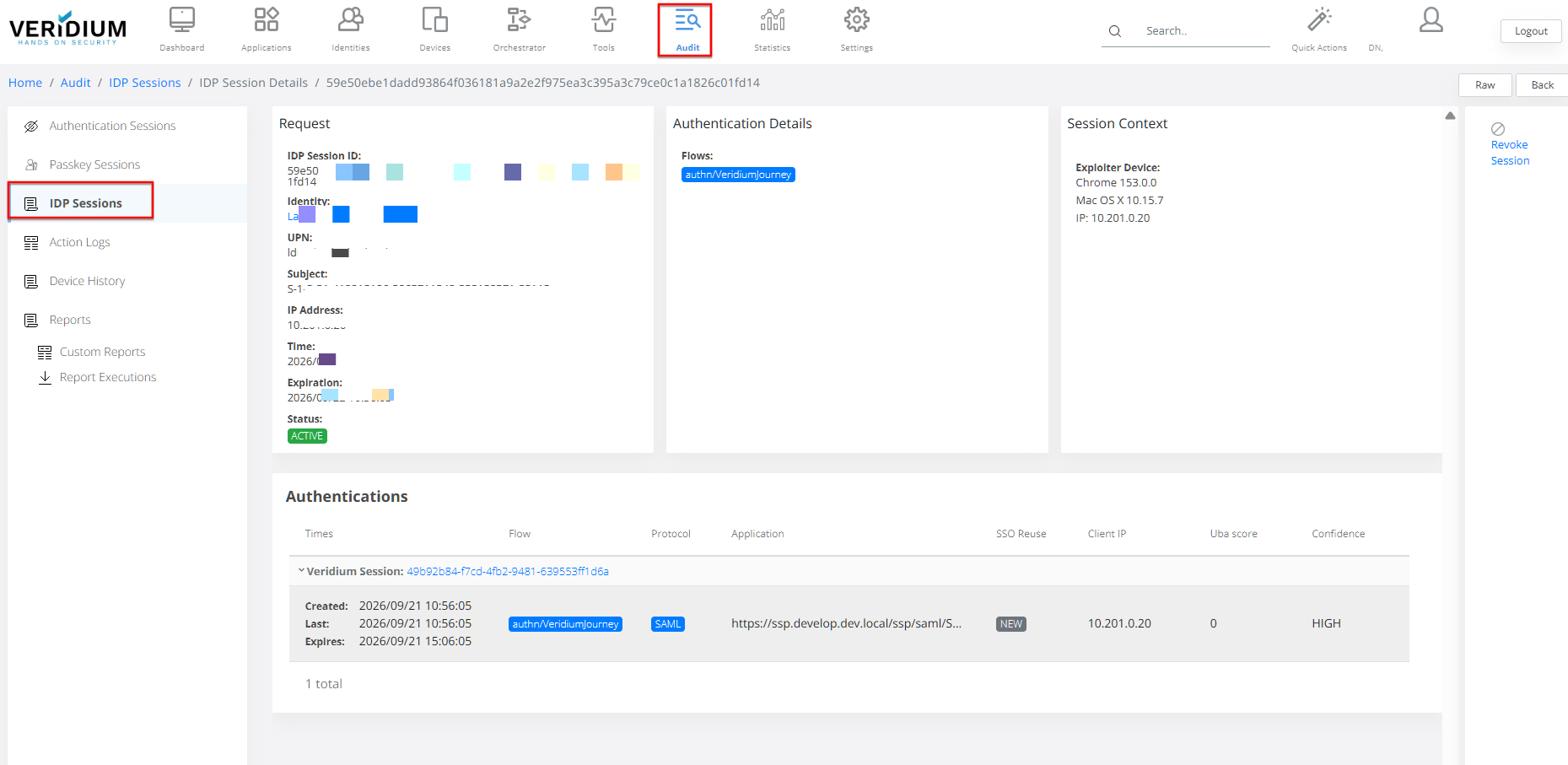
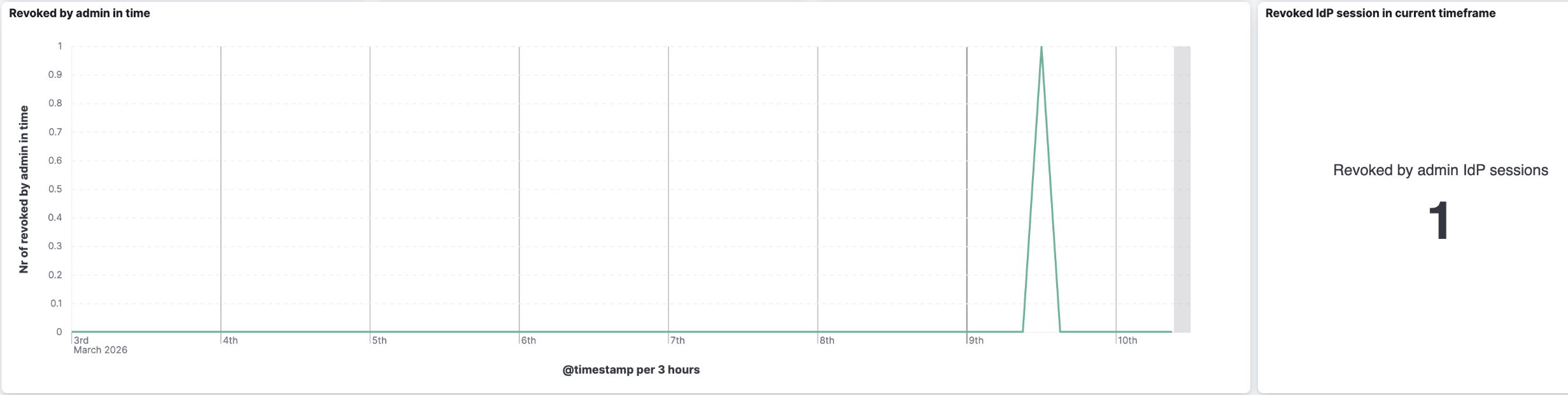
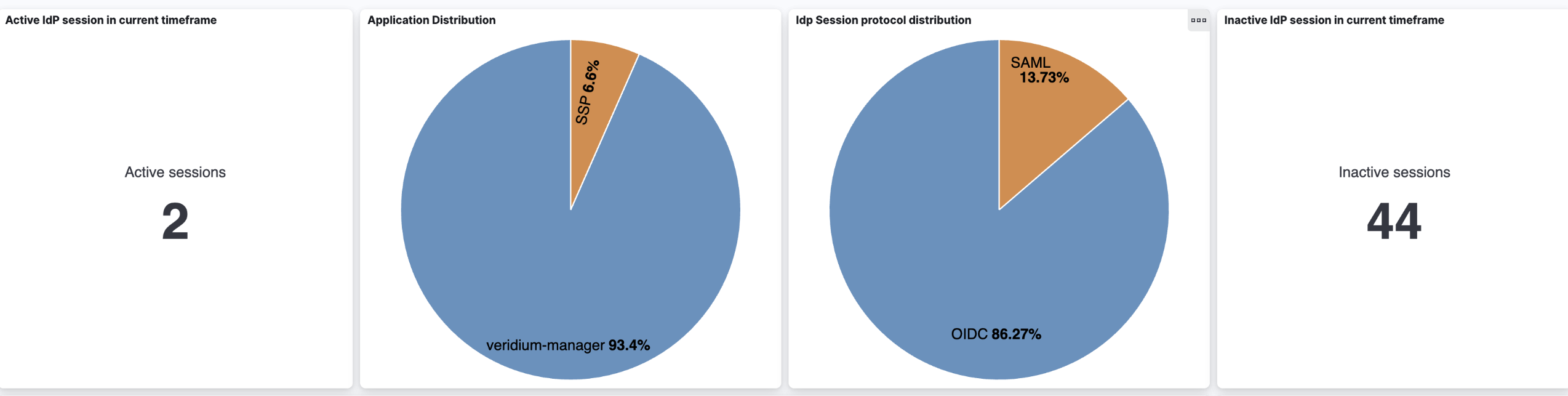
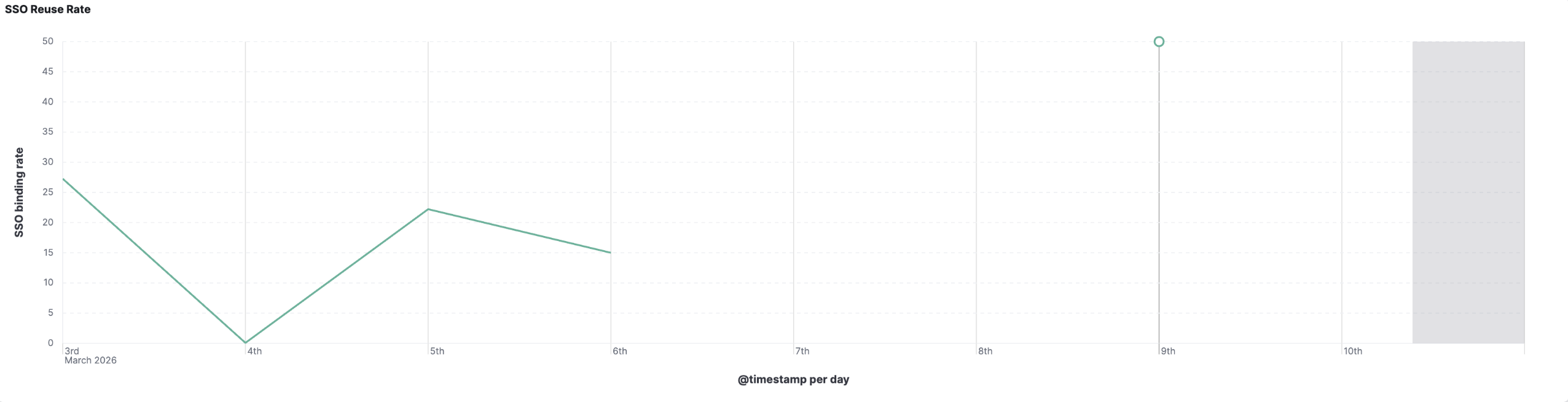
Additional session information identifies whether authentication was newly performed or an existing session was reused, and provides more detailed session and authentication timestamps. Kibana dashboards also provide visibility into the SSO experience.