

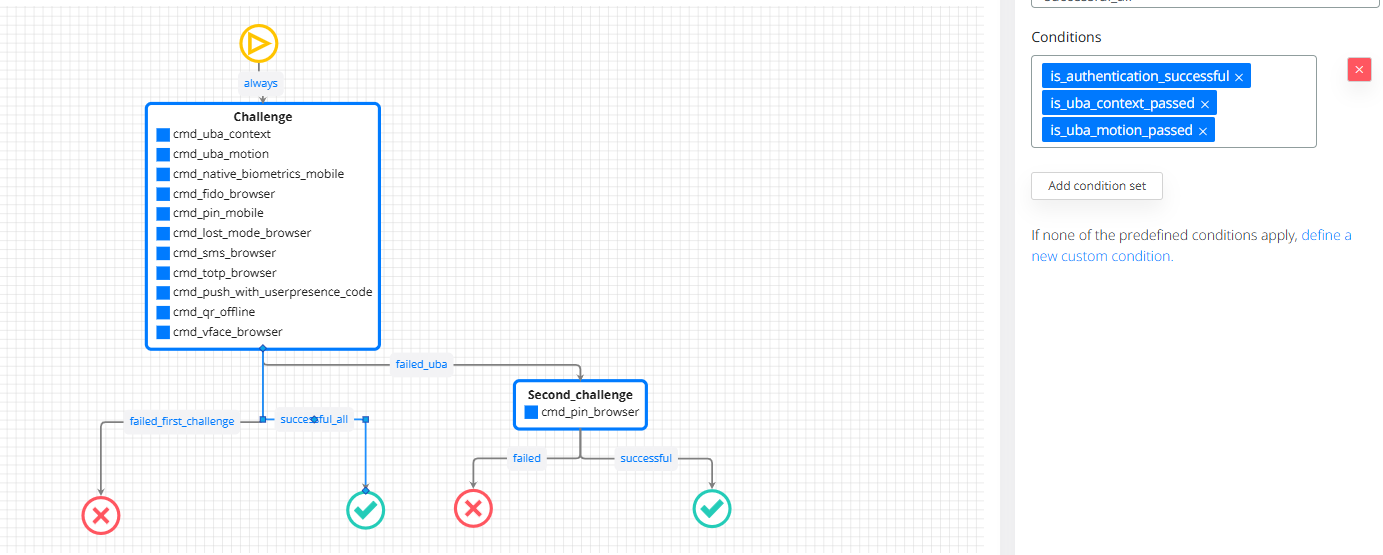
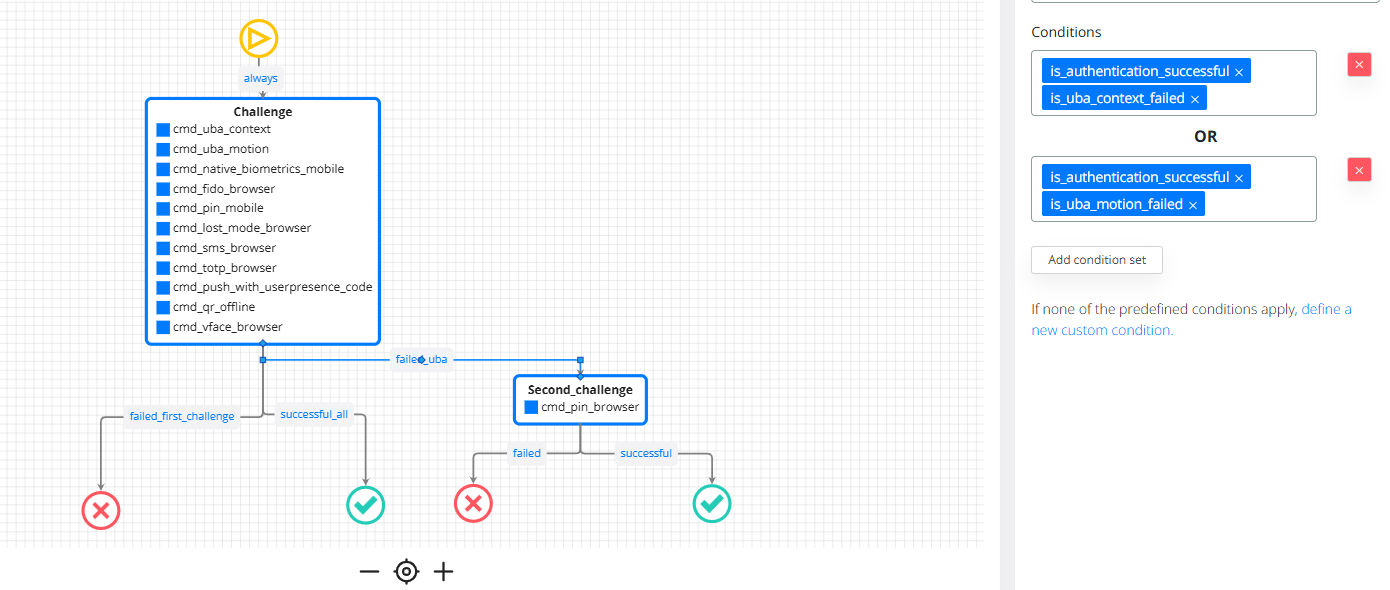
ILP journey covering the following flow:
-
If authentication succeeds and motion and context scores are good, the user is asked for one authentication factor.
-
If authentication succeeds but motion or context scores are poor, the user is asked for an additional authentication factor.
Creating your own conditions:
In journies, the commands can be created based on any field from the session. Based on these fields, any decision can be taken. Here is an example of a condition for allowing login only in business hours.
###is_working_hour

loginDate := input.session.requestTime

# Must match time between 08:00 and 17:59 - this is UTC time. It needs to be customized the regex part, to take into consideration the UTC time.
regex.match("^[0-9]{4}-[0-9]{2}-[0-9]{2}T(0[8-9]|1[0-7]):[0-5][0-9]", loginDate)

# Must be a weekday (Mon–Fri)
weekday := time.weekday(time.parse_rfc3339_ns(loginDate))
weekday != "Sunday"
weekday != "Saturday"
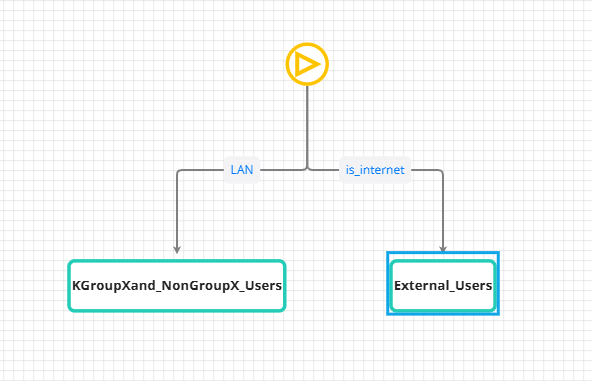
If you want to have different journeys, based on location, you can use a selector, like this one.
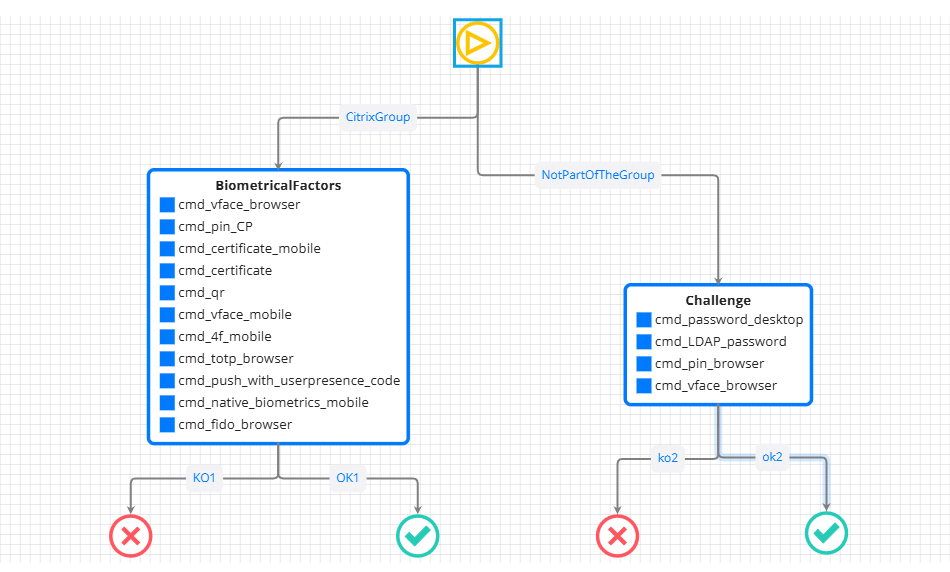
Later, for a journey, you can have different challanges, based on Groups.
-
it is important to define the group in veridium Websecadmin → groups.