

Introduction
This document outlines an enhancement to the VeridiumID authentication platform that introduces a more streamlined sign-in experience using passkeys. By leveraging FIDO Discoverable Credentials, users can now initiate authentication and be identified without needing to enter their username upfront, simplifying the login process.
Key Terminology
-
Passkey: A digital credential based on public/private key cryptography that replaces traditional passwords. Passkeys can be device-bound (stored on a specific device) or synced across a user's devices via their account provider (e.g., Google, Apple).
-
Discoverable Credential (Resident Key): A type of passkey where the private key and associated user information (metadata) are stored directly on the authenticator (e.g., a security key, smartphone, or computer's secure hardware). This enables the authenticator to identify the user to a Relying Party (like VeridiumID) without the Relying Party needing to know the username beforehand or send any credential identifiers to the authenticator.
-
Websec Client: Client applications that integrate with Veridium's Websec API to provide user authentication. Examples include the Veridium Windows Credential Provider and the Veridium Identity Provider.
-
Relying Party (RP): The service (in this context, VeridiumID) that relies on the FIDO authenticator and passkey to verify a user's identity.
-
FIDO Assertion: The cryptographic proof generated by the authenticator after a user successfully authenticates with their passkey. This assertion is then validated by the Relying Party.
Overview
Previously, using a passkey for VeridiumID authentication required the user to first input their username to initiate the FIDO (Fast IDentity Online) authentication workflow.
This enhancement leverages VeridiumID's existing FIDO Relying Party support for Discoverable Credentials. It allows the system to identify the user after they have successfully presented their passkey and a FIDO assertion has been generated. This eliminates the preliminary username entry step, offering a more intuitive and faster login experience.
How "Sign in with a passkey" Works
-
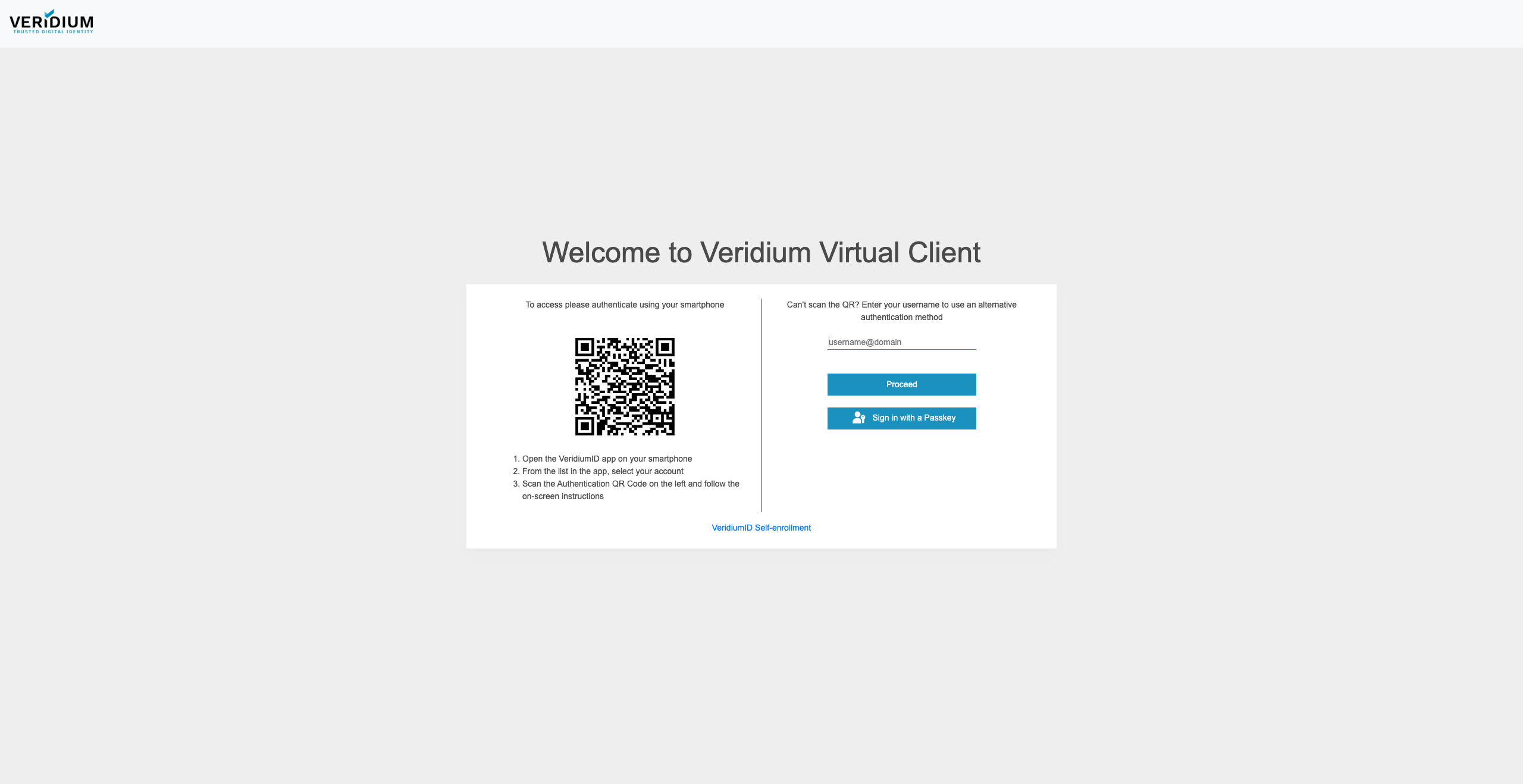
User Interaction: When a user accesses a service protected by VeridiumID via a supported Websec Client, they will be presented with a "Sign in with a passkey" option.
-
Initiation: Selecting this option directly starts the FIDO authentication workflow. The browser or operating system will prompt the user to use any passkey previously registered for this service that supports Discoverable Credentials.
-
Authentication & Identification: Upon successful validation of the passkey by the authenticator and subsequent validation of the FIDO assertion by VeridiumID, the user's identity is determined from the Discoverable Credential. The authentication challenge is then resolved, granting access.
-
Veridium Session Lifecycle: This feature uses an initial Veridium Session state called "Opportunity." An "Opportunity" session is created without an associated user identity. Previously used primarily for QR Code engagement (where a registered device is later attached to the session), this "Opportunity" state can now also facilitate the Sign in with a passkey flow.
Configuration and Orchestration
The Sign in with a passkey option is configured as a user engagement method within the VeridiumID Orchestrator Selector, alongside other methods such as QR code, username input, or certificate-based authentication.
When this passkey engagement is enabled, new "Opportunity" sessions will automatically include all necessary data for WebAuthn API integration. This includes the clientDataJSON and any security policies enforced by the configured Relying Party.
After the FIDO assertion is received and validated by the Veridium FIDO service, the Websec service updates the session. It binds the user's identity (retrieved from the Discoverable Credential) and the attestation result to the session. The authentication flow then proceeds according to the orchestration logic. If the FIDO assertion fails validation, the "Opportunity" session will be marked as "Terminated."
Benefits
-
Improved User Experience: Faster and more convenient login by removing the need for initial username entry.
-
Enhanced Security: Leverages the strong cryptographic security of FIDO passkeys.
-
Streamlined Integration: Utilizes existing FIDO standards and VeridiumID session management capabilities