

Procedure:
-
Open the Server Manager if it is not already open.
-
Click Tools and choose Certification Authority.
-
Right-click Certificate Templates then choose Manage. The complete list of templates is displayed.
-
Duplicate the Key Recovery Agent template.
-
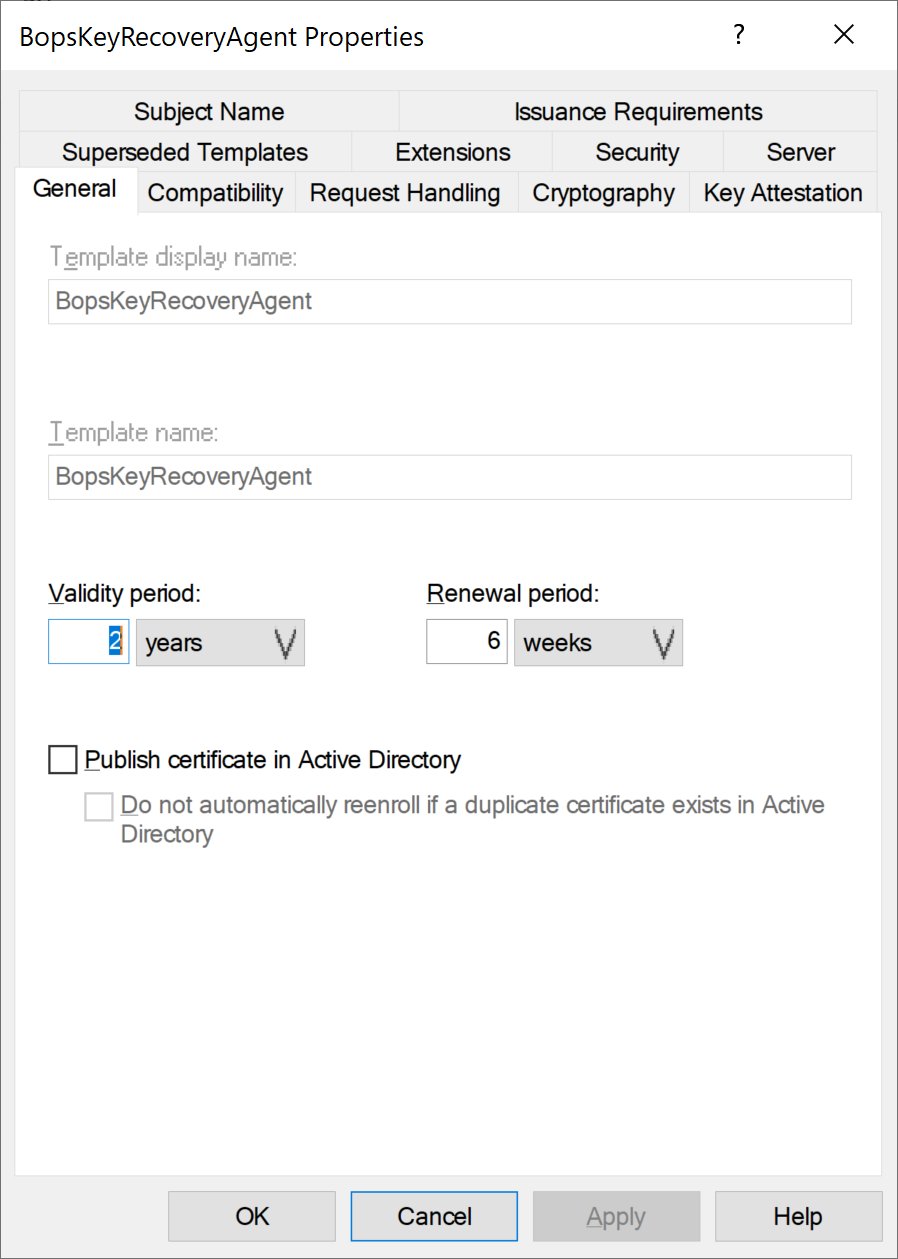
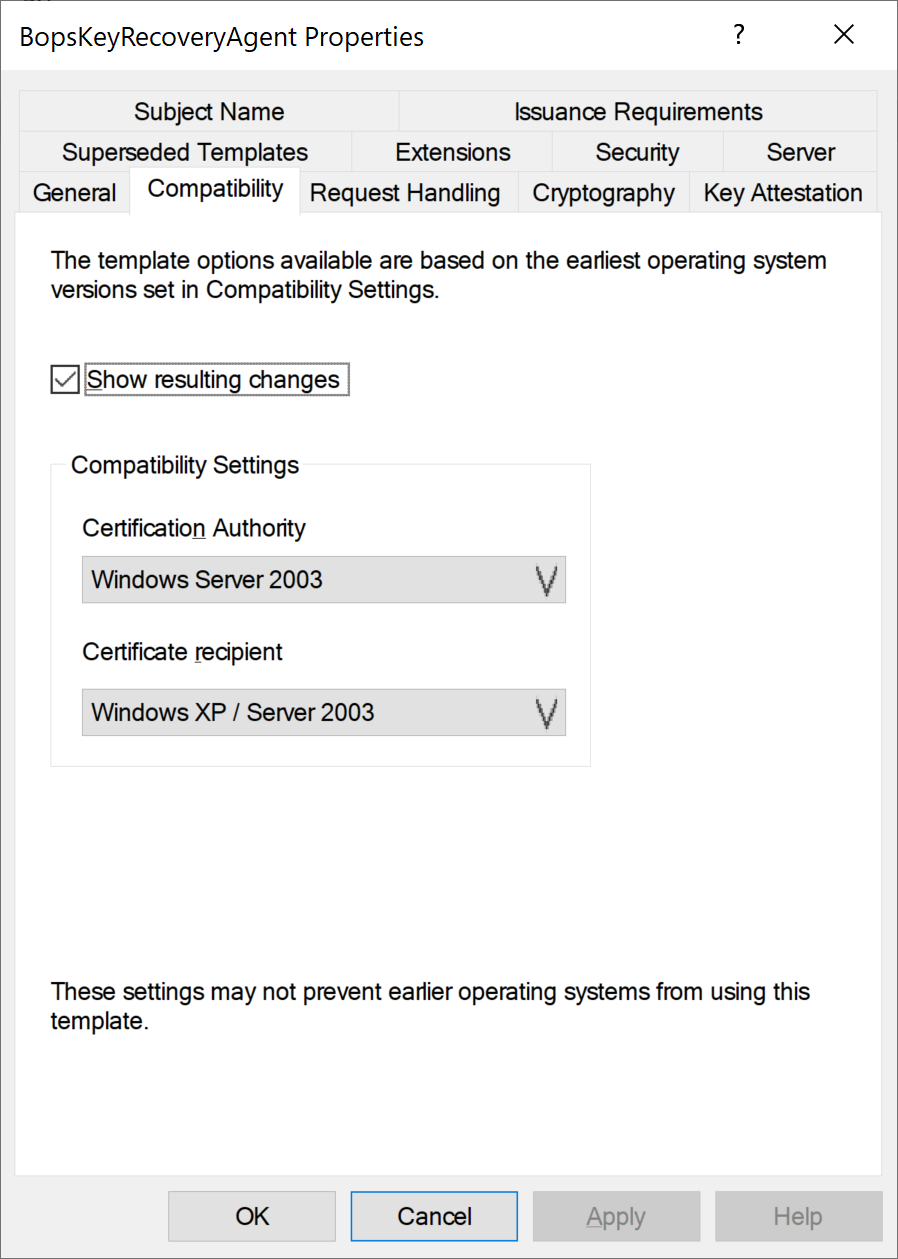
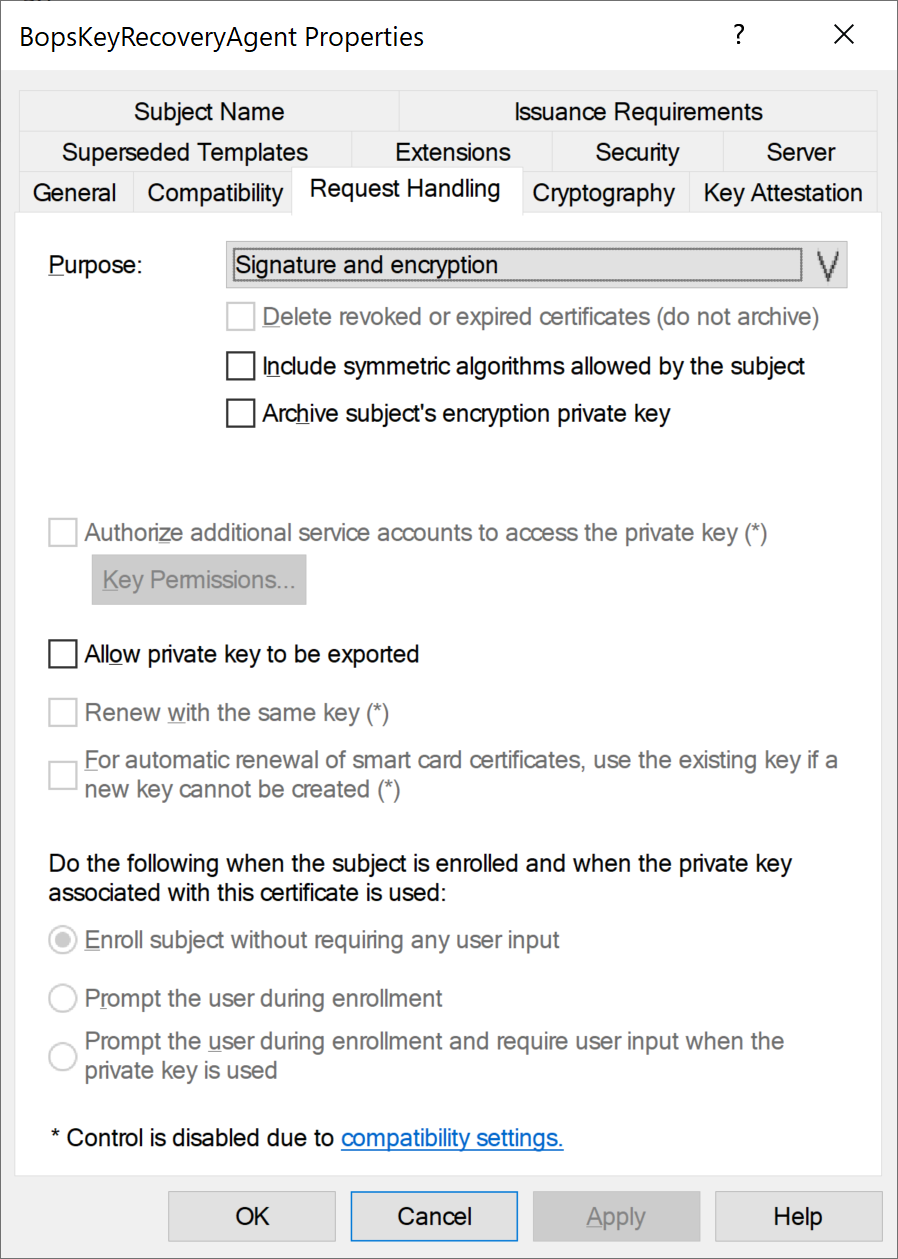
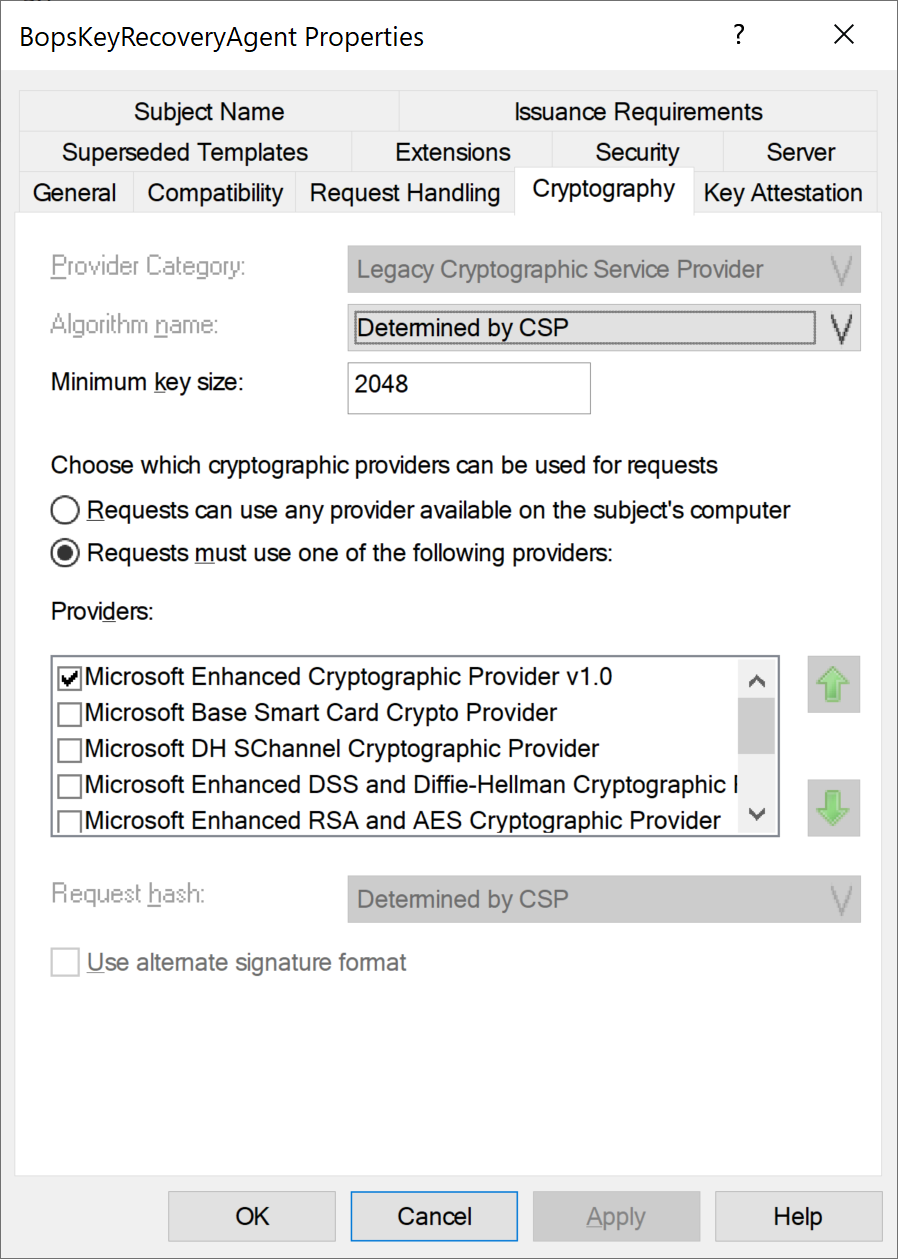
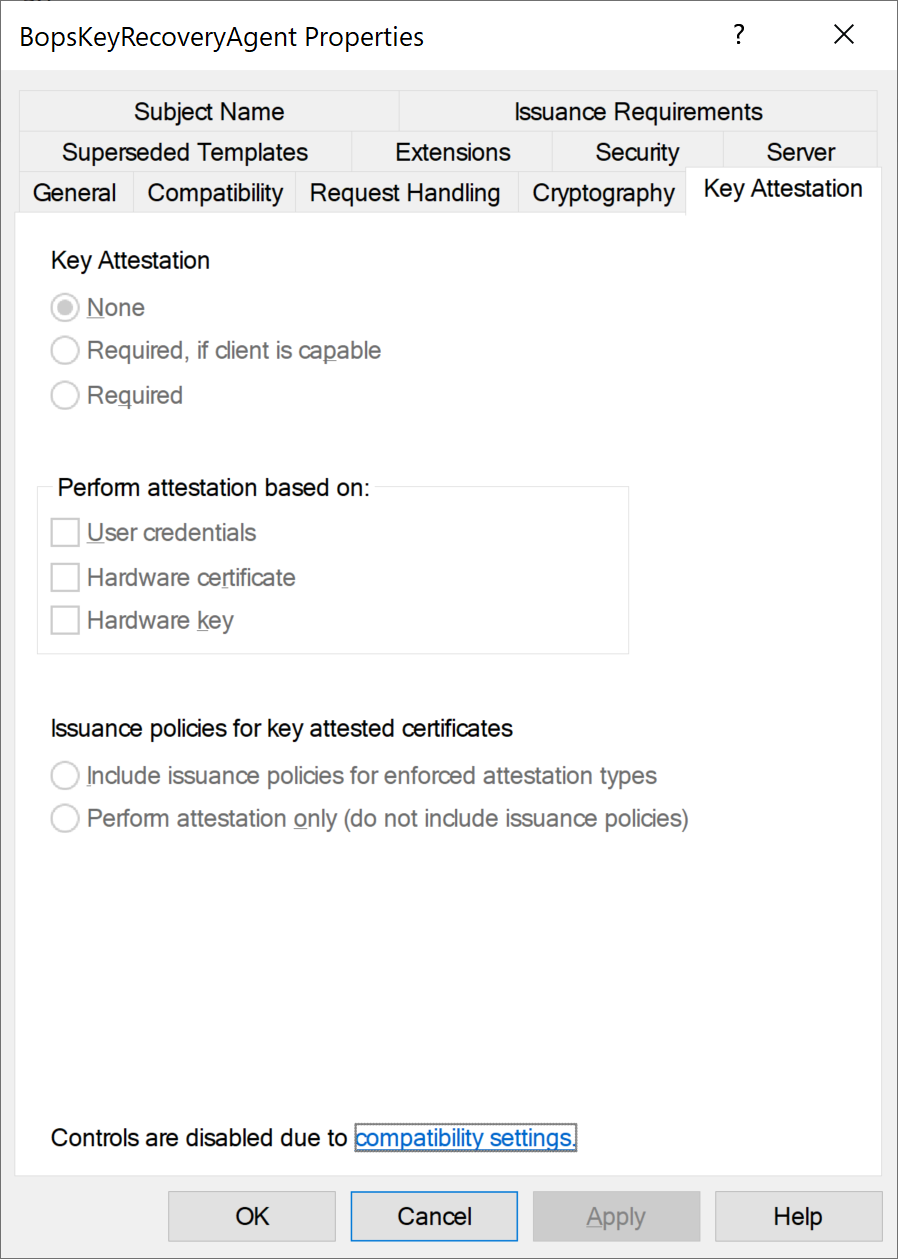
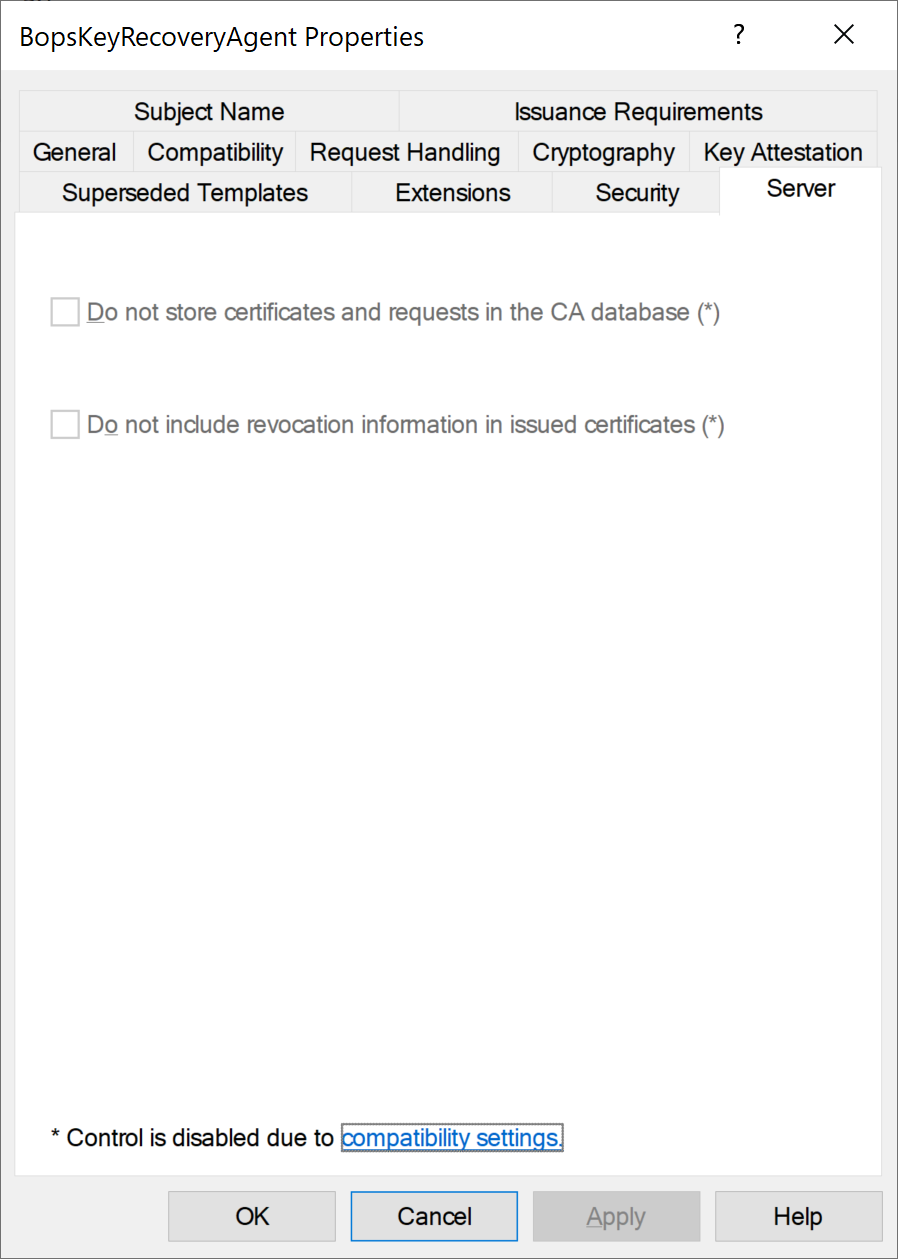
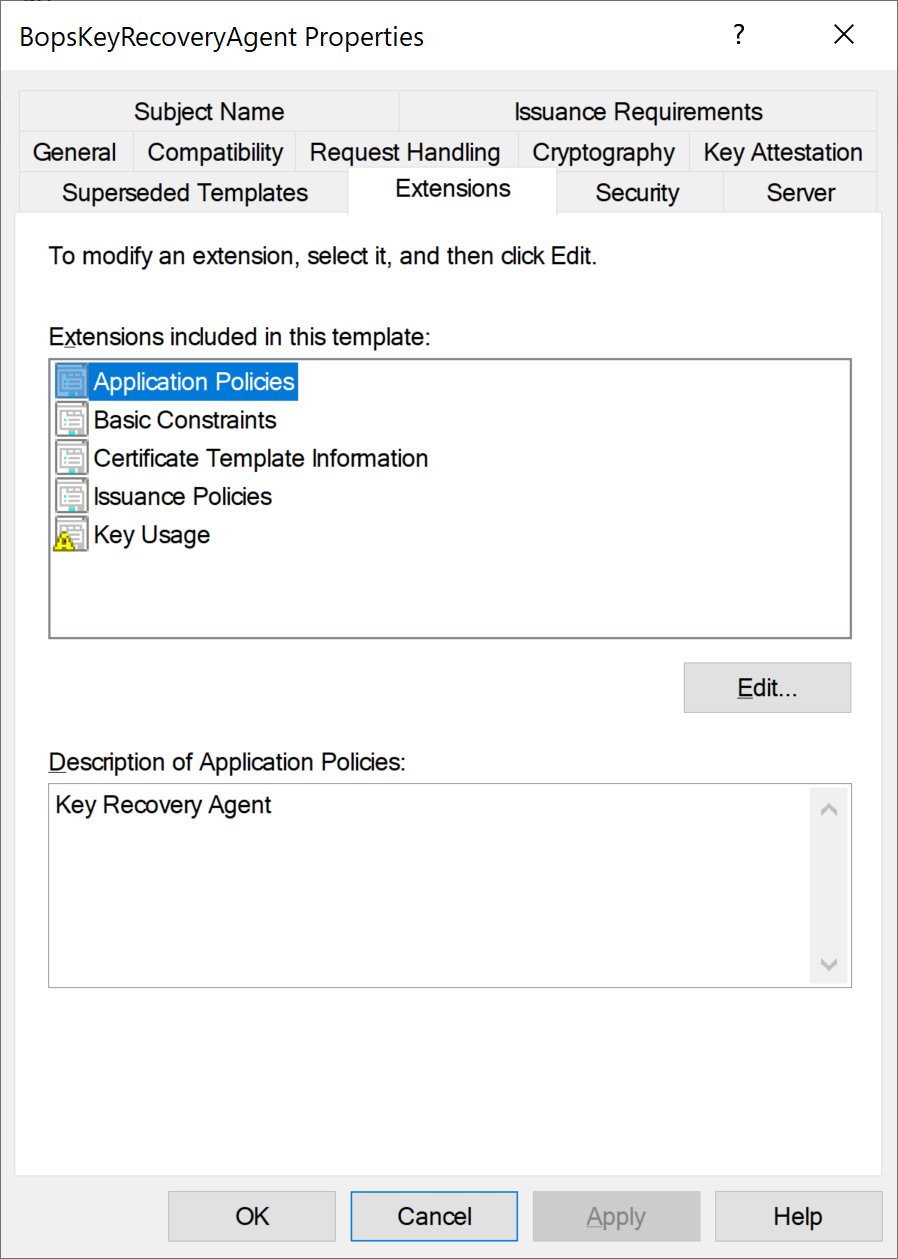
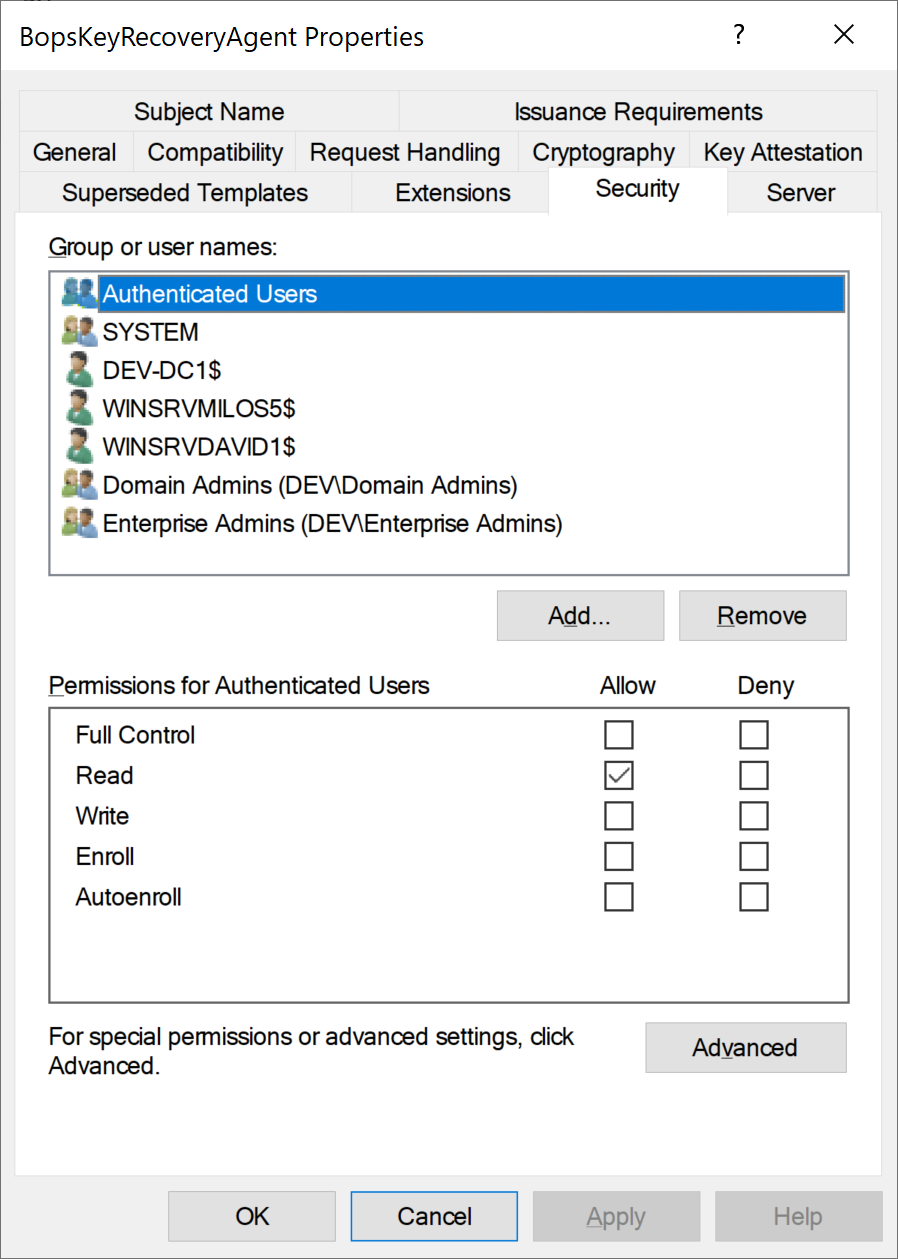
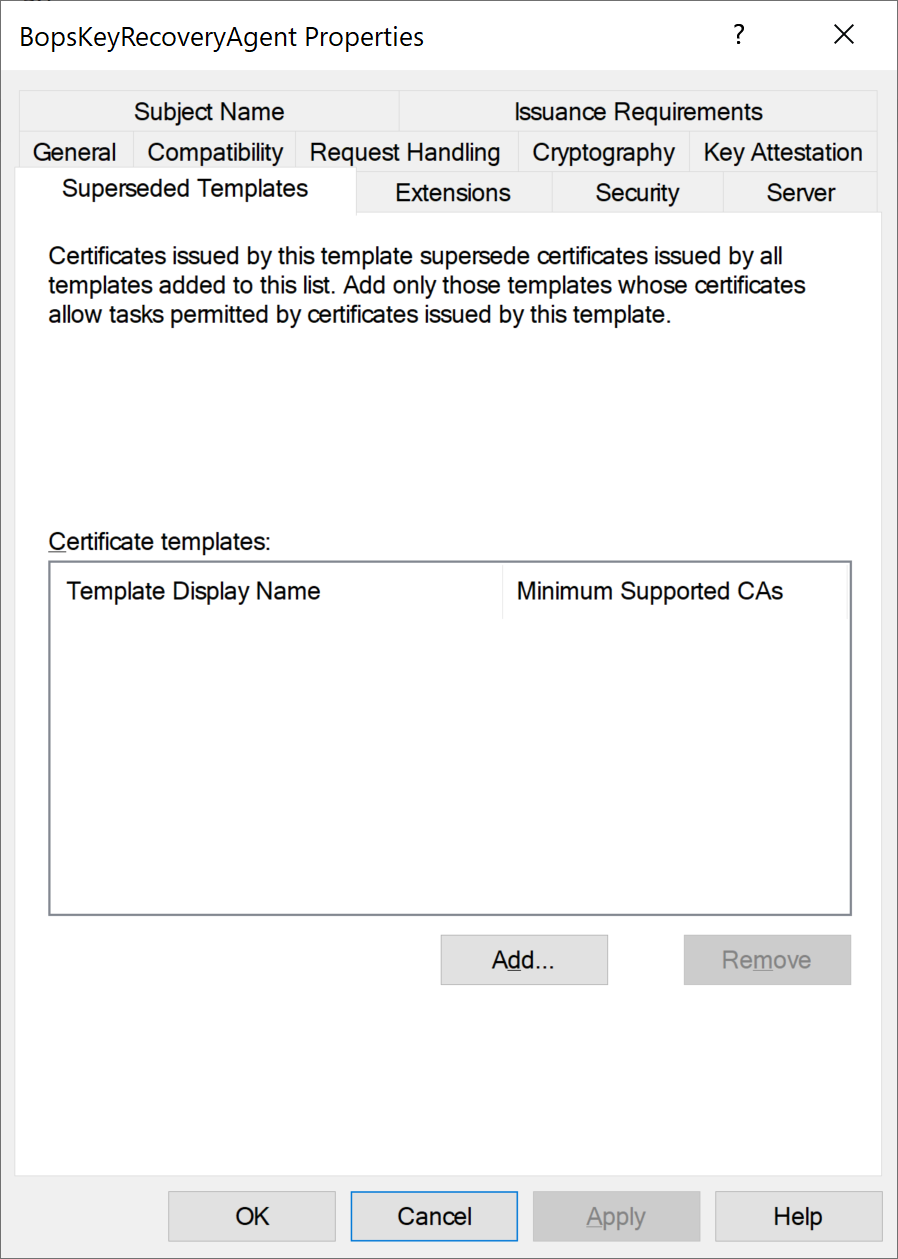
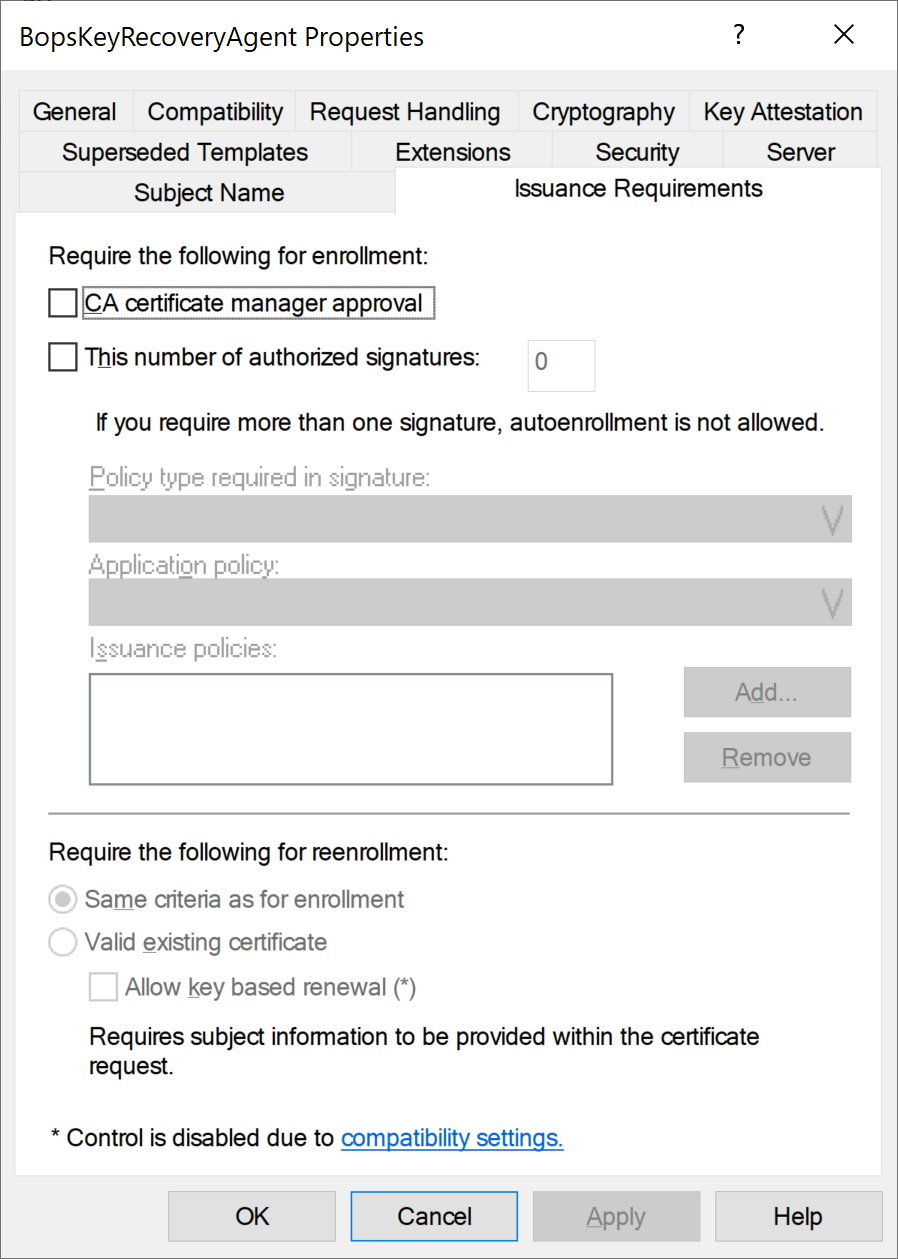
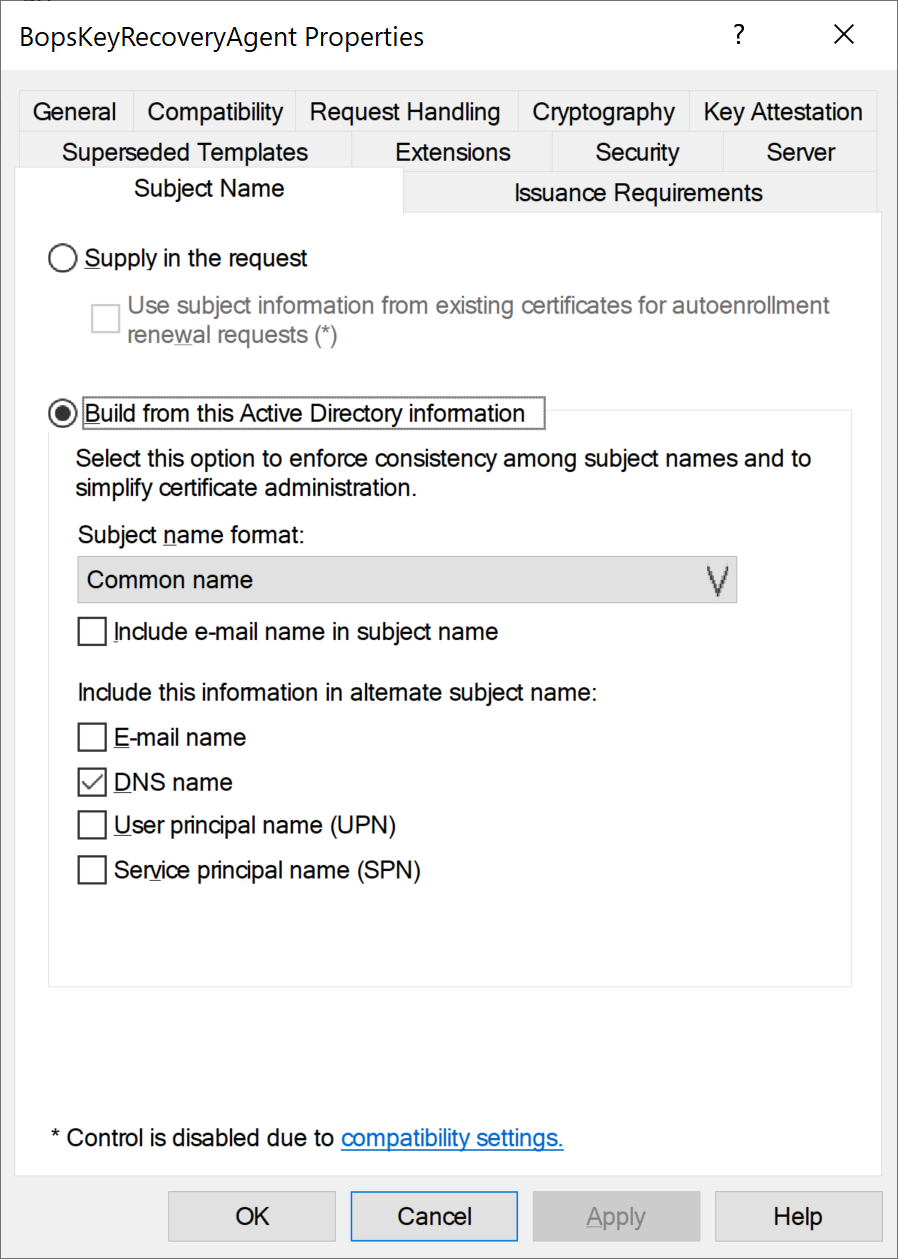
Set parameters to match the following screen captures.
In the Security tab, please assign Enroll and Read permissions for all RA servers. -
Click Apply.
-
Close the Certificate Templates Console.
-
In the Server Manager, click Tools and choose Certification Authority.
-
Right-click Certificate Templates, and Click New.
-
Click Certificate Template to Issue.
-
Select the BopsKeyRecoveryAgent template from the list and click OK.
|
|
|
|
|
|
|
|
|
|
|
|
|