v3.9 v3.8.4 v3.8.3 v3.8.2 v3.8.1 v3.8 v3.7.2 v3.7.1 v3.7 v3.6
Auto Light Dark
Auto Light Dark
v3.9 v3.8.4 v3.8.3 v3.8.2 v3.8.1 v3.8 v3.7.2 v3.7.1 v3.7 v3.6

Remove

  1. To remove phone authenticator click Remove.
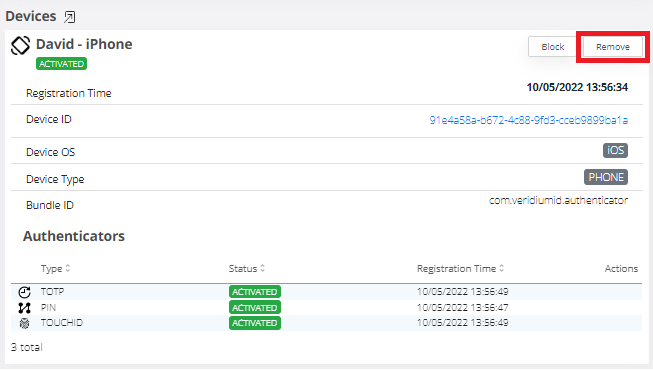
    image-20230331-183607.png


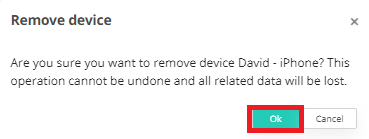
  2. Click OK.

    image-20230331-183618.png

Removing phone is not revertible in admin console. User can onboard the phone again using Self Service portal. For more information refer to process description: Enrollment overview

Last updated: