Overview
A more flexible mechanism similar to pin change campaign with some compliance time to end-users has been implemented, that will create more flexibility and user friendly app behavior.
This also affects the minimum Veridium App version restriction.
Functional aspects
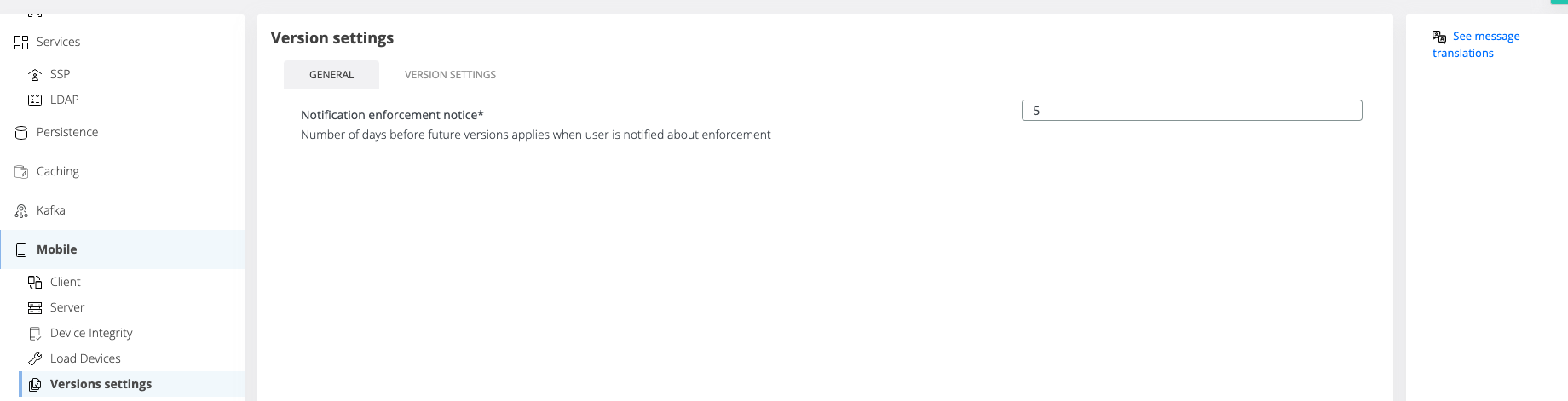
There is a new tab in Mobile section called Versions settings. From that section, you can administrate version enforcement for IOS and ANDROID.
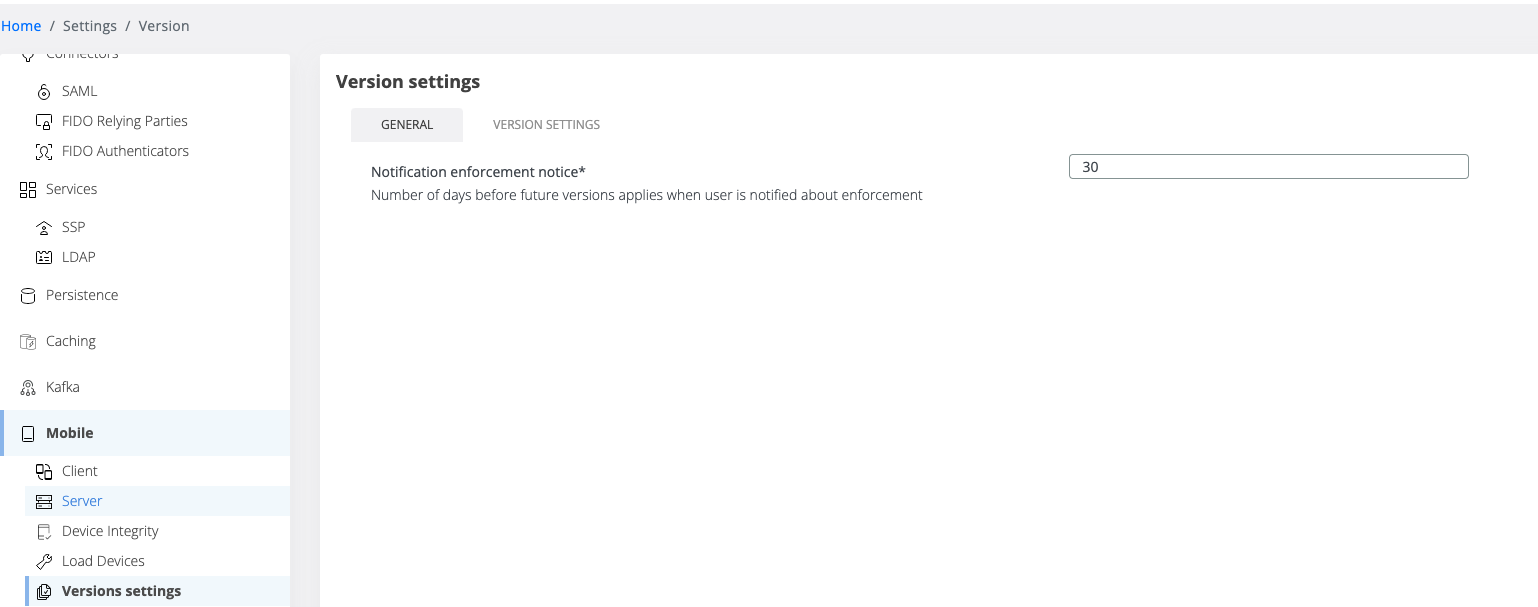
In the GENERAL tab, you can set notification notice period. Basically, this setting represent the number of days before future version applies and the user will be notified about that.
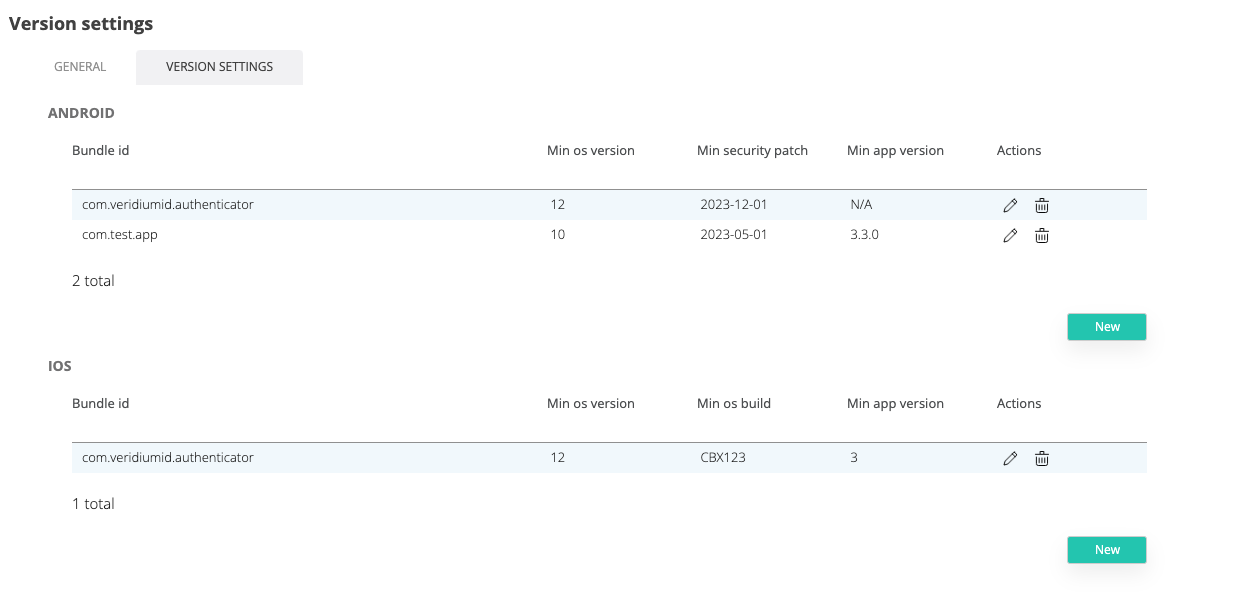
Second tab is for version settings, where you can set version enforcement for different bundles and specific for each operating system.
In the table, you will have an entry for each bundled defined, with the current configuration. If you edit, will be displayed the entire configuration for that bundle.
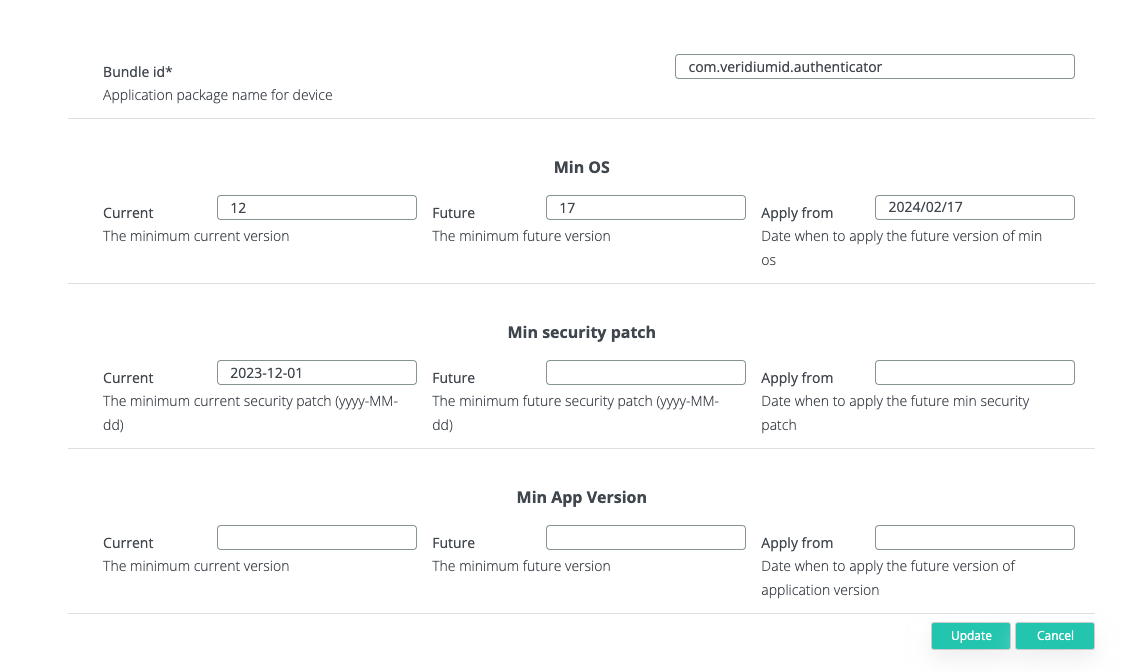
The two configurations, iOS and android, will have in common min os and min app version, and for iOS will be Min os build version, and for android, Min security patch.
-
Current → The current enforced version
-
Future → Next enforced version
-
Apply from → Date when future version will be applied.
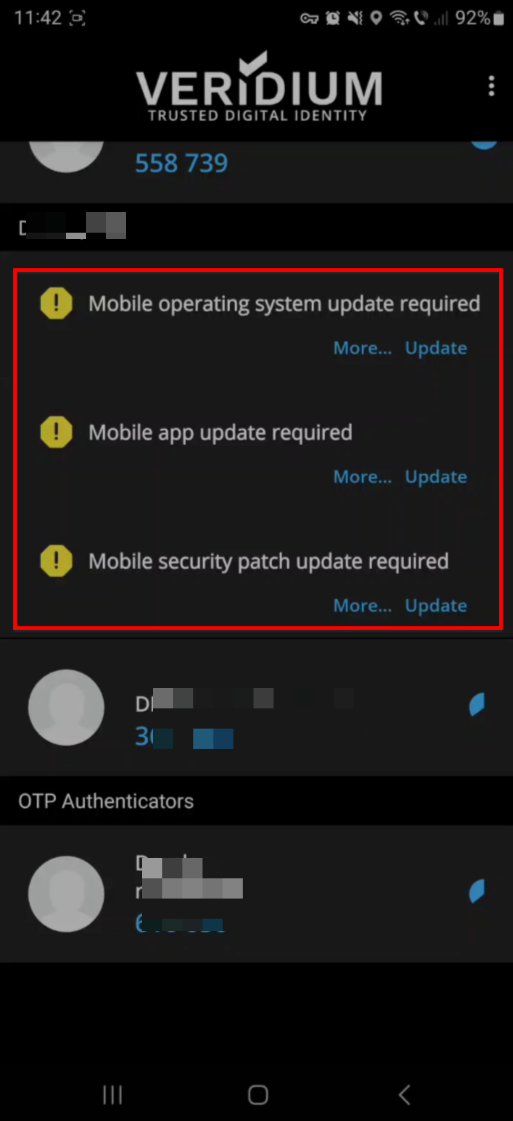
Another aspect in this new feature will be how the values will be updated. For example, you have current min os 15, future min os 17 and apply from 20.02.2024 (current date its 19.02.2024). After that date (20.02.2024), the current version should be 17 instead of 15, and the future will be empty. For this problem, we used a scheduling mechanism that will run every night at 12 AM and check if the configuration should be updated or not. So basically, every day, at the end of the date, that scheduler will check the versions, and if the future version should be current, the config will be updated.
Internationalization
For more flexibility, push notifications and emails will be translated into the user's language.
When user will press on See message translations the user will be redirected to Internationalization page with specific filters for translations used in Version enforcement notifications.
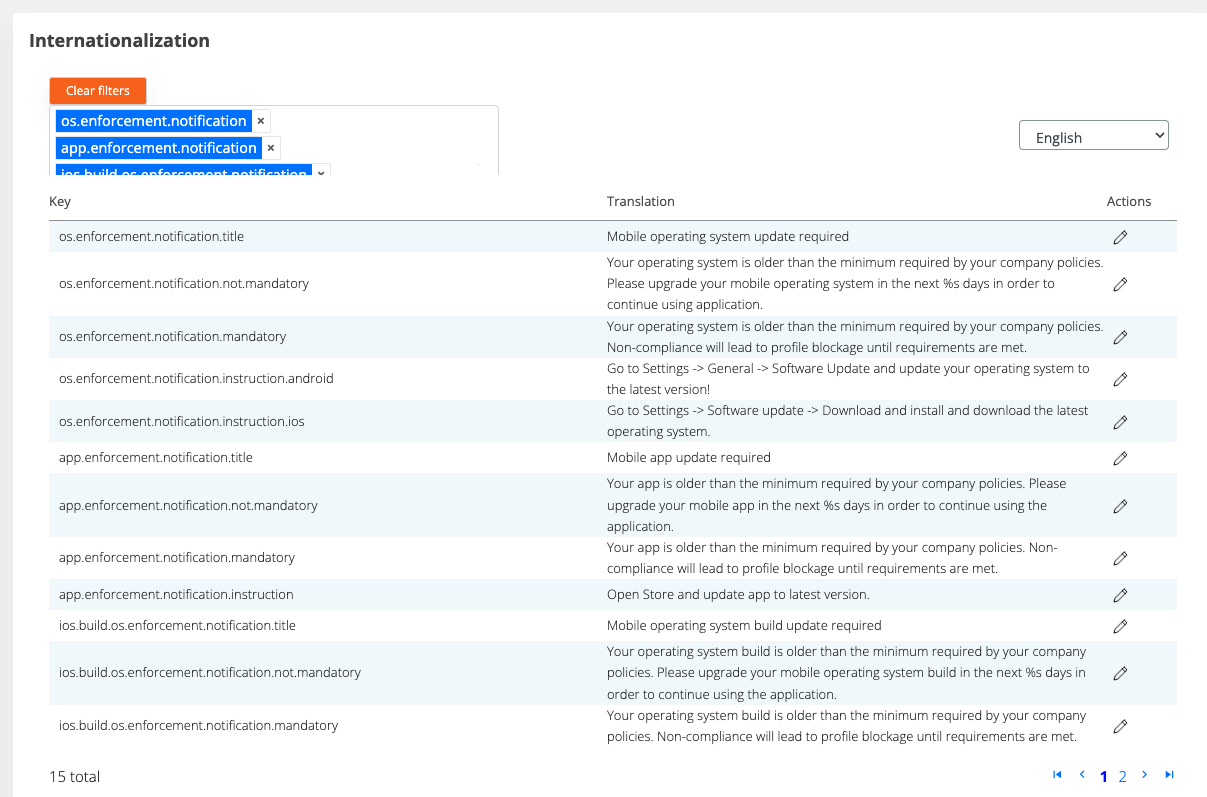
For error messages retrieved by user on register/authentication when os/app/patch_version is not compliant, the keys for translation are not_compliance.os_version, not_compliance.app_version
New version banner control
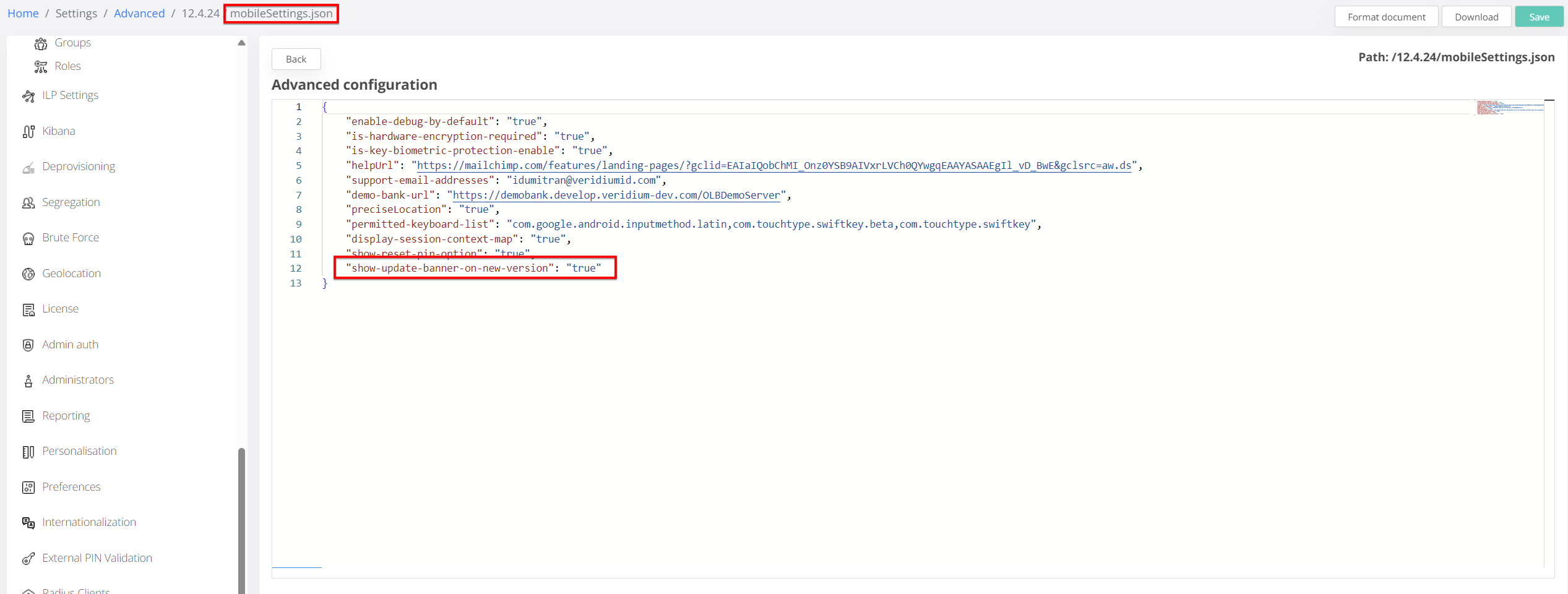
We have introduced a new server-side setting to give administrators finer control over how users are notified of new app versions.
-
Server-Managed Update Notifications: The visibility of the "A new app version is available" banner in the mobile application can now be managed directly from the server configuration.
-
Centralized Toggle: A new setting,
show-update-banner-on-new-version, has been added to themobileSettings.jsonfile.-
Default Behavior: The banner remains Enabled by default to encourage updates (if the setting is missing or set to
true). -
Disabling the Banner: Administrators can globally disable the banner by setting the key to
false.
-
-
Safety Precaution: If settings are configured across multiple environments enrolled in the same mobile app, setting the banner to Disabled in any single environment will ensure it is suppressed for all users drawing from those environments.
-
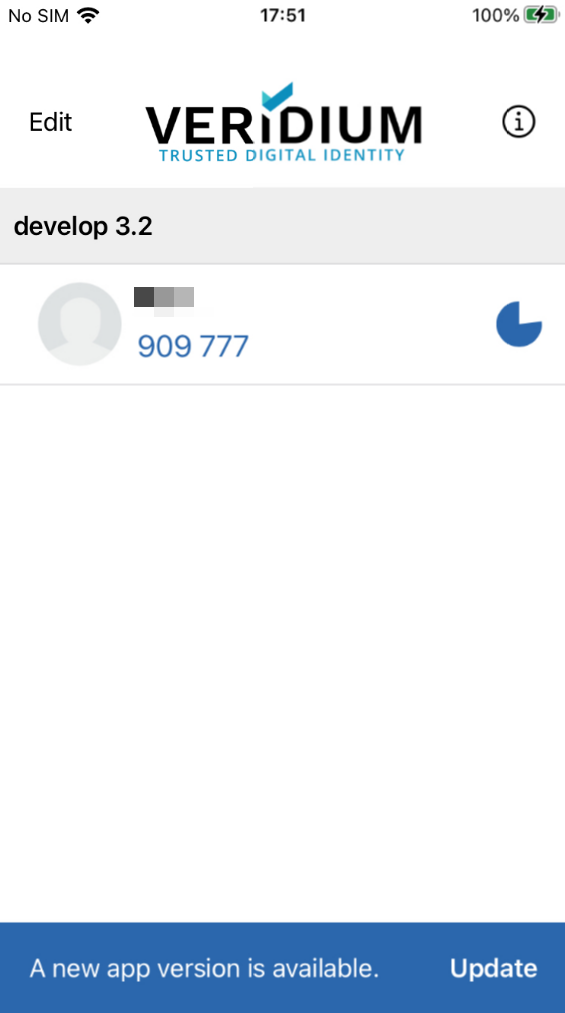
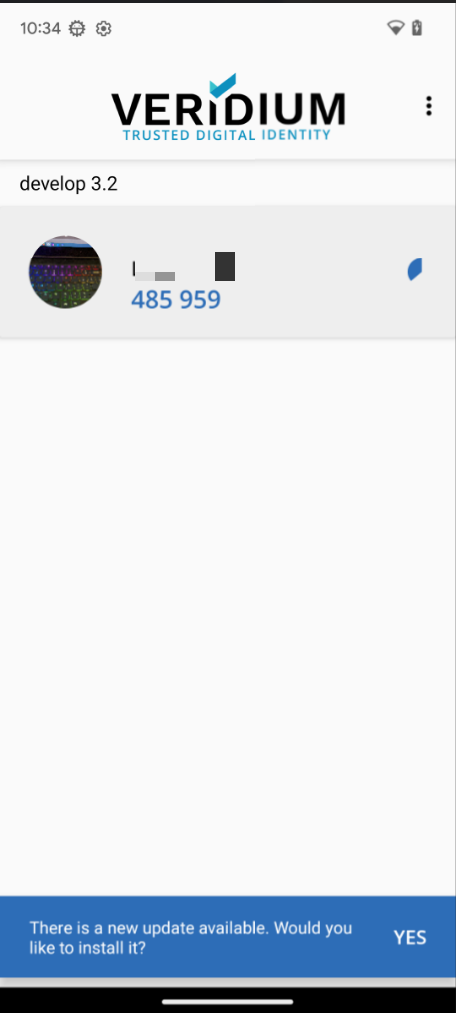
The end-user functional behavior: the mobile apps have had a new notification implemented to increase convenience and adoption rates for end users (starting with v3.2). This comes in form of a banner notification displayed at the bottom of the screen when a new version becomes available in official AppStore (iOS) and Google Play (Android).
Tapping on the banner will redirect users to the application page in the stores to start the update flow.
The banner looks like this: