

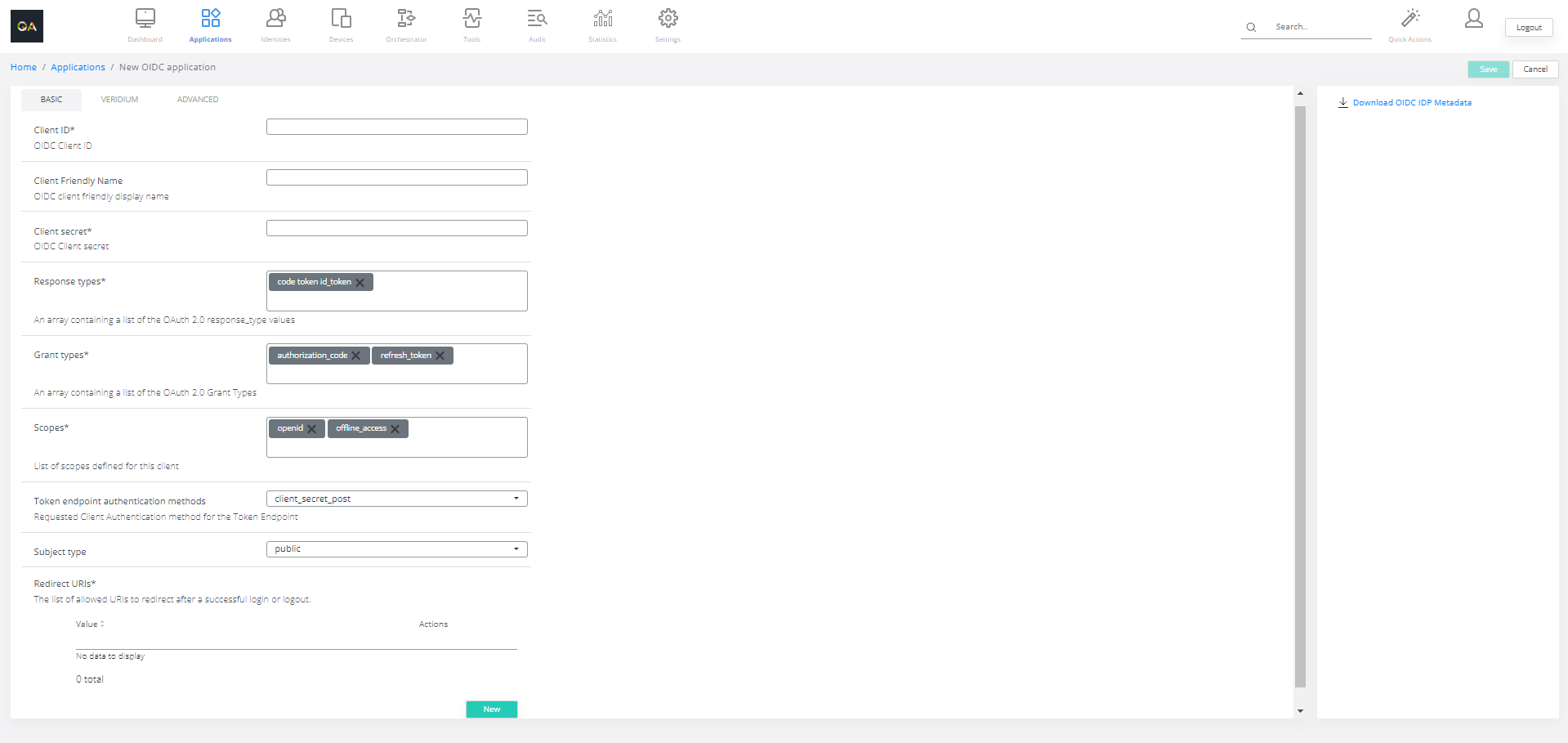
OIDC Application type is application supporting OIDC as alternative authentication option. OIDC application is defined by following attributes:
-
Client ID - is used to identify the client (application) making authentication and authorization requests to the OIDC provider.
-
Client Friendly Name - Service provider friendly display name.
-
Client secret - confidential key or password used by the client application to authenticate itself when communicating with the OIDC provider
-
Response types - defines the type of credential that the client expects to receive from the authorization server (or OpenID provider) after a user successfully authenticates
-
Grant types - define the methods through which a client application obtains an access token, ID token, or refresh token
-
Scopes - define the level of access that a client application is requesting from a resource owner (user) or the authorization server.
-
Token endpoint authentication methods - define how the client authenticates itself to the authorization server when exchanging an authorization code or obtaining a token
-
Subject type - This specifies how the user identity (subject) is represented in ID tokens:
-
public: The same
sub(subject) value is used across all clients for a user. -
pairwise: A unique
subvalue is generated per client for the same user, enhancing privacy.
-
-
Redirect URIs - the URL where the authorization server sends the user after granting or denying authorization. It must be pre-registered by the client application to ensure security.
-
Toggle functionality is described here: Status toggle functionality for SAML and OIDC applications
Web Origins and CORS validationTo improve the security posture of your OIDC integrations, version 3.8.4 introduces a dedicated configuration field for Web Origins. This field allows the VeridiumID server to validate the
Originheader sent by browsers during cross-origin requests.
Setting is available in Admin / Application / Add OIDC application flow.Key Configuration Rules:
-
Restricted Access: When one or more URLs are specified, the system will only grant access if the request origin matches an entry in the list.
-
Permissive Access: Leaving the field empty defaults to a wildcard (
*), allowing all origins. This is intended for testing or internal services only. -
Validation Logic: If a request is made from an unauthorized origin (e.g.,
www.untrusted-site.com), the CORS validation will fail, and the request will be rejected by the VeridiumID server.
Configuration Example:
-
Requirement: Allow access only for a specific Veridium Manager instance.
-
Configuration: Enter
https://[env].veridium-dev.com:[port]into the Web Origins field. -
Result: Access is granted for requests originating from that specific domain. All other requests, such as those from
www.google.com, are automatically denied.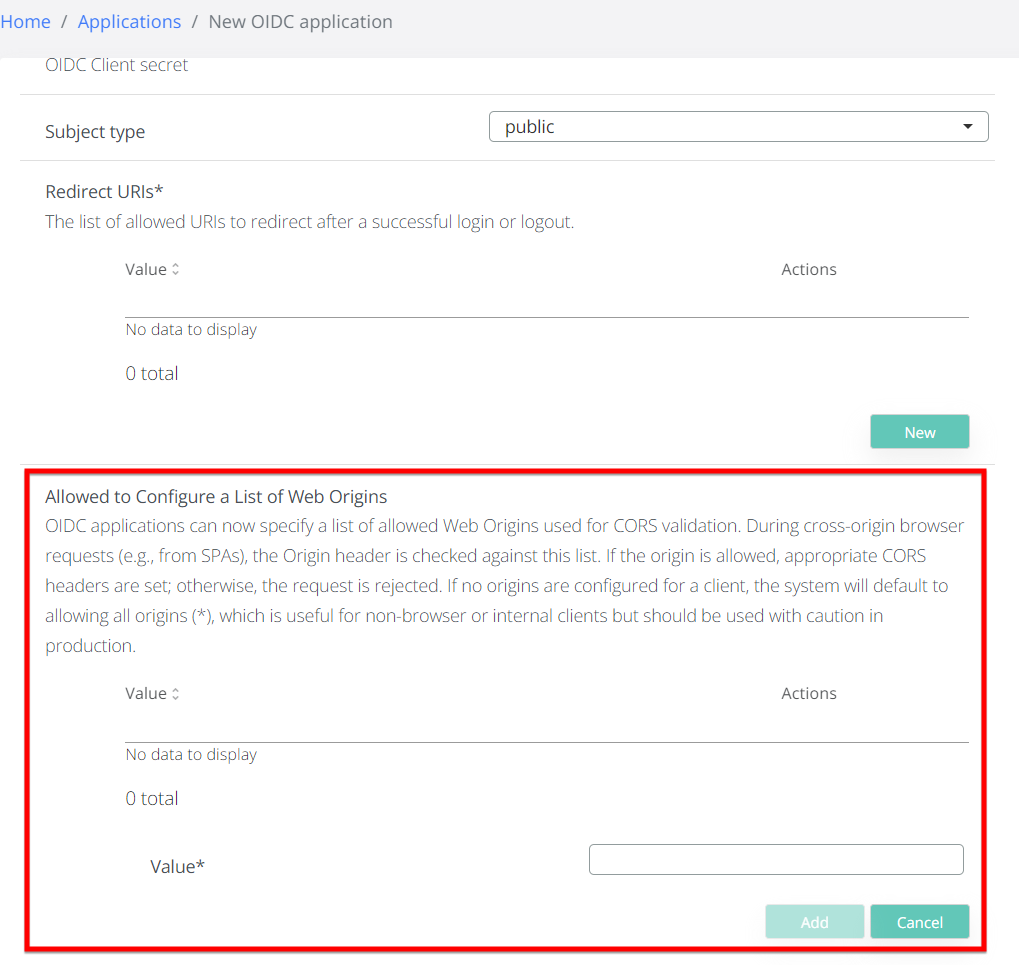
-