Overview
The deployment of the application services on OpenShift requires a set of platform components and supporting services. Some dependencies must be installed as part of the deployment process, while others are expected to be provided by the target environment.
This procedure installs ILP application components in one namespace and shared persistence components in a separate namespace (the persistence namespace should contain Cassandra, ZooKeeper, ECK).
✔ Prerequisites
-
Required tools: Helm 3, oc CLI 4.11.
1. Prepare artifacts
Download values files and helm charts
Please download then unpack it by executing:
wget --user <NEXUS_USER> --password <NEXUS_PWD> https://veridium-repo.veridium-dev.com/repository/helm-releases/uba/uba-openshift-2.8.2.zip
unzip -o uba-openshift-2.8.2.zip -d ilp
cd ilp
2. Cluster Setup
2.1. Create the target namespace (only if it isn’t already present)
oc create namespace <your-namespace>
2.2. ECR AWS token
#edit values/values-ecr-aws-token.yaml with your secret_name
helm upgrade --install -n <NAMESPACE> -f values/values-ecr-aws-token.yaml ecr-token-aws-openshift helm/vid-job-update-aws-token-0.1.1.tgz
2.3. Strimzi Kafka Operator
Before deploying the java/python services, the Strimzi Kafka Operator must be installed in the OpenShift cluster. The operator is responsible for managing Kafka resources and provides the Kafka infrastructure required by the application.
helm upgrade --install -n <NAMESPACE> strimzi-kafka-operator helm/strimzi-kafka-operator-0.1.1.tgz
2.4. Deploy java/python services
# Edit values/values-openshift.yaml first

helm upgrade --install ilp \
helm/uba-platform-1.0.0-SNAPSHOT.tgz \
--force \
-f values/values-openshift.yaml \
--namespace <NAMESPACE> \
--set global.ubaVersion=<VERSION> \
--set cassandra.config.storage.diskSize=10Gi \
--set nginx-ingress.controller.ingressClass=ilp \
--set nginx-ingress.controller.scope.namespace=<NAMESPACE>
Integration of the UBA with the VeridiumID Application
-
Generate tenant
oc scale deployment uba-cli --replicas=1 -n <your-namespace>
oc execute uba-cli-pod-name -n dev bash
./uba-cli tenants register --tenant "{\"tenant_id\":\"4c4a85be-7833-11eb-9439-0242ac130002\",\"name\":\"My Sample Tenant 1\",\"description\":\"This is the first tenant on the platform.\",\"enabled\":true,\"timestamp_update\":1600811496000}" --compact-version true
oc scale deployment uba-cli --replicas=0 -n <your-namespace>
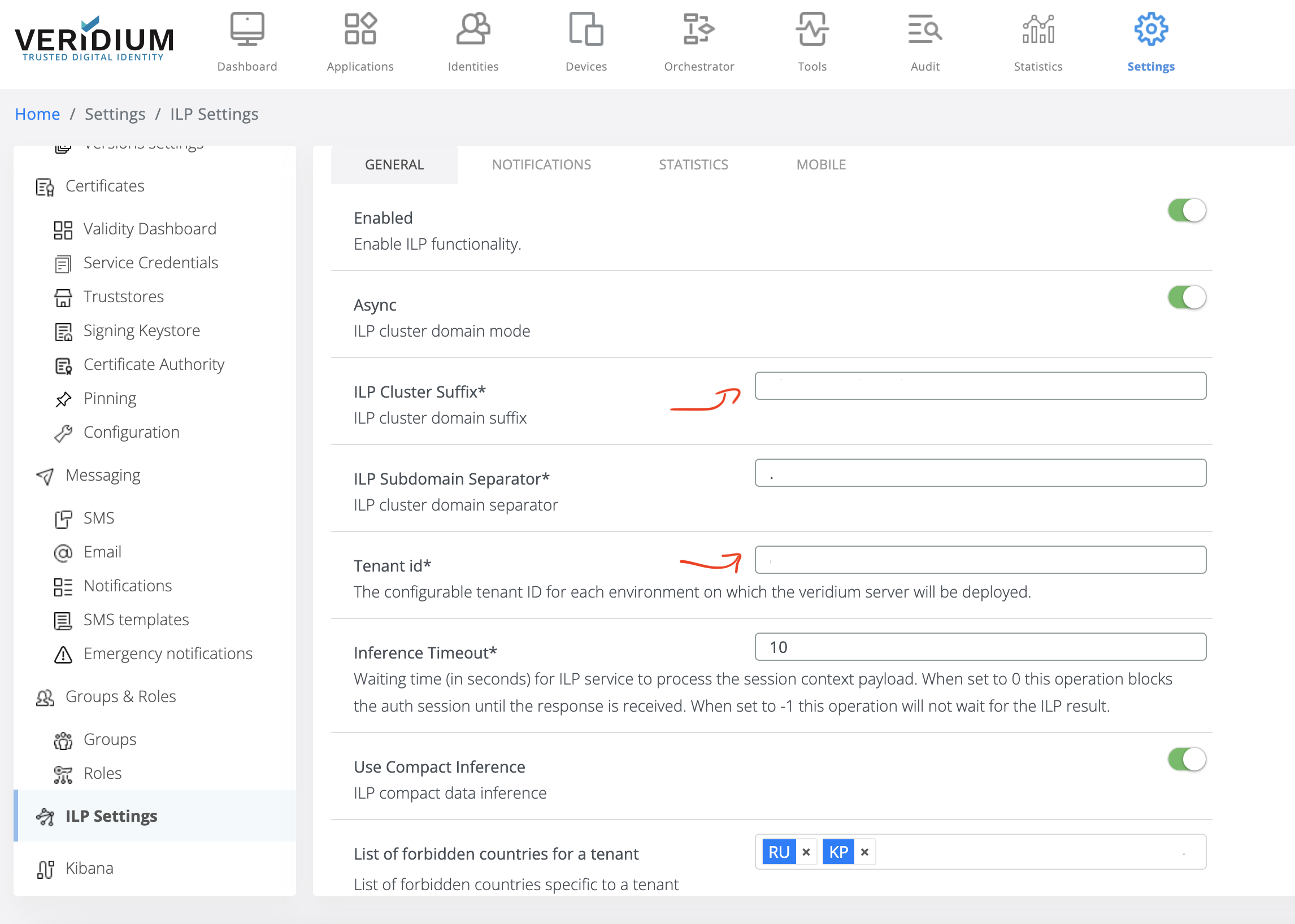
2.Login to WebSecAdmin go to Settings → ILP Settings and config as per below example
General subsection:
-
Enabled: (ON)
-
ILP Cluster Suffix: in our case will be “
global.ubaDomainPrimary.suffix" from values.yaml -
ILP Subdomain Separator: in our case will be “
global.ubaDomainPrimary.subdomainDelimitator“ from values.yaml - normally is “.” -
Tenant Id: in our case will be your tenant id previously.
-
Use Compact Inference: (ON) - if the button is displayed (old Veridium versions)
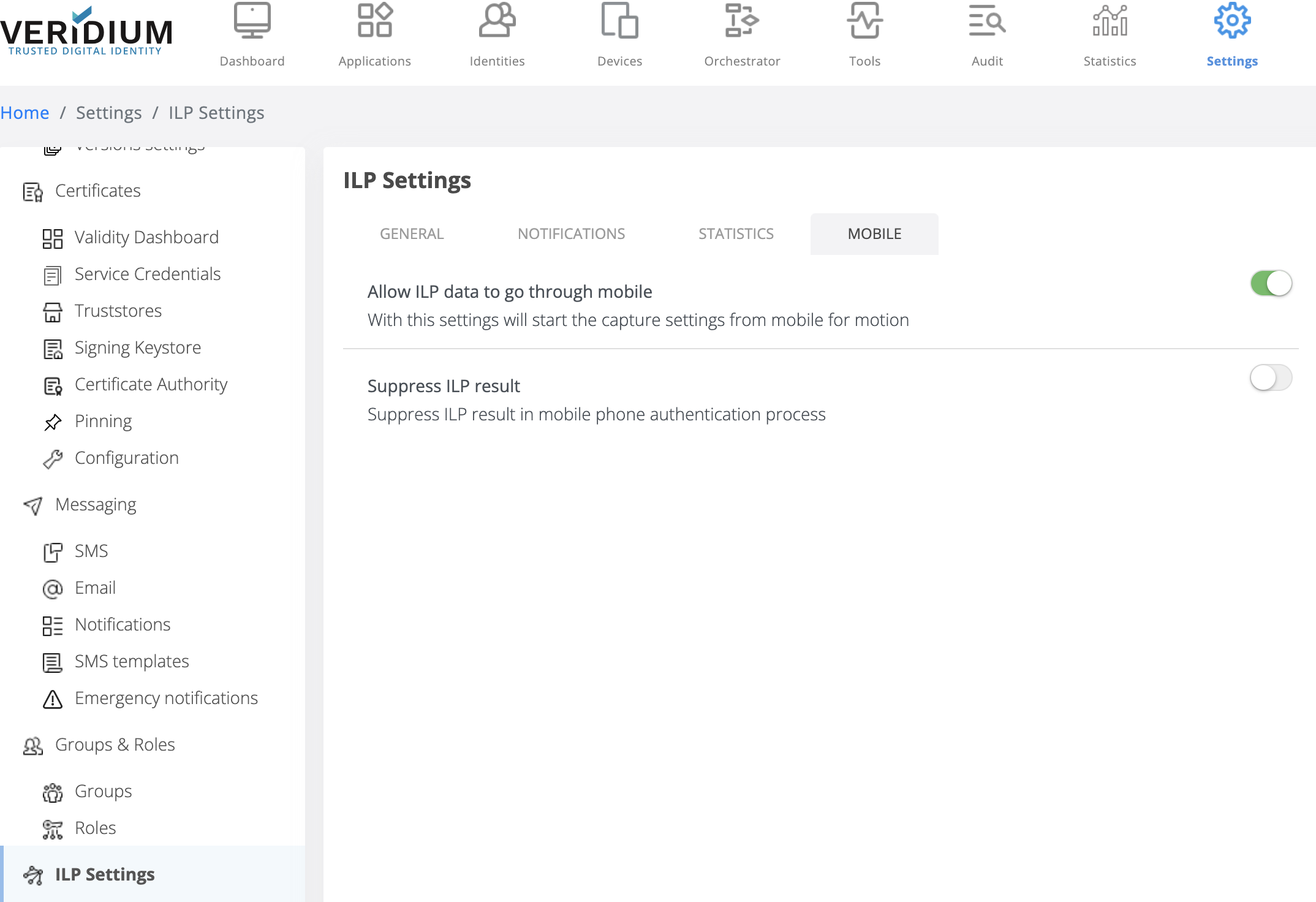
Mobile subsection:
-
Set Allow ILP data to go through mobile → ON
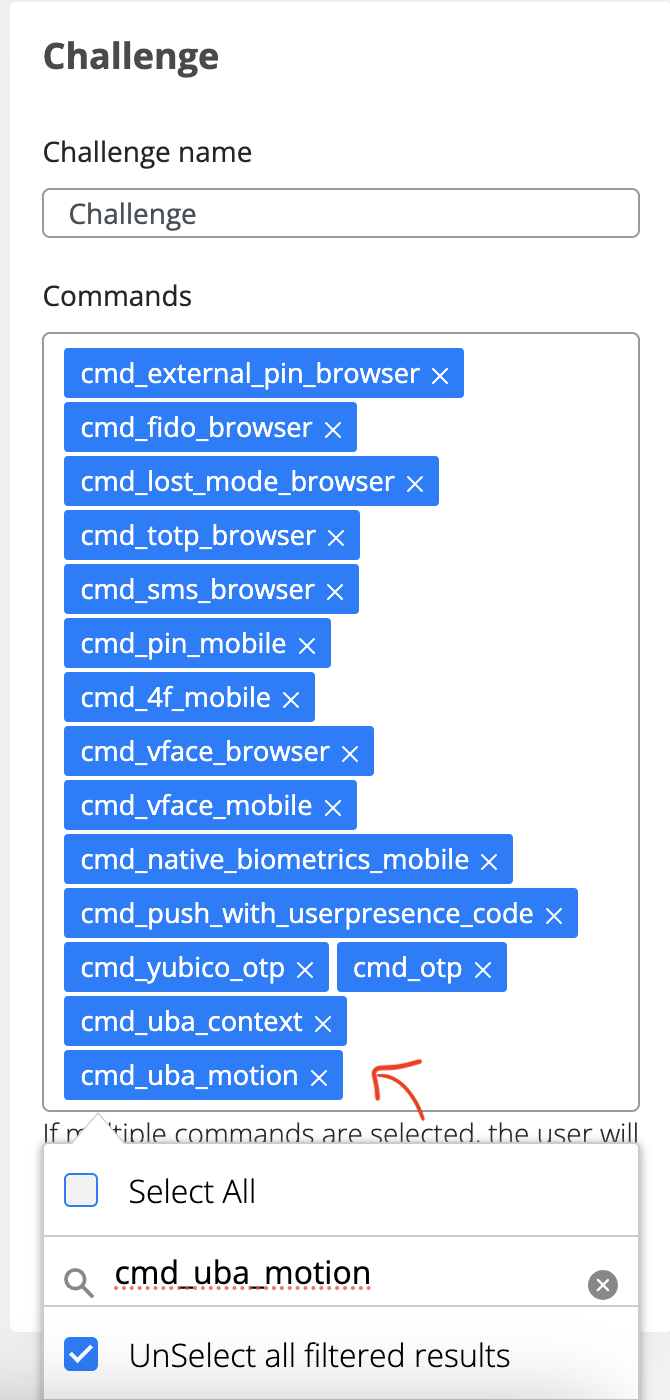
Check in the journey you are using if cmd_uba_motion and cmd_uba_context are enabled.
-
Click on Orchestator
-
Click on Journeys
-
In the Journey Name, select the active one and click on Edit button
-
Check if cmd_uba_context and cmd_uba_motion are in the Challenge section
-
If uba_command_motion and uba_command_context are not enabled, please add in the Commands section and Save.