|
Permission |
Default binded to role |
Mandatory |
Optional |
Description |
|---|---|---|---|---|
|
Cross Application Administrators |
Configurable admin | app admin | Associated by default |
Yes |
|
|
|
Application Administrators |
Configurable app admin | Associated by default |
Yes |
|
|
|
System Administrators |
Configurable sysconfig | Associated by default
|
yes |
|
|
|
Certificate Administrators |
|
|
Yes |
|
|
ACL Administrator |
|
|
Yes |
|
|
License Administrators |
|
|
Yes |
|
|
Configuration settings administrators |
|
|
Yes |
|
|
Invitation code management |
|
|
Yes |
|
|
Enrolment tracker control |
|
|
Yes |
|
|
Reset user PIN |
techsupport |
Yes |
|
|
|
Run configuration settings |
|
|
Yes |
User can run scripts to update system settings and device settings |
|
Write license agreement |
|
|
Yes |
User can update license agreement |
|
Write configuration settings |
|
|
Yes |
User can write system settings and device configuration settings |
|
Full Access to Orchestrator |
|
|
Yes |
Grants the user permission to view and modify orchestrator data. |
|
Read license agreement |
Configurable only |
|
Yes |
User has read only access to license agreement |
|
Read configuration settings |
Configurable only |
|
Yes |
User has read only access to system settings and device configuration settings |
|
Monitoring data |
Configurable only |
|
Yes |
User can visualize monitoring part under tools |
|
Dashboard data |
Configurable only |
|
Yes |
User can visualize dashboard screen |
|
View AD details |
Configurable only |
|
Yes |
User can visualize AD details |
|
View location |
Configurable only |
|
Yes |
User can visualize location |
|
View ILP info |
Configurable only |
|
Yes |
User can visualize ILP info |
|
View session details raw |
Configurable only |
|
Yes |
User can visualize session details raw |
|
View history details |
Configurable only |
|
Yes |
User can visualize history details |
|
Read-Only Access to Orchestrator |
Configurable only |
|
Yes |
Grants the user permission to view orchestrator data without making any modifications. |
|
Unblock identity |
techsupport | |
Yes |
|
|
|
Technical Support |
techsupport | |
Yes |
|
|
|
Devices administrators |
|
|
Yes |
User can manage devices |
|
Accounts administrators |
Configurable only |
|
Yes |
User can manage accounts |
|
Permissions administrators |
Configurable only |
|
Yes |
User can manage permissions |
|
Members profiles administrators |
Configurable only |
|
Yes |
User can manage members profiles |
|
Early warning system administrators |
Configurable only |
|
Yes |
User can manage data of Early Warning System |
|
Mobile settings administrators |
Configurable only |
|
Yes |
User can manage mobile settings |
|
Accounts sites administrators |
Configurable only |
|
Yes |
User can manage accounts sites |
|
Alerts Administrators |
alerts |
Yes |
|
User can manage alerts |
|
Run test |
tester |
Yes |
|
User can run maintenance tests |
|
Analyse data |
analyst |
Yes |
|
User can analyse statistics data |
|
Deprovision identities |
Configurable only |
|
Yes |
User can view and deprovision current identities |
|
View all users |
Configurable only |
|
Yes |
User does not have user segregation rule applied Disables user segregation when segregation is enabled. |
|
Execute EWS job |
Configurable only |
|
Yes |
User can execute EWS jobs |
|
Run mobile settings |
Configurable only |
|
Yes |
User can run scripts to update mobile settings |
|
Write devices |
Configurable only |
|
Yes |
User can write devices definitions |
|
Write accounts |
Configurable only |
|
Yes |
User can write accounts definitions |
|
Write permissions |
Configurable only |
|
Yes |
|
|
Write members profiles |
Configurable only |
|
Yes |
|
|
Write EWS data |
Configurable only |
|
Yes |
|
|
Write mobile settings |
Configurable only |
|
Yes |
|
|
Wrote accounts sites |
Configurable only |
|
Yes |
|
|
Write alerts |
Configurable only |
|
Yes |
|
|
Read devices |
Configurable only |
|
Yes |
|
|
Read accounts |
Configurable only |
|
Yes |
|
|
Read permissions |
Configurable only |
|
Yes |
|
|
Read members profiles |
Configurable only |
|
Yes |
|
|
Read EWS data |
Configurable only |
|
Yes |
|
|
Read mobile settings |
Configurable only |
|
Yes |
|
|
Read accounts sites |
Configurable only |
|
Yes |
|
|
Read alerts |
Configurable only |
|
Yes |
User has read only access to alerts |
|
Infrastructure operations |
Configurable only |
|
Yes |
User perform changes on Infrastructure Review flag: used by infrastructure endpoints; |
|
Write device status |
Configurable only |
|
Yes |
User can change device status Review flag: used by device status endpoints; |
|
Write account status |
Configurable only |
|
Yes |
User can change account status Review flag: used by identity status endpoints; |
|
ILP View Statistics |
appadmin, admin, sysconfig |
Yes |
|
User can visualize ILP statistics Review flag: used by Kibana/ILP statistics endpoints |
|
System history |
Configurable only |
|
Yes |
User can access system history |
|
System logging |
Configurable only |
|
Yes |
User can access system logs |
|
User can load reports |
reports |
|
|
User can load reports |
|
View accounty History |
|
|
|
|
|
View Device History |
Configurable only |
|
Yes |
User can view the device history table and details |
|
Use invitation contact details |
Configurable appadmin, admin Associated by default |
Yes |
|
Dedicated permission to manage Enrollment Code generation to use invitation contact details. Used when enrollment code generation validates invitation contact details. |
|
Users sessions |
Configurable only |
|
Yes |
User read sessions statistics |
|
Default client access |
active |
Yes |
|
Default user access to application functionalities |
|
Shared device access |
shareddevice | |
Yes |
|
Shared device access to application functionalities |
|
Default user |
active | default | shareddevice | |
Yes |
|
User is registered in the system with no access to application functionalities |
|
SSP access |
| default | |
Yes |
|
User is registered in the system with no access to application functionalities |
|
Enroll Account |
default | |
Yes |
|
User can enroll account Used by delegated SSP enrollment checks. |
Configuration examples:
Role: active
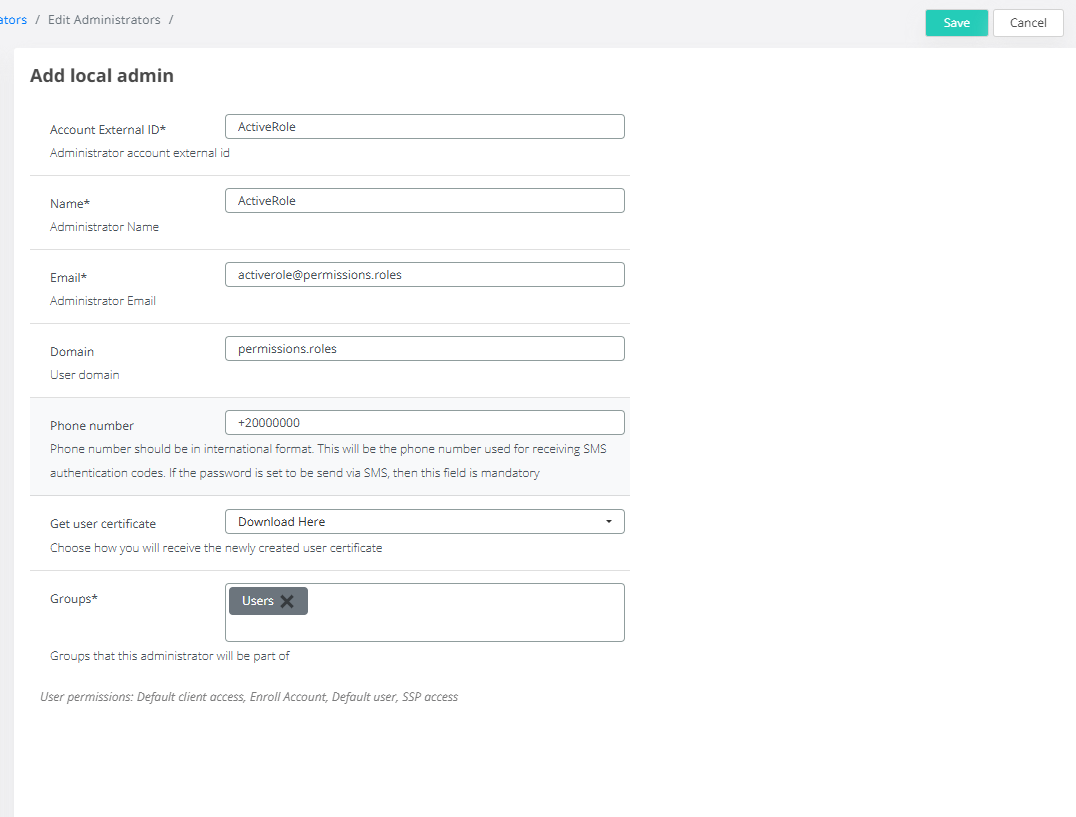
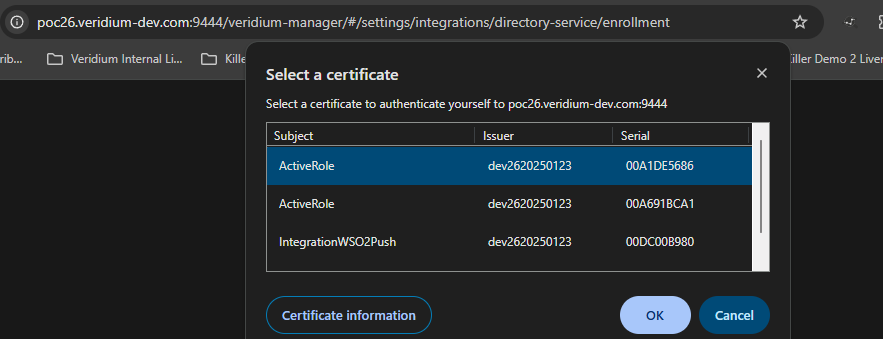
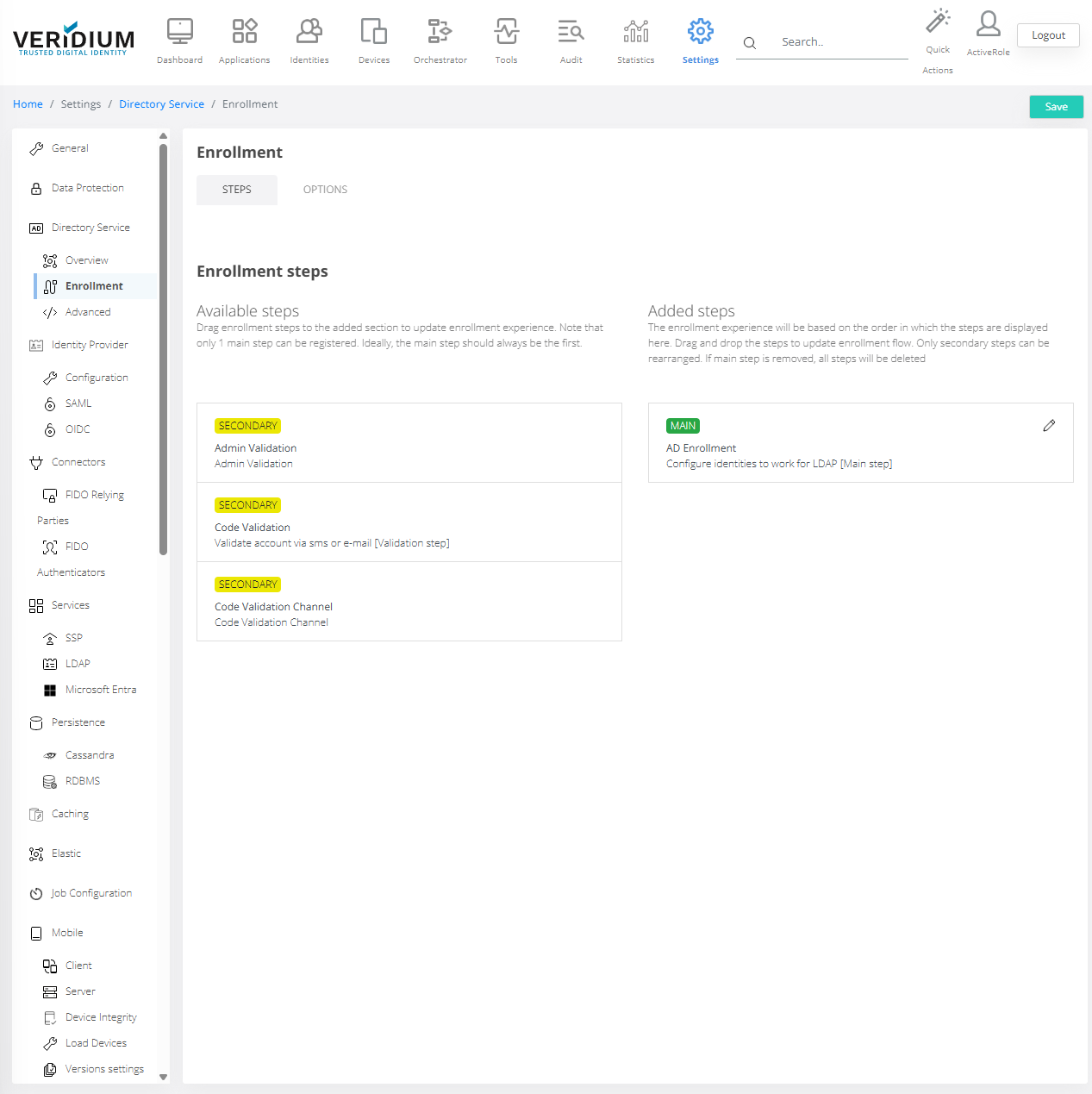
Example 1: Configuration of active role ( including group access : e.g: Users)
→ limited access of functions of Administrator Dashboard (wesecadmin) due to role being binded to group Users
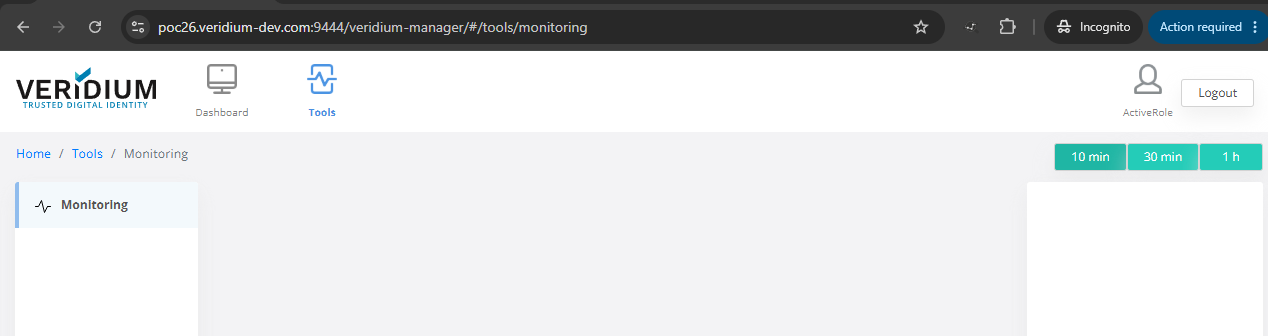
Access example :

View of active role access in Admin Dashboard
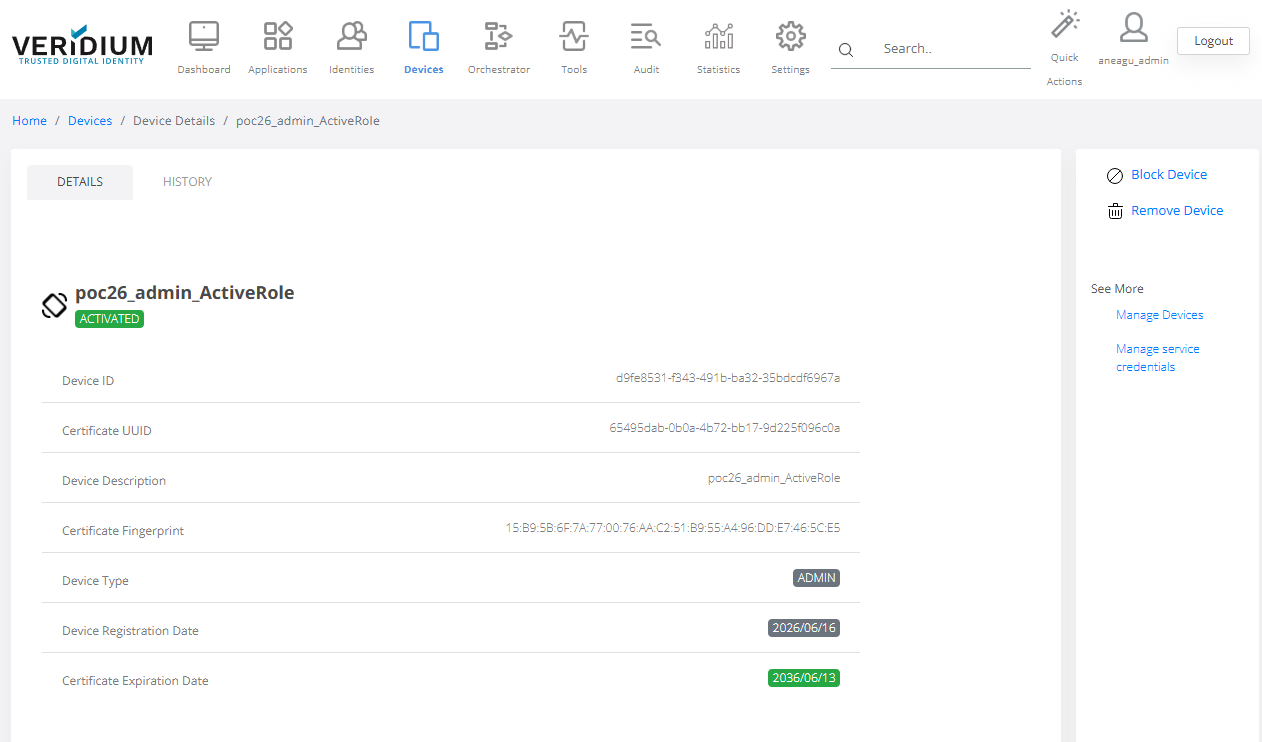
Management of this access role after creation:
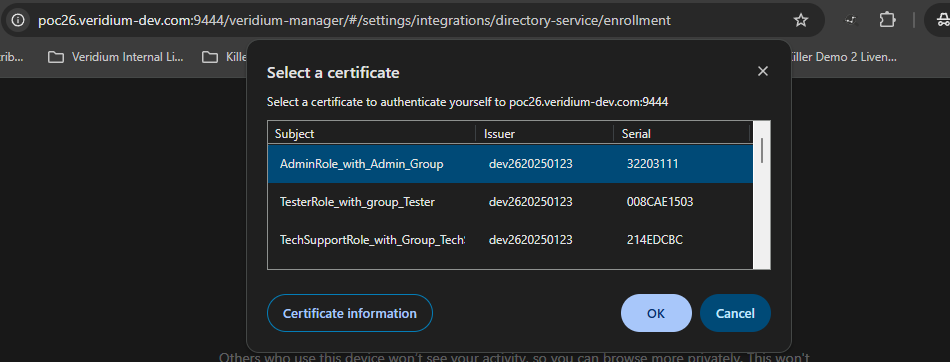
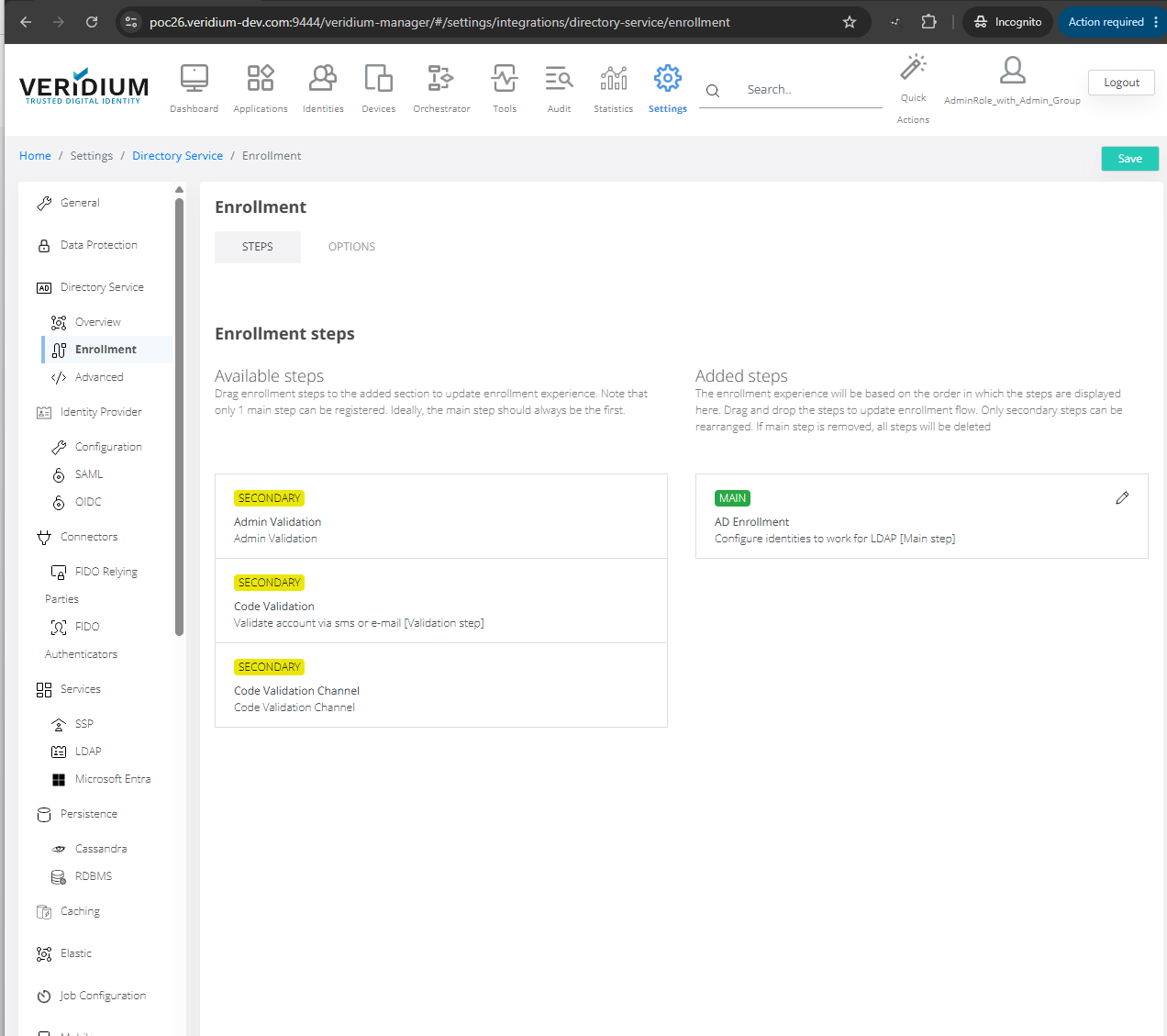
Example 2: Configuration of active role ( including group access : e.g: Administrators)
Management of this access role after creation:
→ full access rights because the group associated is Administrators
Role: admin
Configuration examples:
Example : Configuration of Admin role ( including group access : e.g: Users)
Access example :
Management of this access role after creation:
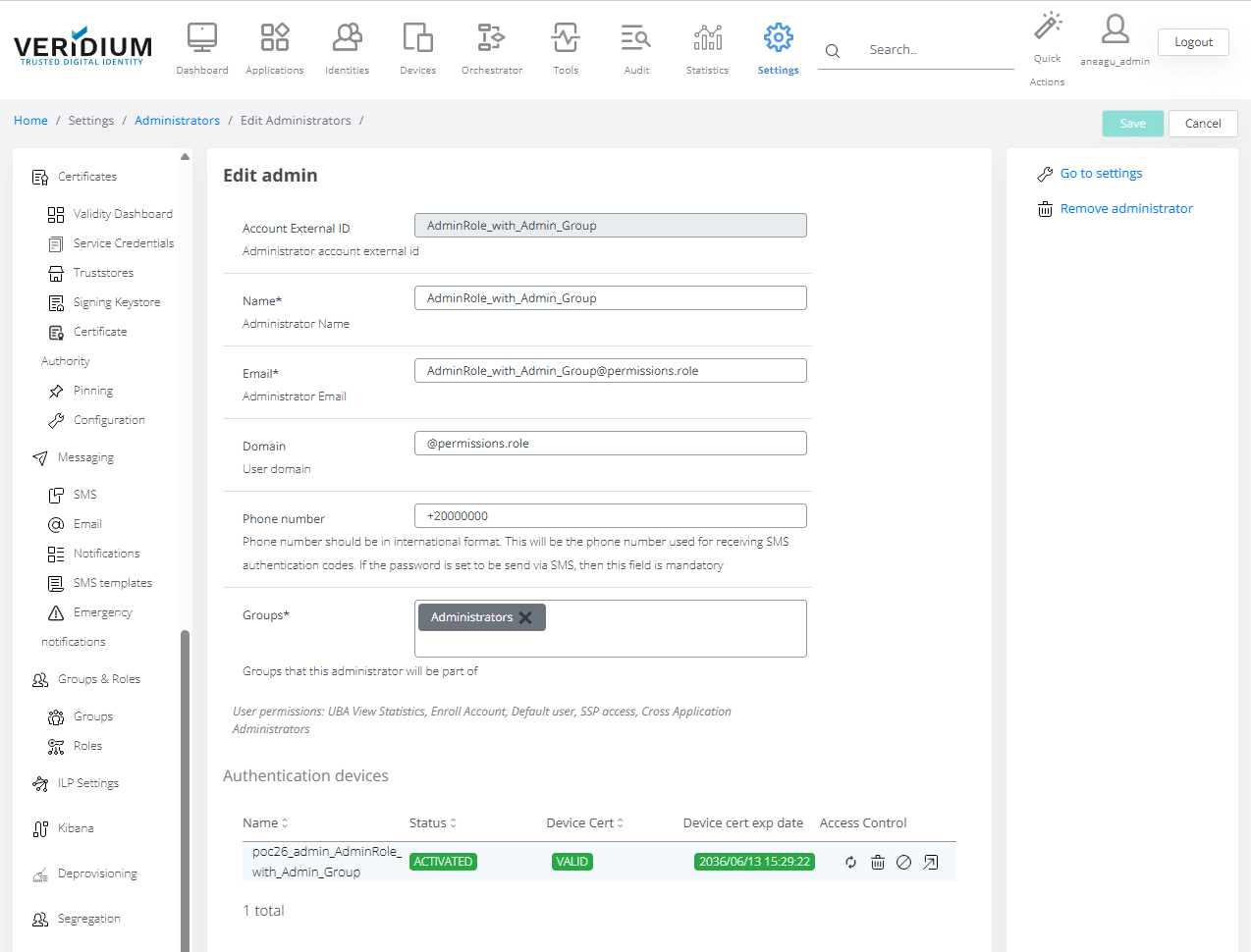
Role: alerts
Configuration examples:
Example : Configuration of Alerts role ( including group access : e.g: Alerts)
→ Restricted access due to group Alerts
Access example :
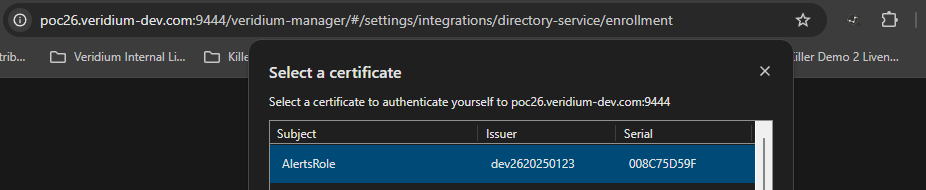
Management of this access role after creation:
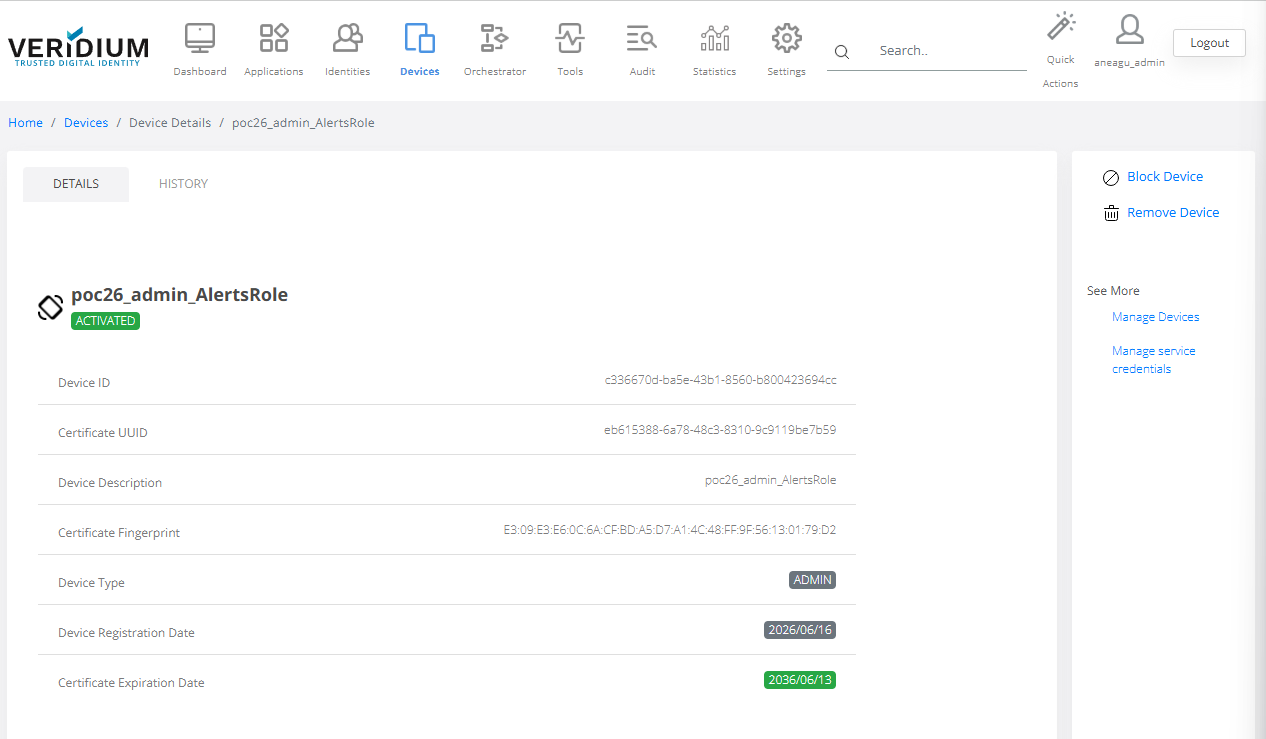
Example 2: Configuration of Alerts role ( including group access : e.g: SystemAdmins)
Access example :
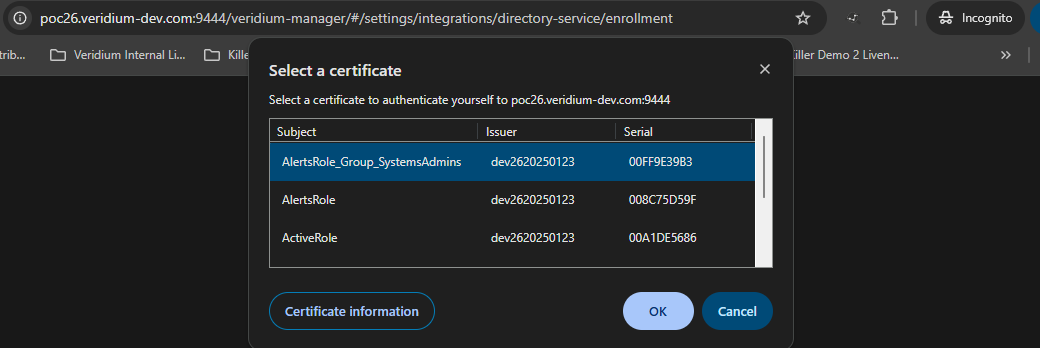
Management of this access role after creation:
→ Full access rights due to group SystemAdmins
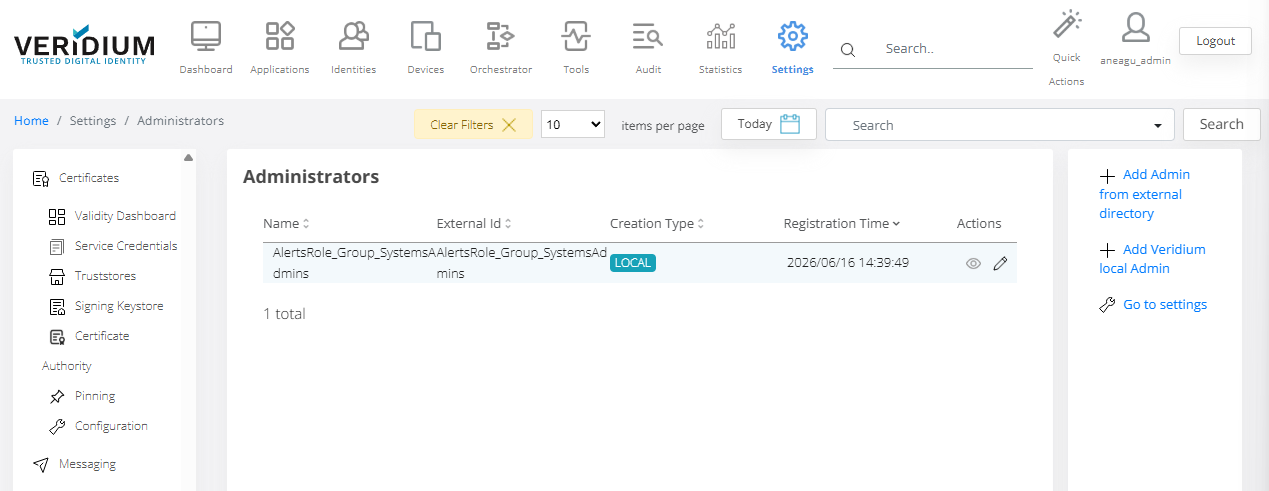
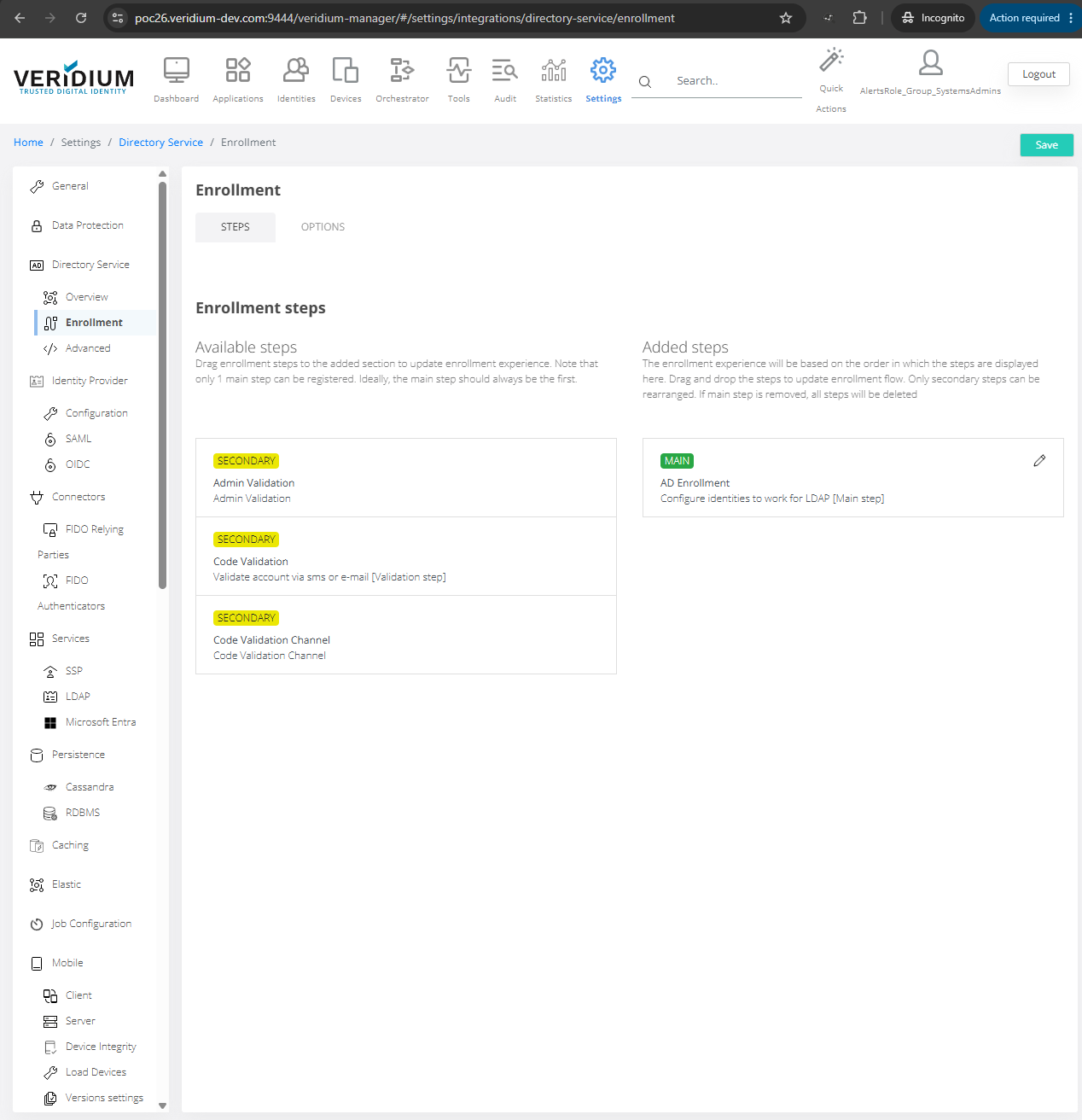
Role: analyst
Role:
Example : Configuration of Analyst role ( including group access : e.g: Analyst)
Access creation example:
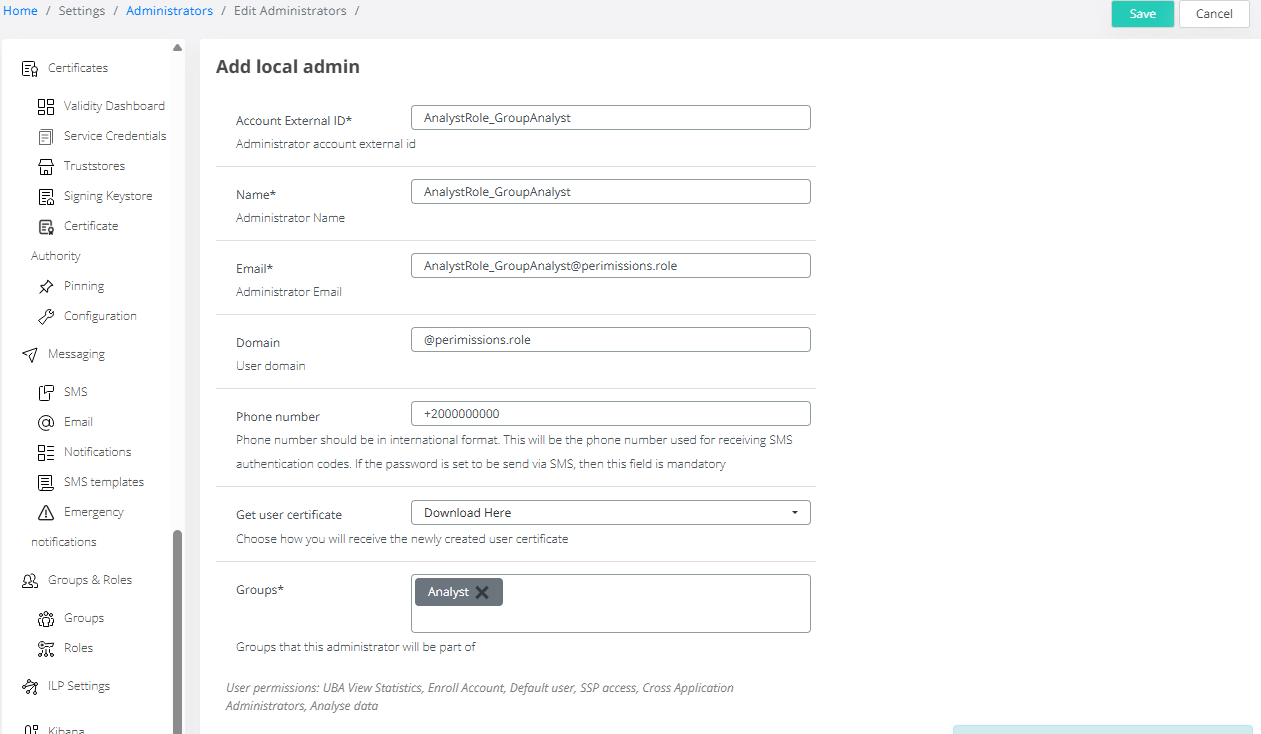
Access example :
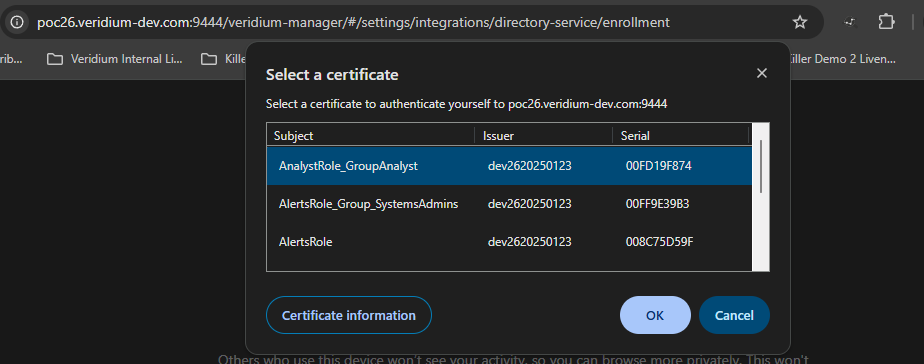
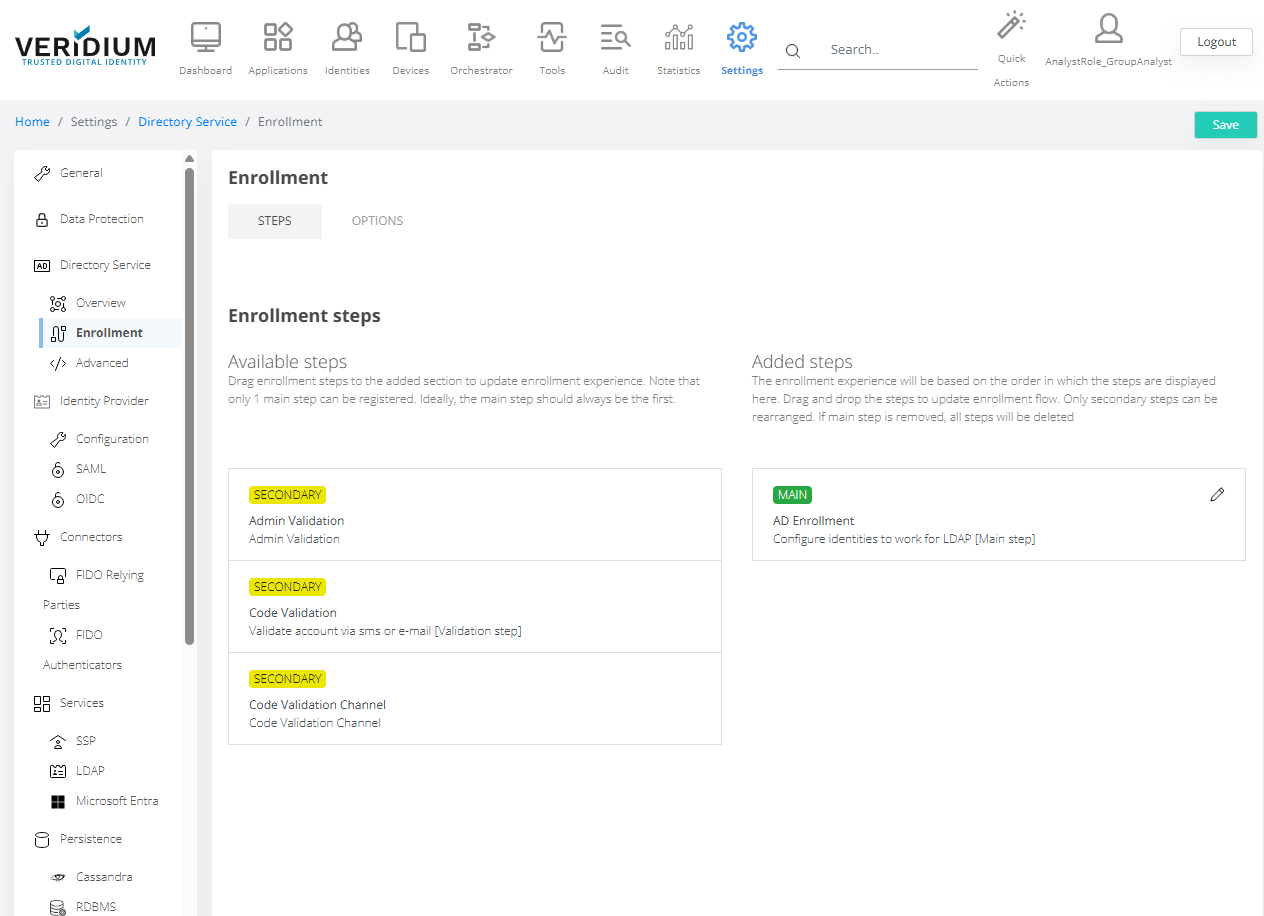
Management of this access role after creation:
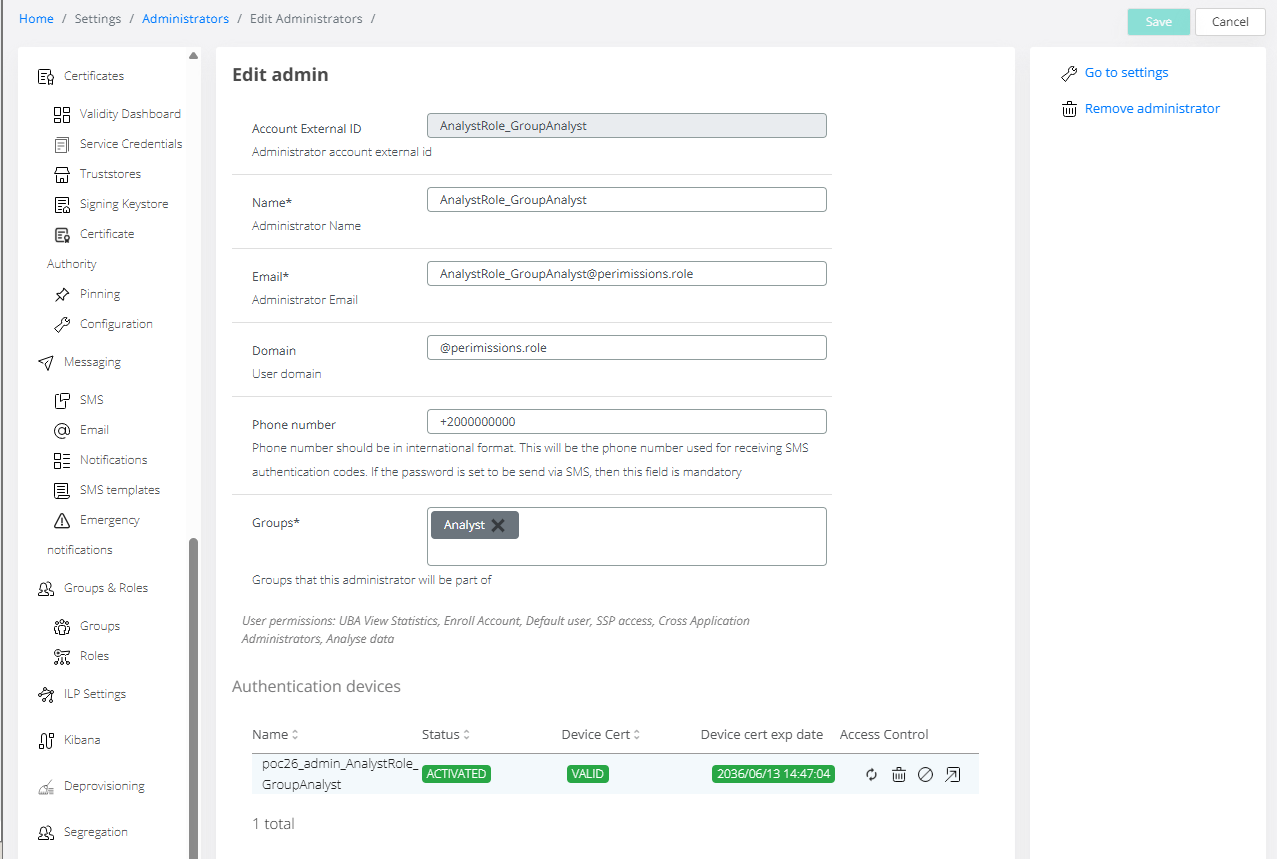
Role: appadmin
Configuration examples:
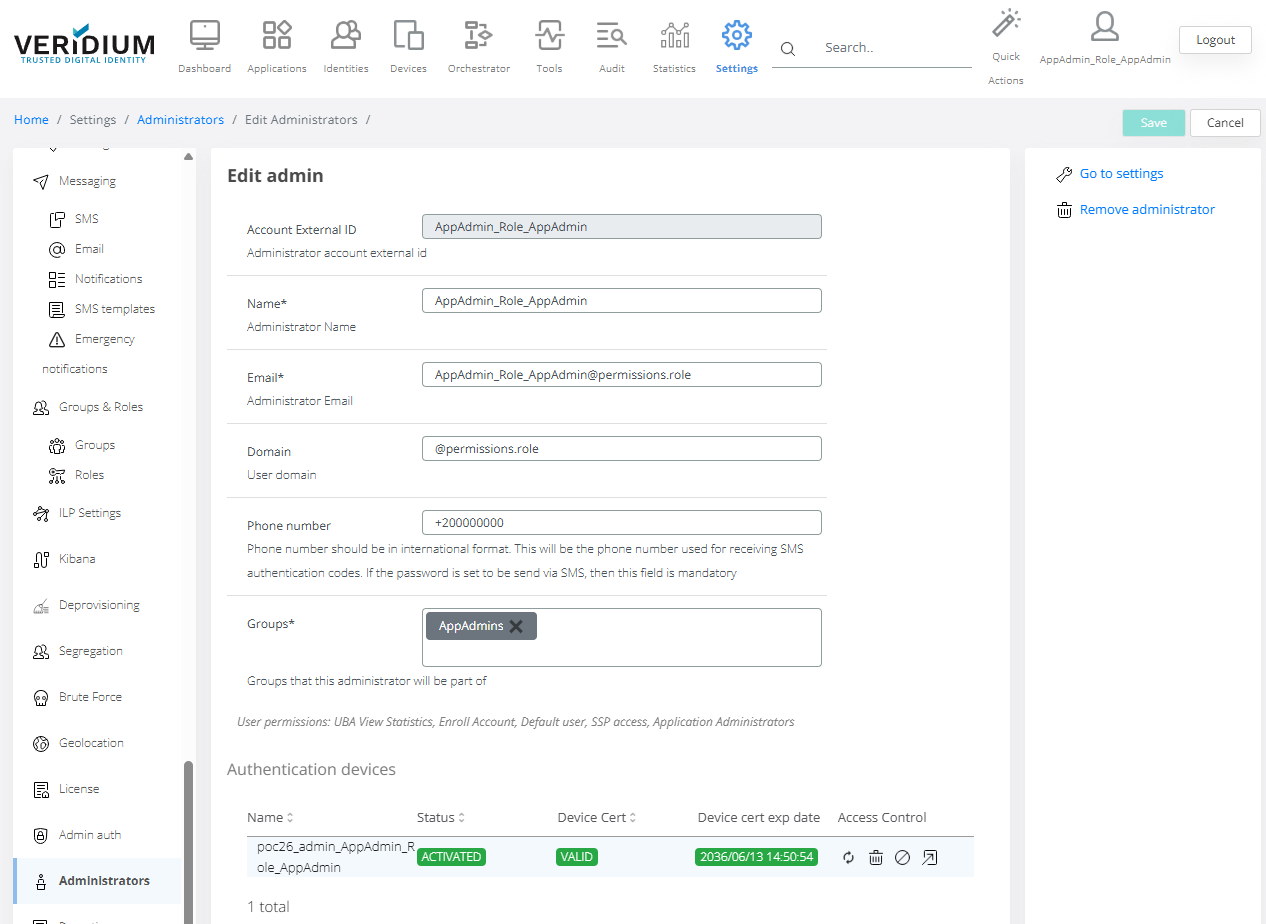
Role: AppAdmin
Configuration of AppAdmin role ( including group access : e.g: AppAdmin)
Access example :
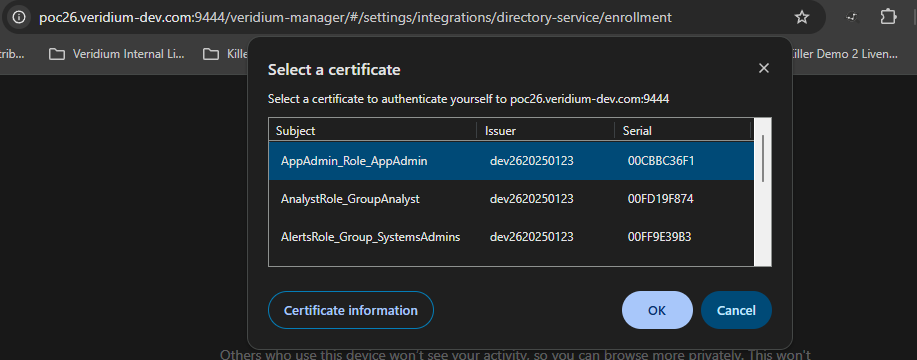
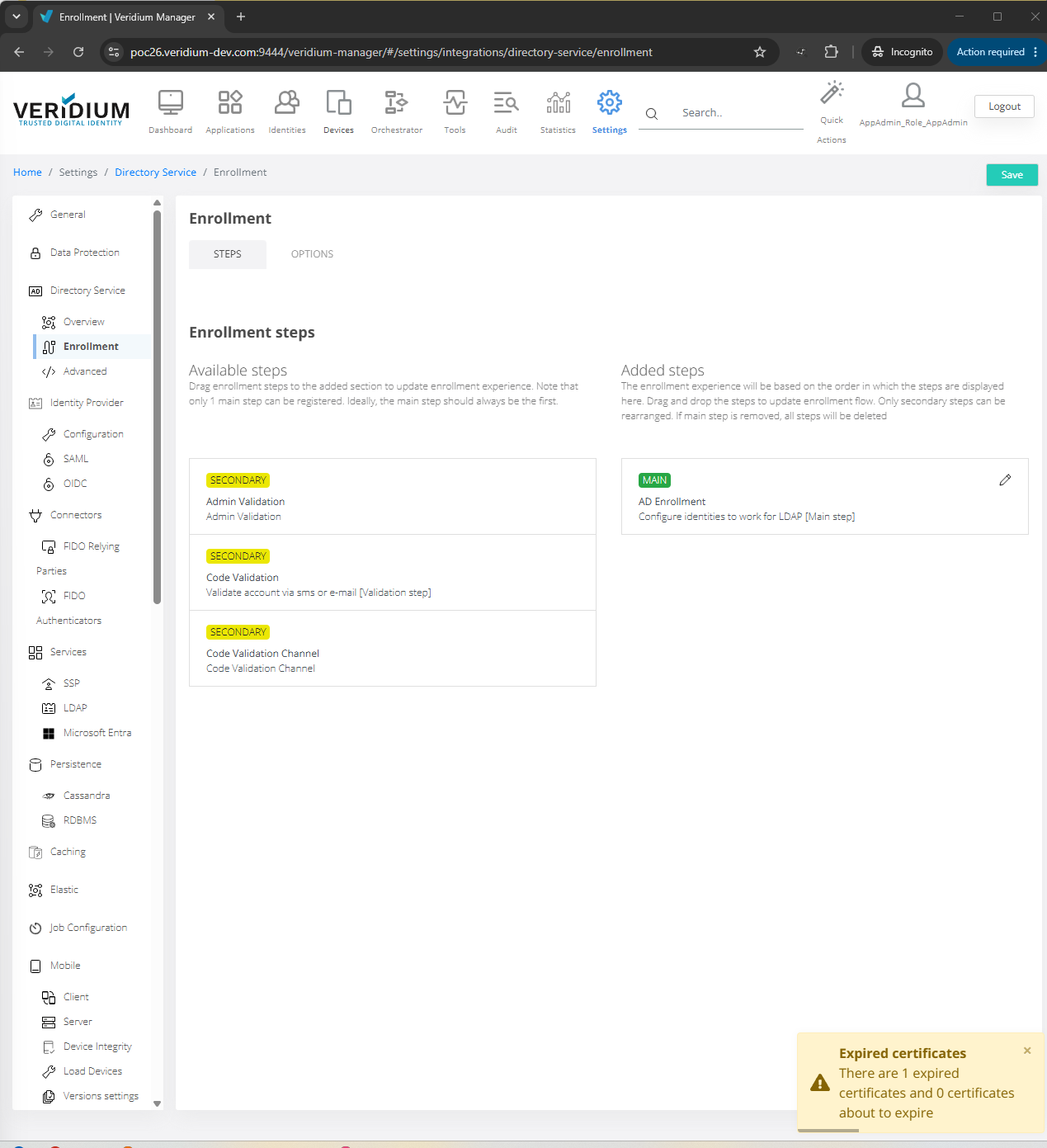
Management of this access role after creation:
Role: default
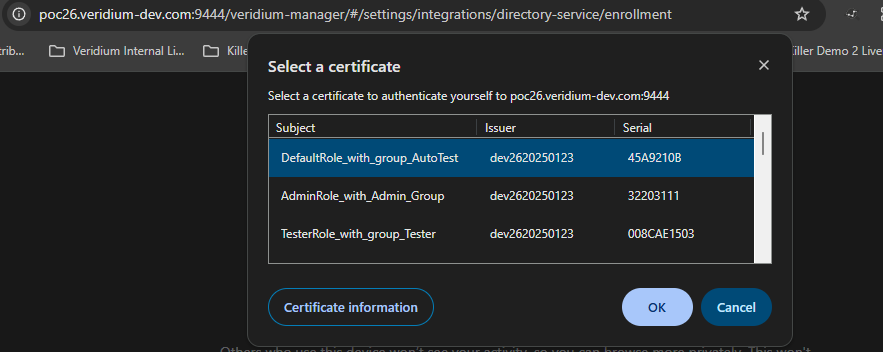
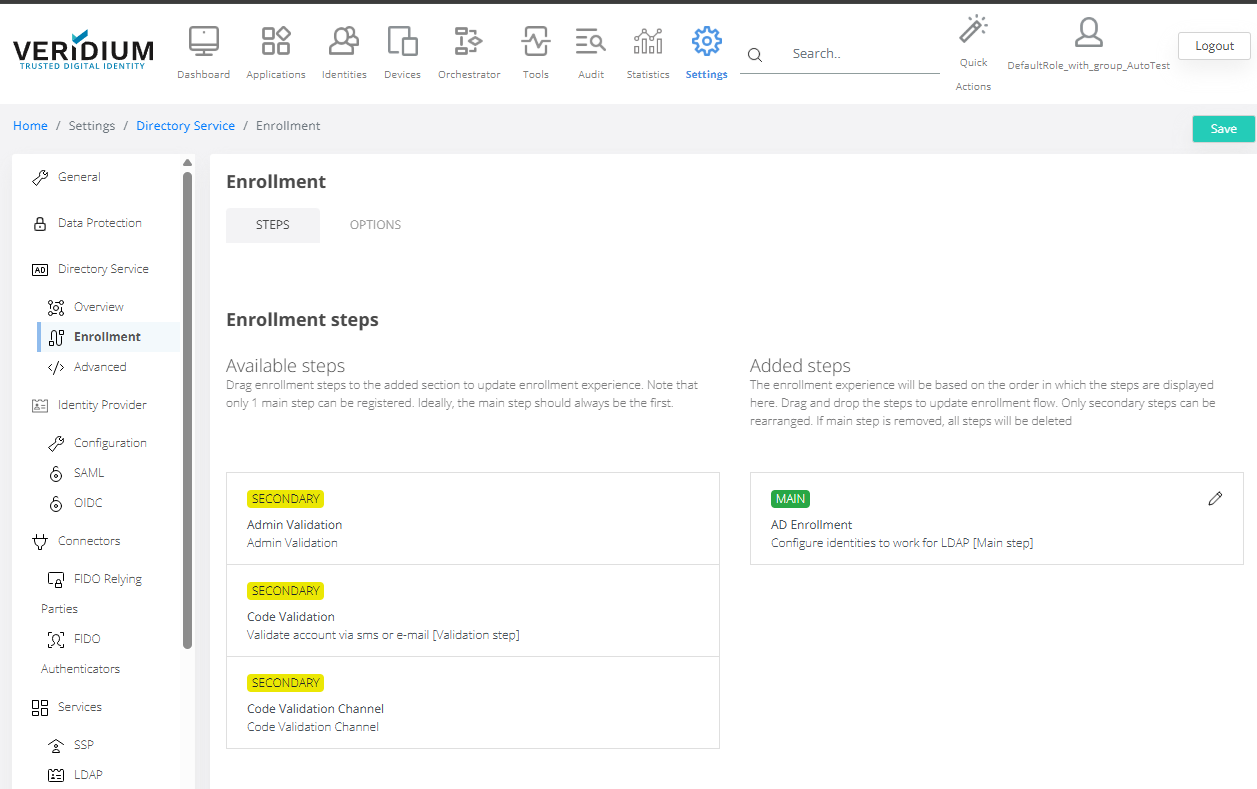
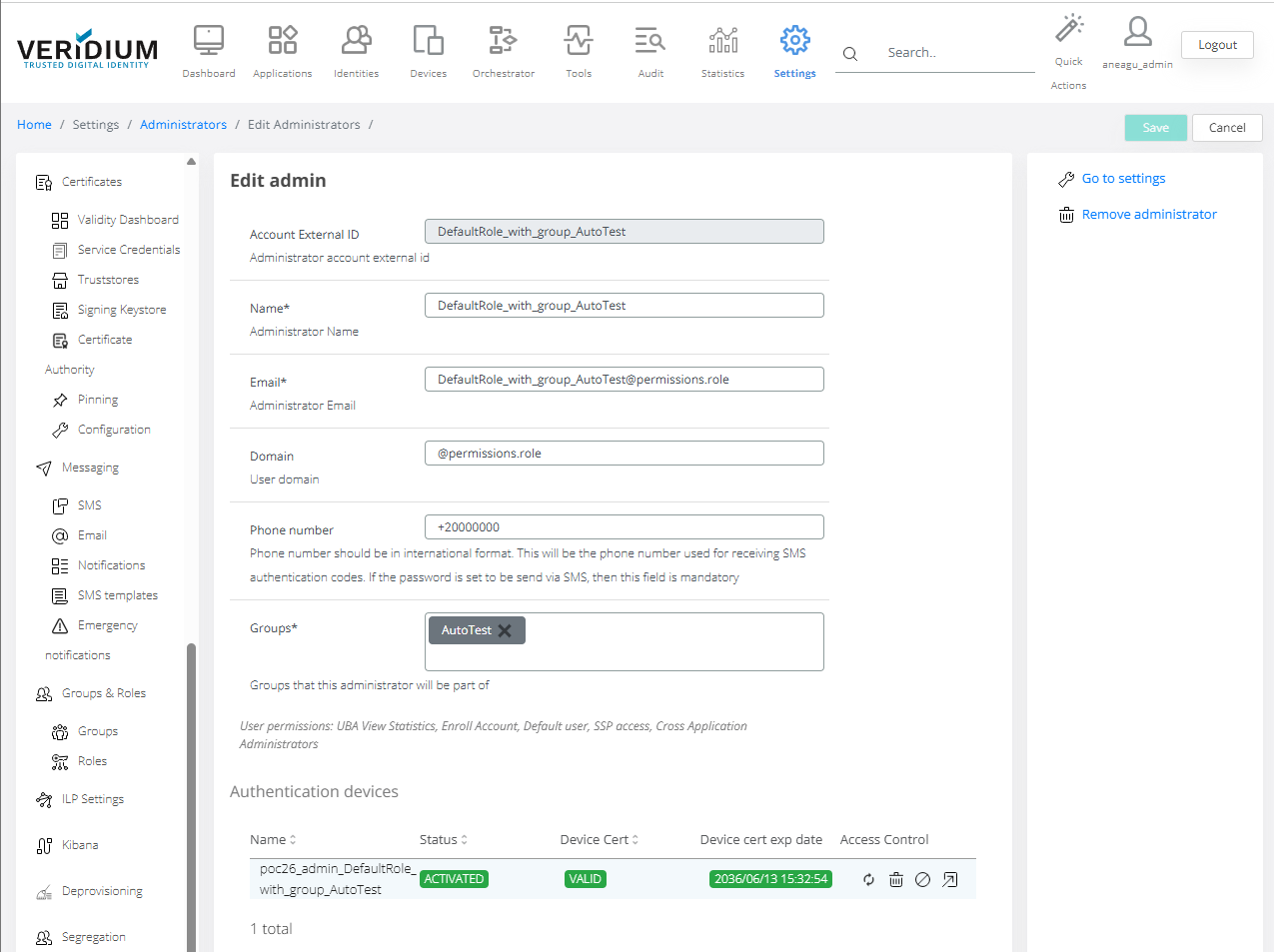
Configuration examples:
Configuration of Default role ( including group access : e.g: AutoTest)
Access example :
Management of this access role after creation:
Role: autotest
Configuration examples:
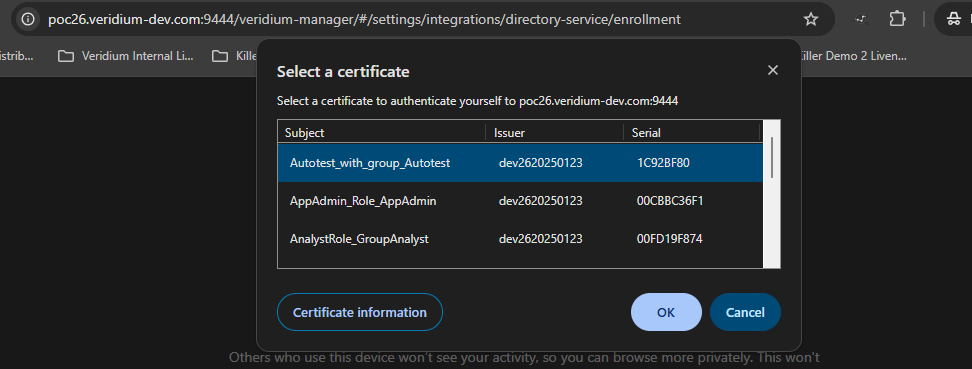
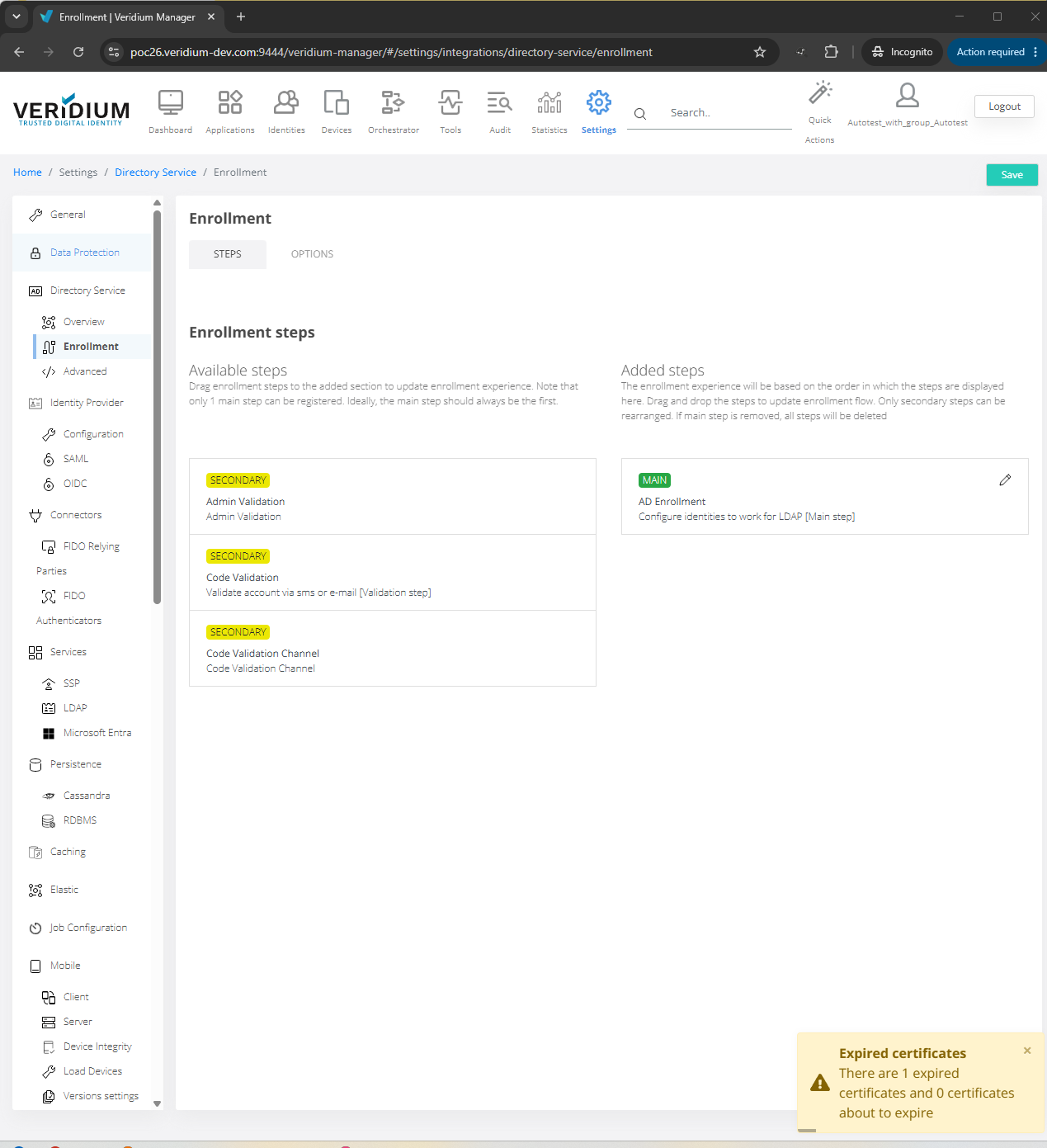
Role: Autotest
Configuration of Autotest role ( including group access : e.g: Autotest)
Access example :
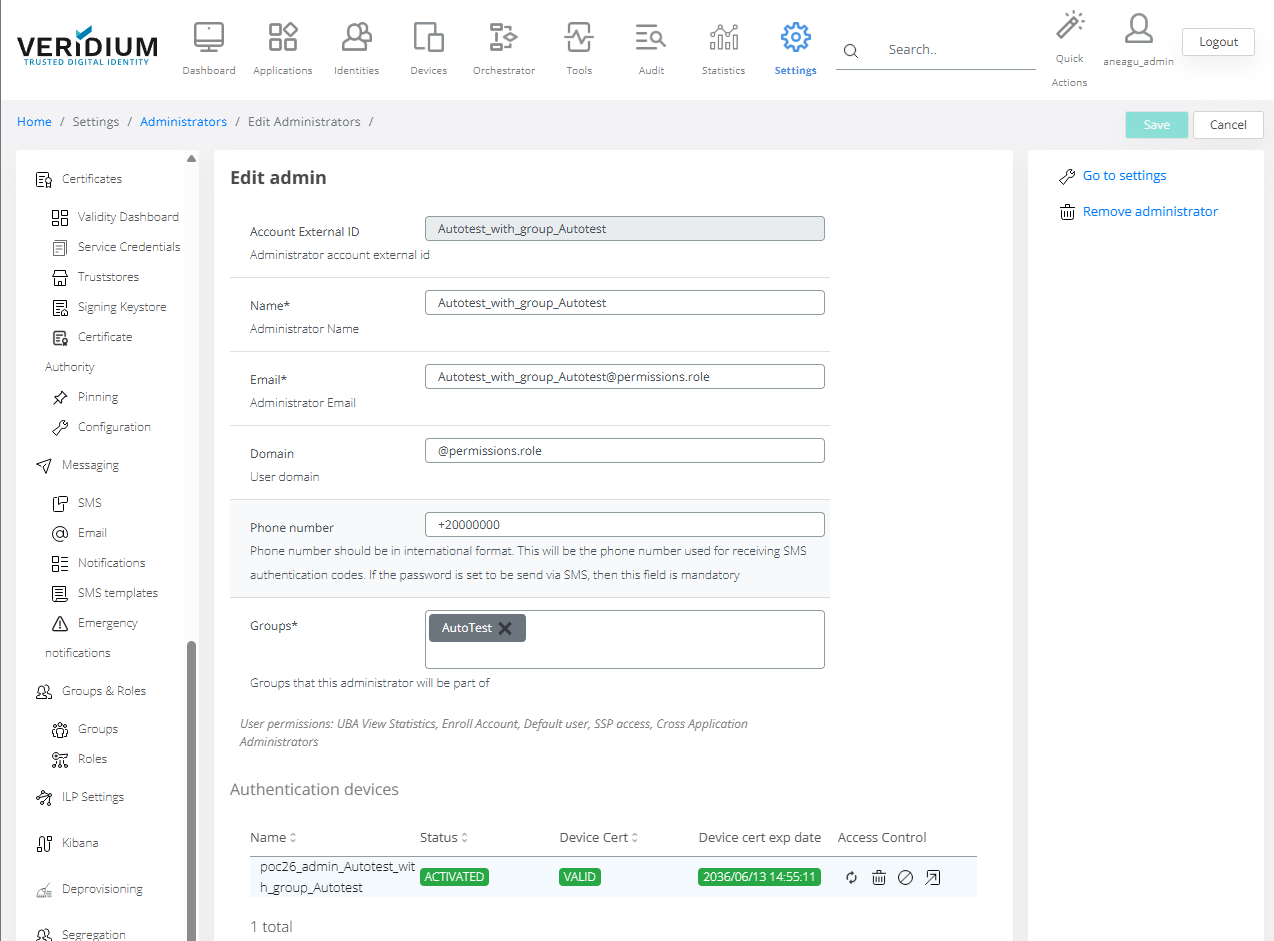
Management of this access role after creation:
Example : Configuration of Autotest role ( including group access : e.g: Autotest)
Role: reports
Configuration examples:
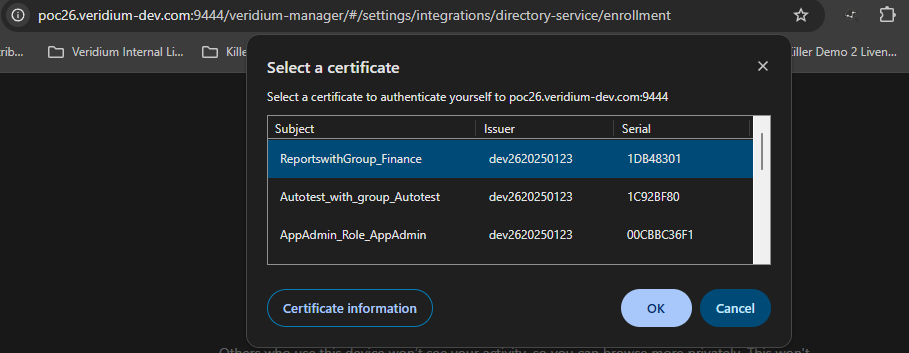
Role: Reports
Configuration of Reports role ( including group access : e.g: Reports)
Access example :
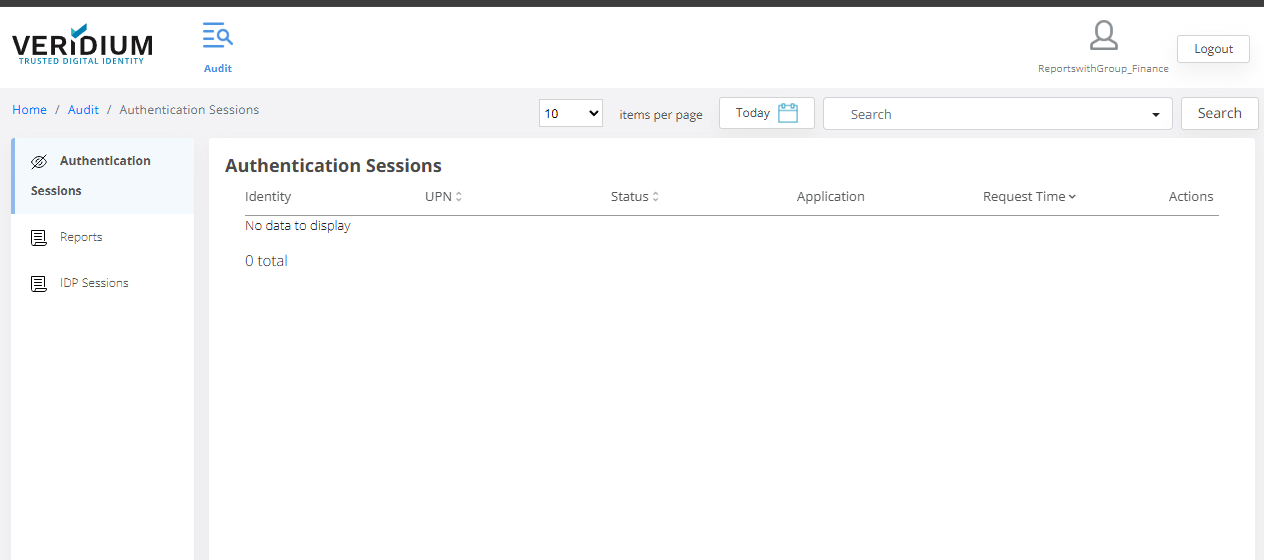
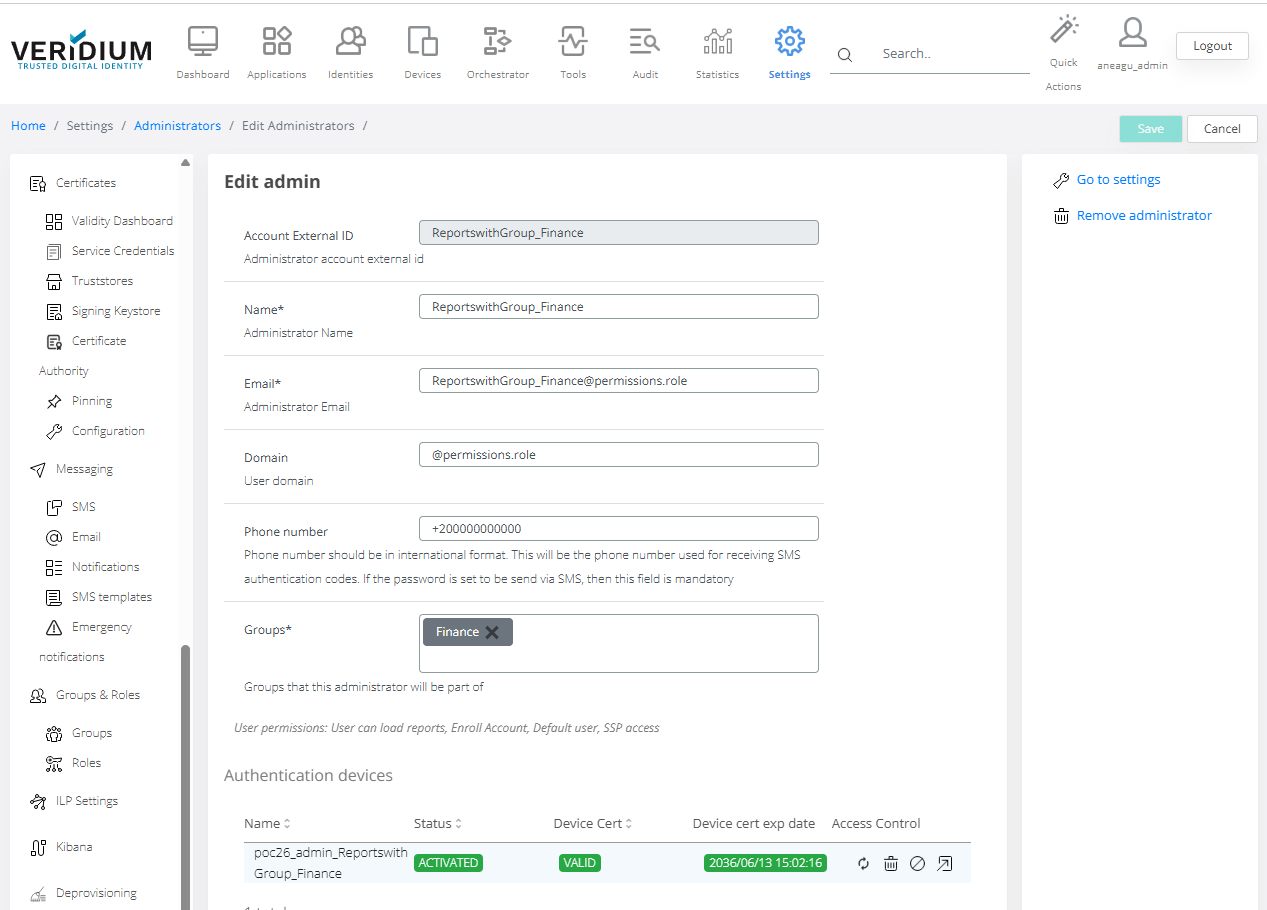
Management of this access role after creation:
Example : Configuration of Autotest role ( including group access : e.g: Reports)
Role: shareddevice
Configuration examples:
Configuration of SharedDevice role ( including group access : e.g: Finance)
Access example :
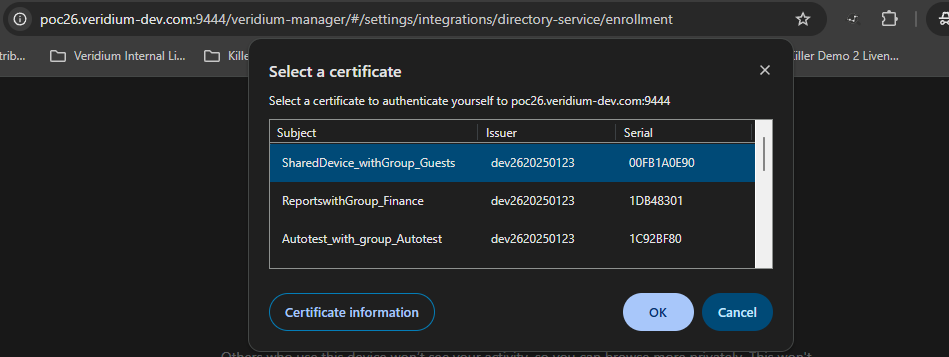

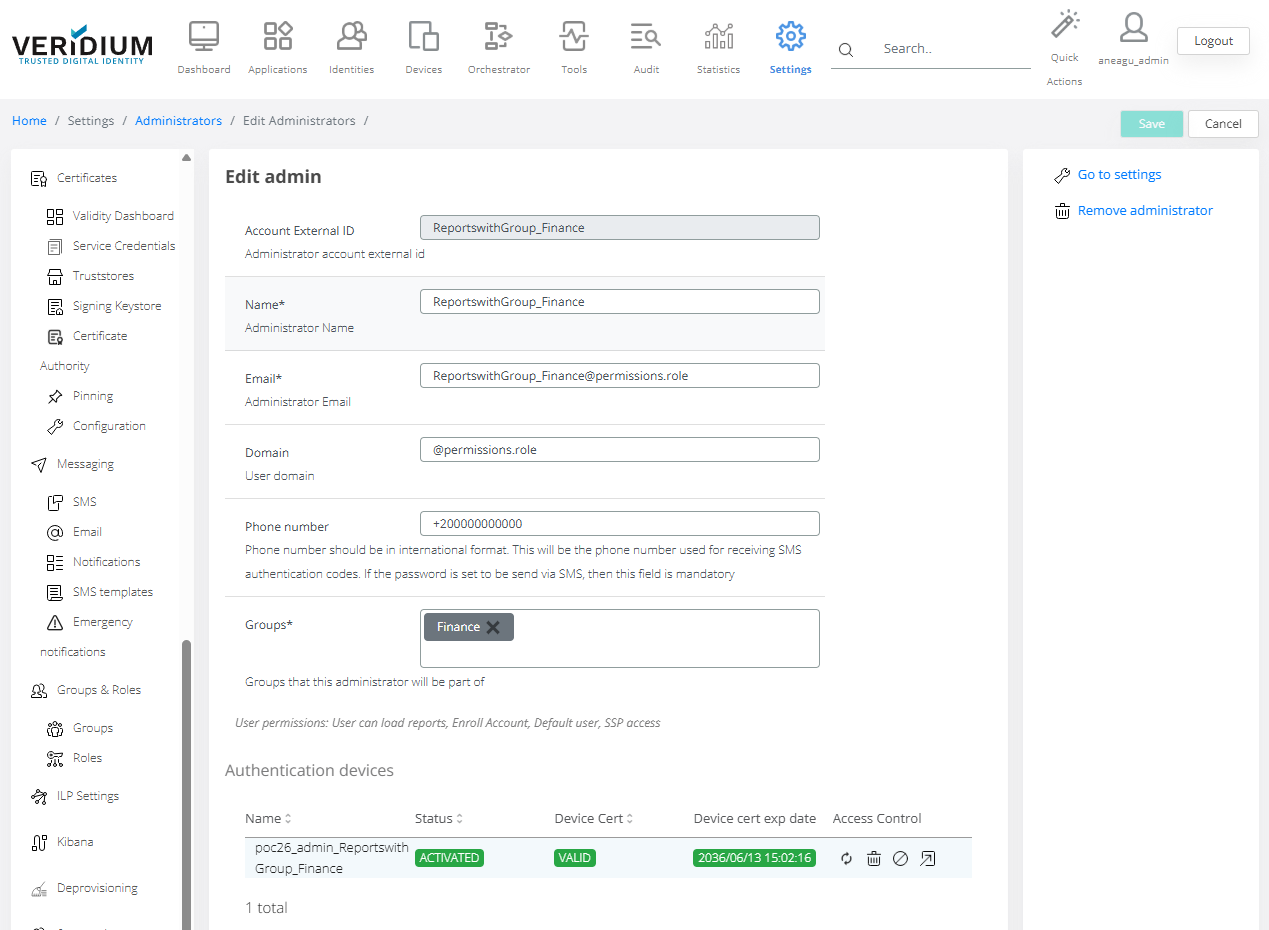
Management of this access role after creation:
Example : Configuration of SharedDevice role ( including group access : e.g: Finance)
Role: sysconfig
Configuration examples:
Example : Configuration of Sysconfig role ( including group access : e.g: Sales)
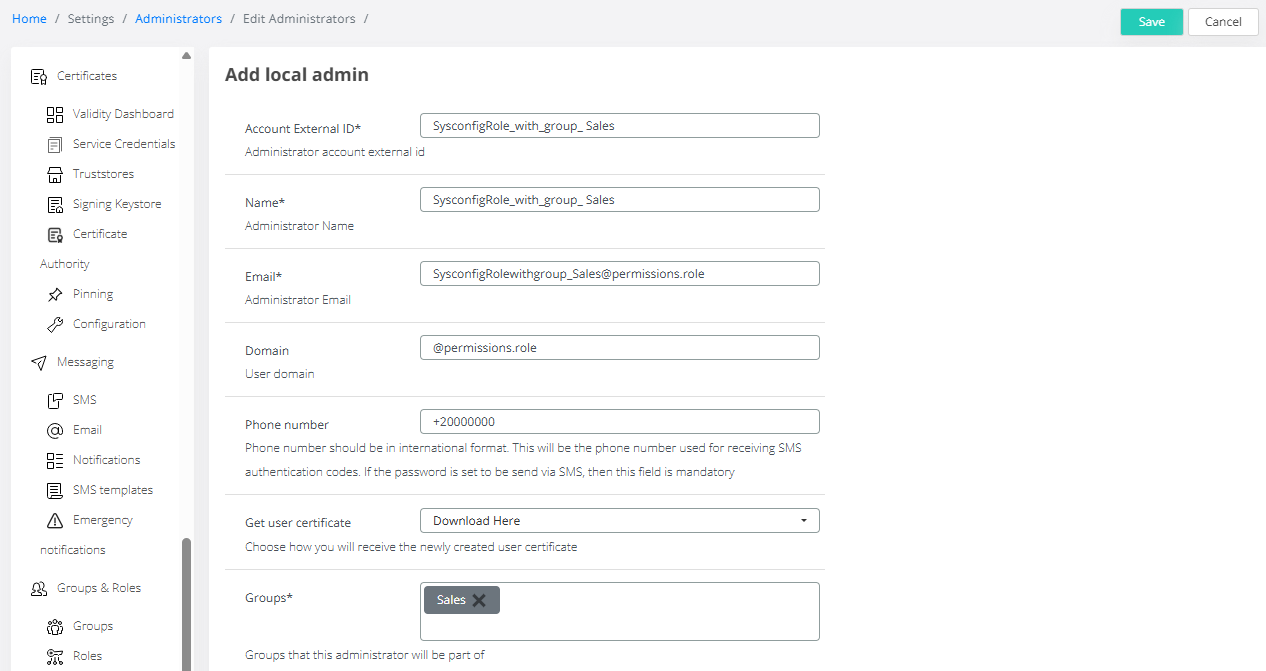
Access example :
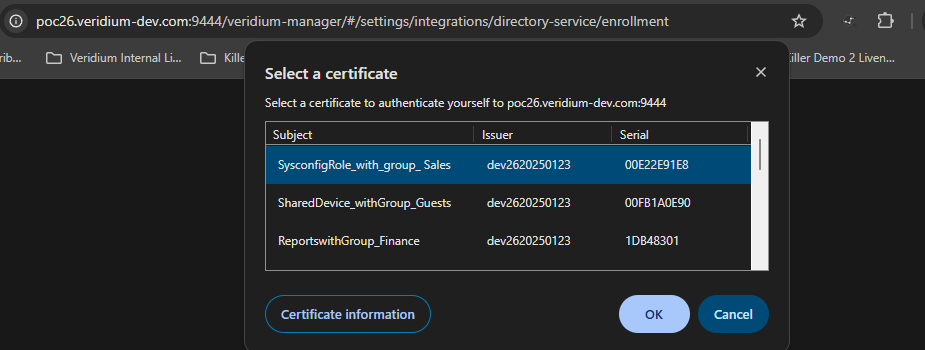
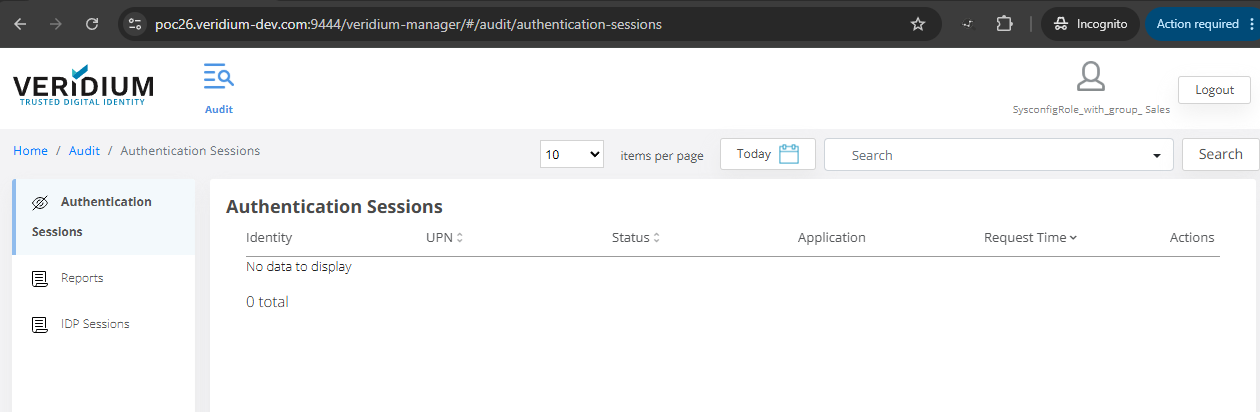
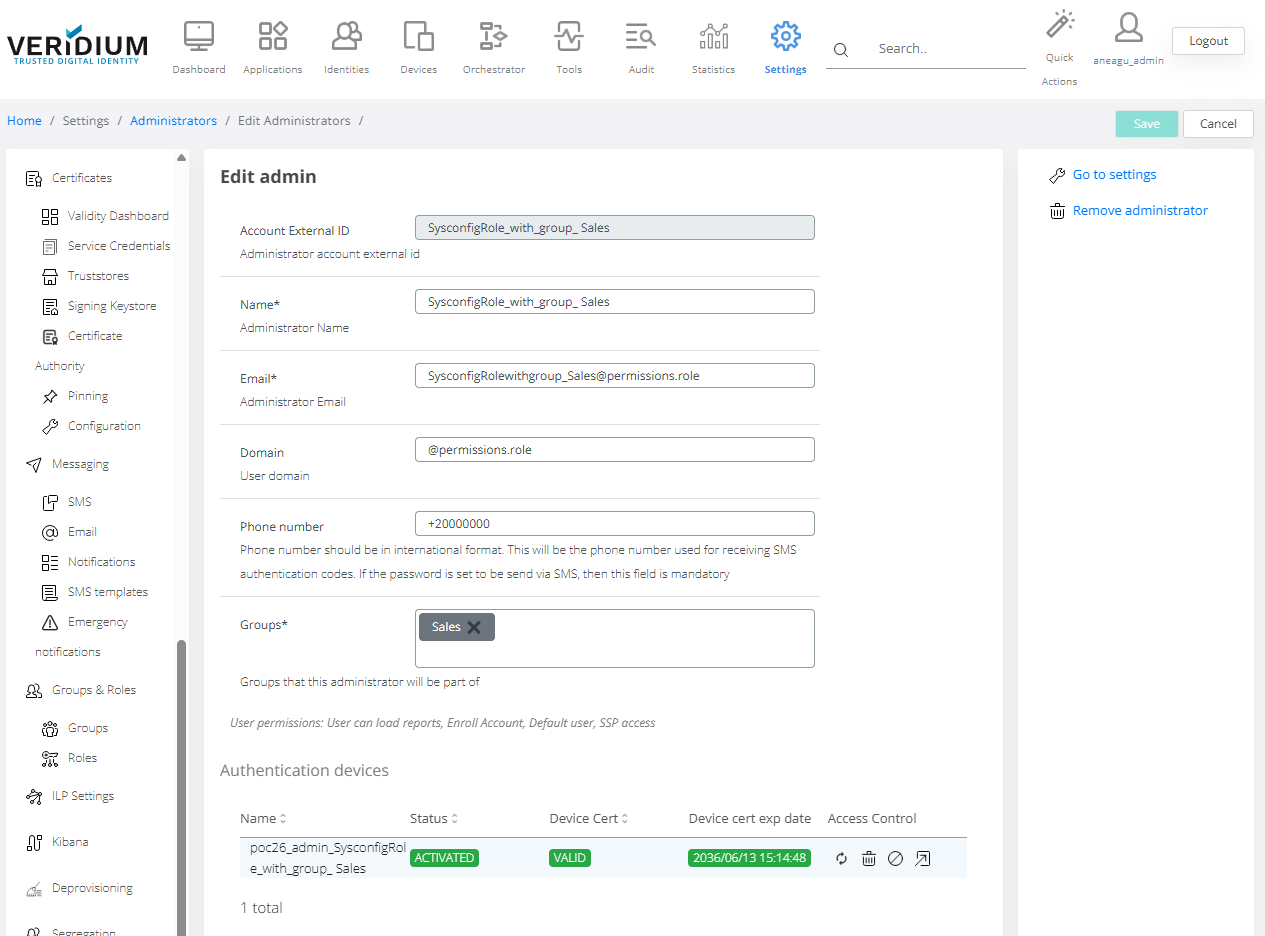
Management of this access role after creation:
Example : Configuration of Sysconfig role ( including group access : e.g: Sales)
Role: techsupport
Configuration examples:
Example : Configuration of TechSupport role ( including group access : e.g: TechSupport)
Access example :
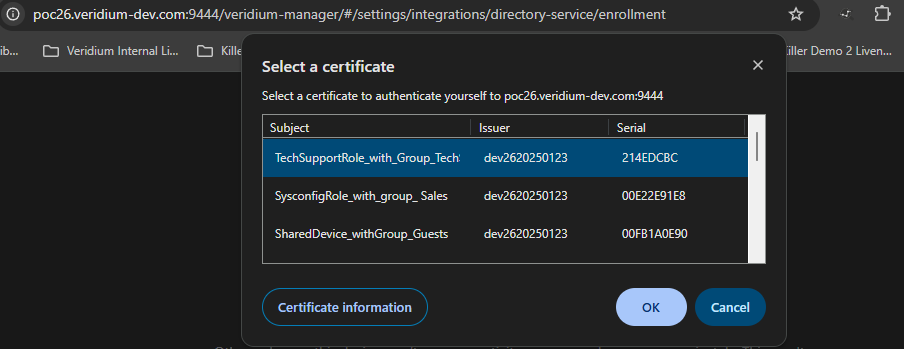
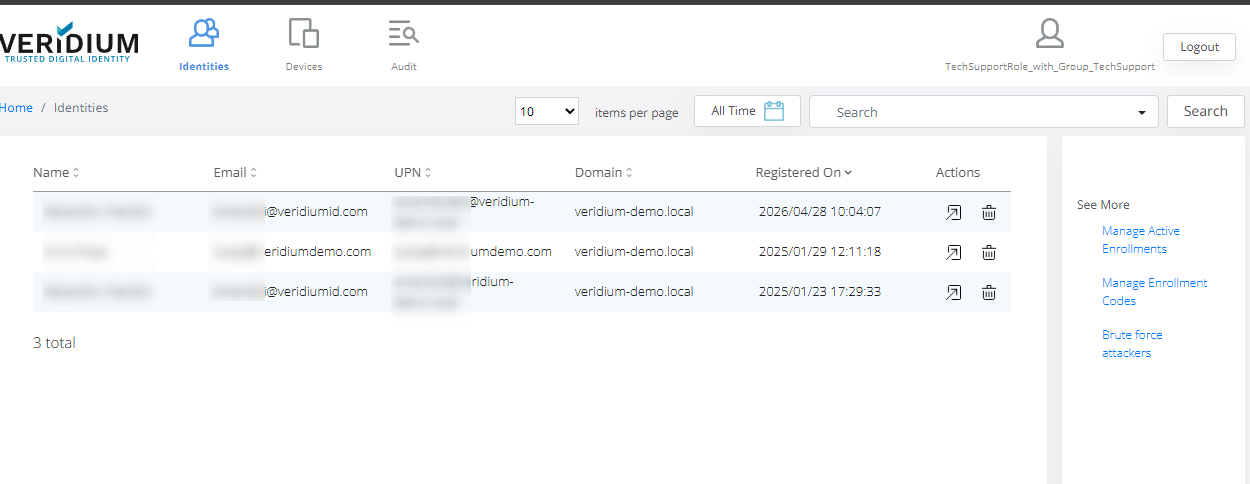
Management of this access role after creation:
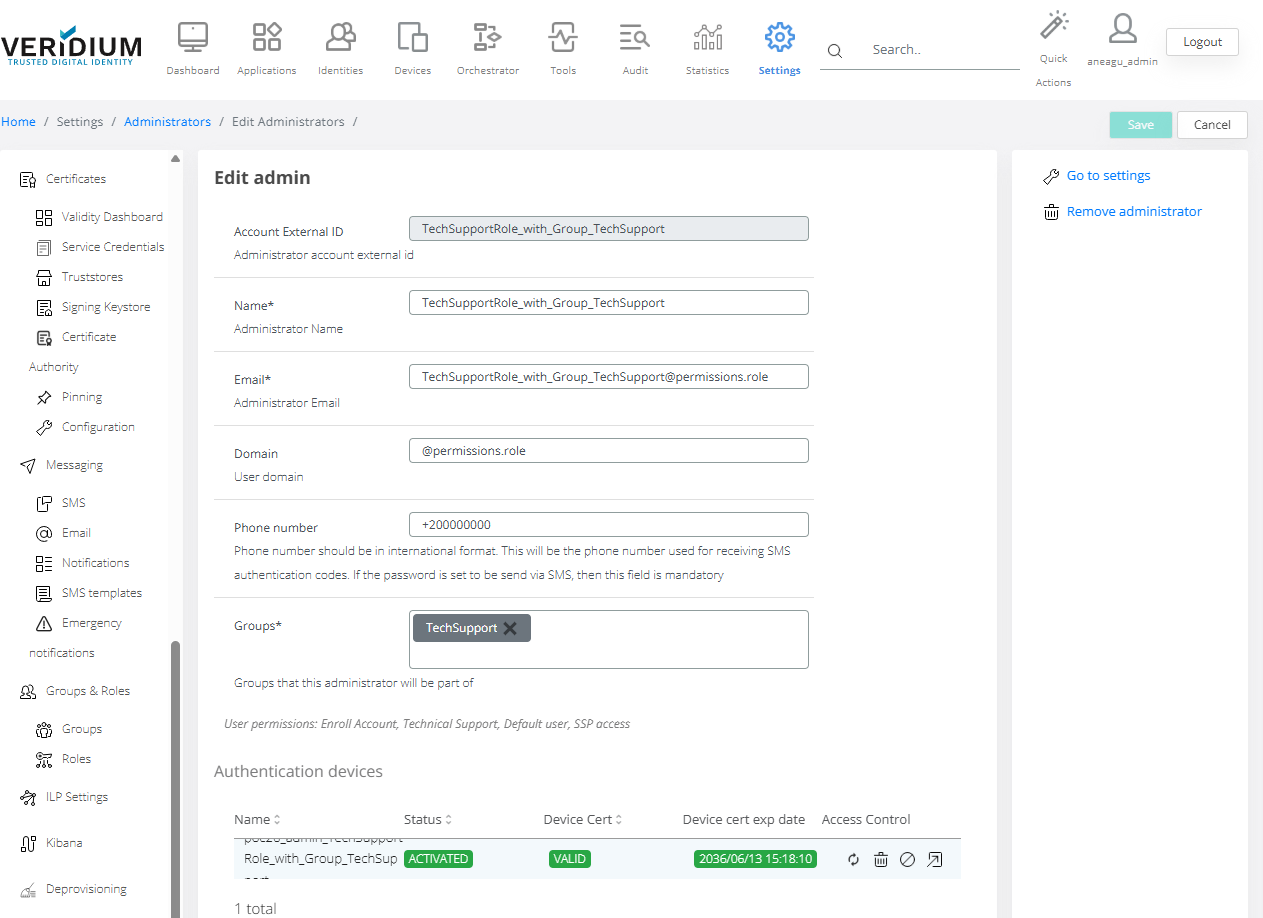
Role: tester
Configuration examples:
Example : Configuration of Tester role ( including group access : e.g: Testers)
Access example :
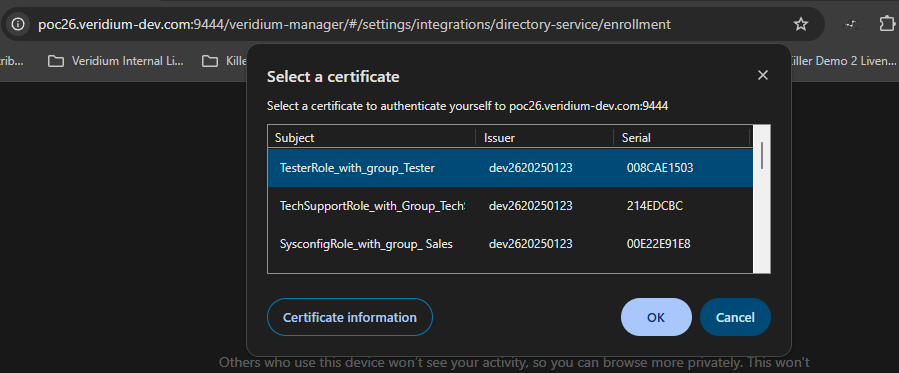
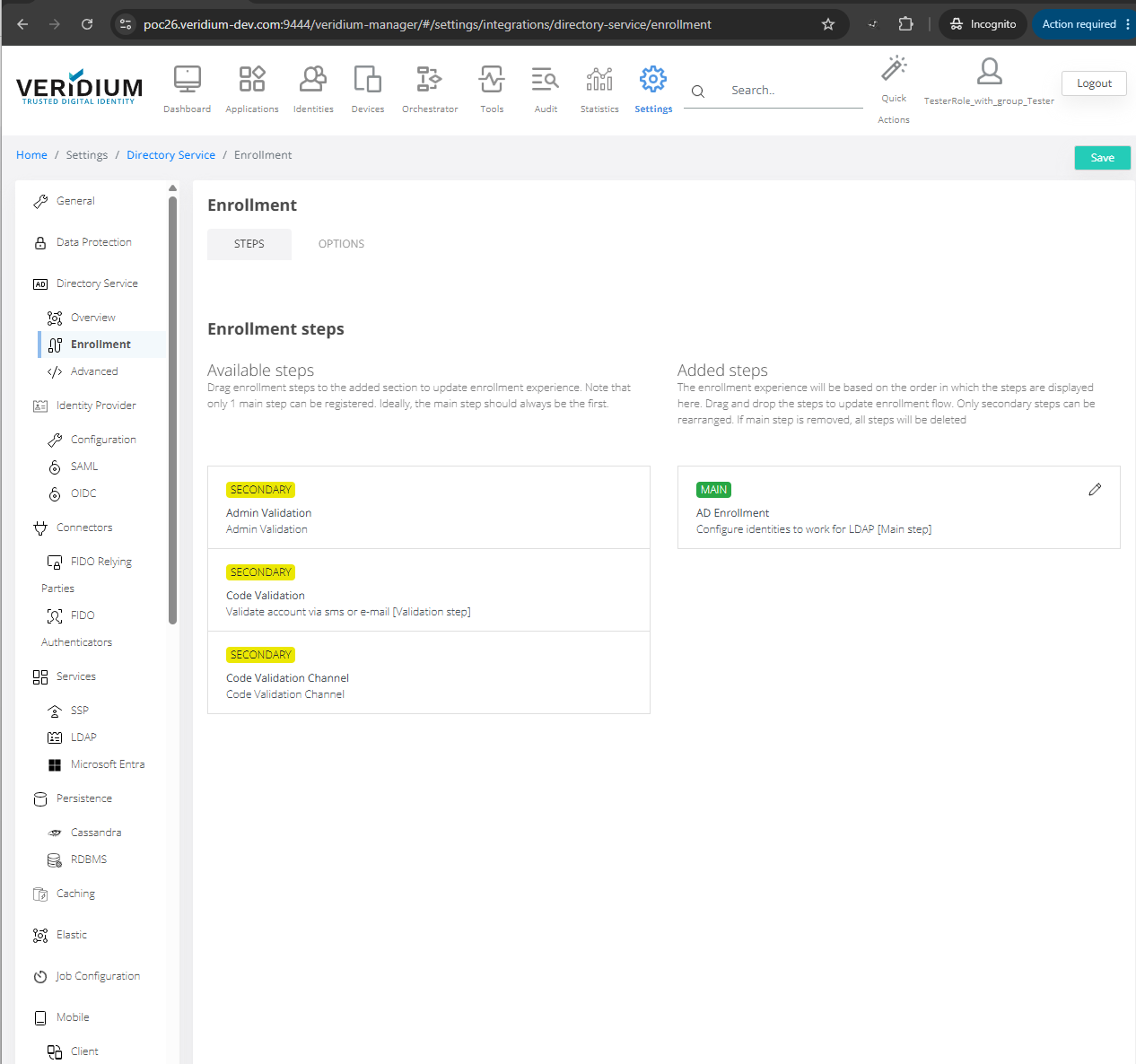
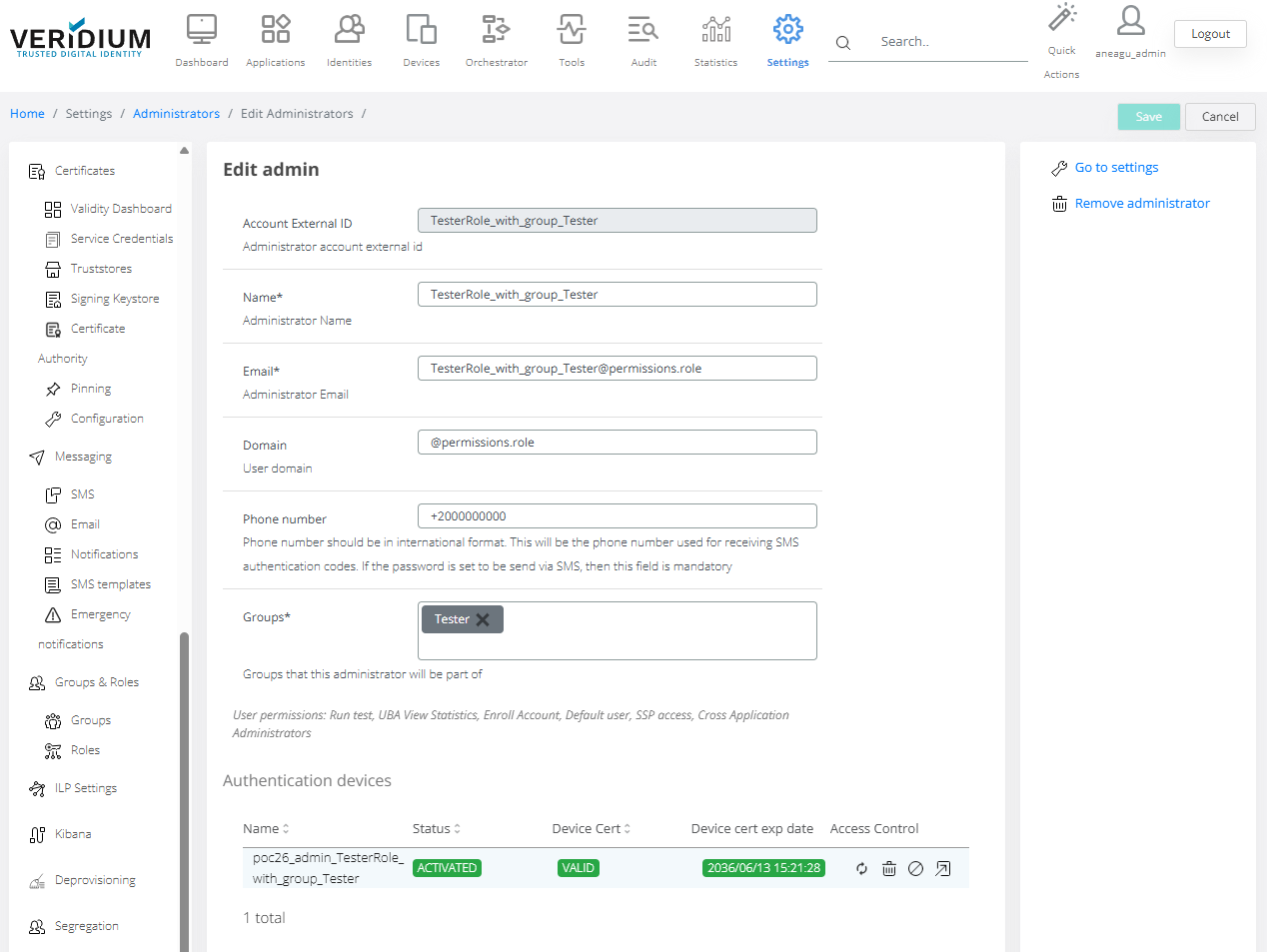
Management of this access role after creation: