

Overview
The Log Export feature allows administrators to download Elasticsearch logs associated with a specific:
-
Identity
-
Device
-
Authentication Session
-
Passkey Session
The exported archive contains matching records from:
-
Application Logs:
logs-application-* -
Access Logs:
logs-access-*
The logs are exported as NDJSON files inside a ZIP archive. The exported ZIP archive contains:
-
Application logs
-
Access logs
-
A manifest with general information about the export
Identity Logs Export
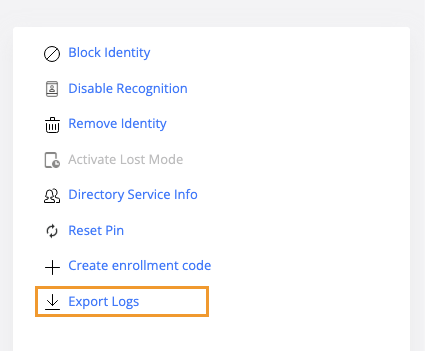
The Export Logs action is available in the right-side menu of the Identity Details page.
To export the logs:
-
Open the required identity.
-
Select Export Logs from the right-side menu.
-
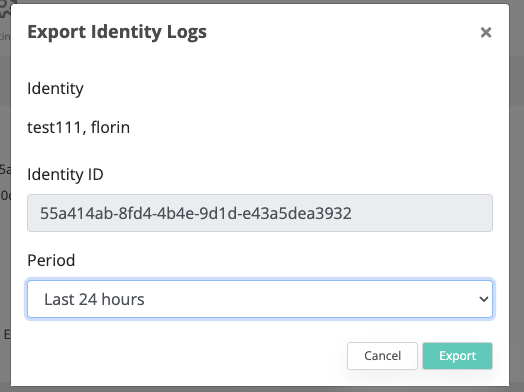
Select the required period.
-
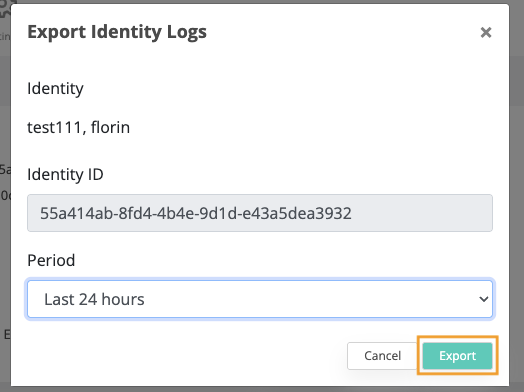
Click Export.
-
The ZIP archive is downloaded automatically.
The export contains Application Logs and Access Logs associated with the selected Identity.
Device Logs Export
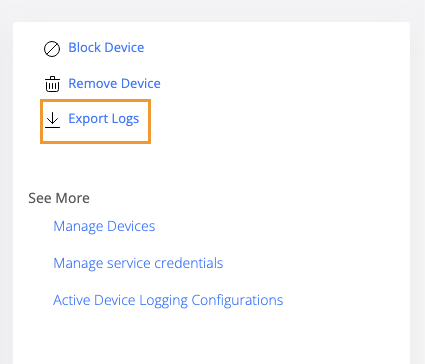
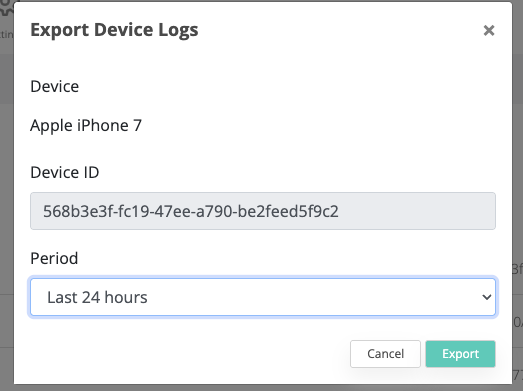
The Export Logs action is available in the right-side menu of the Device Details page.
The action is available for the following device types:
-
Phone
-
Desktop
To export the logs:
-
Open the required device.
-
Select Export Logs from the right-side menu.
-
Select the required period.
-
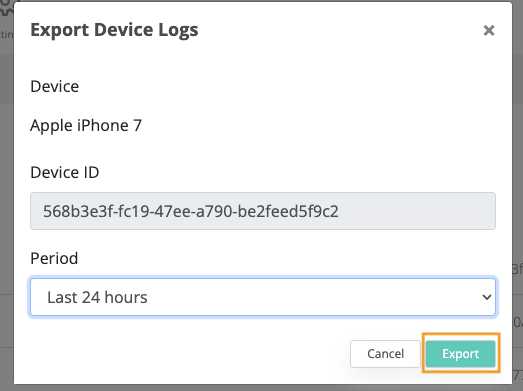
Click Export.
-
The ZIP archive is downloaded automatically.
The export contains Application Logs and Access Logs associated with the selected Device.
Authentication and Passkey Session Logs Export
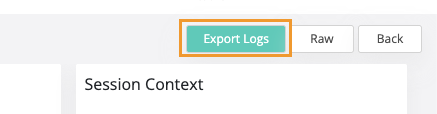
The Export Logs button is available at the top of the Authentication Session Details page, next to the Raw button.
To export the logs:
-
Open the required Authentication Session.
-
Click Export Logs.
-
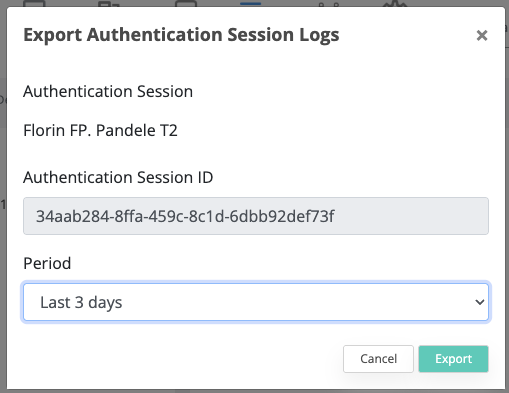
Select the required period.
-
Click Export.
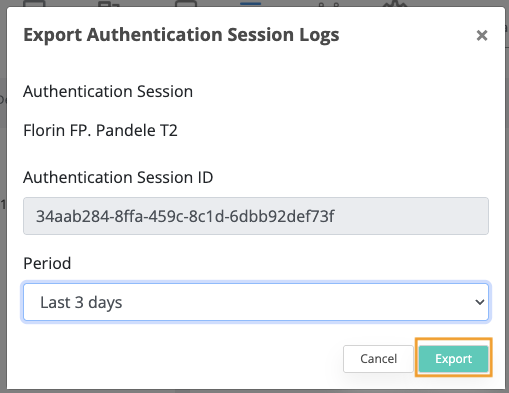
-
The ZIP archive is downloaded automatically.
The export contains Application Logs and Access Logs associated with the selected Authentication/Passkey Session.