Please follow the steps below to capture relevant events when a Citrix session is launched using Veridium authentication on VDAs:
-
Open Event Viewer
-
Select Windows Logs / Application.
-
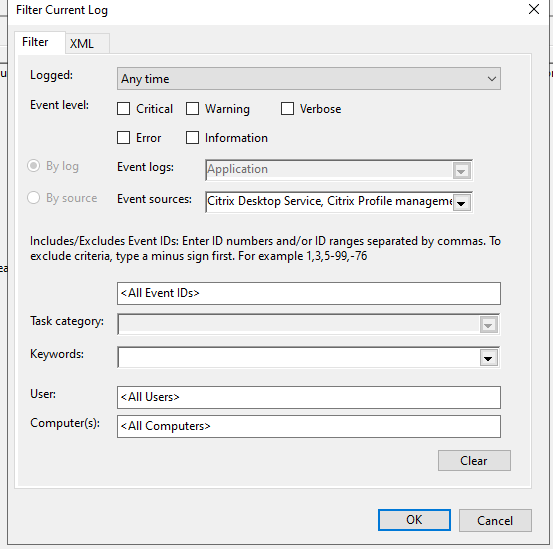
Filter Event Logs for the following Event Sources
-
Citrix Desktop Services
-
Citrix Profile Management
-
Veridium-BopsHDX
-
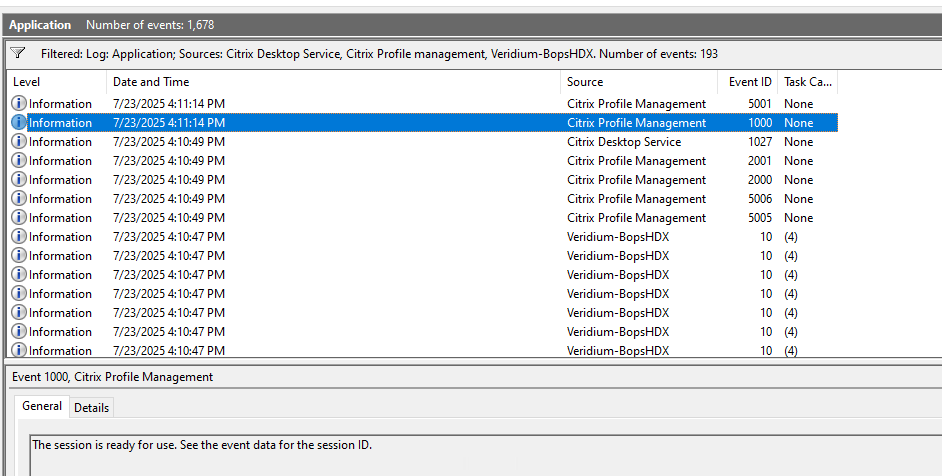
Below is the event flow triggered during session startup via Citrix Workspace:
-
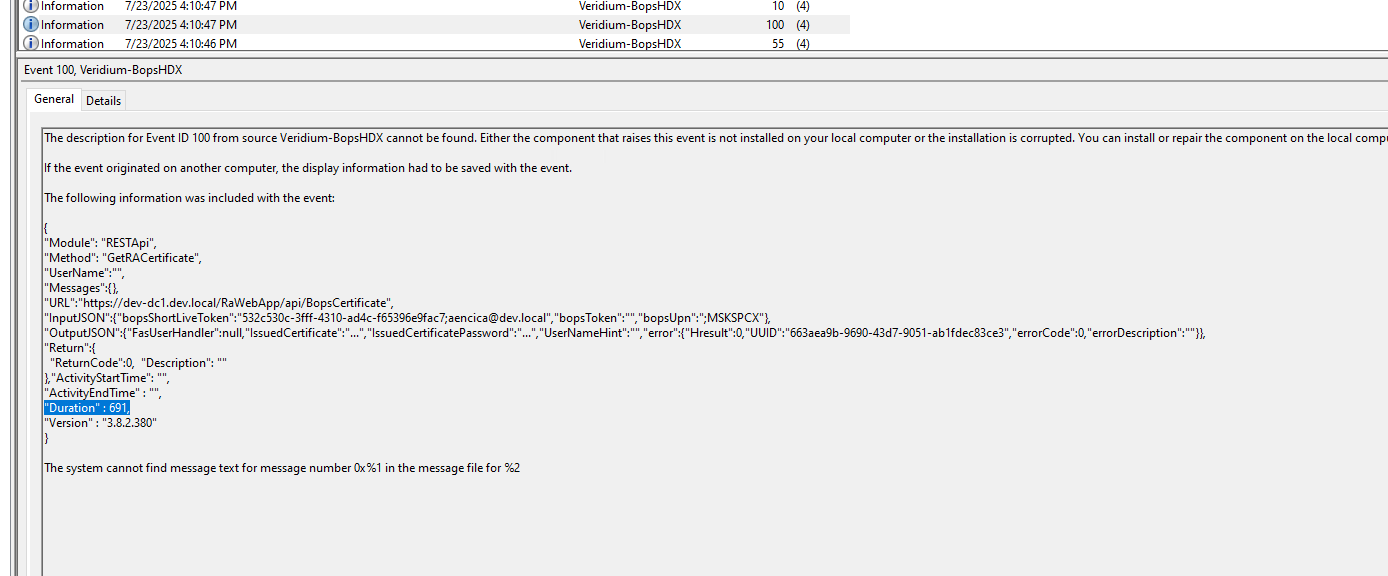
Veridium SSO
Component: VeridiumBops-HDX
Event ID: 100
Logs the user certificate request via VeridiumRA. Duration (in ms) is included in the message. If the duration is high, we may need to further corelate with the Event logs from VeridiumRA.
-
Windows Logon Begins
After the certificate is retrieved, a logon package is prepared. From this point further, Veridium components are no longer involved.
-
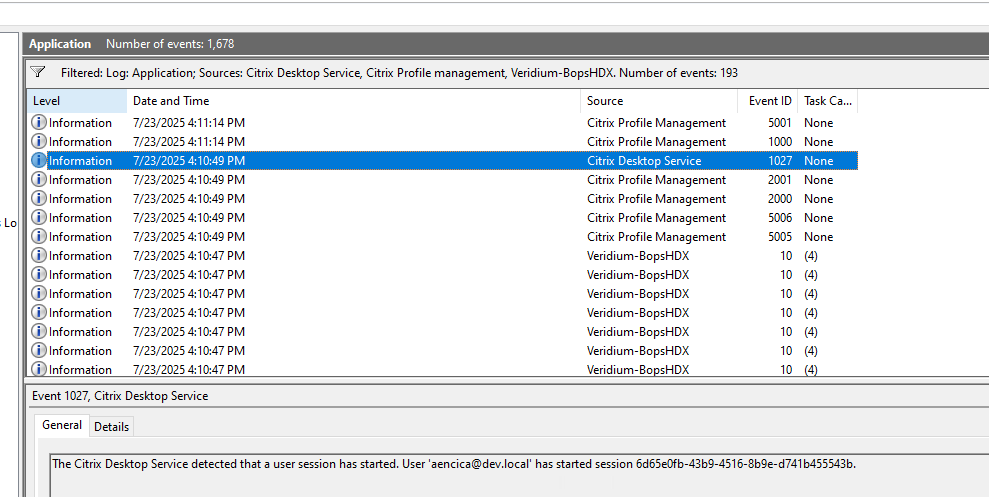
Citrix Session Preparation
Component: Citrix Desktop Services
Event ID: 1027
Indicates Windows logon was successful and the Citrix user session is being prepared.
-
Session Launch Confirmation
Component: Citrix Profile Management
Event ID: 1000
Description: Confirms that the application/session has launched on the end user's device.
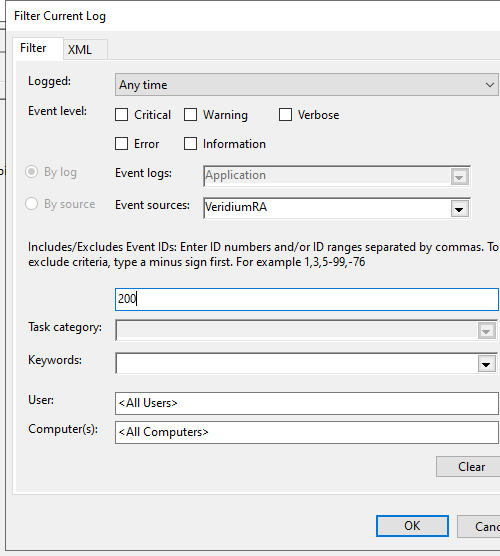
Collecting Events from VeridiumRA machines (only if the duration in VeridiumBops-HDX Event ID 100 message is high)
-
Open Event Viewer.
-
Fiter Event logs for VeridiumRA event source and Event ID 200.
-
Verify duration in the message and if the certificate was requested in the PKI or was retrieved from cache.
-
In the event message there is a TimeProfile that provides duration for all operations.
-