v3.9 v3.8.4 v3.8.3 v3.8.2 v3.8.1 v3.8 v3.7.2 v3.7.1 v3.7 v3.6
Auto Light Dark
Auto Light Dark
v3.9 v3.8.4 v3.8.3 v3.8.2 v3.8.1 v3.8 v3.7.2 v3.7.1 v3.7 v3.6

Password

  1. Enter your email address or User principal name and click Next.
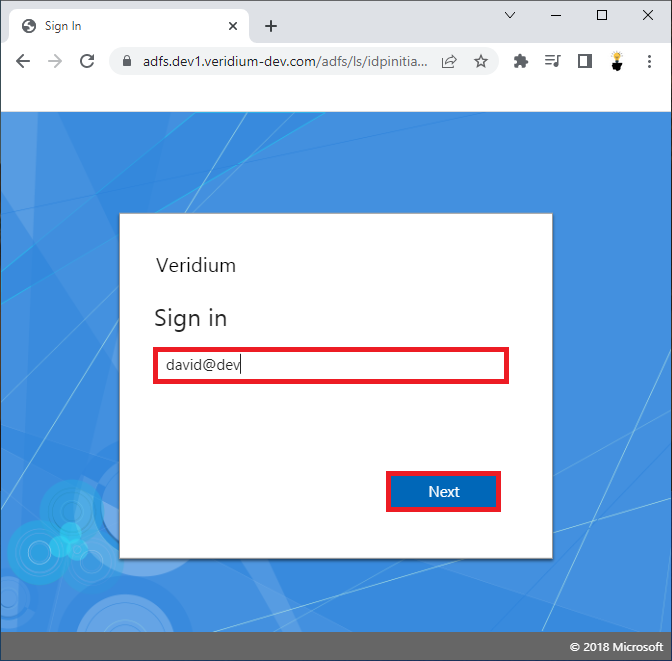
    image-20230327-173104.png
  2. Select VeridiumID authentication option and click on it.
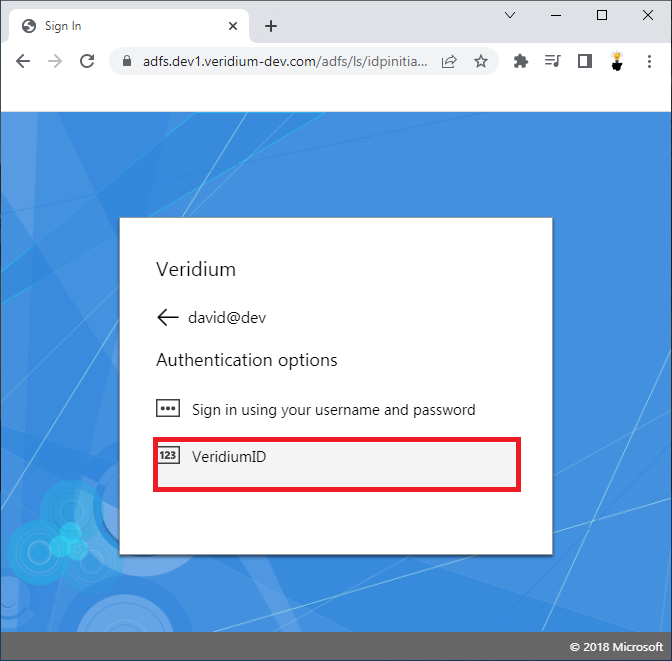
    image-20230327-173118.png


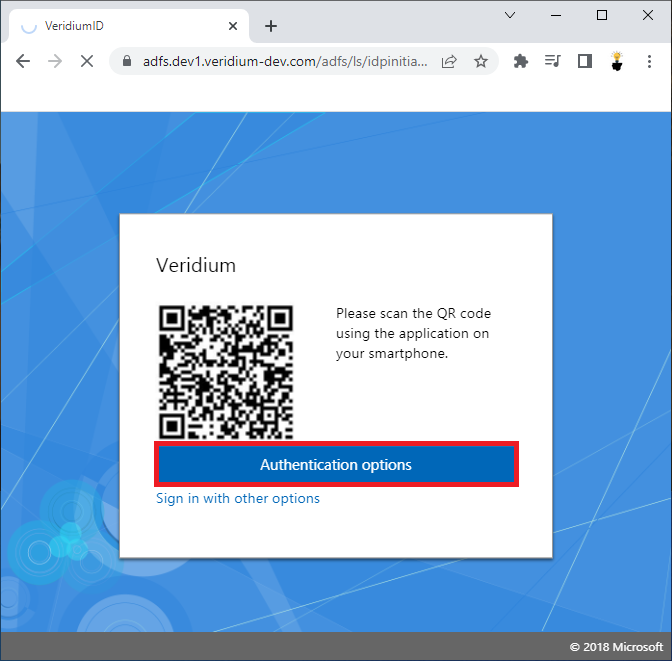
  3. Click on the Authentication options.

    image-20230327-173131.png


  4. Click on the LDAP Password authentication method.
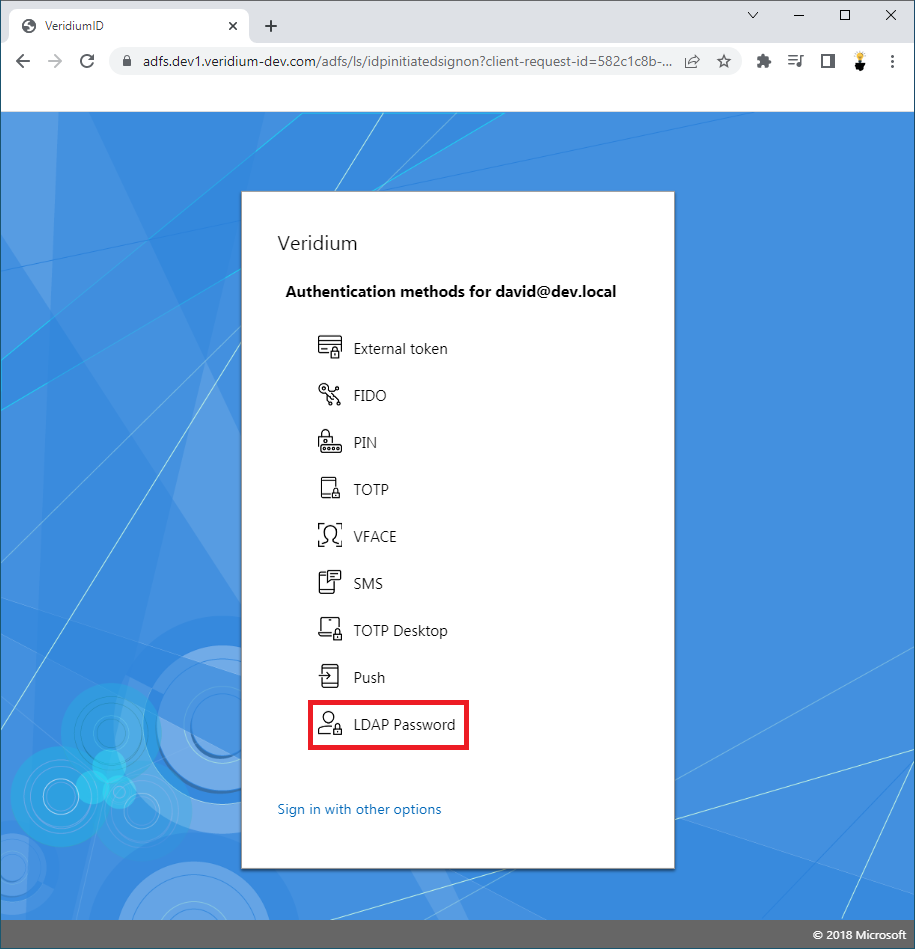
    image-20230327-173143.png


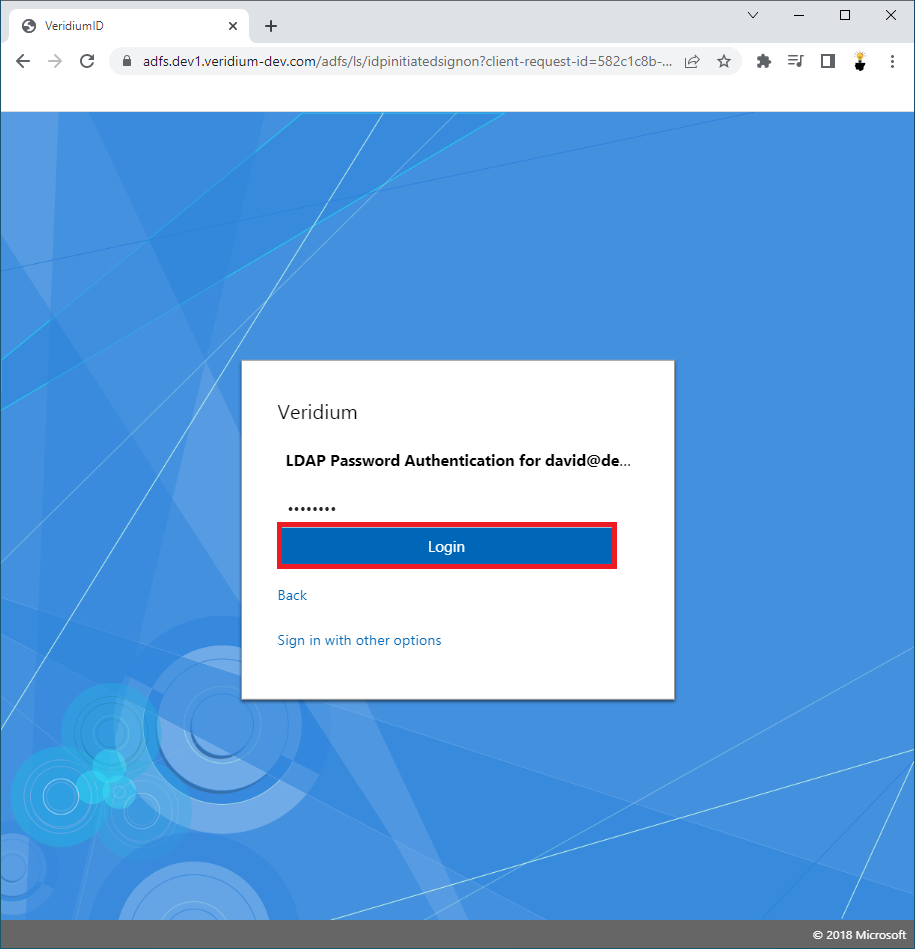
  5. Enter your Password and click Login.

    image-20230327-173158.png


  6. User is successfully Logged-in.

Last updated: