

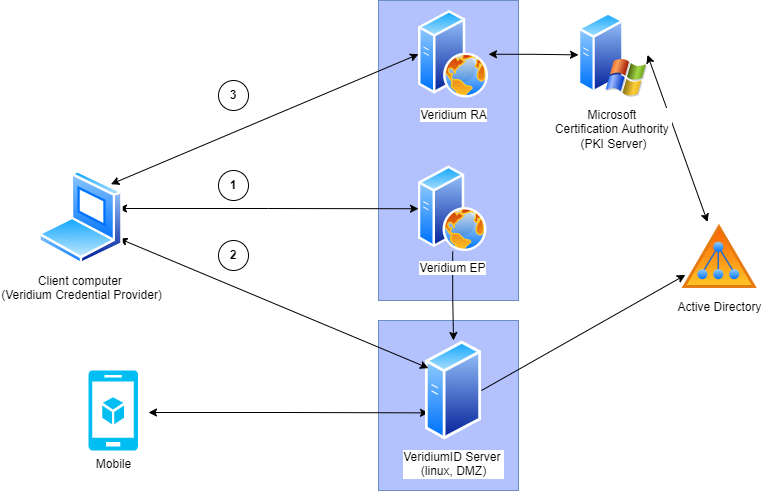
Network communication schema
Windows credential Provider requires following connections:
-
Credential Provider -> VeridiumEP. To test:
-
Start cmd.exe as administrator
-
Start CMD in a context of Local computer:
psexec -i -s cmd.exe
(psexec might be downloaded here https://learn.microsoft.com/en-us/sysinternals/downloads/psexec
Execute (in the computer system context): -
execute command
whoami
expected answer is:
nt authority\system -
Start browser by following command:
explorer "<https://<VeridiumEP> Server FQDN>/BopsEnroll/BopsEnroll.svc/Test" -
User will be prompted to enter username / password. If so, enter your domain credentials
-
You will see resulting message "DEV\\milos is logged on."This is a confirmation that Credential Provider can reach Veridium EP server.
In case you see any error, go to EP server and search for IIS logs. Default path is:
C:\inetpub\logs\LogFiles\W3SVC1
Open latest file modified, go to end of the file:
2022-02-19 17:53:53 W3SVC1 WinSrvMilos2 192.168.3.128 GET /BopsEnroll/BopsEnroll.svc/Test - 443 DEV\milos 192.168.3.128 Mozilla/5.0+… - 200 0 0 110
The most important is resulting code. 200 0 means all OK.
There are following codes available: Refer to https://httpstatuses.com/ or https://en.wikipedia.org/wiki/List_of_HTTP_status_codes
-
-
Credential Provider -> VeridiumID server: test URL:
-
Start cmd.exe as administrator
-
Start CMD in a context of Local computer:
psexec -i -s cmd.exe
(psexec might be downloaded here https://docs.microsoft.com/en-us/sysinternals/downloads/pstools) Execute (in the computer system context): -
Execute command:
whoami
expected answer is:
nt authority\system -
Start browser by following command:
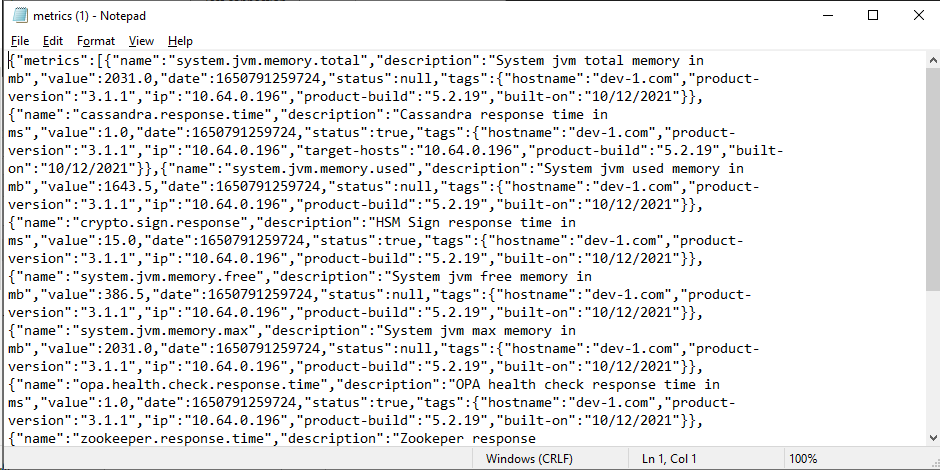
explorer "<https://<VeridiumIS> Server FQDN>/websec/rest/health/metrics" -
Resulting message contains Metrics information:
-
-
Credential Provider -> VeridiumRA. Test URL is: <https://<RA> server FQDN>/RaWebApp/Status/Default.aspx
open new browser window and try URL. Response should look like this:
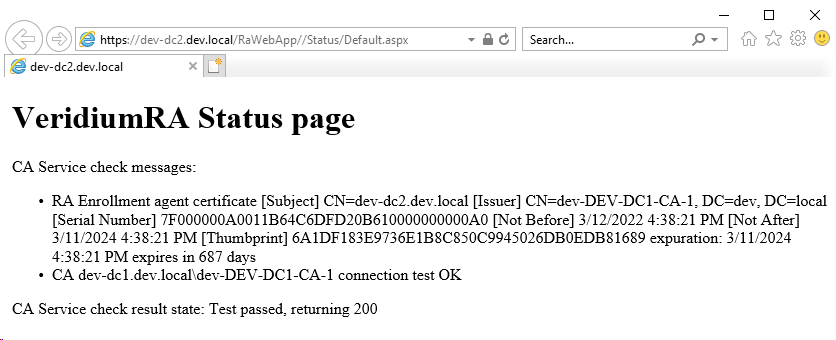
in case there is not possible to reach VeridiumRA server from client, check Firewall rules, proxy settings, etc.