

To renew OPA certificate, perform the following steps:
-
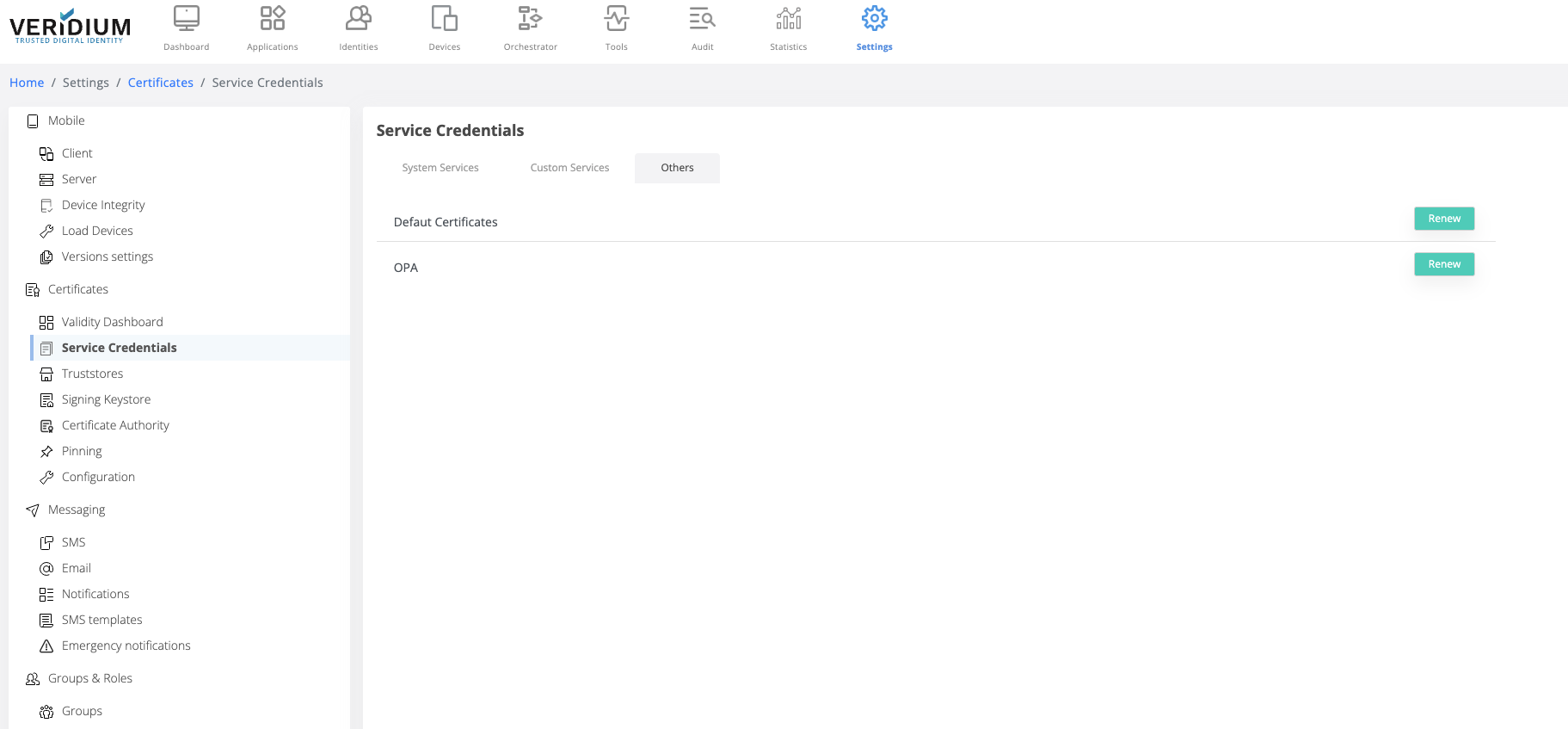
In Admin manager go to Settings → Certificates → Service Credentials → Others tab
-
Click on Renew button for OPA
-
Optional - save the generated zip file
-
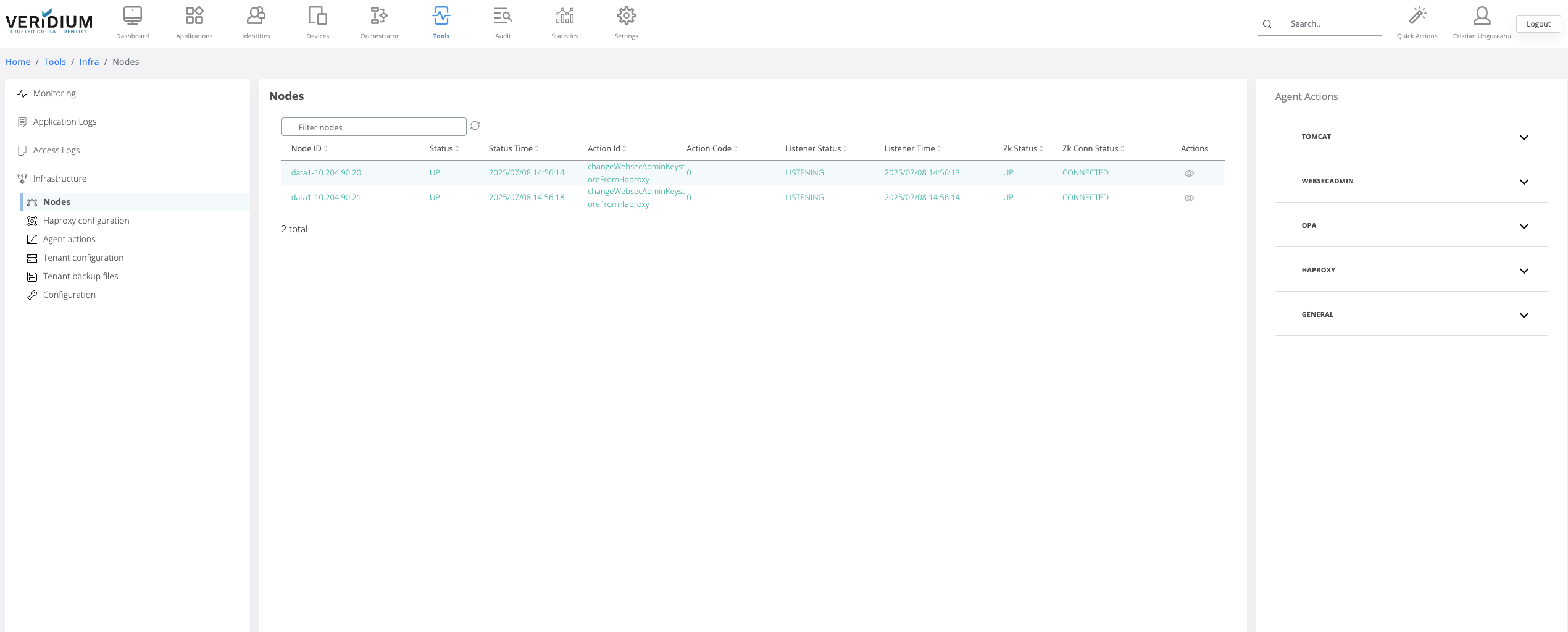
To apply the new certificate go to Tools → Infrastructure → Nodes
-
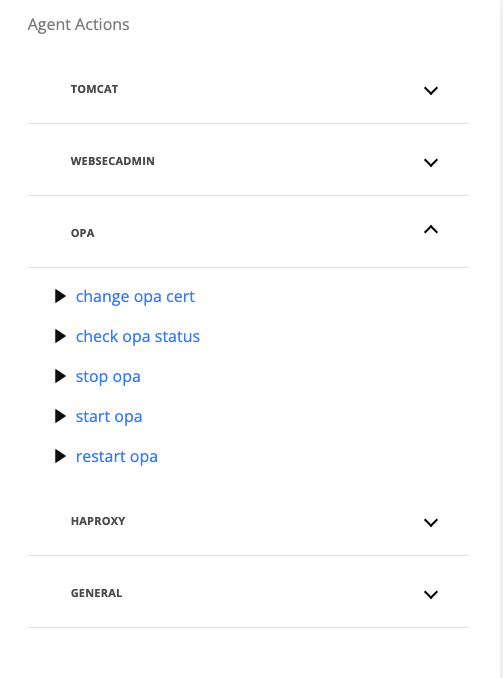
On the Agent Actions section on the right hand side expand the OPA category
-
Run the command “change opa cert”
-
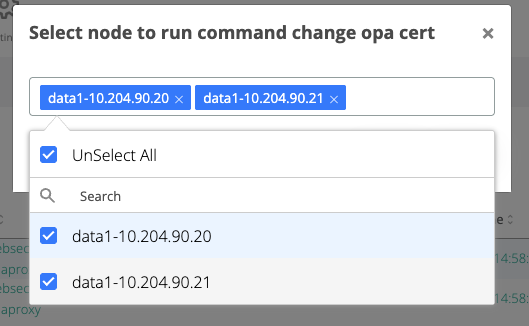
On the displayed pop-up, select the webapp nodes where the certificate will be changed
-
Click on Run button
-
If the execution is successful, each webapp node that was selected above will turn green having the action Id “changeOpaCert”
-
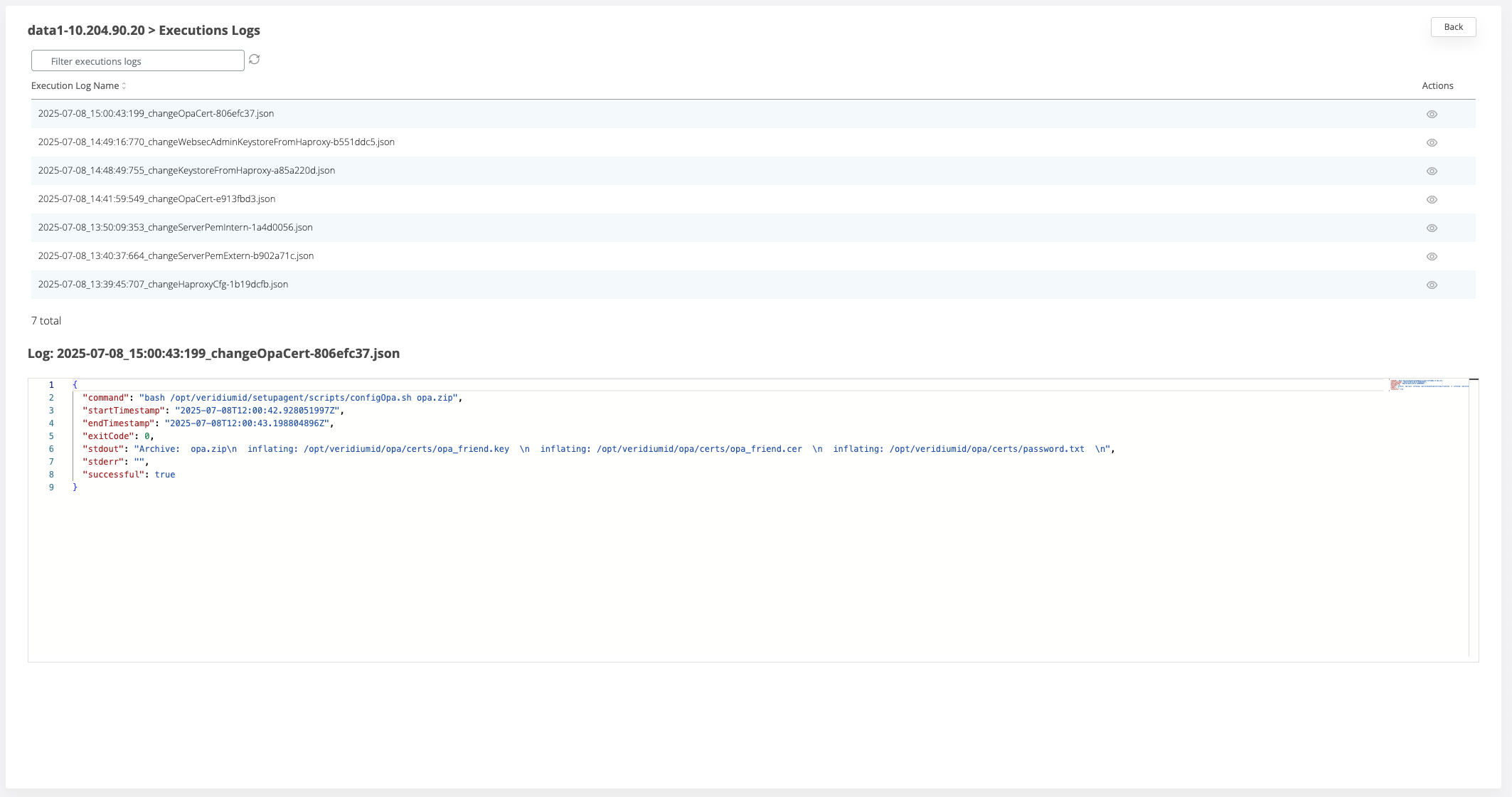
If the execution is not successful, each webapp node where the command failed will turn red. To check the logs for the execution click on the View icon for a node and view the list of all executions .
-
To check one log entry, click on the view icon for the respective line
Alternative method to change the OPA certificate
This method represents the server-side version of the steps above. If the procedure above was performed, the below steps should not be done.
-
perform steps 1->3 from above procedure
-
copy the zip file from your computer to the server where OPA service is installed
-
scp opa-cert.zip veridiumid@<IP_ADDRESS>:/home/veridiumid
-
-
ssh into the server where OPA service is installed:
-
ssh veridiumid@<IP_ADDRESS>
-
-
execute the following
-
sudo /opt/veridiumid/opa/bin/config-opa.sh -c /home/veridiumid/opa-cert.zip
-