v3.9 v3.8.4 v3.8.3 v3.8.2 v3.8.1 v3.8 v3.7.2 v3.7.1 v3.7 v3.6
Auto Light Dark
Auto Light Dark
v3.9 v3.8.4 v3.8.3 v3.8.2 v3.8.1 v3.8 v3.7.2 v3.7.1 v3.7 v3.6

Display name attributes

Display name attributes are used when displaying search result. By default only diplayName is used.

Add new attribute

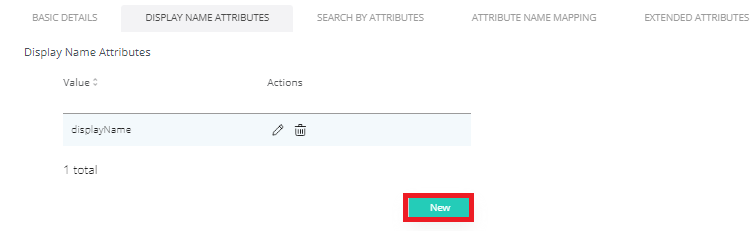
  1. To Add new attribute click New.

    image-20230405-154806.png


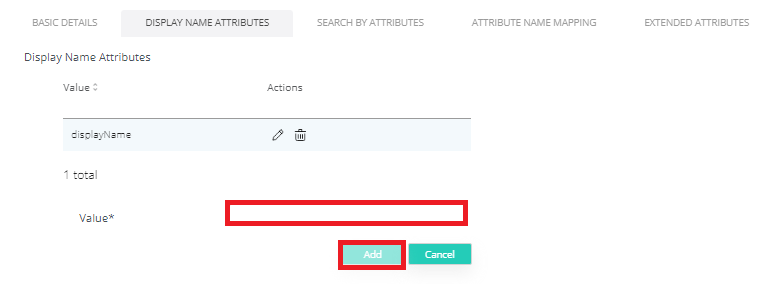
  2. Type in the value and click Add.

    image-20230405-154815.png


  3. Click Save.


Edit attribute

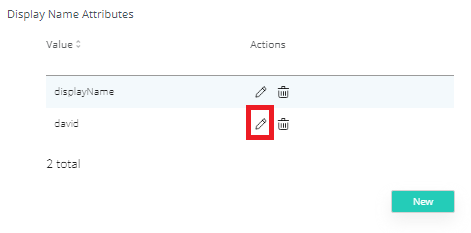
  1. To Edit attribute click Edit icon.

    image-20230405-154902.png


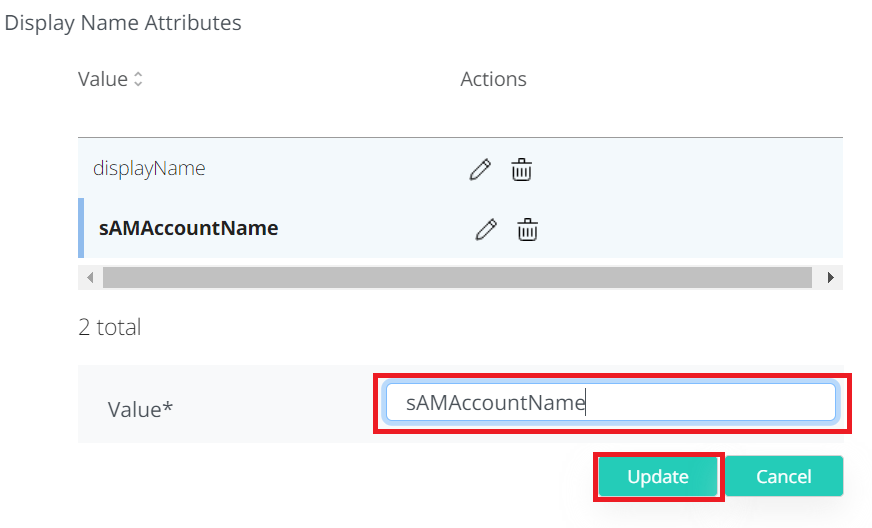
  2. Change the value and click Update.

    image-20230405-154921.png


  3. Click Save.

Delete attribute

  1. To Delete attribute click Delete icon.
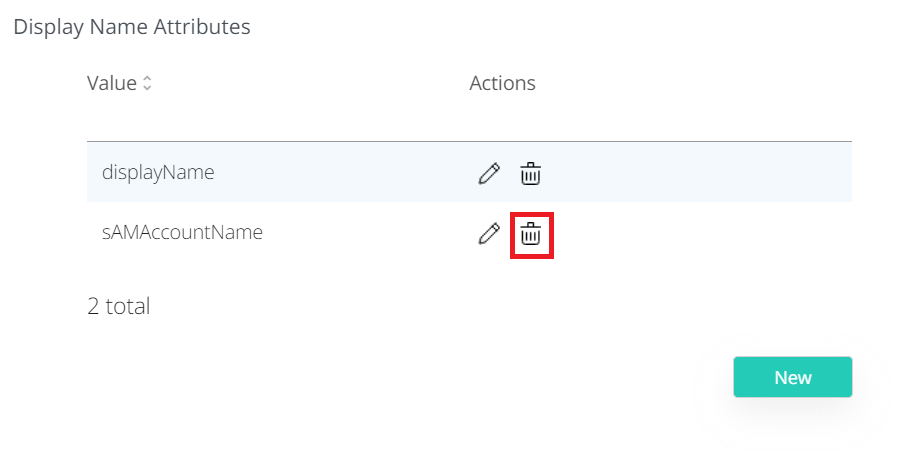
    image-20230405-155414.png
  2. Click Save.

Last updated: