

-
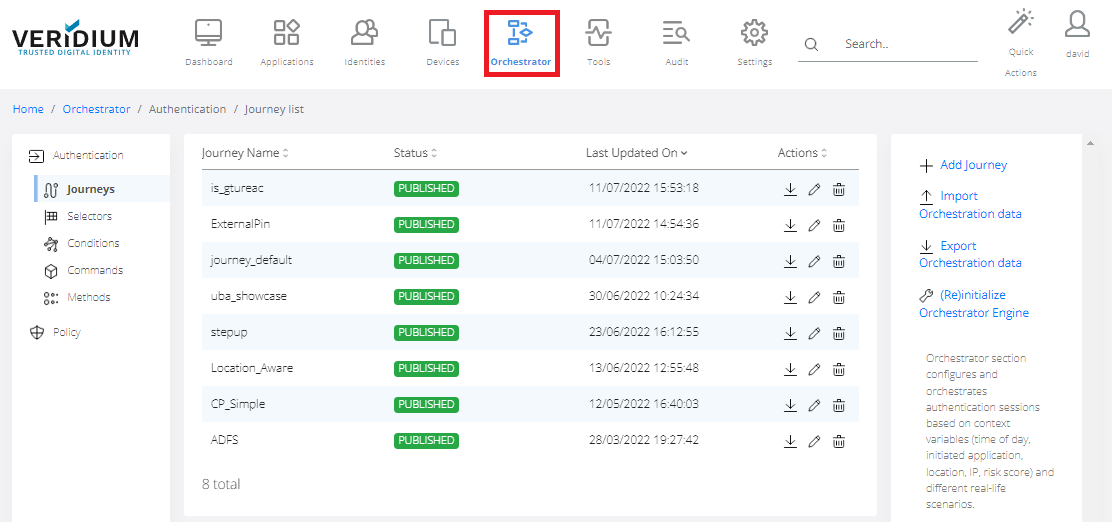
In Veridium Manager, click Orchestrator on top navigation. The list of existing journeys is displayed.
-
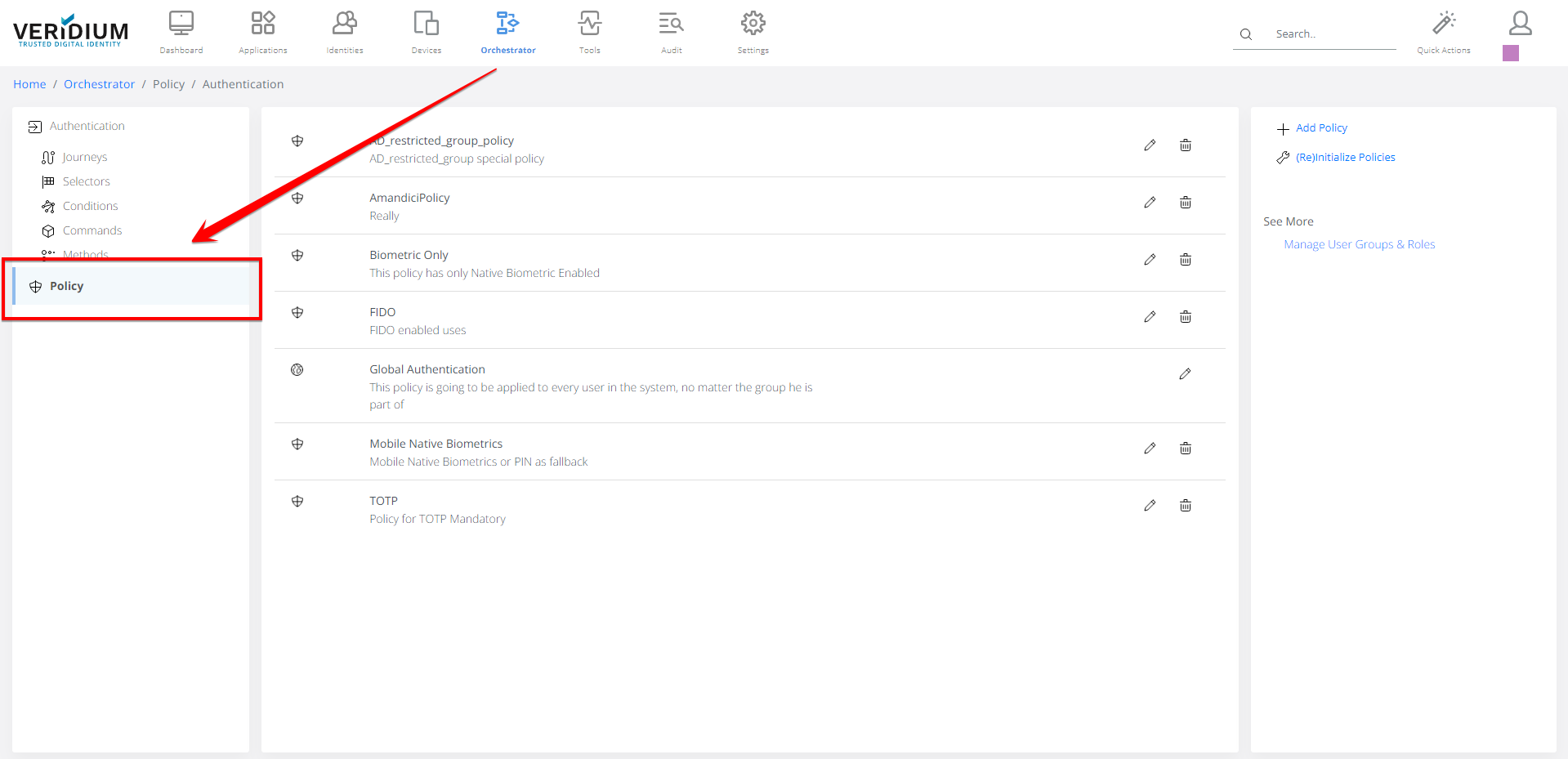
Click Policy on the left-side container.
-
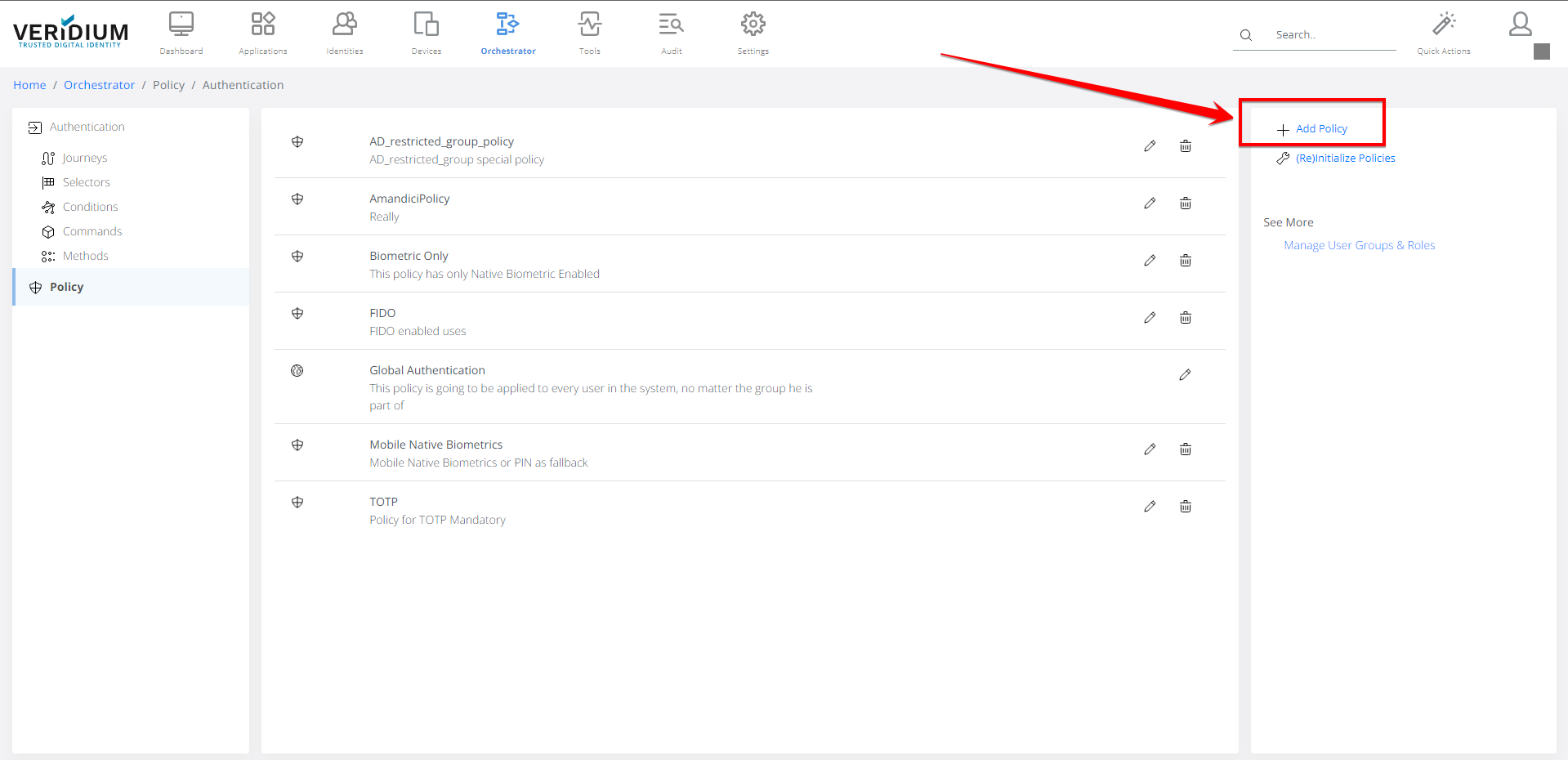
Click on Add Policy on the right-side container.
-
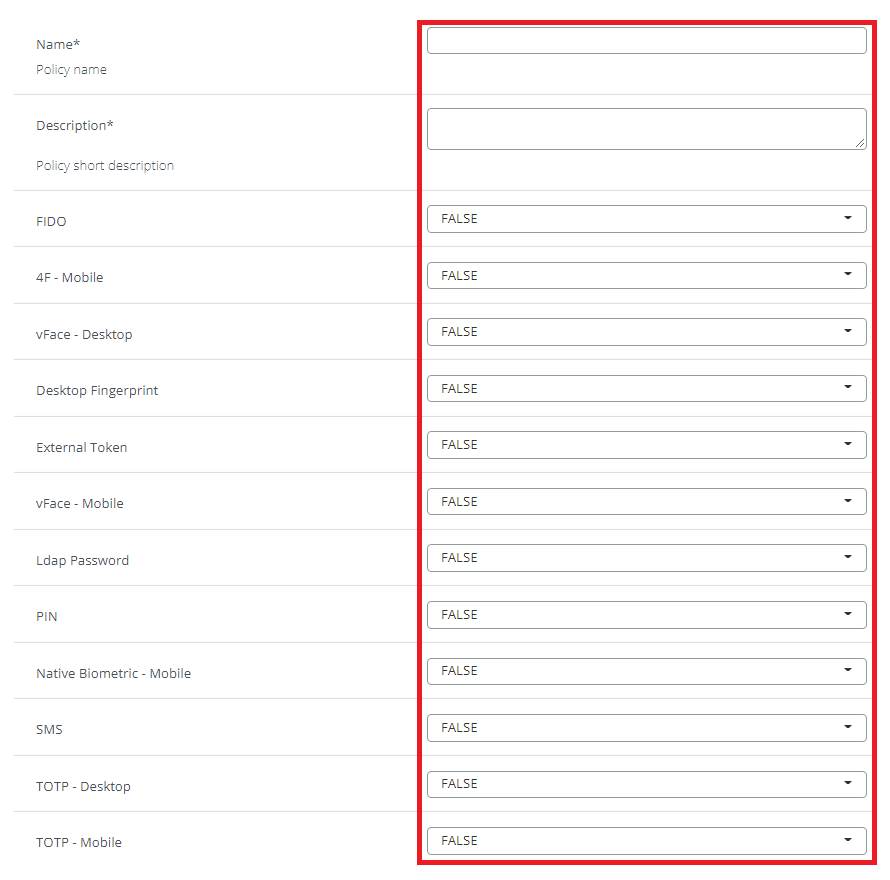
Fill in all the necessary information. For more information visit: Global authentication policy
The defined policy can be mapped to user groups to achieve customizable enrolment experience. For details, please refer to Policy Mechanism