

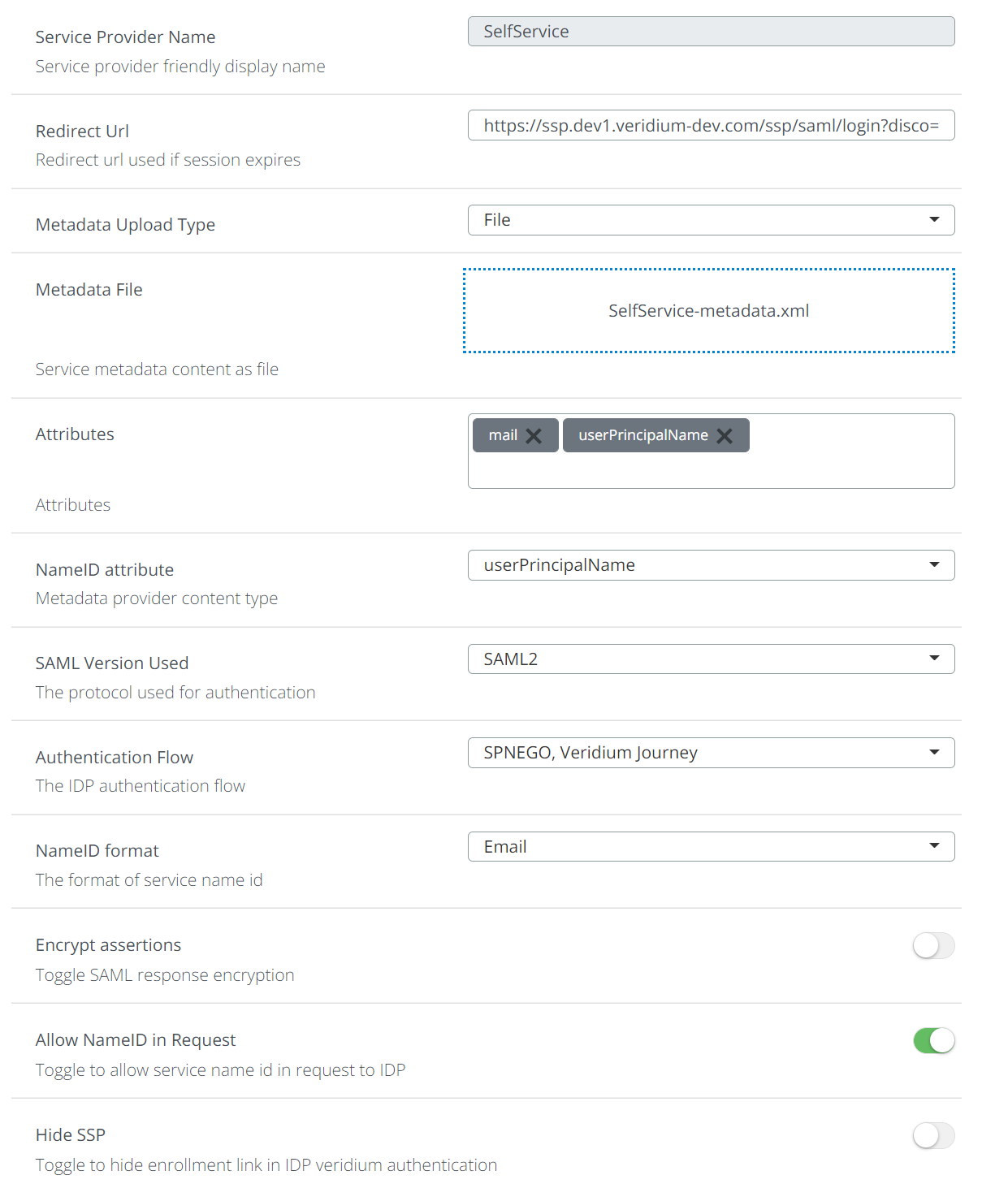
SAML Application type is application supporting SAML as alternative authentication option. SAML application is defined by following attributes:
-
Service Provider name - Friendly name of the application.
-
Service Provider Friendly Name - Service provider friendly display name.
-
RedirectURL - URL of the application after SAML authentication is completed.
-
Metadata upload Type:
-
File: Application metadata file is referenced only once during the setup. Once metadata are expiring, needs to be uploaded manually again.
-
URL: Application metadata file is referenced by URL where Metadata are available online. This URL is regularly checked for changes in metadata file.
-
-
Attributes: one or several attributes delivered in SAML response. Default attributes are: mail, sAMAccountName and userPrincipalName.
-
NameID attribute - attribute from list of allowed attributes defined in previous setting.
-
SAML Version used in authentication:
-
SAML1
-
SAML2
-
-
Authentication flow:
-
Veridium Journey - Veridium authentication flow
-
SPINEGO, Veridium Journey - first Kerberos authentication implemented by SPINEGO, if it fails, than Veridium Journey will be executed. (this option is beneficial for domain joined computers/users. When user is authenticating internally, Kerberos authentication will take place and user is automatically authenticated by Kerberos. When user is coming externally, Veridium Journey is executed).
-
-
NameID format. Allowed options:
-
Email - email address is used as NameID
-
Transient - An identifier that is generated with a new value for each authentication.
-
Persistent - An identifier that is computed and stored once for each user/SP combination. The same value will be released each time a user authenticates from the same SP but different values will be released if the user also authenticates from other SPs.
-
-
Encrypt assertions - Toggle SAML response encryption (default: not encrypt)
-
Allow NameID in Request - Toggle to allow service name id in request to IDP (default: Allow)
-
Hide SSP - Toggle to hide enrollment link in IDP veridium authentication (default: Not hide)