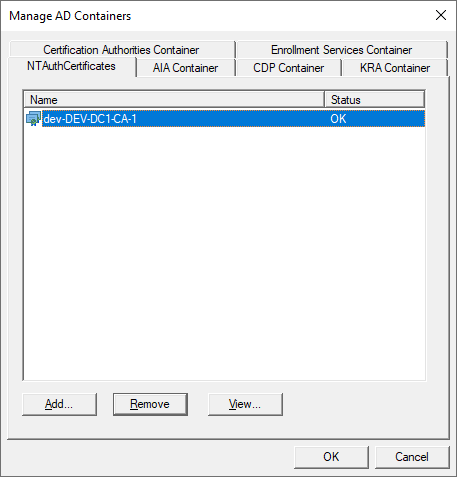
On any Windows server (for example RA), Install CA management tools: (Domain admin permissions are required for step 14 )
-
Start Server manager
-
Client Manage->Add Roles and Features
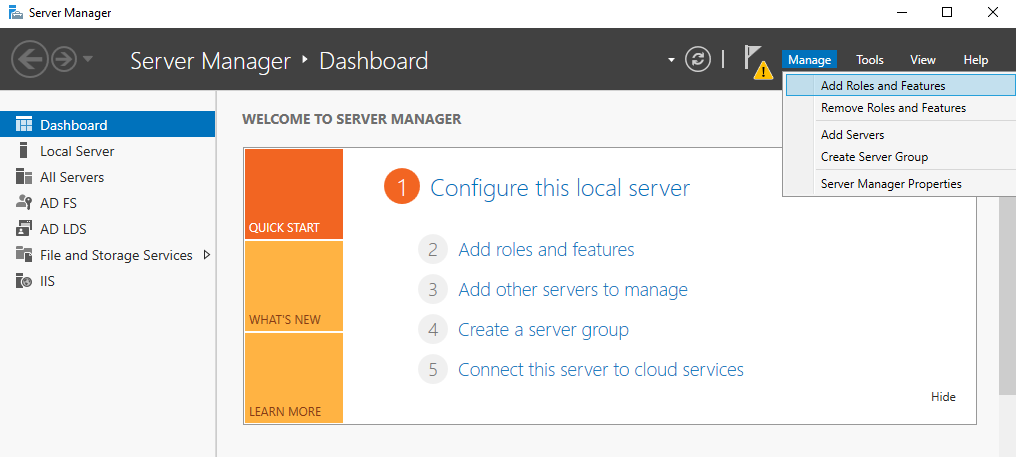
-
Click Next on Welcome screen:
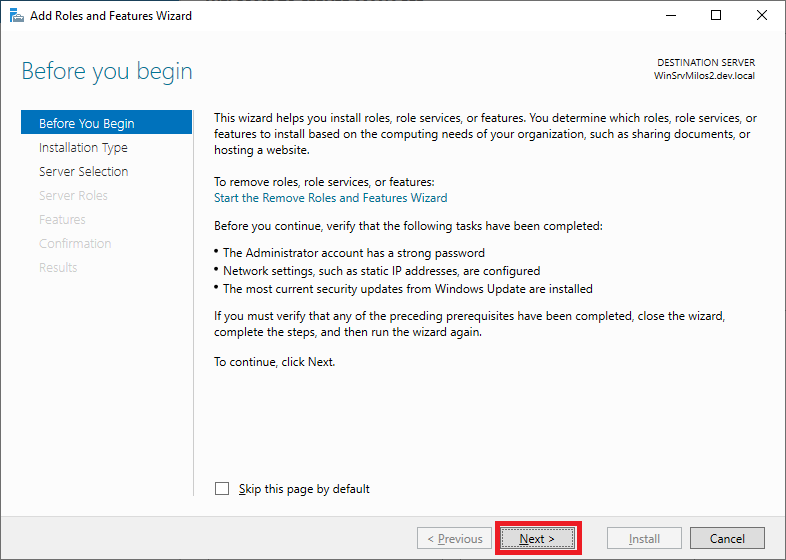
-
Client Next on Select installation type:
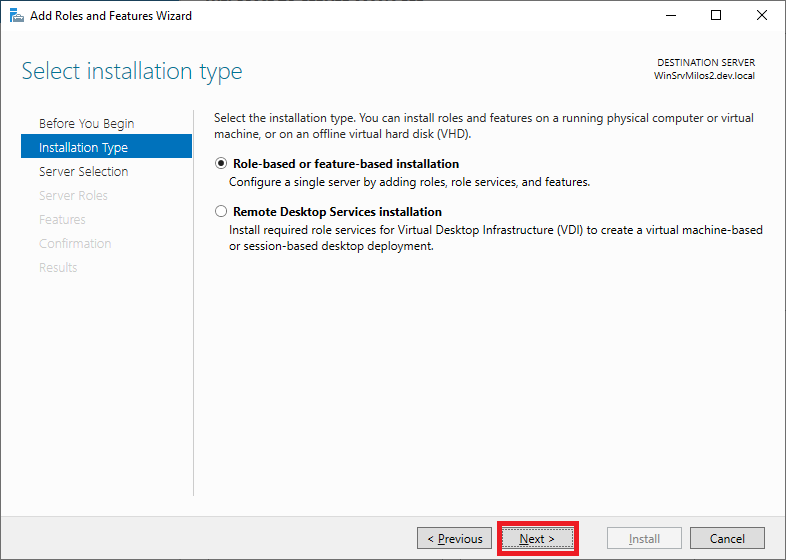
-
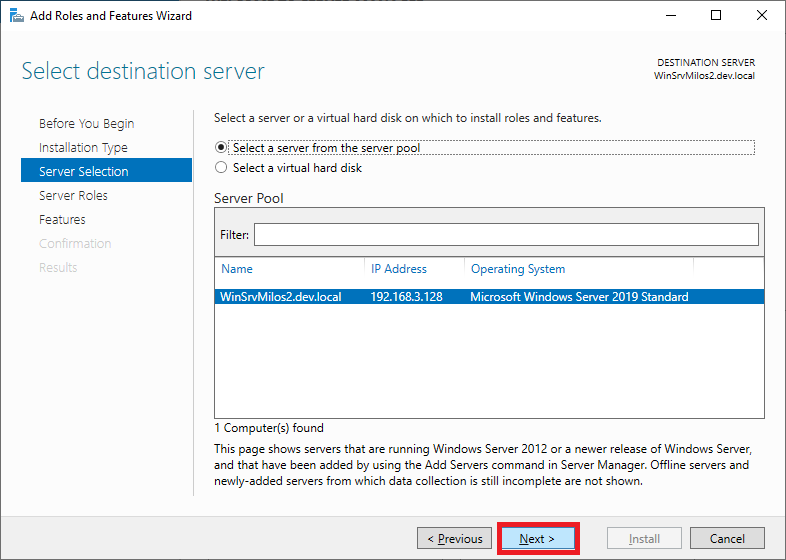
Client Next on Server selection:
-
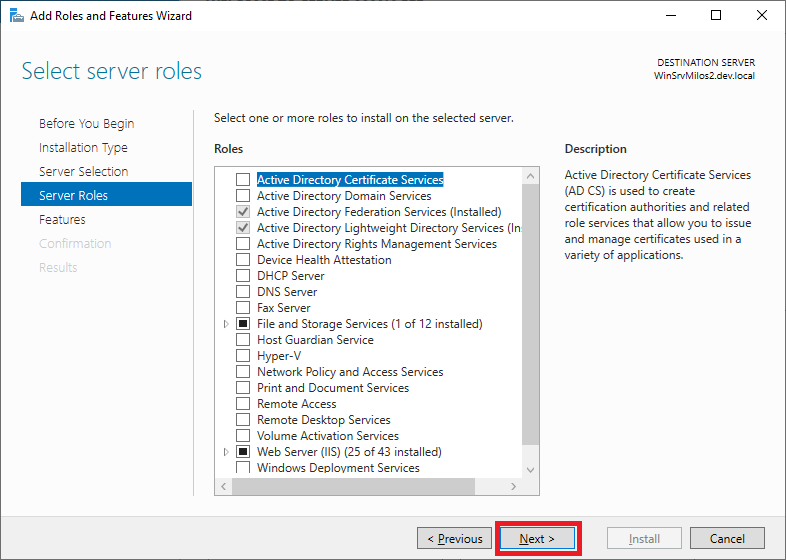
Client Next on Select Server roles (don’t add/remove anything).
-
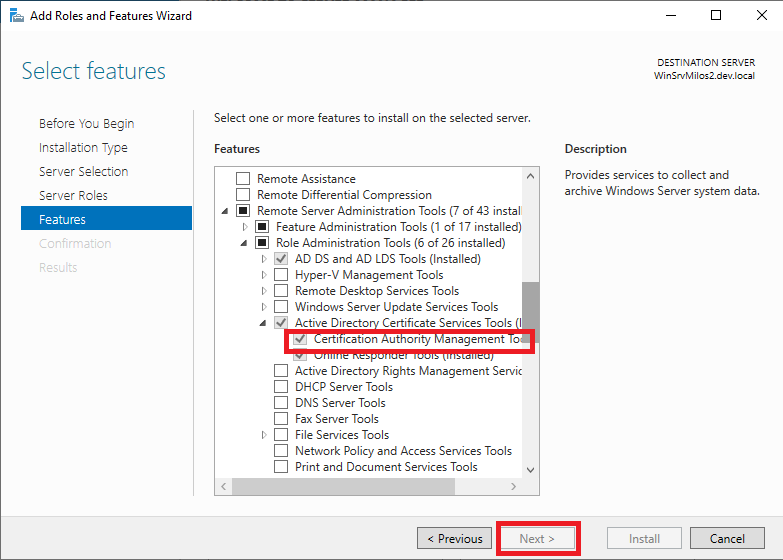
Select Certification Authority Management Tools and click Next button.
-
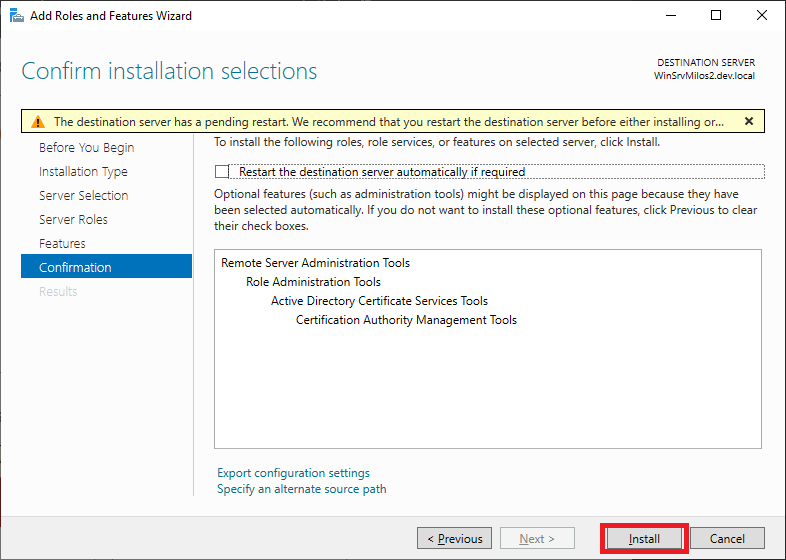
Click “Install” button.
-
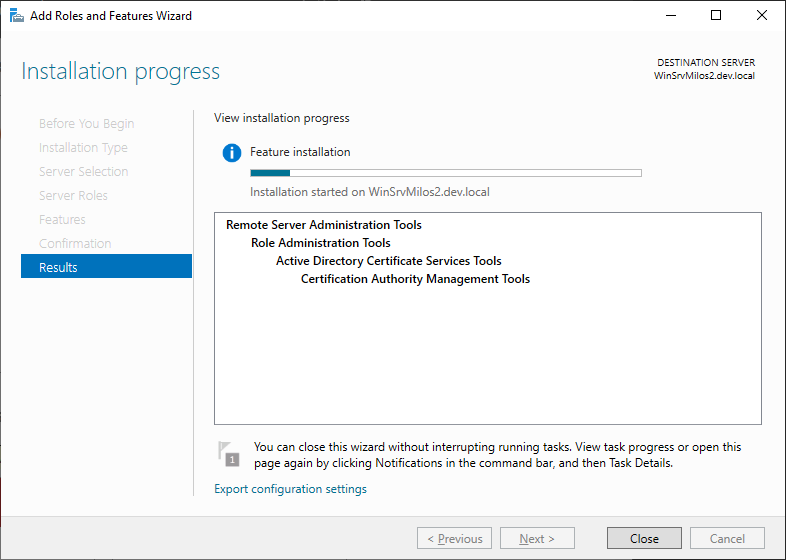
Wait till component is installed and then close window:
-
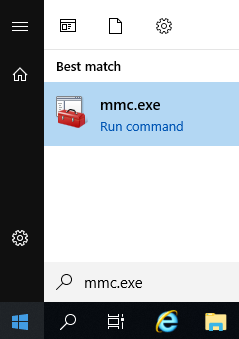
Hit Start menu and execute mmc.exe
-
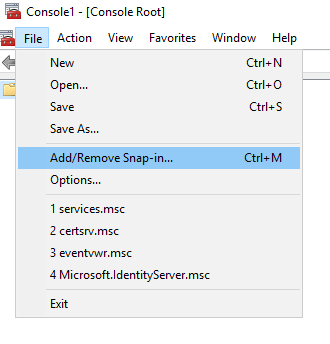
Go to File menu, option Add/Remove Snap-in…
-
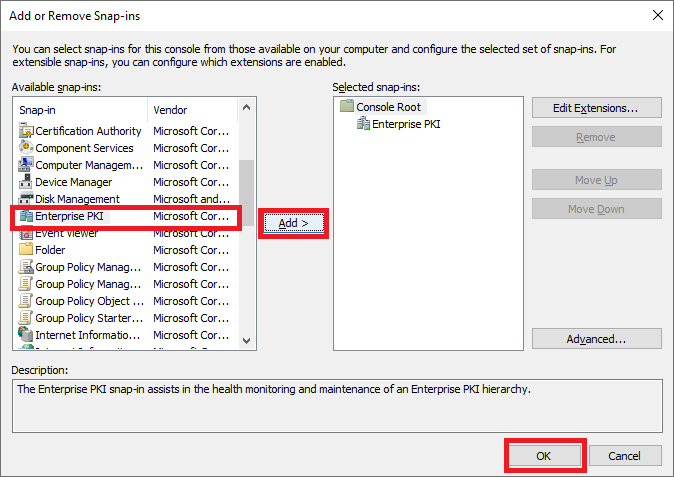
Select „Enterprise PKI“ on left panel and click „Add“ button. Than click „“ button.
-
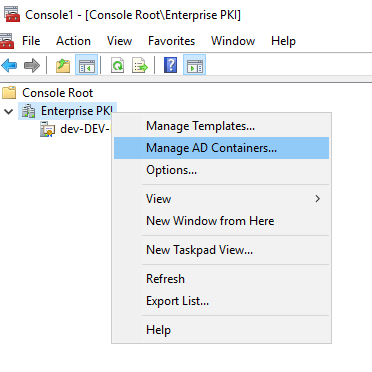
Make a right-click on Enterprise PKI and click “Manage AD containers”.
-
Go to “NTAuthCertificates” tab. Verify issuing Ca certificate is present.