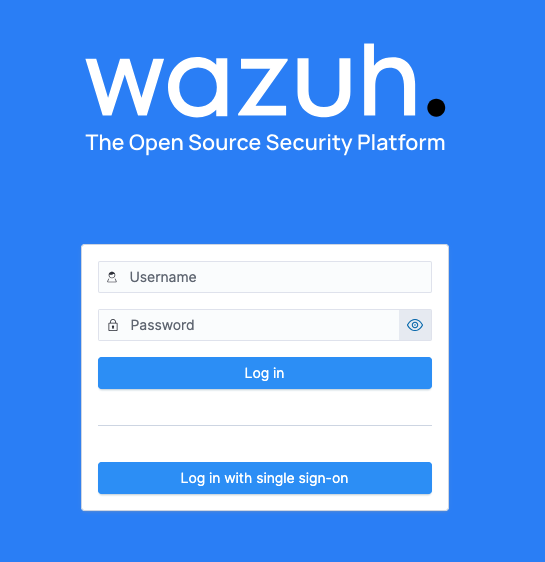
This tutorial demonstrates how to configure Wazuh authentication using VeridiumID as a SAML Identity Provider. It covers the integration of SAML-based Single Sign-On (SSO) for centralized authentication, along with a fallback to internal users to ensure continued access in case SAML is unavailable.
Generate SP Cert / Key
Login to Wazuh Manager server using ssh and run the following commands:
openssl req -x509 -newkey rsa:2048 -keyout /etc/wazuh-indexer/certs/sp-key.pem   -out /etc/wazuh-indexer/certs/sp-cert.pem -days 3650 -nodes   -subj "/CN=wazuh-dashboard"
chown wazuh-indexer:wazuh-indexer /etc/wazuh-indexer/certs/sp-cert.pem
chown wazuh-indexer:wazuh-indexer /etc/wazuh-indexer/certs/sp-key.pem
Configure VeridiumID
From “Veridium Manager , go to Applications → Add SAML app and we need to complete the following parameters:
-
Enable or disable the SAML service provider: enable
-
Entity ID: wazuh-dashboard
-
Service Provider Name: WazuhDashboard
-
Service Provider Friendly Name: WazuhDashboard
-
Metadata Upload Type: File
-
Metadata File (save the below XML local and replace the content) after that upload it.
<?xml version="1.0" encoding="UTF-8"?>
<md:EntityDescriptor entityID="wazuh-dashboard"
    xmlns:ds="http://www.w3.org/2000/09/xmldsig#" xmlns:md="urn:oasis:names:tc:SAML:2.0:metadata">
    <md:SPSSODescriptor AuthnRequestsSigned="true"
        WantAssertionsSigned="true" protocolSupportEnumeration="urn:oasis:names:tc:SAML:2.0:protocol">
        <md:KeyDescriptor use="signing">
            <ds:KeyInfo xmlns:ds="http://www.w3.org/2000/09/xmldsig#">
                <ds:X509Data>
                    <ds:X509Certificate>MIIDFTCCAf2gAwIBAgIUFZJFfnuQ1C0i+b+lZ+lCnFl9NyswDQYJKoZIhvcNAQEL
BQAwGjEYMBYGA1UEAwwPd2F6dWgtZGFzaGJvYXJkMB4XDTI2MDUwNTE0MTAxOFoX
DTM2MDUwMjE0MTAxOFowGjEYMBYGA1UEAwwPd2F6dWgtZGFzaGJvYXJkMIIBIjAN
BgkqhkiG9w0BAQEFAAOCAQ8AMIIBCgKCAQEAwemrGaQ2BPoQokPKTideQfsn7cy1
O5h9c+dpFz0EFddSsDIsbao3/QiZgVEyzlVBoNuUGXlA3rlw16zODnkks1foGLld
SsGjWZmH7o8Lxvxcxxxi+aTmAyqBVsjp4BVFZuBmZ04
IAPoa0BwwYfGveud8erqObXClB+6Cs2tQIvNMmwJpi07NIr/PKH07jXjTXzLfb7l
FLN2xDwYs5xFnTid+HTQ7ESsZ1mcDCrkTQIcDKCO9+MoR88FJm6EiyYO+VKs4pk+
dbQ3/YaLVfMygI994hs/m7IYmHglXfLNWA==</ds:X509Certificate>
                </ds:X509Data>
            </ds:KeyInfo>
        </md:KeyDescriptor>
        <md:SingleLogoutService
            Binding="urn:oasis:names:tc:SAML:2.0:bindings:HTTP-Redirect" Location="https://wazuh.dev.local/_opendistro/_security/saml/logout"/>
        <md:NameIDFormat>urn:oasis:names:tc:SAML:1.1:nameid-format:unspecified</md:NameIDFormat>
        <md:NameIDFormat>urn:oasis:names:tc:SAML:1.1:nameid-format:emailAddress</md:NameIDFormat>
        <md:AssertionConsumerService
            Binding="urn:oasis:names:tc:SAML:2.0:bindings:HTTP-POST" Location="https://wazuh.dev.local/_opendistro/_security/saml/acs"/>
    </md:SPSSODescriptor>
</md:EntityDescriptor>
Please replace “ds:X509Certificate” with content from /etc/wazuh-indexer/certs/sp-cert.pem (without -----BEGIN CERTIFICATE----- and -----END CERTIFICATE-----)
Please replace wazuh.dev.local, with your Wazuh Dashboard Kibana url.
-
Attributes: mail sAMAccountName memberOf userPrincipalName
-
NameID attribute: mail
-
SAML Version Used: SAML2
-
Authentication Flow: Veridium Journey
-
NameID format: Persistent
-
Encrypt assertions: disabled
-
Allow NameID in Request: enabled
-
Hide SSP: disable
-
Hide SSO Redirect: enable
Configure Wazuh
-
Login to Wazuh Server via SSH and edit the following files:
-
Edit /etc/wazuh-indexer/opensearch-security/config.yml
Add “saml_auth_domain” as below and change the parameters.
    authc:
      saml_auth_domain:
        http_enabled: true
        transport_enabled: false
        order: 1
        http_authenticator:
          type: saml
          challenge: true
          config:
              idp:
                metadata_url: "https://shib-domain-veridiumid.com/idp/shibboleth"
                entity_id: "https://shib-domain-veridiumid.com/idp/shibboleth"
              sp:
                entity_id: "wazuh-dashboard"
                signature_private_key_filepath: "/etc/wazuh-indexer/certs/sp-key.pem"
                forceAuthn: false
              kibana_url: "https://wazuh.dev.local"
              roles_key: memberOf
              exchange_key: "69fd6xx57e4451f8xx3d8a1061"
                #logout_url: ""
        authentication_backend:
            type: noop
      basic_internal_auth_domain:
        description: "Authenticate via HTTP Basic against internal users database"
        http_enabled: true
        transport_enabled: true
        order: 0
        http_authenticator:
          type: basic
          challenge: false
        authentication_backend:
          type: intern
-
idp → metadata_url: metadata url https://shib-domain-veridiumid.com/idp/shibboleth"
-
idp → entity_id:
-
From “Veridium Manager , go to “Settings → Identify Provider → SAML → Entity Id*
-
in our case https://shib-domain-veridiumid.com/idp/shibboleth
-
ssp → entity_id: wazuh-dashboard (entity_id from Veridium Manager → Applications → WazuhDashboard (our saml configuration) → Entity ID.
-
ssp → signature_private_key_filepath → path to the sp key, in our case /etc/wazuh-indexer/certs/sp-key.pem
-
kibana_url: https://wazuh.dev.local (wazuh url kibana)
-
roles_key: memberOf (in our case we will have wazuh_admins group as part of memberOf)
-
exchange_key: (we can generate it using “openssl rand -hex 32” command
We need to set the order of “saml_auth_domain” to 1 and “basic_internal_auth_domain” to 0.
-
Edit /etc/wazuh-dashboard/opensearch_dashboards.yml
opensearch_security.auth.type: ["basicauth", "saml"]
opensearch_security.auth.multiple_auth_enabled: true
server.xsrf.whitelist: ["/_opendistro/_security/saml/acs", "/_opendistro/_security/saml/acs/idpinitiated", "/_opendistro/_security/saml/logout"]
opensearch.username: "admin"
opensearch.password: "admin"
opensearch_security.auth.logout_url: "https://wazuh.dev.local/login"
opensearch.username: replace with the correct user, local
opensearch.password: replace with the correct password, local user
Important behavior:
-
basicauth→ used for API/internal login -
saml→ used for browser login -
challenge: falseon basic → prevents browser popup
-
Edit /etc/wazuh-indexer/opensearch-security/roles_mapping.yml
all_access:
  reserved: true
  hidden: false
  backend_roles:
    - "CN=wazuh_admins,OU=AADDC Users,DC=veridiumid,DC=com"
    - "admin"
  hosts: []
  users: []
  and_backend_roles: []
  description: "Maps admin to all_access"
If we have A hybrid Active Directory (AD) we can add multiple backend_roles CN like below:
- "CN=wazuh_admins,OU=AADDC Users,DC=mydomain,DC=com"
- "CN=wazuh_admins,OU=Groups,OU=MyDomain,DC=mydomain,DC=local"
Remember to add users to the “wazuh_admins” group.
-
Update the changes and restart the services.
This command sets the Java environment for Wazuh Indexer and runs the securityadmin.sh tool to apply or update OpenSearch Security configurations using the administrator certificates.
export OPENSEARCH_JAVA_HOME=/usr/share/wazuh-indexer/jdk

/usr/share/wazuh-indexer/plugins/opensearch-security/tools/securityadmin.sh \
  -cd /etc/wazuh-indexer/opensearch-security/ \
  -icl -nhnv \
  -cacert /etc/wazuh-indexer/certs/root-ca.pem \
  -cert /etc/wazuh-indexer/certs/admin.pem \
  -key /etc/wazuh-indexer/certs/admin-key.pem

systemctl restart wazuh-indexer
systemctl restart wazuh-dashboard
Verify SAML works
journalctl -u wazuh-dashboard -n 20
You should NOT see:
backend_roles=[]