

The goal of this document is to define a procedure for configuring Netscaler with FreeRadius integration to perform authorization based on group filtering. In order to achieve this, you need to modify the Radius action attached to the virtual server’s authentication policy and the session policy’s bound profile as follows:
-
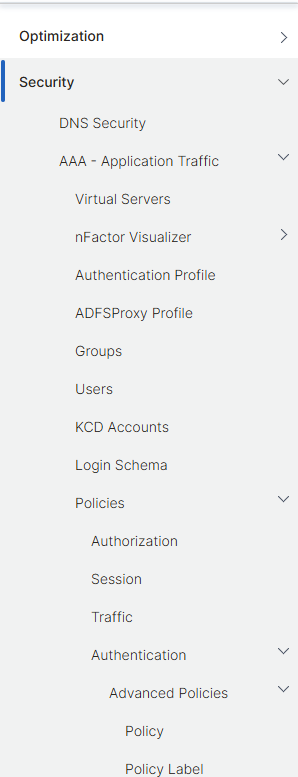
From the main Netscaler menu, click on Security->AAA Application Traffic->Policies->Authentication->Advanced Policies:
-
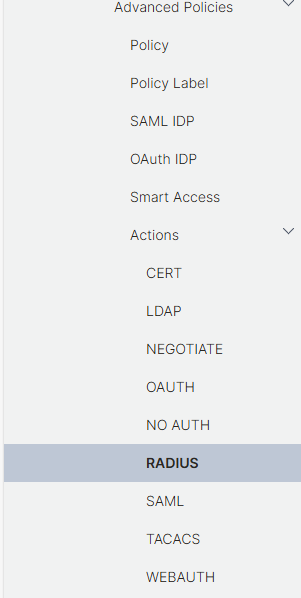
Scroll down and click on Actions, then on RADIUS:
-
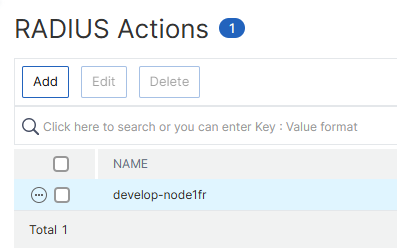
Click on the FreeRadius action to edit it:
-
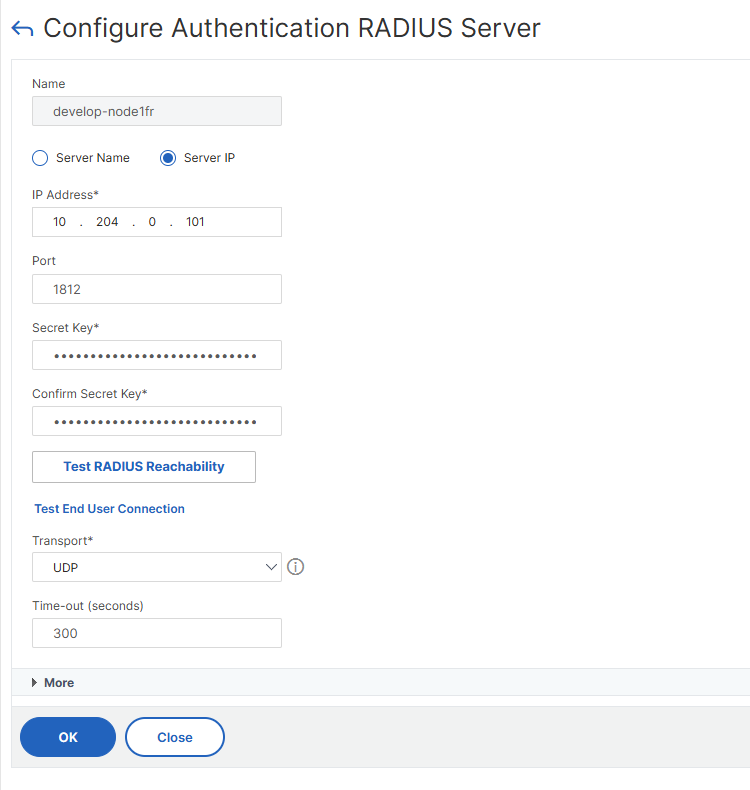
In the next window click on More:
-
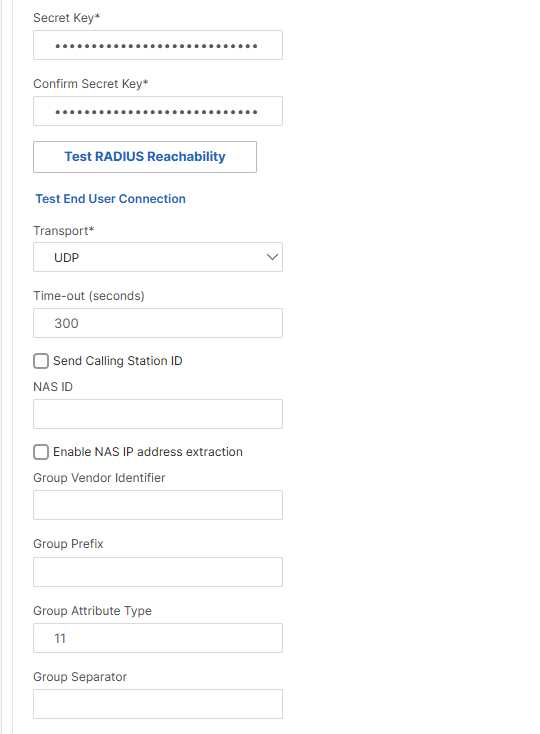
Scroll down until you find the Group Attribute Type field. Fill it with the value 11. As stated in any FreeRadius RFC (e.g. 2865), his corresponds to the attribute Filter-Id, which is used by Veridium to send the user’s groups list:
-
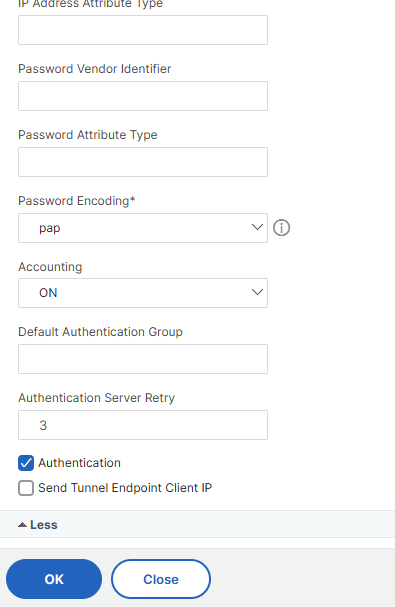
Scroll down and click on OK to save the configuration:
-
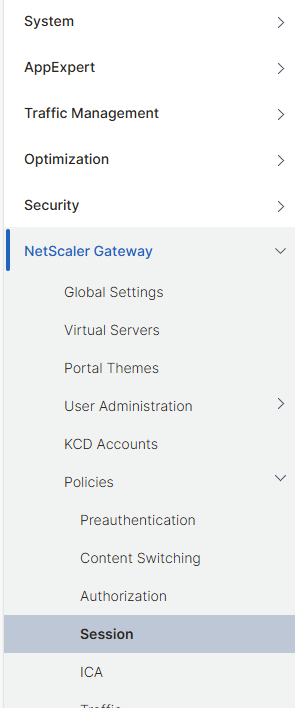
Next, we need to modify the session policy attached to the Netscaler FreeRadius virtual server in order to allow a certain group (ori groups) to login. For this, in the Netscaler main menu, go to Netscaler Gateway->Policies->Session
-
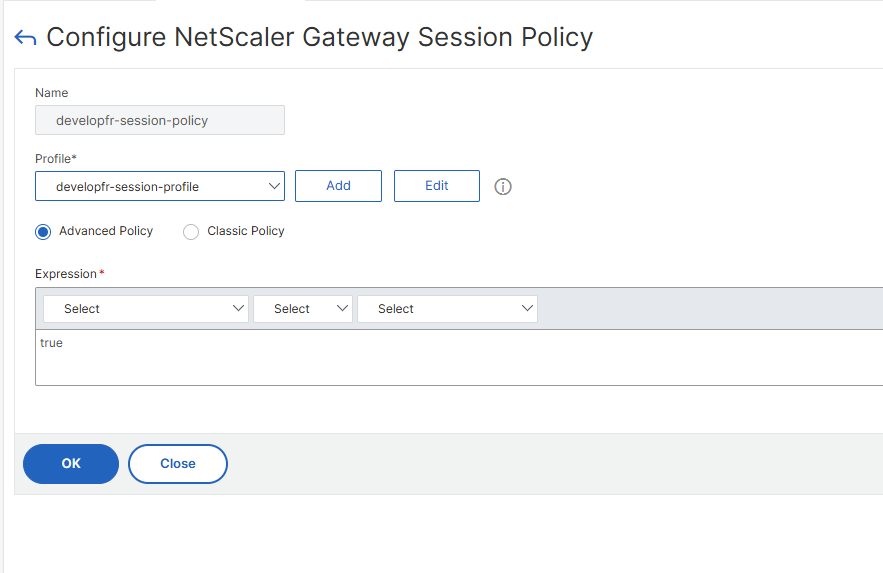
Click on the attached session policy to edit it:

-
In the next window, click the Edit button right next to the Profile field:
-
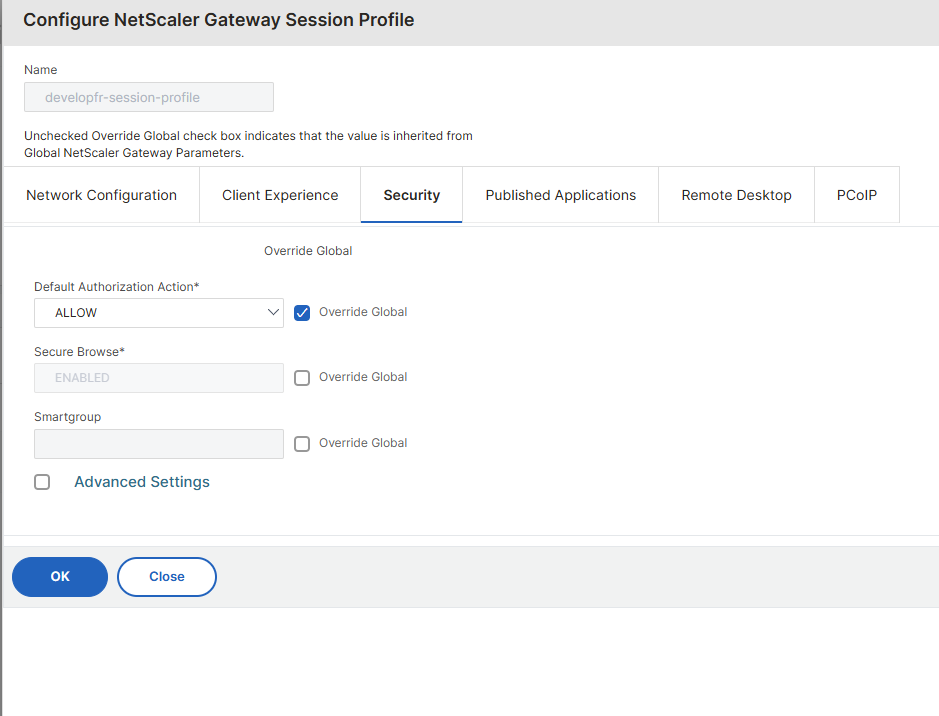
In the next window, click on Security, then on Advanced Settings:
-
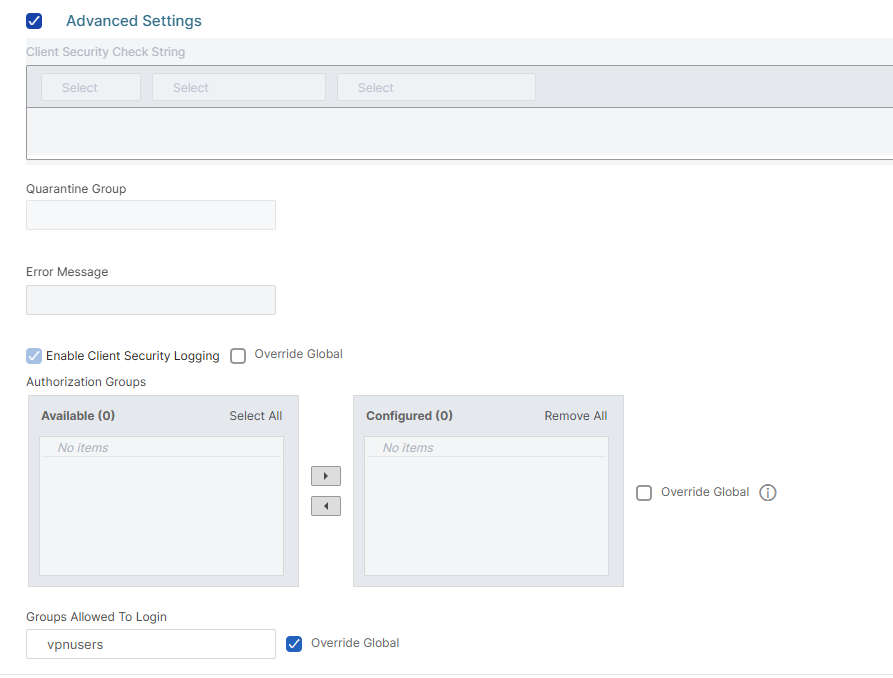
Scroll down and, in the Groups Allowed To Login field, type the group (or groups, separated by a column or semi-column) which are allowed to access the resources published by this session policy:
-
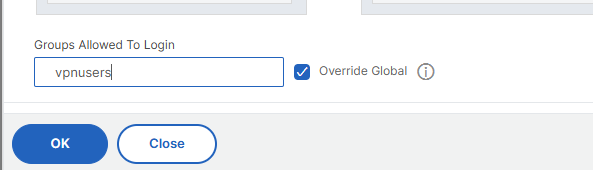
Click on OK to save the configuration:
-
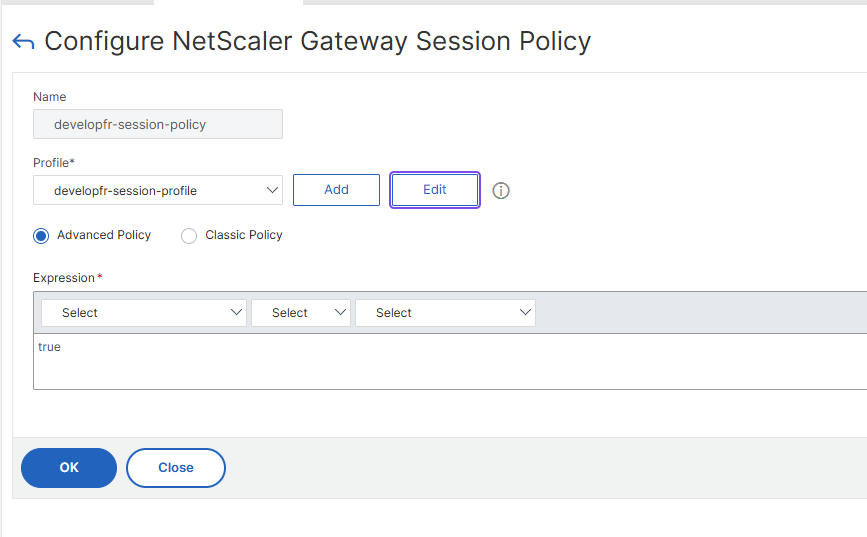
In the next window click on OK again to save the modifications:
-
In the end, don't forget to click the Save button in the main window to commit the changes:
Veridium configuration, to send user groups in response:
The VeridiumID Freeradius module currently manages the authentication layer in the Radius access request and provides only the authentication result: Accept-Accept or Accept-Reject. The authorization is always handled by the integration radius server, that takes over the responsibility to grant authorization based on it’s configured policies.
In general the authorization is based on identity groups or LDAP identity attributes and this setup requires to manage the LDAP connection on the integration RADIUS server. Since the VeridiumID Core services are already integrated with the LDAP and the Veridium session carries all the identity information, the Veridium Freeradius module may provide the access control entities. Since attributes like group membership may tend to be quite large, the access control entities should be allowed for processing and send back on the result based on the client configuration.
The rationale behind this feature is to provide support to configure authentication and authorization on the RADIUS services strictly by integrating with the Veridium RADIUS service and avoid adding additional LDAP queries.
Configuration
The Freeradius service makes use of the identity data provided by the configured LDAP connection in the Veridium services. This allows the option to include any extended attribute configured and make use of it after the authentication was successful.
Steps to include an attribute in the configuration:
-
Define the attribute in the LDAP connection extended attributes
-
Configure the extended attribute in freeradius attributes list
-
Define the attribute in the
freeradiusconfig.jsonincontrol_attrs. If the entry does not exist, define it as in below example:{ "rest_orchestrator": { "control_attrs": ["memberOf"], "sms_len": "8", "allow_any_auth_method_for_any_client": "false", .... } } -
By default freeradius is configured with parameter memberOf. If this needs to be changed, please do the following steps:
-
Define the attribute in the Freeradius dictionary configuration (/opt/veridiumid/freeradius/etc/raddb/dictionary).
-
The attribute will prefixed with VID-. (e.g. for extended attribute memberOf, the dictionary definition should be VID-memberOf).
-
memberOf is defined in this file: /opt/veridiumid/freeradius/share/freeradius/dictionary.veridium. This should not be modified.
-
-
-
Make use of the attribute in the
post-authsection under the active sites (e.g. /opt/veridiumid/freeradius/etc/raddb/sites-enabled/default). See the examples below for more details
Examples
Provide identity groups in Filter-Idattribute
post-auth {
  foreach &control:VID-MemberOf {
    if ("%{Foreach-Variable-0}" =~ /CN=([^,]*),.*/) {
      update reply {
          Filter-ID += "%{1}"
      }
    }
  }
  ......
}
Notes:
-
The VID-MemberOf groups are using the Distinguished Name format. This may be parsed before usage.
-
The DN format may be additionally extended to provide only relevant groups:
/CN=(MFA-[^,]*),.*/
How to test
pass=$(grep secret /opt/veridiumid/freeradius/etc/raddb/clients.conf | awk -F'=' '{print $2}' | grep -v "testing123" | sort -u | grep " " | tr -d " ")
echo "User-Name=<username>,User-Password=1,Framed-Protocol=PPP" | /opt/veridiumid/freeradius/bin/radclient localnet auth $pass -t 5 -r 5 -x
## see in the logs, that field Filter-ID is populated.
## Filter-ID has ID 11 in RFC2865.